
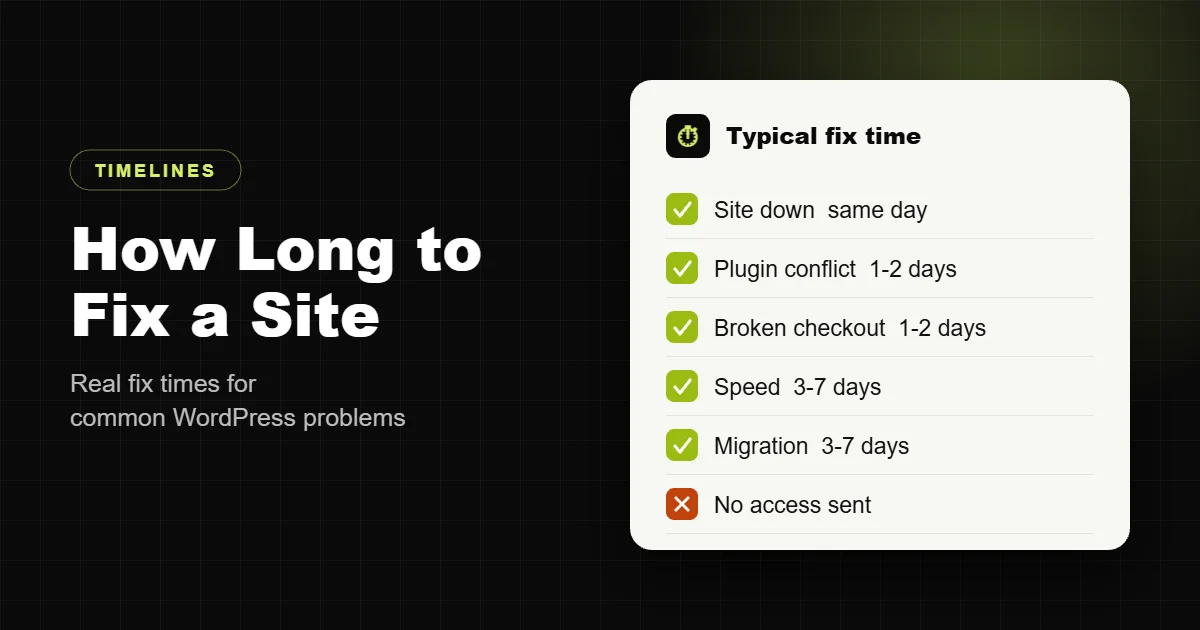
Most WordPress fixes take between a few hours and two days: a plugin conflict or broken layout is usually fixed within 24 to 48 hours, a site that is down is usually back the same day, and bigger jobs like speed optimization, migration or a hacked site cleanup take 3 to 7 days. The fix is often quick. Getting access, finding the real cause and testing safely take the rest.
These are the timelines I quote for my own work, with the price range for each.
How long common WordPress fixes take
| Problem | Typical time to fix | Typical price with me |
|---|---|---|
| Site down, white screen or critical error | Same day | $199 to $499, at the $30 emergency rate |
| Plugin conflict, broken layout, error after an update | 24 to 48 hours | $79 to $249 |
| Broken checkout or payment gateway | Same day to 48 hours | Emergency rate if you are losing orders |
| Hacked site cleanup | Same day to clean, 3 to 7 days to harden | Quoted after a scan; security hardening from $299 |
| Slow site, speed optimization | 3 to 7 days | $149 to $499 |
| Core Web Vitals failing | 1 to 2 weeks | $299 to $799 |
| Slow WooCommerce store | 1 to 2 weeks | $399 to $999 |
| Moving to a new host | 3 to 7 days | $499 to $1,999 |
Why a “quick fix” sometimes takes longer
- Access. Without hosting, WordPress admin or FTP access, nothing starts. Send them with your first message if you can.
- No backup. Before touching a broken site, it has to be backed up. If the host has no recent backup, that comes first.
- The symptom is not the cause. A broken checkout might be a caching rule, a payment plugin update, a theme override or a server change. Finding which one is most of the work.
- Testing safely. Fixes are made on a staging copy where possible, then moved to the live site.
- Several problems at once. Old sites often have outdated plugins and PHP versions stacked together. Fixing one exposes the next.
What to do while you wait
- Do not keep updating or deleting plugins to see what happens. It makes the cause harder to find and can lose data.
- Write down what changed just before it broke: an update, a new plugin, a hosting change, a theme edit.
- Take screenshots of any error messages, including the full text.
- Check that you have a backup, from your host or a backup plugin, and do not overwrite it.
- If it is a store, put a short notice on the site or social channels so customers know you are on it.
For a site that is down or hacked, my emergency WordPress support page walks through the first steps in more detail, and what to do when your WordPress site is hacked covers cleanup.
How to get it fixed fastest
Send three things in your first message: the site address, what is broken and when it started, and access (a temporary admin account and hosting login). With those, most fixes start within hours instead of after a day of back and forth.
I reply personally, usually within a few hours. Planned fixes are $20 an hour or a fixed quote, and emergencies are $30 an hour, quoted as a fixed price once I have access. See WordPress bug fixing, speed optimization, or the full pricing page. Building something new instead? Read how long it takes to build a WordPress website.
Frequently asked questions
How long does it take to fix a WordPress website?
Most fixes take a few hours to two days. A plugin conflict or broken layout usually takes 24 to 48 hours, a site that is down is usually back the same day, and speed or security work takes 3 to 7 days.
How fast can a down WordPress site be fixed?
Usually the same day once the developer has access to the hosting and WordPress admin.
How long does it take to clean a hacked WordPress site?
Cleaning the infection is often done the same day. Hardening the site so it does not happen again usually takes 3 to 7 days.
How long does WordPress speed optimization take?
Typically 3 to 7 days for a small business site, and 1 to 2 weeks for a large WooCommerce store or a site failing Core Web Vitals.
How much does it cost to fix a WordPress site?
With Devansh Thakkar, common fixes are $79 to $249, emergencies are billed at $30 an hour, and planned work at $20 an hour.
What do I need to send a developer to fix my site?
The site address, what is broken and when it started, and access: a temporary admin account and hosting login.
Should I keep updating plugins to fix the problem myself?
No. Random updates and deletions make the cause harder to find and can lose data. Note what changed, take screenshots and check you have a backup.
Why did my WordPress site break after an update?
Usually a plugin, theme or PHP version conflict. The update exposes code that is no longer compatible with something else on the site.
Can you fix my site without taking it offline?
Usually yes. Fixes are tested on a staging copy first where possible, then moved to the live site.
What if the problem comes back after the fix?
Ask for a fix warranty. Devansh Thakkar covers anything he got wrong for 30 days after handover.