
WordPress Maintenance Plans That Prevent Emergencies, Not Just Run Updates
WordPress Maintenance Plans by a Top Rated freelancer. Scheduled updates, daily backups, security monitoring, performance checks, and direct human support. No automated theater, real care.
- Human review on every update
- Backups tested by actually restoring
- Direct support, no ticket queues
- Cancel anytime, no contracts

What are WordPress Maintenance Plans?
WordPress Maintenance Plans are recurring care programs that keep WordPress sites secure, fast, and reliable through scheduled updates, daily backups, security monitoring, performance audits, uptime checks, database optimization, and proactive issue resolution. Quality plans include human review of every change rather than relying purely on automation, plus direct access to a developer for questions and emergencies. Done properly, maintenance prevents the slow accumulation of bugs, vulnerabilities, and performance issues that cause emergency outages.
What's quietly damaging your unmaintained WordPress site
Sites without proper maintenance accumulate problems silently. The damage shows up as security breaches, sudden outages, dropped rankings, broken checkouts, and lost data when backups fail at the worst moment.
Untested backups
Backups running automatically but never tested by actually restoring. Many sites discover the backups never worked the first time they need them.
Skipped updates
Plugin and theme updates piling up. Each delayed update becomes a bigger compatibility risk and a longer security exposure window.
Security drift
Default WordPress installs face constant attacks. Without active hardening and monitoring, breaches are not a matter of if but when.
Performance decay
Sites slow down over time as content grows, plugins update, and tracking scripts accumulate. Rankings drop without anyone noticing why.
Database bloat
Post revisions, transients, abandoned carts, and orphaned metadata add up to hundreds of MB and slow every page load over time.
No human in the loop
Automated tools catch obvious issues but miss subtle ones. Without human review, problems hide in green dashboards until they explode.
Everything included in WordPress Maintenance Plans
Core, theme, plugin updates
Scheduled updates with staging-environment testing for major changes. Critical security patches prioritized within 24 business hours of release.
Daily backups + restore testing
Off-site daily backups with quarterly restore testing to confirm backups actually work. Untested backups are not real protection.
Security monitoring + hardening
Login protection, file integrity monitoring, malware scanning, security header configuration, immediate threat response.
Performance monitoring
Monthly PageSpeed audits, Core Web Vitals tracking via Search Console, regression alerts when scores degrade.
Database optimization
Quarterly cleanup of post revisions, expired transients, orphaned metadata. Index review for slow queries.
Uptime + error monitoring
24/7 uptime checks every 1-5 minutes from multiple regions. Immediate notification with diagnostic data when downtime happens.
Broken link + 404 monitoring
Monthly checks for broken internal links, 404 errors, and form submission failures. Issues fixed before they accumulate.
Monthly transparent reporting
Real reports showing what was done, what was found, what was fixed, and what trends are emerging. No vague status emails.
Direct human support
Slack or email access to a real developer who can answer questions, review issues, and recommend strategic improvements.
How a WordPress Maintenance engagement works
-
01
Initial site audit
Full review of your current WordPress install: plugins, theme, hosting, security, performance, backups. Identify any urgent issues that need immediate attention.
Day 1, 2-3 hours -
02
Baseline cleanup
Bring the site to a healthy baseline: pending updates applied, backups verified, basic hardening, performance issues addressed. Foundation for ongoing care.
Days 1-3 -
03
Monitoring + access setup
Configure uptime monitoring, performance tracking, security tools, and reporting infrastructure. Direct support channel established (Slack or email).
Day 4 -
04
Scheduled monthly work
Updates run on schedule with staging tests for major changes. Backups verified weekly. Performance and security audits monthly. Database optimization quarterly.
Ongoing -
05
Reactive response when needed
Real issues get human review and resolution within plan response times. Emergency fixes covered for plan-tier-appropriate scope.
As needed -
06
Monthly review + reporting
Detailed monthly report covering what was done, what was found, what trends are emerging. Strategy call quarterly to discuss site direction.
End of each month
The WordPress Maintenance stack I work with
I pick maintenance tools based on what your specific site needs and what your hosting platform provides. Most plans use the technologies below in the right combination for your hosting, traffic profile, and risk tolerance.
Real projects, real outcomes
Recent work delivered for clients worldwide.

Multilingual WordPress Site Built From Scratch: Custom Theme, Video-Led Pages, Two Languages
A custom-built bilingual WordPress site for a Spanish smart glass and transparent LED manufacturer. Custom theme, square-metre product configurator, video-led presentation, and…
Read case study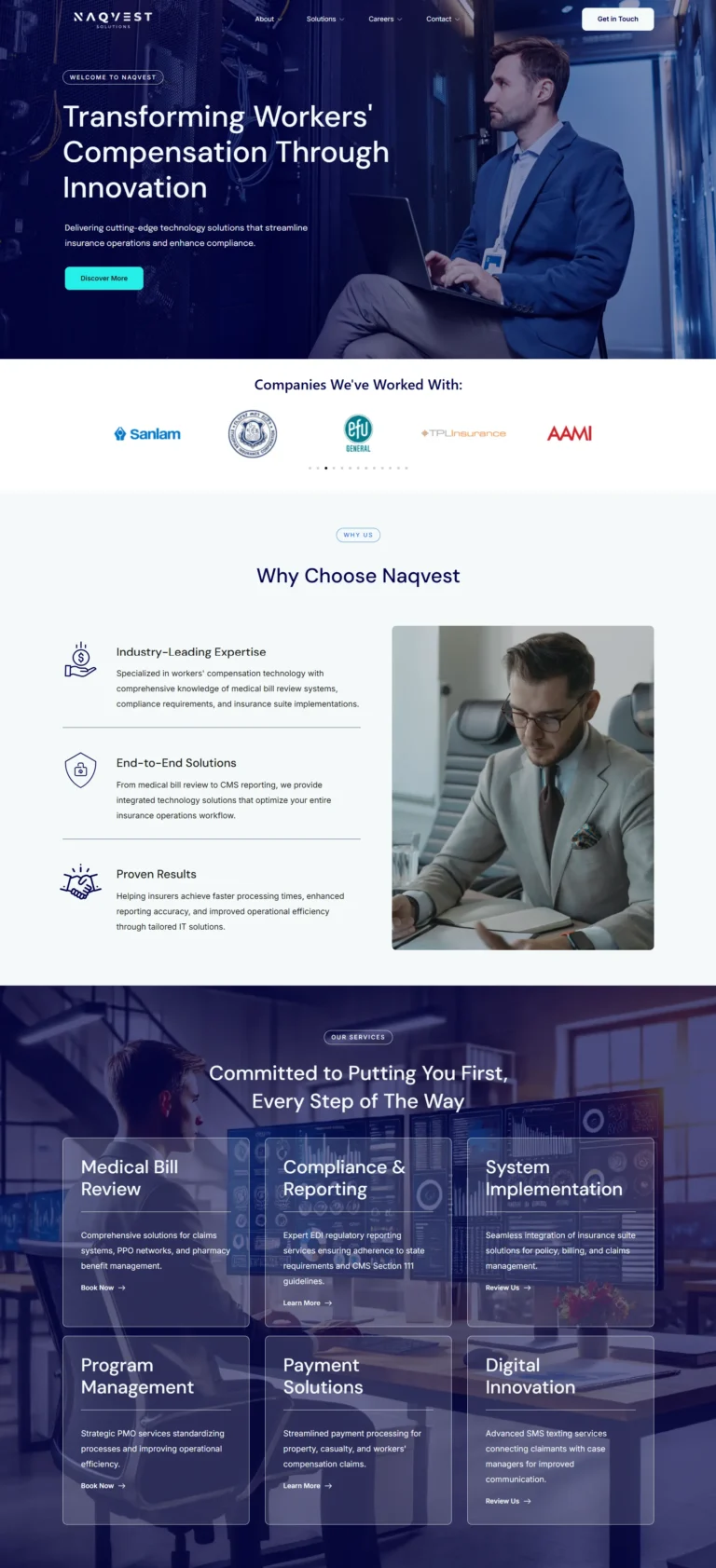
Naqvest Solutions
Technology-driven corporate platform showcasing insurance and workers compensation solutions with B2B lead generation.
Read case study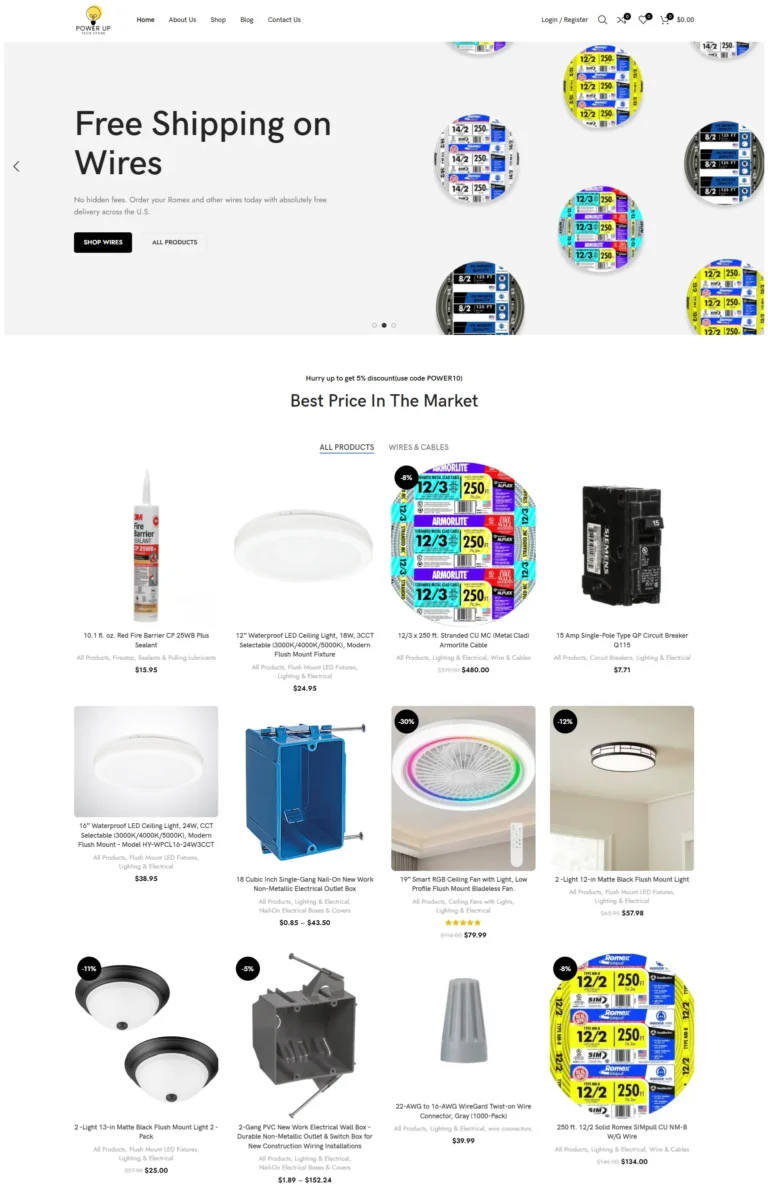
PowerUp Tech Store
High-performance WooCommerce store for electrical products with dynamic catalogs, advanced filters, and optimized checkout.
Read case studyReal numbers from real WordPress Maintenance engagements
What clients say
Another great job, thanks again Devansh!
Devansh was very efficient and organised. He completed all tasks on time and I was very satisfied with the end results of the website. I highly recommend him for anyone looking to build a website…
Brilliant work with Devansh and 100% completed successfully and fast.
Transparent WordPress Maintenance pricing
Three plans cover most sites, with no long-term contracts and cancel-anytime flexibility. Custom plans available for multi-site setups, complex e-commerce, or specialized requirements.
Essential Care
Brochure sites, portfolios, low-traffic blogs
- Monthly WordPress core + plugin updates
- Weekly off-site backups
- Uptime monitoring (5-min checks)
- Basic security monitoring
- Quarterly database optimization
- Monthly status report
- Email support (24-48 hour response)
- Up to 1 hour of fixes per month
- Cancel anytime, no contracts
Professional Care
Most popular: active business sites
- Everything in Essential tier
- Weekly updates with staging testing
- Daily off-site backups
- Quarterly restore testing
- Performance monitoring + monthly audits
- Advanced security hardening
- Broken link + 404 monitoring
- SEO health checks
- Direct Slack or email access
- Up to 2 hours of fixes per month
- Priority response (8-hour business days)
- Cancel anytime, no contracts
Enterprise Care
High-traffic stores and business-critical sites
- Everything in Professional tier
- WooCommerce-specific monitoring
- Weekly performance audits
- Real-time security monitoring
- Priority response (4-hour business days)
- After-hours emergency support included
- Quarterly strategy calls
- Up to 4 hours of fixes per month
- Custom monitoring rules
- Multi-region uptime checks (1-min)
- Built for high-traffic stores
- Cancel anytime, no contracts
All prices in USD billed monthly, cancel anytime, no long-term contracts. Custom quotes for multi-site networks, membership platforms, SaaS products built on WordPress, or sites requiring 24/7 emergency response. Hosting fees, premium plugin licenses, and CDN subscriptions not included unless agreed.
Automated tool vs human-reviewed WordPress Maintenance
Everything you need to know about WordPress Maintenance Plans
WordPress Maintenance Plans are recurring care programs that keep WordPress sites secure, fast, and reliable through scheduled updates, monitoring, backups, and proactive fixes. Done right, maintenance prevents the slow accumulation of bugs, security vulnerabilities, and performance issues that quietly damage rankings and conversions over months. This guide explains what real WordPress Maintenance Plans include in 2026, what they should cost, and how to choose the right plan for your site.
I’m Devansh Thakkar, a Top Rated freelancer on Upwork with 7+ years of experience and 250+ projects delivered. WordPress Maintenance is one of my core specialties, with care programs running for clients across the United States, United Kingdom, Australia, Canada, and beyond. Every maintenance engagement follows the same approach: prevent issues before they become emergencies, keep sites fast and secure, and provide transparent monthly reports so you always know what is happening with your site.
What WordPress Maintenance Plans Actually Include
Modern WordPress Maintenance covers nine distinct disciplines that work together to keep sites healthy. Most underperforming sites have neglect in three or four of these areas at once. Real WordPress Maintenance Plans address all of them on a scheduled cadence.
Core, Theme, and Plugin Updates
WordPress core, theme files, and plugins update constantly. Auto-updates without testing cause more outages than they prevent. Real maintenance means staging-environment testing before pushing updates live, catching breaking changes before they reach customers. Critical security patches get prioritized, while major version updates get extra review.
Daily Backups and Recovery Testing
Backups are only as good as the restore process. Many sites run automated backups that have never been tested by actually restoring them. Real WordPress Maintenance Plans include both off-site daily backups and quarterly recovery testing to confirm backups actually work when you need them. Cloudways, WP Engine, and Kinsta include backup tooling, but the discipline of testing restores is what separates real protection from theater.
Security Monitoring and Hardening
WordPress sites face constant attack attempts. Strong maintenance includes login protection, file integrity monitoring, malware scanning, security header configuration, and immediate response to detected threats. Default WordPress installs are constant targets, but properly hardened sites turn most attempts into background noise.
Performance and Core Web Vitals Monitoring
Sites slow down over time as content grows, plugins update, and third-party scripts get added. Monthly performance audits using PageSpeed Insights on key pages catch regressions before they damage rankings. Core Web Vitals monitoring through Search Console field data shows real user experience.

Database Optimization
WordPress databases bloat with post revisions, expired transients, abandoned carts, and orphaned metadata. A 50,000-row wp_options table can add 800ms to every page load. Quarterly database optimization clears bloat, optimizes table structure, and adds proper indexes where queries run frequently.
Uptime Monitoring
Knowing your site is down before customers tell you matters. Real WordPress Maintenance Plans include 24/7 uptime monitoring with multi-region checks every 1-5 minutes. When downtime happens, you get notified immediately with diagnostic information rather than discovering it from an angry customer email three hours later.
Broken Link and Error Monitoring
Broken internal links damage user experience and SEO. 404 errors waste crawl budget. Form submission failures lose leads silently. Monthly checks identify these issues before they accumulate into bigger problems. Rank Math handles 404 monitoring well when configured properly.
Content and SEO Health Checks
SEO drift happens silently. Pages that ranked position 5 last quarter sitting at position 15 now. Schema validation errors. Sitemap issues. Monthly SEO health checks catch these regressions and identify quick-win optimization opportunities. This overlaps with my WordPress SEO Services.
Human Support and Reporting
The most important part of any maintenance plan is the human in the loop. Automated tools catch obvious problems but cannot diagnose subtle issues, recommend strategic improvements, or answer your questions. Real WordPress Maintenance Plans include direct access to a developer who can review issues and explain what is happening with your site.
How Much Should WordPress Maintenance Plans Cost?
Maintenance pricing varies based on site complexity, traffic, and what’s included. Basic plans for low-traffic brochure sites should cost $49 to $99 monthly. Mid-tier plans for active business sites with monthly content updates and real human support run $99 to $249. High-tier plans for high-traffic stores or business-critical sites with priority response times typically cost $249 to $599 per month.
Beware of pricing that seems too good. A $9 monthly maintenance service is usually fully automated with no human review. The pattern looks active in dashboards but skips the actual decisions that prevent emergencies. Equally beware of $1,000+ monthly plans where most of the budget covers account managers and slide decks rather than execution.
The Real Cost of Skipping WordPress Maintenance
Sites without maintenance accumulate hidden costs that show up later as emergencies. The pattern is consistent across hundreds of bug-fix engagements I’ve handled.
- Emergency fixes cost 5 to 10 times more than scheduled prevention. A plugin conflict fixed during routine updates takes 30 minutes; the same issue caught at 11 PM when checkout breaks costs hours of premium emergency support.
- Security breaches can cost $5,000 to $50,000+ to recover from, including malware removal, blacklist removal, lost revenue during downtime, and customer trust damage.
- Lost rankings from accumulated technical debt drop traffic that takes months to recover, sometimes never returning to peak levels.
- Data loss from untested backups is catastrophic and surprisingly common. Sites assume backups work until the first time they actually try to restore.
- Compounding bugs from skipped updates create plugin conflicts that get harder to resolve the longer they sit.
- Compliance issues from outdated WordPress versions can affect SOC 2, PCI DSS, GDPR, and other regulatory requirements depending on your industry.
The cost of skipping WordPress Maintenance is rarely visible in the maintenance budget. It shows up as one bad weekend when checkout breaks during a sale, or one Monday morning when the site has been hacked over the weekend.
WordPress Maintenance Plans vs DIY Updates
Most site owners try the DIY route first. They click “Update All” in the WordPress dashboard occasionally, run a security plugin scan once in a while, and assume backup is happening because the host promised it. Then something breaks and they realize none of it was being tested or verified.
The difference between DIY maintenance and professional WordPress Maintenance Plans comes down to three things. Discipline matters more than tools. Most maintenance failures happen because the updates, backups, and checks aren’t actually running on a consistent schedule, not because the right tools weren’t installed. Testing matters more than running. Backups that aren’t tested aren’t backups; they’re hopeful files. Updates pushed without testing are not maintenance; they’re gambling.
Human judgment matters more than automation. Automated tools generate reports full of false positives and miss subtle issues. A specialist reviewing actual changes spots problems that no plugin would flag. For sites that genuinely matter to revenue or reputation, professional WordPress Maintenance Plans pay back through prevention. For low-stakes hobby sites, DIY plus host backups is often sufficient. The official WordPress documentation covers DIY basics for site owners who want to handle simpler sites themselves.
Who Should Subscribe to a WordPress Maintenance Plan?
Not every site needs paid maintenance. WordPress Maintenance Plans become worth the investment when any of the following apply.
Your business depends on the site for revenue, leads, or reputation. Downtime costs real money in measurable ways. You sell products online and a broken checkout costs revenue every minute. You run paid traffic campaigns where landing page issues damage ROAS immediately. You have compliance requirements that depend on keeping software current.
You inherited a site from a previous developer and need someone monitoring it to catch issues before they cascade. You don’t have time or technical comfort to handle WordPress updates yourself. Your previous developer disappeared and the site is now drifting without anyone watching it. You’ve experienced a security incident or major outage in the past and want to prevent recurrence.
How to Choose a WordPress Maintenance Specialist
The maintenance services market is full of providers offering similar-sounding feature lists. Most rely heavily on automation with minimal human review. Look for these signals when choosing a real WordPress Maintenance specialist.
Real human review of every update, not just automated runs. A genuine specialist personally reviews plugin changelogs before updating, tests in staging when stakes are high, and responds to questions with actual analysis rather than canned responses. Verified third-party reviews from real maintenance clients. Client reviews on platforms like Upwork carry weight because they cannot be faked.
Transparent monthly reporting that shows what was actually done, not just dashboard screenshots. Real reports tell you which updates ran, what issues were found, what was fixed, and what trends are emerging. Multi-disciplinary capability across security, performance, SEO, and emergency response rather than specialization in just one area.

WordPress Maintenance Trends in 2026
The maintenance landscape evolves with WordPress itself. The trends shaping WordPress Maintenance Plans in 2026 reflect both technical changes and how site owners now use WordPress.
PHP version management became a constant maintenance task as WordPress, plugins, and themes lag behind PHP releases. Sites running PHP 8.2 in early 2026 will need PHP 8.3 or 8.4 testing within months as version end-of-life approaches. AI-powered monitoring tools now catch subtle issues that rule-based monitors miss, like gradually degrading page speed or creeping form failures. Quality WordPress Maintenance Plans integrate these AI tools while keeping a human in the loop for actual decisions.
Block theme adoption changed the maintenance profile for new sites. Block themes have fewer plugin dependencies, simpler customization patterns, and faster baseline performance, but they have unique update considerations around block patterns and global styles. WooCommerce HPOS migration continues to require attention as older extensions catch up. Security plugin layering increased complexity, with sites running Wordfence plus Cloudflare plus host-level security creating conflicts that need active management.
Different Plans for Different Sites
The right WordPress Maintenance Plans depend on what your site is and what’s at stake. A small brochure site needs different care than a high-traffic store.
Brochure and portfolio sites need basic care: monthly updates, weekly backups, uptime monitoring, occasional security checks. The Essential tier covers most of these sites well. Active business sites with monthly content publishing need ongoing attention: weekly updates, daily backups, performance monitoring, SEO health checks, and direct support access. The Professional tier suits this profile.
E-commerce stores and high-traffic sites need premium care: priority response, daily backups, real-time security monitoring, weekly performance audits, and a developer available for urgent issues. The Enterprise tier is built for these stakes. Custom plans are available for complex multi-site setups, membership platforms, and SaaS products built on WordPress.
Get Your WordPress Maintenance Plan Today
If you’re ready to discuss maintenance for your site, the next step is a free 30-minute discovery call. We’ll review your site, identify any urgent issues, and recommend the right plan for your stakes and budget. The first month includes any quick fixes needed to bring the site to a healthy baseline. No long-term contracts, cancel anytime.
You can also browse my portfolio of recent work to see how I approach long-term WordPress care, or read what past clients have said about working with me.
WordPress Maintenance Plans questions, answered
How much do WordPress Maintenance Plans cost?
What does a WordPress maintenance plan actually include?
How is WordPress maintenance different from bug fixing?
Do I really need a WordPress maintenance plan?
Can you take over maintenance from a previous developer?
What if my site needs work beyond the included hours?
Are there any contracts or commitments?
Will you handle emergencies outside business hours?
How will I know what you are actually doing each month?
Can you maintain WooCommerce stores?
More to dig into
-
Freelance WordPress Developer: 5 Costly Gaps, Proven Fixes
What the role covers, why the same work costs 20 or 120 dollars an hour, the five gaps...
Read article -
Hire Dedicated WordPress Developer: 6 Proven Rules, 1 Risk
How the dedicated model actually works: the 20/60/140 Rule for sizing a retainer, real 2026 cost math against...
Read article -
Hire Best WordPress Developer: Avoid 9 Costly Mistakes
A working developer's method for vetting WordPress developers: a 5-minute source-code test, the 9 mistakes that cost the...
Read article
-
AI Search Optimization Services
Traditional SEO gets you ranked. AI search optimization gets you quoted. I structure your content, schema, and entities...
View service -
Custom WordPress Theme Development
Custom WordPress Theme Development by a Top Rated freelancer specializing in lean PHP, HTML, CSS, and JavaScript foundations....
View service -
WooCommerce Development Services
Custom WooCommerce Development by a Top Rated freelancer with 7+ years and stores delivered for clients in 8+...
View service
Ready to start?
Book a free 30-minute call. No pitch, no pressure. We discuss your project and decide if we're a fit.