
WooCommerce Development That Converts More Visitors Into Customers
Custom WooCommerce Development by a Top Rated freelancer with 7+ years and stores delivered for clients in 8+ countries. Fast checkout, payment gateways that just work, and product schema for search visibility.
- Top Rated, 100% Job Success
- Stores in 8+ countries
- Stripe, PayPal, regional gateways
- Conversion-focused checkout
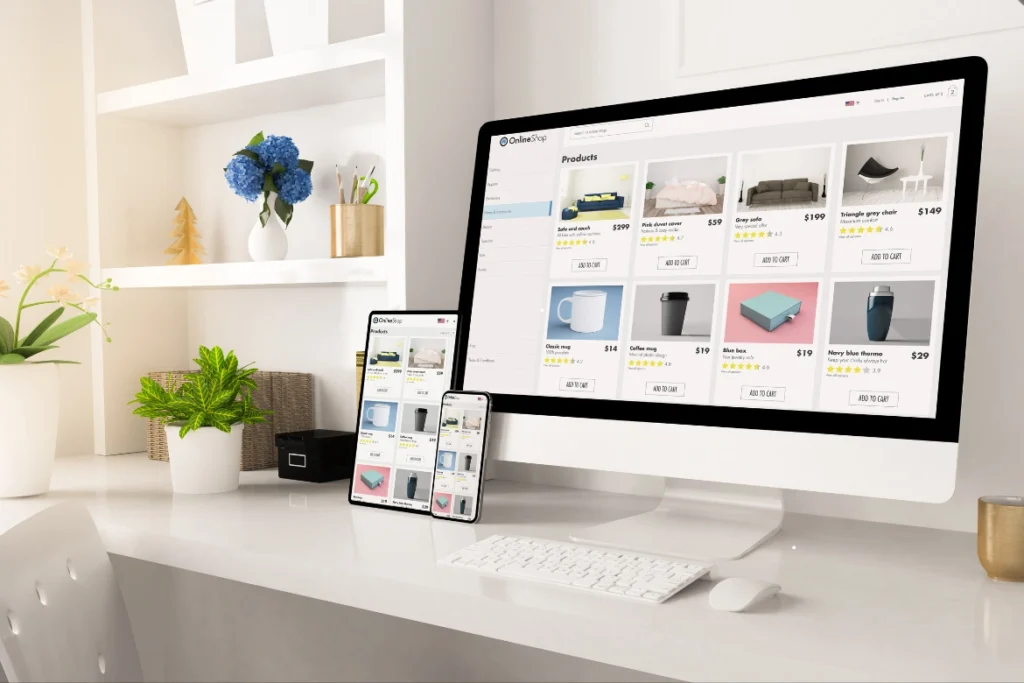
What is WooCommerce Development?
WooCommerce Development is the engineering work of building, customizing, and maintaining e-commerce stores on WordPress using the WooCommerce platform. It covers store setup, payment gateway integration (Stripe, PayPal, regional gateways), product catalog architecture, conversion-focused checkout, performance optimization, and product schema SEO. Done right, it produces stores that load fast, convert visitors into customers, and rank well in Google Shopping and product search.
What's quietly killing your store's conversion rate
Most WooCommerce stores convert below industry average for reasons the owners cannot see. The damage shows up as abandoned carts, slow product pages, broken payment flows, and lost revenue.
Slow product pages
Heavy images, unoptimized variations, and bloated themes crush Core Web Vitals. Customers leave before the page loads.
Generic checkout flow
Default WooCommerce checkout converts at industry average. Without field optimization, trust signals, and guest checkout, revenue leaks every day.
Payment gateway conflicts
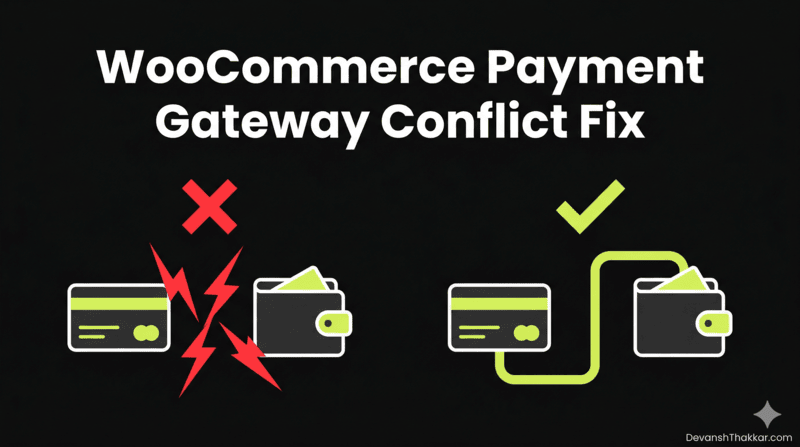
Stripe, PayPal, and regional gateways break each other silently. Customers see errors, leave, and never come back.
Bad product schema
Without proper schema markup, rich product results never appear in Google. Competitors with schema win the click.
Tax and shipping chaos
Misconfigured tax rates and shipping zones mean either lost revenue, customer complaints, or compliance trouble across borders.
Generic developers
Most WordPress freelancers know how to install WooCommerce. Few understand payment gateways, conversion optimization, or store-level performance tuning.
Everything included in a WooCommerce build
Full store setup
Currency, tax zones, shipping rules, inventory tracking, customer accounts. Configured properly from day one.
Payment gateway integration
Stripe, PayPal, Razorpay, regional gateways. Webhooks tested, fees optimized, 3D Secure handled cleanly.
Custom product types
Variable, grouped, subscription, downloadable. Each type built with the right schema and the right add-to-cart flow.
Conversion-focused checkout
Field optimization, address autocomplete, guest checkout, trust badges, order bumps. Every detail tuned for conversion.
Product schema and SEO
Schema markup with price, availability, ratings, reviews. Rich results in Google Shopping and product search.
Performance optimization
Lazy-loaded galleries, optimized variation queries, image CDN setup, caching that respects cart and checkout pages.
Security hardening
Strong login protection, rate limiting on checkout, security headers, backup strategy. Stores stay safe.
Custom integrations
Inventory systems, CRMs, email platforms, shipping APIs, accounting software. Connected via REST API or custom plugins.
Handover + 30-day support
Loom video walkthroughs, written admin documentation, and 30 days of post-launch bug fixes included free.
How a WooCommerce build goes from kickoff to launch
-
01
Discovery + scope
We talk through products, target audience, payment requirements, shipping rules, and reference stores. I send a clear scope, timeline, and fixed quote.
Day 1, 30-60 min call -
02
Design + UX planning
I design the product pages, checkout, and key conversion paths with mobile-first thinking. You approve before any code gets written.
3-7 business days -
03
Store development
Clean WooCommerce build on a staging server. Products, variations, payment gateways, and shipping rules configured. Daily progress shared.
2-4 weeks -
04
Payment + checkout testing
Real transaction tests with each payment gateway. 3D Secure flows verified. Tax calculation tested across regions. Webhooks confirmed working.
2-3 business days -
05
Performance + SEO
Speed optimization, Core Web Vitals tuning, product schema, internal linking, sitemap, and Rank Math configuration.
2-3 business days -
06
QA, launch + 30-day support
Cross-browser test, mobile test, full purchase flow test. Migrate to live, monitor first 24 hours. 30 days of bug fixes included free.
Launch + 30 days
The WooCommerce stack I build with
I pick tools based on what your store needs, not what's trending. Most builds use the technologies below in the right combination for your products, traffic, and growth plan.
Real projects, real outcomes
Recent work delivered for clients worldwide.
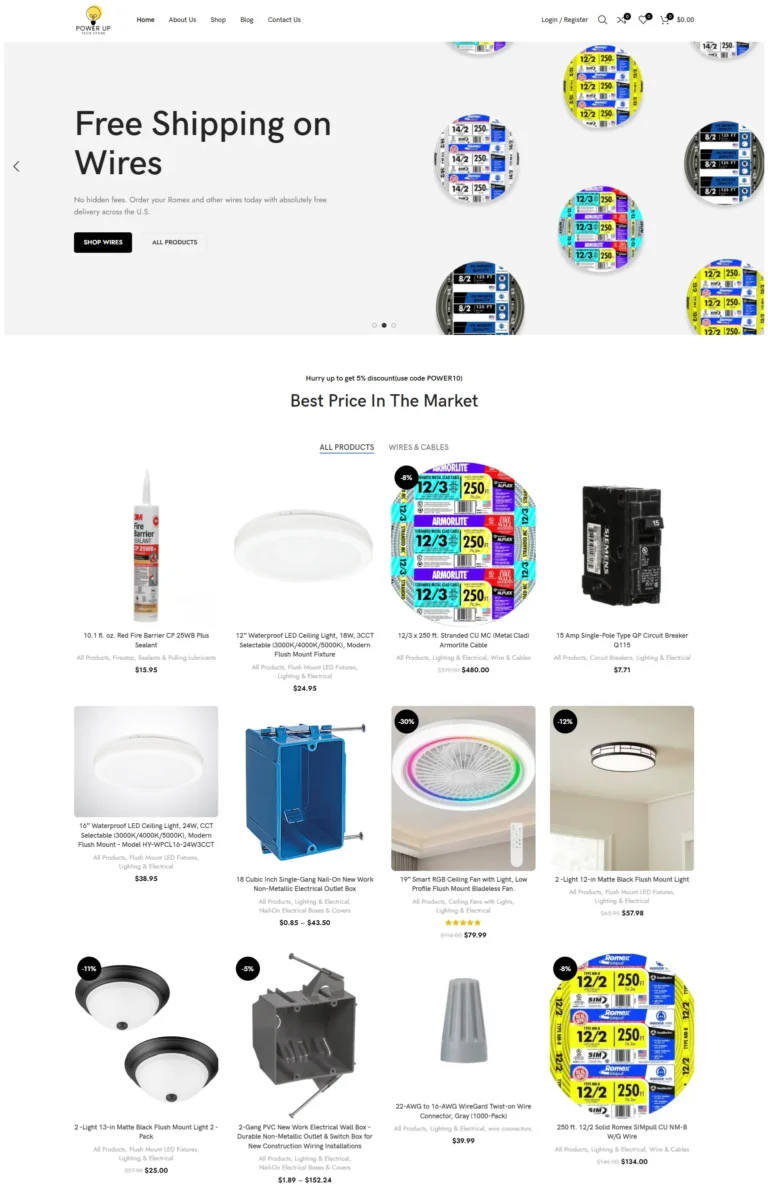
PowerUp Tech Store
High-performance WooCommerce store for electrical products with dynamic catalogs, advanced filters, and optimized checkout.
Read case study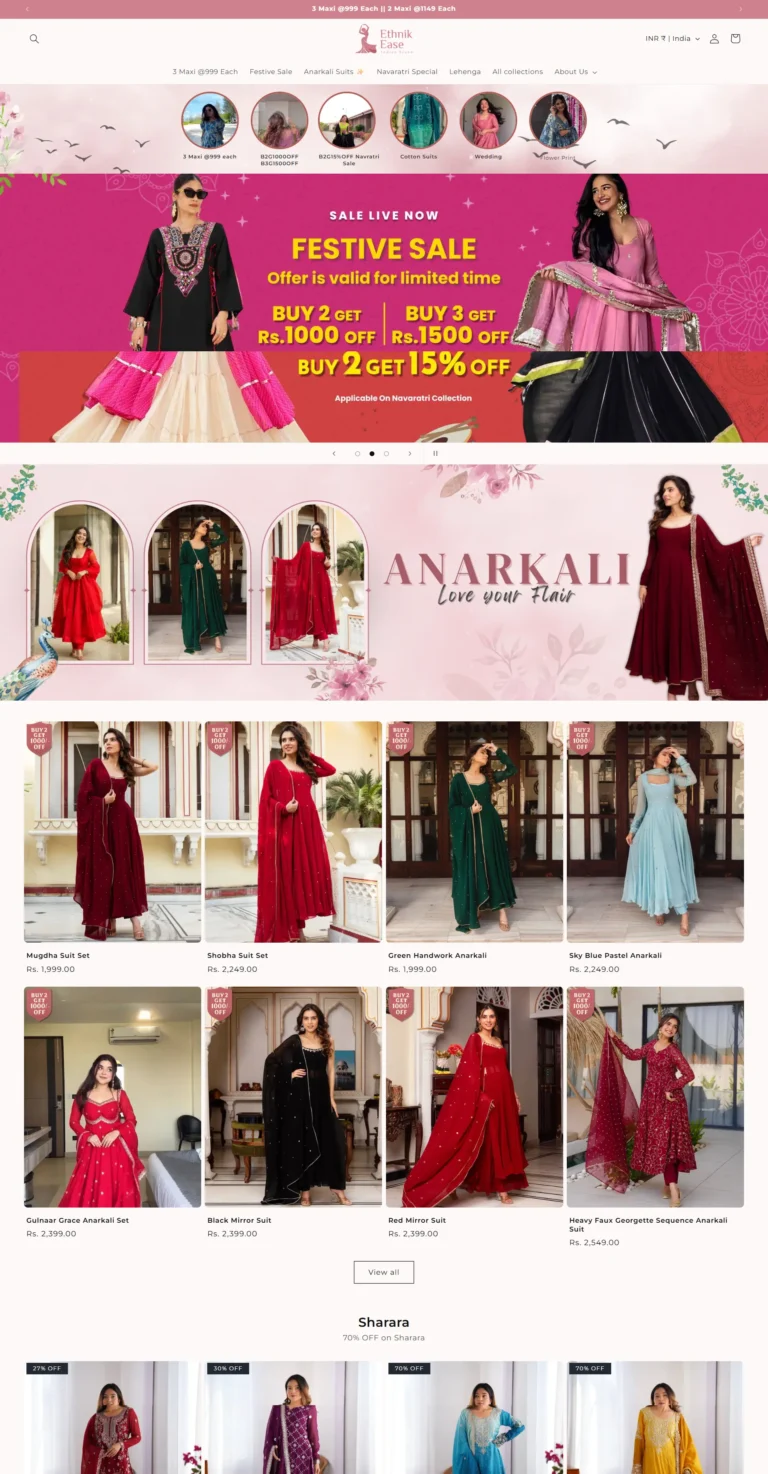
Ethnik Ease
Modern fashion e-commerce platform specializing in ethnic wear with seasonal sales, discount logic, and responsive shopping layouts.
Read case study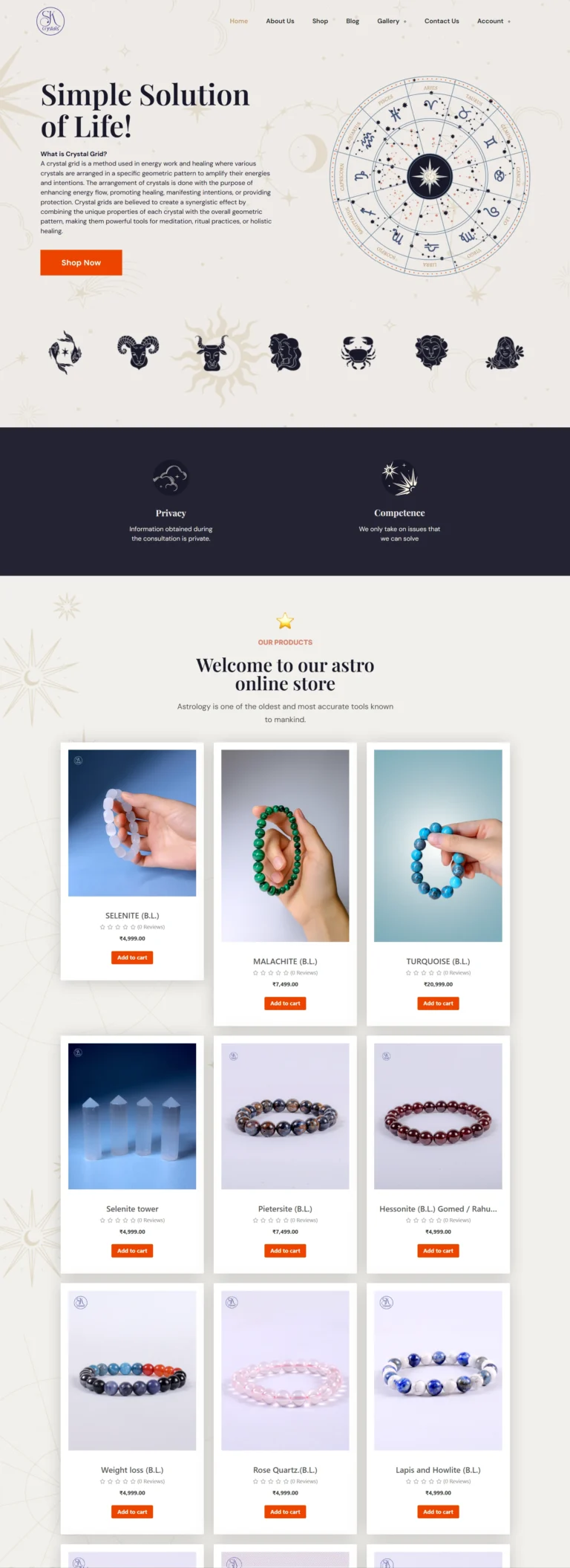
SK Crystals
Astrology and healing crystal e-commerce store with WooCommerce integration and modern spiritual aesthetic.
Read case studyReal numbers from real WooCommerce stores
What clients say
He is really really talented. He really did all the work according to my requirement and that too in one go. I don't need to explain him again and again, I was just explaining my…
Excellent work! Very trustworthy. Thank you!
Really great and experienced in his skills. I really like the way we worked together and communicate to the fullest. If someone is hiring him and giving him only an idea of what he/she wants,…
Transparent WooCommerce pricing
Three tiers cover most projects. Custom quotes available for marketplace builds, multi-vendor stores, B2B portals, or migrations from other platforms.
Starter Store
Small catalogs, simple products, single gateway
- Up to 50 products
- Single payment gateway (Stripe or PayPal)
- Standard checkout flow
- Basic product schema
- Speed optimization
- Mobile responsive
- 1 round of revisions
- Delivered in 2 weeks
Growth Store
Most popular: full conversion-focused build
- Up to 200 products
- Multiple payment gateways
- Conversion-focused checkout
- Product schema + Rank Math SEO
- Custom product page design
- Speed + Core Web Vitals optimization
- Tax and shipping configuration
- Email automation setup
- Analytics and tracking
- 2 rounds of revisions
- 30 days post-launch support
- Delivered in 3 weeks
Custom + B2B
Subscriptions, B2B, marketplaces, complex
- Unlimited products
- Full custom WooCommerce theme
- Subscription, B2B, or marketplace support
- Multi-currency and multi-language ready
- Advanced product types and filters
- REST API integrations (CRM, ERP, shipping)
- Cart and Checkout block customization
- Performance + security hardening
- Conversion rate optimization
- Detailed analytics and conversion tracking
- 3 rounds of revisions
- 60 days post-launch support
- Loom walkthrough + admin documentation
- Delivered in 4-6 weeks
All prices in USD, fixed-quote per project, no hidden fees. Custom quotes for marketplace builds, multi-vendor platforms, or platform migrations from Shopify, BigCommerce, or Magento. Hosting, domain, premium plugin licenses, and payment gateway transaction fees not included.
Generic WooCommerce dev vs. working with a specialist
Everything you need to know about WooCommerce Development
WooCommerce Development is the engineering work behind every successful WordPress e-commerce store, and getting it right is the difference between a store that converts and one that quietly leaks revenue. This complete guide covers what professional WooCommerce builds include in 2026, what they should cost, and how to choose the right developer.
I’m Devansh Thakkar, a Top Rated freelancer on Upwork with 7+ years of experience and 250+ projects delivered. WooCommerce stores are one of my core specialties, with builds shipped for clients in the United States, United Kingdom, Australia, Canada, and beyond. Every WooCommerce build follows the same standard: clean code, fast checkout, conversion-focused design, and SEO baked in from day one.
What WooCommerce Development Actually Includes
A complete WooCommerce build is much more than activating the plugin. Modern WooCommerce Development covers eight overlapping areas, each requiring specific expertise.
Store Setup and Configuration
This means proper currency handling, tax calculation per region, shipping zones with realistic carrier rates, and inventory tracking. Misconfigured tax or shipping is the most common reason new stores quietly lose money or get into trouble with regulators.
Payment Gateway Integration
Stripe, PayPal, Razorpay, regional gateways like iDEAL or Klarna. Each one has unique webhook requirements, fee structures, and conflict patterns. A specialist knows when to use Stripe Checkout vs Stripe Elements, why PayPal Express needs IPN listeners, and how to handle 3D Secure flows without breaking conversions.
Product and Catalog Architecture
Variable products, grouped products, subscription products, downloadable products. Each type needs the right schema markup, the right gallery layout, and the right add-to-cart flow. Bad catalog architecture forces customers to think instead of buy.
Conversion-Focused Checkout
The default WooCommerce checkout is generic and converts at industry-average rates. A custom checkout with field optimization, address autocomplete, guest checkout, trust badges, and order bumps can lift conversion by 15 to 30 percent. This is where good WooCommerce builds pay for themselves within months.

Performance and Core Web Vitals
Product pages and shop archives are the slowest parts of most WooCommerce stores. Heavy images, unoptimized variation queries, and bloated themes crush Core Web Vitals. Performance work means lazy-loading product galleries, optimizing the WooCommerce queries, image CDN setup, and caching strategy that respects cart and checkout pages.
Product Schema and SEO
Product schema markup with name, image, price, availability, aggregate rating, and review unlocks rich product results in Google search. Combined with proper internal linking from blog content to product pages, schema turns a WooCommerce store into a search-traffic machine. Rank Math handles most of this when configured properly.
How Much Should WooCommerce Development Cost?
WooCommerce projects span a wide price range depending on scope. A small store with 20 to 50 products and basic features should cost $599 to $1,200 for a quality build. Mid-size stores with custom design, payment gateway integration, advanced shipping rules, and conversion optimization run $1,099 to $2,500. Custom B2B stores with quote workflows, multi-currency, subscription products, or marketplace functionality typically start at $2,000 and scale with complexity.
Beware of pricing that seems too good. A $300 WooCommerce store is almost always a generic theme install with default checkout, no payment gateway tuning, and no SEO setup. The hidden cost shows up as abandoned carts, slow page loads, broken Stripe webhooks, and chargebacks from misconfigured tax.
The Real Cost of Bad WooCommerce Development
Cheap or rushed WooCommerce Development costs more than premium development over a 2-year horizon. Here are the most common hidden costs.
- Abandoned carts from generic checkout flows can quietly cost 20 to 30 percent of potential revenue every month.
- Payment gateway conflicts between Stripe, PayPal, and other gateways break checkout silently. Customers see errors, leave, and don’t come back.
- Slow product pages drop search rankings and increase bounce rates. Every 100ms of added load time reduces e-commerce conversion by approximately 7 percent.
- Tax misconfiguration creates compliance issues, especially with cross-border sales subject to VAT, GST, or US state sales tax.
- Bad product schema means rich results in Google never appear, leaving traffic on the table for competitors.
- No security hardening on the checkout flow leaves the store open to credit card testing attacks and chargebacks.
The cost of cheap WooCommerce Development is rarely the upfront price. It’s the abandoned carts, broken payment flows, and emergency rebuilds that follow over the next 18 months.
Who Should Hire a WooCommerce Specialist?
Not every store needs a custom build. If you’re testing an idea with under 10 SKUs and minimal traffic, a basic theme install is fine. Professional WooCommerce Development becomes worth the investment when any of the following apply.
Your store needs to handle real transaction volume. Once you cross $5,000 in monthly revenue, every percentage point of conversion lift pays for itself fast. You sell internationally and need multi-currency, regional payment gateways, or complex tax handling. You sell products with complex variations, subscriptions, or B2B pricing rules.
You depend on the store as your primary income source. Slow pages and broken checkout silently lose business every day. You’ve been burned by previous developers who installed WooCommerce and disappeared. You need a specialist who understands the difference between a brochure site and a working e-commerce platform.
How to Choose a WooCommerce Development Specialist
The freelance and agency markets are full of people who can install WooCommerce. Far fewer can build it well. Look for these signals when hiring for WooCommerce Development.
Real proof of work, not just screenshots. A genuine portfolio shows live store URLs, conversion rate improvements, page speed scores, and revenue lift figures. Vague claims like “increased sales” without specifics mean nothing.
Verified third-party reviews. Client reviews on platforms like Upwork carry weight because they cannot be faked. Testimonials on a developer’s own site can. A Top Rated badge with 100% Job Success across multiple e-commerce projects is a strong filter.
Knowledge of multiple payment gateways, not just Stripe. A specialist who only configures Stripe will struggle when your business needs PayPal Express, Razorpay for India, or regional gateways like iDEAL or Bancontact. Direct work, no agency middlemen, means the person who quotes the project also writes the integration code.
WooCommerce Development Trends in 2026
The WooCommerce ecosystem evolves fast, and the trends shaping store builds in 2026 split between technical and commercial directions. Ignoring them puts new stores at a disadvantage from launch day.
Cart and Checkout blocks are now stable and recommended over the legacy shortcode-based checkout. Modern stores use the new block-based experience for faster page loads and better mobile conversion. Headless WooCommerce is gaining ground for high-traffic stores combining a React or Next.js frontend with WooCommerce as the commerce backend, though it remains overkill for most small to mid-size stores.
AI-driven product recommendations and personalization plugins integrate directly with WooCommerce to lift average order value by 10 to 25 percent. On the SEO side, product schema expanded with the Merchant Returns and Shipping Details types becoming critical for visibility in Google Shopping and AI search results. Subscription products with WooCommerce Subscriptions or All Access continue to dominate as the most reliable revenue model for digital products.
WooCommerce Maintenance and Ongoing Care
Launch day is the start, not the finish. WooCommerce stores need ongoing care to stay fast, secure, and converting. Skipping maintenance is the most common reason stores built well in year one underperform in year two.
Core, theme, and plugin updates need to ship monthly with proper testing on a staging environment first. Auto-updates without testing cause more outages than they prevent, and a broken checkout costs real money every minute. Database optimization to clear expired orders, abandoned carts, and old transients should run quarterly.
Performance audits should run monthly using PageSpeed Insights on the homepage, a sample product page, and the cart page. Stores slow down over time as inventory grows and new tracking scripts get added. Catching the slowdown early prevents it from compounding.
WooCommerce vs Shopify: Which Wins?
Shopify and WooCommerce are the two dominant e-commerce platforms in 2026. The choice depends on your priorities. WooCommerce wins on long-term cost, customization, and full ownership of your store and data. Shopify wins on out-of-the-box simplicity and zero-maintenance hosting.
For most growing businesses, WooCommerce Development delivers better value over a 3-year horizon. Shopify charges 2 to 2.9 percent per transaction unless you use Shopify Payments, plus monthly platform fees of $39 to $399. WooCommerce charges nothing per transaction beyond what your payment gateway charges, and runs on hosting that costs $20 to $100 monthly. Over 3 years, the savings cover a full WooCommerce custom build with money to spare.
The trade-off is responsibility. WooCommerce stores need active maintenance, while Shopify handles updates and security automatically. For business owners who don’t want to think about hosting, plugins, or backups, Shopify is the right answer. For business owners who want full control, lower long-term cost, and the flexibility to customize anything, WooCommerce wins every time.
Get a WooCommerce Development Quote Today
If you’re ready to discuss a project, the next step is a free 30-minute discovery call. We’ll cover your products, target audience, payment gateway needs, shipping requirements, and reference stores you admire. Within 48 hours of that call, you’ll receive a fixed-quote scope with a clear timeline and deliverables. No pitch, no pressure, no hidden fees.
You can also browse my portfolio of recent work to see how I approach WooCommerce Development across product categories from electronics to fashion to wellness, or read what past clients have said about working with me.
WooCommerce Development questions, answered
How much does WooCommerce Development cost?
How long does WooCommerce Development take?
Which payment gateway should I use?
Can WooCommerce handle high-traffic stores?
Do you migrate stores from Shopify to WooCommerce?
Will my WooCommerce store rank in Google?
What about WooCommerce subscriptions?
What's included in 30-day post-launch support?
Do you build WooCommerce stores for international clients?
What if my store needs custom features WooCommerce doesn't support?
More to dig into
-
Expert in WordPress: 10 Simple Tests of Proven Skill
What separates an expert in WordPress from a confident implementer: five layers of skill, ten plain questions that...
Read article -
Freelance WordPress Developer: 5 Costly Gaps, Proven Fixes
What the role covers, why the same work costs 20 or 120 dollars an hour, the five gaps...
Read article -
Hire Best WordPress Developer: Avoid 9 Costly Mistakes
A working developer's method for vetting WordPress developers: a 5-minute source-code test, the 9 mistakes that cost the...
Read article
-
WordPress Website Redesign
WordPress Website Redesign by a Top Rated freelancer. Modern design, lifted conversions, Core Web Vitals from the start,...
View service -
Core Web Vitals Optimization
Core Web Vitals Optimization by a Top Rated freelancer. Specialist focus on LCP, INP, and CLS with real...
View service -
Figma to WordPress Conversion
Figma to WordPress Conversion by a Top Rated freelancer specializing in manual implementation rather than AI plugin auto-converters....
View service
Ready to start?
Book a free 30-minute call. No pitch, no pressure. We discuss your project and decide if we're a fit.