
WordPress Development That Builds Fast, Ranks Well, and Converts
Custom WordPress Development by a Top Rated freelancer with 7+ years and 250+ projects delivered. Clean code, real performance, and SEO baked in from day one.
- Top Rated, 100% Job Success
- 250+ projects delivered
- Clean, fast, SEO-ready code
- Direct work, no middlemen

What is WordPress Development?
WordPress Development is the engineering work of building, customizing, and maintaining sites on WordPress. It includes custom theme development, WooCommerce stores, page builder builds (Elementor, Bricks, Divi), speed optimization, security hardening, and SEO. Done right, it produces sites that load fast, rank well, and convert visitors into customers.
What's quietly costing you leads and rankings
Most WordPress sites are slower, less secure, and harder to update than they should be. The damage is usually invisible until it shows up as lost rankings, abandoned carts, or hours wasted on plugin conflicts.
Slow page speed
Bloated themes and 30+ plugins crush Core Web Vitals. Visitors leave, Google demotes you, conversions tank.
Builders gone wrong
Elementor, Divi, or WPBakery used without discipline turns into a tangled mess that breaks on every update.
Plugin chaos
Conflicting plugins, abandoned plugins, and bloated all-in-one suites silently break checkout, forms, and SEO.
No SEO foundation
Pretty designs without proper schema, internal linking, or technical SEO never rank, no matter how good the content.
Generic developers
Most WordPress freelancers know one builder. They can't fix what they didn't build, and they don't think about performance or rankings.
Weak security
Default WordPress installs are constant attack targets. One compromised plugin can take down a whole business overnight.
Everything included in a WordPress build
Custom design or template build
Figma to WordPress, custom themes, or polished page builder builds. Pixel-perfect, mobile-first.
Performance from day one
Lightweight code, optimized assets, lazy loading, caching strategy. Core Web Vitals pass on mobile.
SEO foundation built in
Clean URL structure, schema markup, internal linking, optimized images, Rank Math configured properly.
WooCommerce ready
Full e-commerce setup with payment gateways, shipping, taxes, product schema, and conversion-focused checkout.
Security hardening
Strong login protection, file permissions, security headers, and a backup strategy. Sites stay safe.
Page builder expertise
Deep skill in Elementor, Bricks, Divi, and Gutenberg. I pick the right tool for your project, not the default.
Custom functionality
ACF, CPTs, custom queries, REST API integrations, third-party API connections, custom plugins when needed.
Analytics + tracking
Google Analytics 4, Search Console, conversion tracking, event tracking, all set up properly.
Handover + training
Loom video walkthroughs, written documentation, and 30 days of post-launch support included.
How a WordPress build goes from kickoff to launch
-
01
Discovery + scope
We talk through goals, audience, must-have features, and reference sites. I send a clear scope, timeline, and fixed quote. No surprises.
Day 1, 30-60 min call -
02
Design or design audit
If you have Figma, I review and flag issues. If you don't, I create a layout that fits your brand and converts. You approve before code.
2-5 business days -
03
Development
Clean WordPress build on a staging server. Daily progress shared. You see real progress, not just promises.
1-3 weeks -
04
Performance + SEO
Speed optimization, Core Web Vitals tuning, schema, internal linking, sitemap, and Rank Math configuration.
2-3 business days -
05
QA + handover
Cross-browser test, mobile test, form test, accessibility check. Loom walkthrough, written docs, admin training.
1-2 business days -
06
Launch + 30-day support
Migrate to live, set up DNS, monitor, and stay on call for any issues. 30 days of bug fixes included free.
Launch day + 30 days
The WordPress stack I build with
I pick tools based on what your project needs, not what's trending. Most builds use the technologies below, in the right combination for your goals and budget.
Real projects, real outcomes
Recent work delivered for clients worldwide.
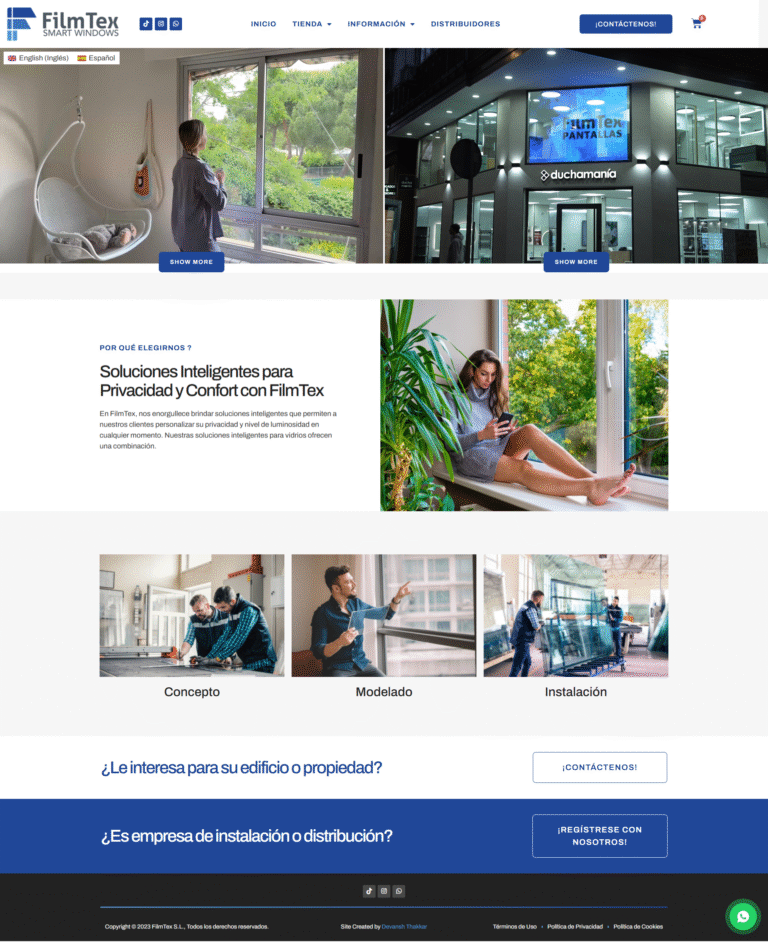
Multilingual WordPress Site Built From Scratch: Custom Theme, Video-Led Pages, Two Languages
A custom-built bilingual WordPress site for a Spanish smart glass and transparent LED manufacturer. Custom theme, square-metre product configurator, video-led presentation, and…
Read case study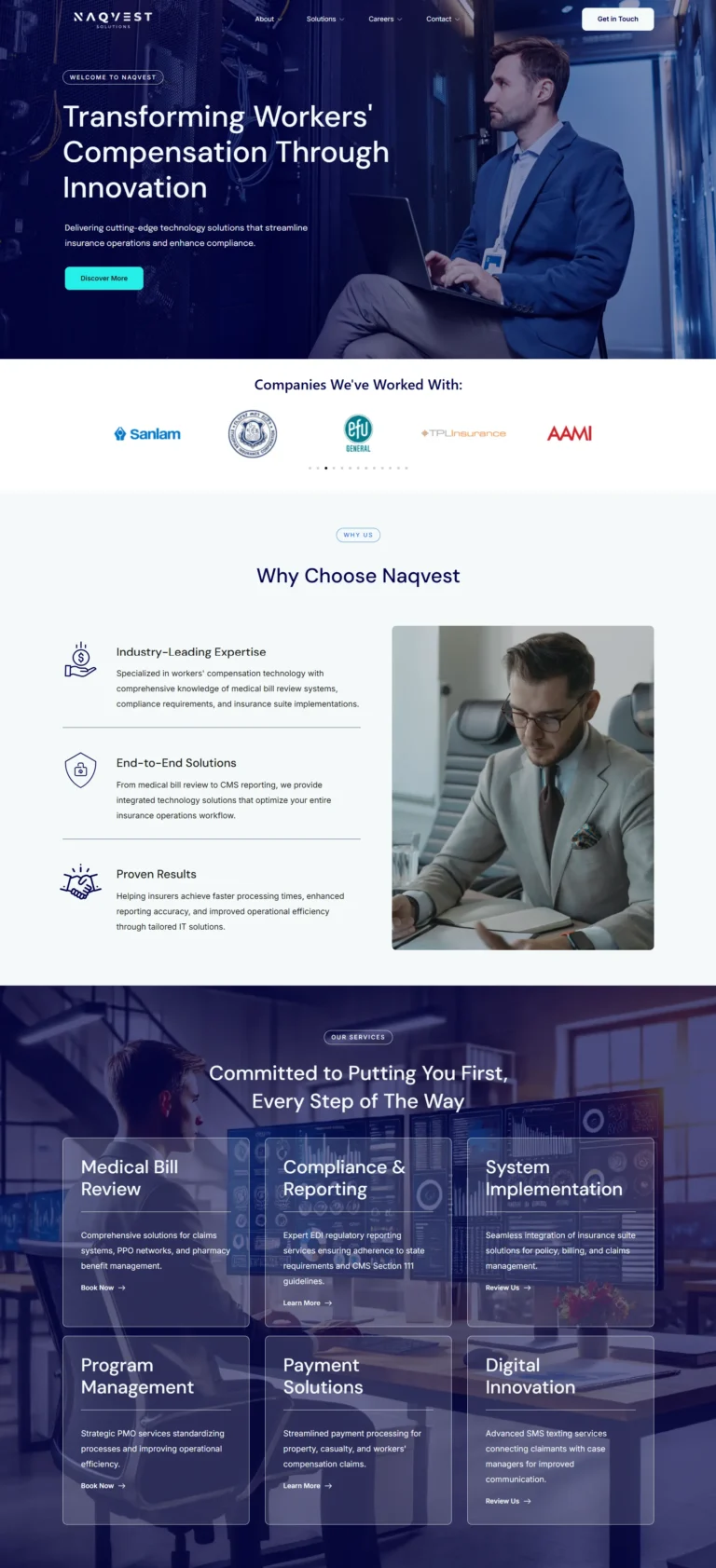
Naqvest Solutions
Technology-driven corporate platform showcasing insurance and workers compensation solutions with B2B lead generation.
Read case study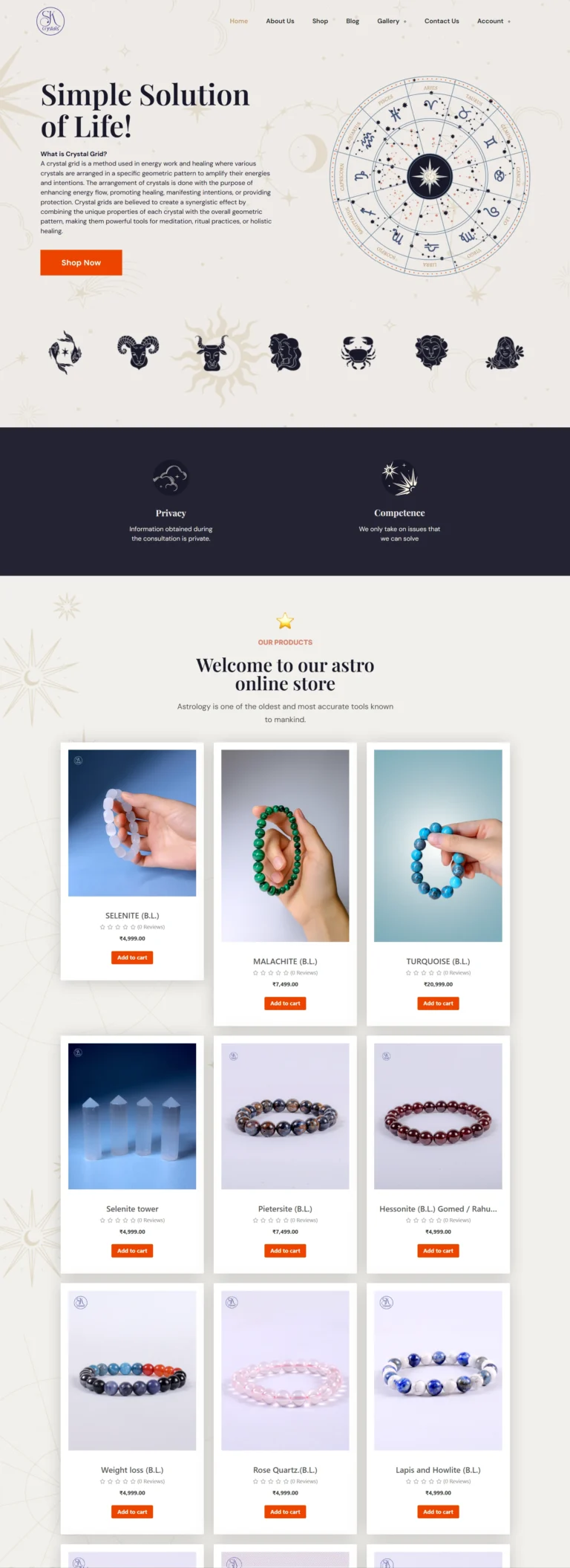
SK Crystals
Astrology and healing crystal e-commerce store with WooCommerce integration and modern spiritual aesthetic.
Read case studyReal numbers from real WordPress projects
What clients say
Devansh is top-notch in his craft. He is very responsive and gets the job done ASAP, I will definitely be using him again.
I recommend and would always work again with him. If you need somebody who has an eye for details and understands the full concept then you will be happy to land him, very punctual and…
He is the best in this whole bunch of freelancers. He did the work with full ease and according to your needs and going beyond your expectations. Because of his skills he can make anything…
Transparent WordPress pricing
Three tiers cover most projects. Custom quotes available for complex builds, multi-site setups, or migrations.
Starter Site
Brochure sites, freelancers, small businesses
- Up to 5 pages
- Custom-feeling design
- Mobile responsive
- Contact form integration
- Basic on-page SEO
- Speed optimization
- 1 round of revisions
- Delivered in 7-10 days
Business Site
Most popular: full-feature WordPress sites
- Up to 12 pages
- Custom design or Figma to WordPress
- Page builder build (Elementor or Bricks)
- Full Rank Math SEO setup
- Schema markup
- Speed + Core Web Vitals optimization
- Security hardening
- Analytics + Search Console setup
- 2 rounds of revisions
- 30 days post-launch support
- Delivered in 2-3 weeks
Custom + WooCommerce
E-commerce, custom functionality, complex
- Unlimited pages
- Full custom theme or page builder
- WooCommerce setup with payment gateways
- Custom post types and ACF fields
- REST API integrations
- Advanced schema and SEO
- Performance + security hardening
- Detailed analytics and conversion tracking
- 3 rounds of revisions
- 60 days post-launch support
- Loom walkthrough + written documentation
- Delivered in 3-5 weeks
All prices in USD, fixed-quote per project, no hidden fees. Custom quotes for complex projects, multi-site networks, or platform migrations. Hosting, domain, and premium plugin licenses not included unless agreed.
Everything you need to know about WordPress Development
WordPress Development is the engineering work behind every successful WordPress site, and getting it right is what separates sites that rank, convert, and last from sites that quietly cost their owners money. This complete guide explains what a professional build covers in 2026, who needs it, what to expect, and how to choose the right developer.
I’m Devansh Thakkar, a Top Rated freelancer on Upwork with 7+ years of experience and 250+ projects delivered for clients in the United States, United Kingdom, Australia, Canada, Sweden, Argentina, and beyond. Every project I take on follows the same standard: clean code, real performance, and SEO baked in from day one.
What WordPress Development Actually Includes
Modern WordPress Development is much more than installing a theme. A complete build covers eight overlapping disciplines, each requiring specific expertise.
Custom Theme and Page Builder Builds
Whether you choose a custom theme, Elementor, Bricks Builder, or Divi, the build needs to be clean. Bloated builders applied without discipline produce sites that break on every update. Done right, the same builders produce sites that load fast and stay maintainable for years.
WooCommerce and E-commerce Stores
If you sell online, WooCommerce is the most flexible platform on WordPress. A proper store setup covers payment gateways like Stripe and PayPal, shipping zones, tax handling, product schema, and conversion-focused checkout flows.
Performance and Core Web Vitals
Google’s Core Web Vitals are now ranking factors. Builds that ignore LCP, INP, and CLS scores produce sites that lose to faster competitors in search. Performance is built in, not bolted on.
SEO Foundation and Technical Setup
Schema markup, internal linking architecture, clean URL structure, and proper Rank Math configuration form the technical SEO foundation. Without these, even great content struggles to rank.

How Much Should a WordPress Project Cost?
Pricing varies wildly across the freelance market. A 5-page brochure site can cost anywhere from $200 to $3,000 depending on who builds it. Here’s what fair pricing looks like in 2026.
Small business sites with 5 pages, a contact form, and basic SEO setup should cost $400 to $800 for a quality build. Mid-size business sites with 10 to 12 pages, custom design, and proper SEO infrastructure run $800 to $1,500. Custom WooCommerce builds with payment gateways, product schema, and conversion-focused checkout typically start at $1,500 and scale with complexity.
Beware of pricing that seems too good. A $99 site is almost always a template install with no SEO, no performance work, and no support. The hidden cost shows up in lost rankings, slow pages, and broken plugins six months later.
The Real Cost of Cheap or Rushed Builds
Bad work costs more than premium work over a 3-year horizon. Here are the most common hidden costs of cutting corners on WordPress Development.
- Slow pages reduce search rankings, increase bounce rates, and shrink conversion rates by 7% for every 100ms of added load time.
- Plugin conflicts from over-stuffed installations break checkout, contact forms, and SEO without warning, often weeks after launch.
- Security gaps from default installs make sites constant attack targets. One compromised admin account can take a business offline overnight.
- Bad code means every future change costs three times more, because the next developer has to untangle the mess before adding anything new.
- No SEO foundation means even great content never ranks, because Google cannot read the site properly.
The cost of cheap WordPress Development is rarely the upfront price. It’s the lost rankings, abandoned carts, and emergency rebuilds that follow over the next 18 months.
Who Should Hire a WordPress Specialist?
Not every site needs a custom build. If you run a personal blog and don’t depend on it for income, a basic theme install is fine. Professional WordPress Development becomes worth the investment when any of the following apply.
Your site needs to rank in Google for competitive keywords. Search rankings depend heavily on technical foundation, and template-based sites rarely have that foundation. You sell products or services online and conversion rate matters. Small UX details on checkout pages can swing revenue by 20% or more.
You depend on the site for leads. Slow pages and broken forms silently lose business every day. You’ve been burned by previous developers and need someone who actually finishes what they start. You need a real developer, not just a designer who installs themes. The work below the surface matters more than the visible design.
How to Choose a WordPress Development Specialist
The freelance and agency markets are full of people who can install WordPress. Far fewer can build it well. Look for these signals when hiring for WordPress Development.
Real proof of work, not just a portfolio. A genuine portfolio shows live URLs, performance scores, and concrete outcomes like “improved Core Web Vitals from 35 to 92” or “reduced page load from 4.2s to 1.1s.” Vague claims like “increased traffic” without specifics mean nothing.
Verified third-party reviews. Client reviews on platforms like Upwork carry weight because they cannot be faked. Testimonials on a developer’s own site can. A Top Rated badge with 100% Job Success across dozens of projects is a strong filter.
Knowledge of multiple builders, not just one. A specialist who only knows Elementor will force Elementor on every project, even when Bricks or a custom theme would serve the client better. Direct work, no agency middlemen, means the person who quotes the project also writes the code.

WordPress Development Trends to Watch in 2026
The WordPress ecosystem continues to evolve fast. The trends shaping WordPress Development in 2026 split between technical and commercial directions, and ignoring them puts new builds at a disadvantage from launch day.
Block-based theme development is now the default for new custom themes, replacing the older PHP template hierarchy approach. Sites built with blocks and Full Site Editing offer better editor experience and faster page rendering. Page builders like Elementor and Bricks remain dominant for marketing sites where content teams need to ship fast without developer involvement.
AI-assisted development is shifting timelines. Code generation tools accelerate the build phase but require more rigorous review since AI-produced code often misses WordPress-specific edge cases. Headless WordPress combined with React or Vue frontends is gaining ground for enterprise projects but remains overkill for most small business sites.
On the SEO side, Core Web Vitals became stricter with the INP metric replacing FID. Sites that passed all metrics last year may fail today without performance tuning. Schema markup expanded with the Speakable, HowTo, and Service types becoming critical for visibility in AI search engines and answer boxes.
WordPress Maintenance and Ongoing Care
Launch day is the start, not the finish. WordPress sites need ongoing care to stay fast, secure, and ranked. Skipping maintenance is the most common reason sites built well in year one underperform in year two.
Core, theme, and plugin updates need to ship monthly with proper testing on a staging environment first. Auto-updates without testing cause more outages than they prevent. Database optimization, broken link audits, and security log reviews should run quarterly. Backups need to run daily and be tested by actually restoring from them, not just trusting the dashboard says they completed.
Performance audits should run monthly using PageSpeed Insights on real key pages, not just the homepage. Sites slow down over time as content grows and new third-party scripts get added. Catching the slowdown early prevents it from compounding.
Realistic Timelines for a WordPress Build
Timelines depend on project scope. A small brochure site takes 7 to 10 business days from kickoff to launch. A typical business site with 10 to 12 pages and custom design runs 2 to 3 weeks. A custom WooCommerce build with payment gateways, product schema, and conversion-focused checkout takes 3 to 5 weeks.
Anyone promising a custom site in 48 hours is either using a template, cutting corners, or both. Quality WordPress Development requires time for design, development, performance tuning, QA, and handover. Skipping any of these stages produces a site that looks fine on launch day and falls apart over the next 6 months.
Why WordPress Beats Other Platforms for Most Businesses
Webflow, Squarespace, Wix, and Shopify all have their place. But for most small to mid-size businesses, WordPress Development still delivers the best long-term value. Three reasons stand out.
Total cost of ownership. WordPress runs on hosting that costs $5 to $30 per month versus $40 to $400 monthly platform fees. Over 3 years, the savings cover a full WordPress redesign with money to spare. Ownership of code and data. WordPress sites can be migrated, backed up, and modified freely. Closed platforms lock you in by design.
Plugin and theme ecosystem. With over 60,000 free plugins and 11,000+ themes, WordPress can handle nearly any feature need without custom development. Competing platforms force you to build custom or pay for premium add-ons that lock you in further. The combination of low cost, full ownership, and ecosystem depth is why WordPress still powers over 43% of the web.
Get a WordPress Development Quote Today
If you’re ready to discuss a project, the next step is a free 30-minute discovery call. We’ll cover your goals, audience, must-have features, and reference sites. Within 48 hours of that call, you’ll receive a fixed-quote scope with a clear timeline and deliverables. No pitch, no pressure, no hidden fees.
You can also browse my portfolio of recent work to see how I approach WordPress Development across industries from real estate to e-commerce to SaaS, or read what past clients have said about working with me.
WordPress Development questions, answered
How much does WordPress Development cost?
How long does WordPress Development take?
Which WordPress page builder is best?
Will my WordPress site rank on Google?
Can you fix or improve an existing WordPress site instead of rebuilding?
Do you build WooCommerce stores?
What's included in the 30-day post-launch support?
Do you work with international clients?
Can you migrate my site from Wix, Squarespace, or Shopify to WordPress?
What if I'm not happy with the work?
More to dig into
-
Expert in WordPress: 10 Simple Tests of Proven Skill
What separates an expert in WordPress from a confident implementer: five layers of skill, ten plain questions that...
Read article -
Freelance WordPress Developer: 5 Costly Gaps, Proven Fixes
What the role covers, why the same work costs 20 or 120 dollars an hour, the five gaps...
Read article -
Hire Dedicated WordPress Developer: 6 Proven Rules, 1 Risk
How the dedicated model actually works: the 20/60/140 Rule for sizing a retainer, real 2026 cost math against...
Read article
-
WordPress Speed Optimization Services
Real PageSpeed lifts of 25 to 60 points, Core Web Vitals that actually pass on mobile, no broken...
View service -
WordPress Bug Fixing Services
Site broken? WordPress Bug Fixing by a Top Rated freelancer. White screen, Elementor errors, WooCommerce checkout failures, plugin...
View service -
Custom WordPress Theme Development
Custom WordPress Theme Development by a Top Rated freelancer specializing in lean PHP, HTML, CSS, and JavaScript foundations....
View service
Ready to start?
Book a free 30-minute call. No pitch, no pressure. We discuss your project and decide if we're a fit.