
Core Web Vitals Optimization That Passes Google Search Console
Core Web Vitals Optimization by a Top Rated freelancer. Specialist focus on LCP, INP, and CLS with real CrUX field data verification, not just lab scores. Pass Search Console thresholds within 28 days.
- LCP under 2.5s, INP under 200ms, CLS under 0.1
- Real CrUX field data verification
- Mobile-first measurement, not just desktop
- Page-level diagnosis, traffic-weighted fixes

What is Core Web Vitals Optimization?
Core Web Vitals Optimization is the focused technical work of fixing the three specific Google page experience metrics: LCP (Largest Contentful Paint, target under 2.5 seconds), INP (Interaction to Next Paint, target under 200 milliseconds), and CLS (Cumulative Layout Shift, target under 0.1). Unlike general speed optimization, Core Web Vitals work targets only the metrics that Google ranks on, with verification through real-user CrUX field data over a 28-day rolling window rather than just lab tests.
What's making your Core Web Vitals fail
Most sites with failing Core Web Vitals share the same five root issues. Generic speed plugins do not address them because they require targeted, metric-specific fixes rather than broad optimization.
LCP element not optimized
Hero image, banner, or featured product loads too slowly. No fetchpriority hint, no WebP, no proper dimensions. LCP exceeds 2.5 seconds on mobile.
Long JavaScript tasks
Page builder JS, third-party tracking, live chat widgets block the main thread. INP fails because user interactions wait for JavaScript to finish.
Images without dimensions
Width and height attributes missing, causing layout shifts as images load. CLS exceeds 0.1 threshold and fails ranking signal.
Web fonts loading late
Custom fonts arrive after page render, causing text to swap and reflow. Visible CLS shifts on every page load damage user experience.
Slow server response
TTFB exceeds 600ms, making LCP impossible to pass regardless of front-end optimization. Hosting becomes the bottleneck.
Lab passes, field data fails
PageSpeed mobile score in 90s but Search Console shows poor real-user data. Lab tests run on fast simulated devices that mask real issues.
Everything included in Core Web Vitals Optimization
LCP optimization (under 2.5s)
Identify and optimize the LCP element with priority loading, format conversion, dimensions, and render-blocking CSS removal.
INP optimization (under 200ms)
Break up long JavaScript tasks, defer non-critical scripts, optimize event handlers. Page builder-specific INP tuning included.
CLS optimization (under 0.1)
Set image dimensions, preload fonts properly, reserve space for embeds and ads, eliminate layout-shifting animations.
TTFB and server-level fixes
Server response time tuning. Hosting recommendations if TTFB exceeds 600ms. Database query optimization for slow templates.
CrUX field data analysis
Real-user data review from Chrome User Experience Report. 28-day rolling window analysis to identify true performance issues.
Search Console CWV report fixing
Direct work against Search Console Core Web Vitals report. URL-level analysis. Verification as URLs transition from poor to good.
Mobile-first measurement
Testing on actual mid-tier Android devices, not just developer hardware. Mobile thresholds prioritized as Google does.
Page-level diagnosis
Template-by-template analysis with traffic-weighted prioritization. Fix high-traffic failing templates first for maximum impact.
Before/after report + verification
Detailed report with PageSpeed scores, CrUX trends, and Search Console transitions. 30-day re-verification check included.
How a Core Web Vitals engagement works
-
01
Initial CWV audit
Review Search Console Core Web Vitals report, run PageSpeed Insights on key page templates, analyze CrUX field data, identify which specific metrics fail and where.
2-3 business days -
02
Diagnosis report
Written report listing failing metrics, root causes per page template, projected improvement, fixed quote and timeline. Approval before any work begins.
1-2 business days -
03
LCP optimization
Identify LCP element per template, apply fetchpriority hints, optimize images, fix render-blocking CSS, reduce TTFB if needed. Target under 2.5 seconds.
2-4 business days -
04
INP optimization
Profile main thread, break up long JavaScript tasks, defer non-critical scripts, optimize page builder JS specifically. Target under 200 milliseconds.
2-4 business days -
05
CLS optimization
Audit images for dimensions, fix font loading, reserve space for late-loading content, eliminate layout-shifting animations. Target under 0.1.
1-2 business days -
06
Verification + 28-day monitoring
Re-run lab tests, monitor Search Console for poor-to-good transitions over 28 days as new field data accumulates. Final report when CrUX confirms improvements.
28 days
The Core Web Vitals stack I work with
Core Web Vitals Optimization uses specific tools that measure the actual ranking signals rather than generic speed metrics. Most engagements use the technologies below in the right combination for your specific WordPress stack and hosting environment.
Real projects, real outcomes
Recent work delivered for clients worldwide.

Multilingual WordPress Site Built From Scratch: Custom Theme, Video-Led Pages, Two Languages
A custom-built bilingual WordPress site for a Spanish smart glass and transparent LED manufacturer. Custom theme, square-metre product configurator, video-led presentation, and…
Read case study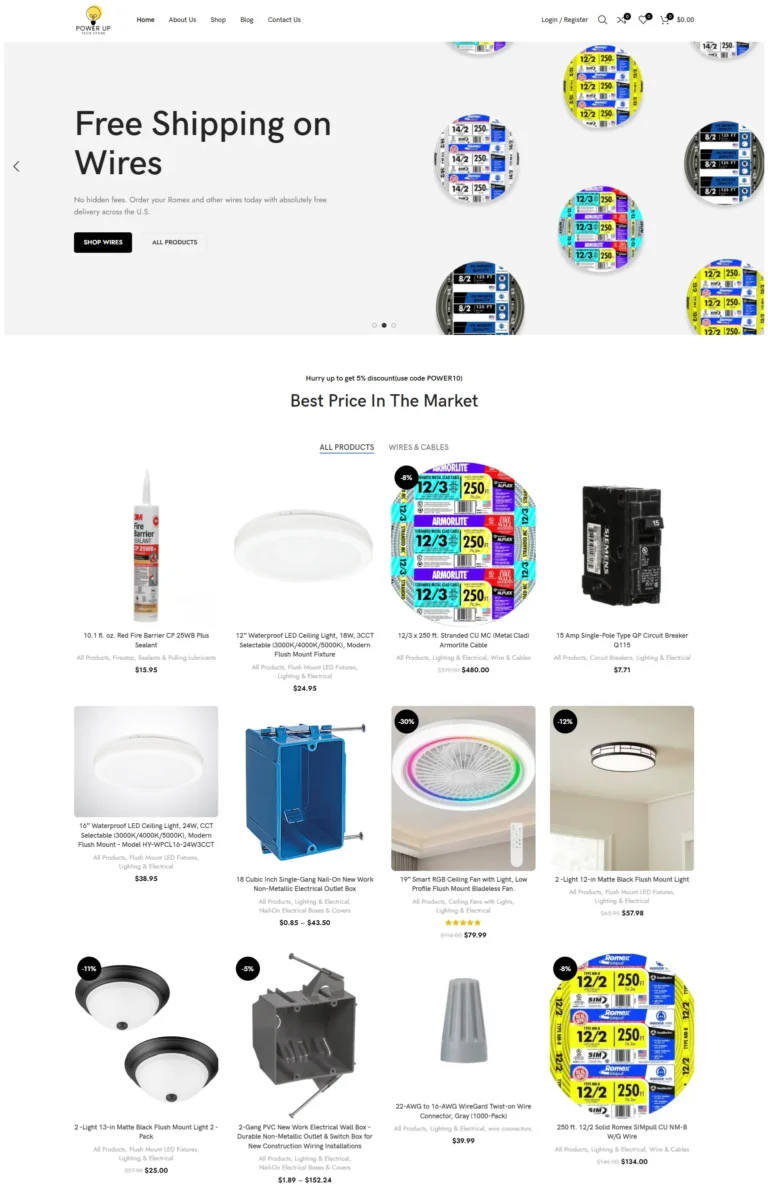
PowerUp Tech Store
High-performance WooCommerce store for electrical products with dynamic catalogs, advanced filters, and optimized checkout.
Read case study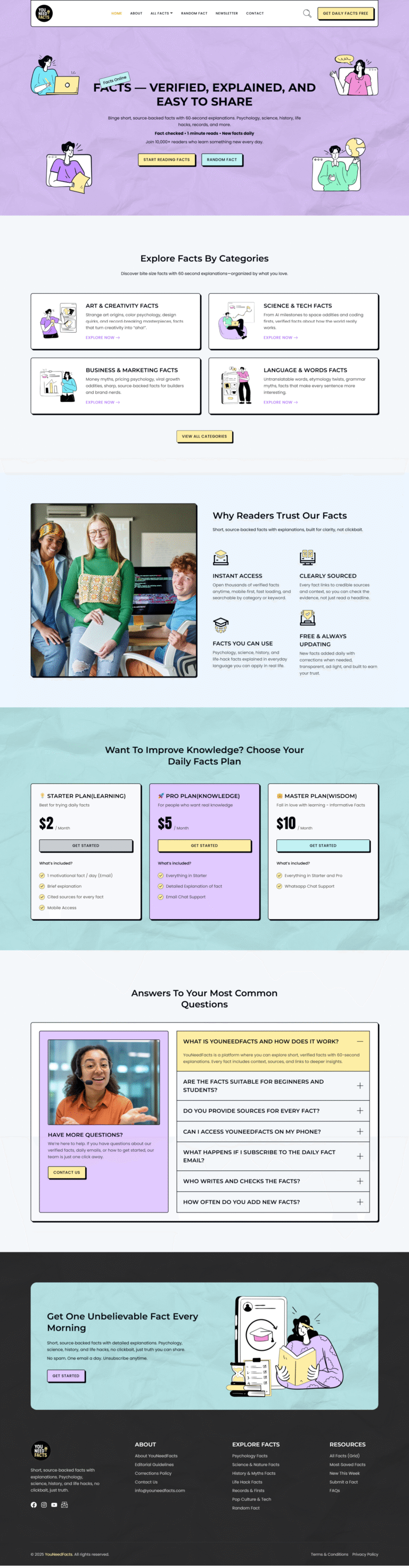
YouNeedFacts
Fact-based content subscription platform with membership plans, newsletter integration, and dynamic fact browsing.
Read case studyReal Core Web Vitals improvements
What clients say
Lovely guy to work with!
I recommend and would always work again with him. If you need somebody who has an eye for details and understands the full concept then you will be happy to land him, very punctual and…
Great and honest guy. I liked working with him as he is always available specially whenever there is an issue. All the best Devansh!!
Transparent Core Web Vitals Optimization pricing
Three options cover most needs. From a focused audit to identify failing metrics, to a complete one-time optimization, to ongoing monthly monitoring with regression detection.
CWV Audit
Identify which metrics fail and why
- Search Console CWV report review
- PageSpeed Insights on key templates
- CrUX field data analysis
- Per-metric diagnosis (LCP, INP, CLS)
- Page-level prioritization
- Written report with root causes
- Projected improvement targets
- Fixed quote for full optimization
- Delivered in 2-3 business days
CWV Fix
Most popular: pass all 3 metrics
- Full audit included
- LCP optimization across key templates
- INP optimization with JS profiling
- CLS optimization on images and fonts
- TTFB and server-level fixes
- Page builder-specific tuning
- Mobile and desktop verification
- 28-day CrUX field data monitoring
- Final verification report
- 30-day re-fix guarantee
- Delivered in 5-10 business days
CWV Monitoring
Ongoing tracking + regression prevention
- Full optimization (everything in Fix tier)
- Plus monthly Core Web Vitals tracking
- Search Console weekly review
- CrUX field data trend monitoring
- Plugin update regression testing
- New page template CWV verification
- Quarterly full re-audits
- Lab + field data dashboards
- Direct Slack or email access
- Cancel anytime
- Best for sites that depend on rankings
All prices in USD, fixed-quote per project for one-time work, no hidden fees. Custom quotes for very large sites (1000+ unique templates), high-traffic e-commerce, or aggressive competitive landscapes. Real Core Web Vitals improvements take up to 28 days to fully reflect in CrUX field data due to the rolling-window measurement period.
Generic speed work vs Core Web Vitals Optimization
Everything you need to know about Core Web Vitals Optimization
Core Web Vitals Optimization is the focused technical work of fixing the three specific metrics Google uses to measure page experience: LCP (Largest Contentful Paint), INP (Interaction to Next Paint), and CLS (Cumulative Layout Shift). Unlike general speed optimization, Core Web Vitals Optimization targets only the metrics that Google’s ranking algorithm actually weighs. This guide explains what real Core Web Vitals work covers in 2026, what it should cost, and how to choose the right specialist when your Search Console report shows failing scores.
I’m Devansh Thakkar, a Top Rated freelancer on Upwork with 7+ years of experience and 250+ projects delivered. Core Web Vitals work is one of my core specialties, with measurable LCP, INP, and CLS improvements shipped for clients across the United States, United Kingdom, Australia, Canada, and beyond. Every Core Web Vitals engagement follows the same standard: real CrUX field data analysis, targeted metric-specific fixes, before-and-after measurement, and verification that improvements held up in real-user data, not just lab tests.
What Core Web Vitals Optimization Actually Includes
Modern Core Web Vitals work focuses on three specific metrics, each with distinct causes and distinct fixes. General speed optimization scatters effort across many areas; specialized Core Web Vitals Optimization concentrates only on what moves the ranking signal needle.
LCP (Largest Contentful Paint) Below 2.5 Seconds
LCP measures when the largest content element becomes visible. For most WordPress sites, the LCP element is a hero image, a banner, or a featured product image. Fixing LCP means optimizing that specific element: priority loading via fetchpriority=”high”, proper image dimensions, WebP or AVIF format, removing render-blocking CSS that delays the element, and ensuring the server responds quickly with TTFB under 600ms. Most sites can lift LCP from 4+ seconds to under 2 seconds through targeted work.
INP (Interaction to Next Paint) Below 200 Milliseconds
INP replaced FID in March 2024 and measures responsiveness across all user interactions, not just the first one. Sites that passed FID often fail INP because long JavaScript tasks block the main thread when users click, scroll, or interact. Fixing INP means breaking up long tasks, deferring non-critical JavaScript, removing third-party tracking scripts that block interaction, and using requestIdleCallback for non-urgent work. Elementor and other page builders need specific INP tuning that generic plugins miss.
CLS (Cumulative Layout Shift) Below 0.1
CLS measures unexpected layout shifts during page load. Common causes include images without dimensions, web fonts loading in late and changing text size, ads or embeds inserting after page load, and animations that move content. Fixing CLS means setting explicit width and height attributes on every image, preloading critical fonts with font-display: optional, reserving space for ads or embeds, and using transform animations rather than layout-changing properties.

Real-User Field Data Analysis
Lab tests in PageSpeed Insights show what’s possible; field data from Chrome User Experience (CrUX) data shows what real visitors actually experience. Real Core Web Vitals Optimization checks both. CrUX data uses a 28-day rolling window of real-user measurements from Chrome browsers. Sites can pass lab tests while failing field data because lab tests run on fast simulated devices while real users use cheaper Android phones on slower connections.
Page-Level vs Origin-Level Diagnosis
Google measures Core Web Vitals at both page level (specific URL) and origin level (entire domain). Origin-level data combines all pages, which can hide issues on important pages or amplify issues from unimportant ones. Real diagnosis breaks down which specific page templates fail and why, then prioritizes fixes by traffic-weighted impact. Fixing a failing blog post template that gets 40% of traffic matters more than fixing a contact page that gets 1%.
Mobile-First Measurement
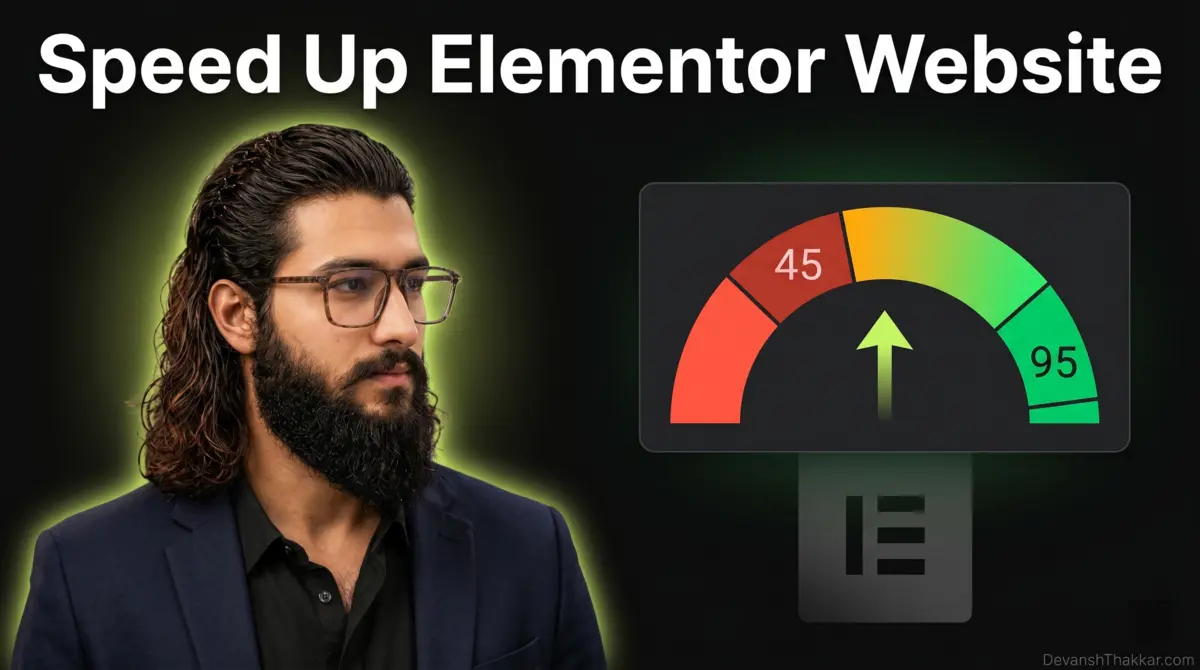
Google measures Core Web Vitals on mobile primarily, with desktop as a secondary signal. Mobile measurement uses simulated mid-tier Android devices, which are significantly slower than what most developers test on. A site can score 95 on developer Mac PageSpeed and 45 on Google’s mobile measurement of the same URL. Real Core Web Vitals work tests on actual mid-range mobile devices, not just developer hardware.
Search Console Integration
Google Search Console reports Core Web Vitals issues at scale across all indexed pages. The report categorizes URLs as good, needs improvement, or poor for both mobile and desktop. Real Core Web Vitals Optimization uses Search Console as the definitive source of truth, then validates fixes by watching the report transition from poor to good over the next 28 days as new field data accumulates.
How Much Does Core Web Vitals Optimization Cost?
Core Web Vitals pricing reflects the specialist nature of the work. A focused Core Web Vitals audit identifying which metrics fail and why costs $199 to $399. Complete one-time optimization that fixes LCP, INP, and CLS across key page templates runs $499 to $1,299 depending on site complexity. Ongoing monthly monitoring with regression detection and continued tuning typically costs $299 to $799 per month.
Beware of pricing that seems too good. A $50 “Core Web Vitals fix” is usually a generic plugin install that may shift lab scores temporarily but does not fix real-user metrics. The pattern shows immediate score improvement that decays back to original within weeks because the underlying causes were never addressed. Equally beware of generalist speed optimization sold as Core Web Vitals work; the metrics matter specifically, and scattered effort produces scattered results.
The Real Cost of Failing Core Web Vitals
Failing Core Web Vitals has compounding costs that most site owners underestimate because the damage shows up gradually rather than as visible breakage.
- Search ranking decline as Google demotes sites that fail page experience signals. The impact is gradual but persistent and compounds against competitors who fix their metrics.
- Conversion rate damage from real-user friction. Slow-loading pages, unresponsive interactions, and shifting layouts all reduce conversions even when visitors do not consciously notice the issues.
- Higher bounce rates on mobile where Core Web Vitals failures are most visible. Mobile users abandon faster than desktop users when pages feel sluggish.
- Wasted ad spend through poor Quality Score on Google Ads. Quality Score partly reflects landing page experience including Core Web Vitals, so failing sites pay more per click.
- Crawl budget reduction for slow sites. Google reduces crawl frequency on sites that respond slowly, which limits how often new content gets indexed.
- Compounding deficit as competitors invest in Core Web Vitals while your site falls further behind. Catching up later costs multiples of starting now.
The real cost of failing Core Web Vitals is rarely visible in any single metric. It compounds across rankings, conversions, ad costs, and competitive position over months until the gap becomes hard to close.
Core Web Vitals Optimization vs General Speed Work
Core Web Vitals Optimization and general WordPress Speed Optimization overlap but serve different goals. The right service depends on what problem you’re actually trying to solve.
General speed optimization targets overall page load time and PageSpeed Insights scores, with broad work across hosting, caching, image optimization, JavaScript bundles, and database queries. It produces a faster site overall but may not specifically move LCP, INP, or CLS thresholds. Core Web Vitals Optimization targets only the three Google ranking metrics with surgical precision. The work focuses on the LCP element specifically, on INP-blocking JavaScript specifically, and on CLS-causing layout patterns specifically. Generic optimization that shifts lab PageSpeed by 30 points may not move the needle on any of the three Core Web Vitals because they measure different things.
For sites where rankings depend on passing Core Web Vitals, specialized work is the right choice. For sites where overall perceived speed matters more than specific metrics, general speed optimization fits better. Many engagements include both: speed work first to build the foundation, then Core Web Vitals work to specifically pass Google’s thresholds.
Who Needs Core Web Vitals Optimization?
Not every site needs specialized Core Web Vitals Optimization. The investment makes sense when any of the following apply.
Your Search Console report shows failing Core Web Vitals on important page templates and the failures correlate with ranking declines. You compete in a SERP where competitors all pass Core Web Vitals and your site falls behind despite good content. You depend on organic search traffic for revenue and Core Web Vitals failures are blocking ranking improvements you would otherwise see.
You spend significantly on Google Ads where landing page Quality Score affects cost per click. You operate at scale where small percentage improvements in conversion translate to meaningful revenue gains. You’ve already done general speed work but specific Core Web Vitals metrics still fail because they require different fixes than generic optimization addresses.
How to Choose a Core Web Vitals Specialist
The freelance market is full of providers claiming Core Web Vitals expertise. Most apply generic speed optimization and hope it moves the metrics. Look for these signals when hiring a real specialist.
Real before-and-after CrUX field data, not just lab scores. A genuine specialist shows Search Console screenshots over multiple months with the report transitioning from poor to good. Lab scores can be gamed through specific test conditions; field data reflects real user experience and cannot be fabricated. Verified third-party reviews mentioning specific Core Web Vitals improvements carry weight because they cannot be faked.
Knowledge of all three metrics individually rather than treating Core Web Vitals as one thing. LCP, INP, and CLS each have distinct causes and require distinct fixes. A specialist who only optimizes for LCP because it’s easiest to move will fail to deliver complete results. Direct work with no agency middlemen, since Core Web Vitals work requires hands-on technical execution that does not delegate well.
Core Web Vitals Trends in 2026
The Core Web Vitals landscape evolved significantly in 2024-2025, and the trends shaping Core Web Vitals Optimization in 2026 split between metric changes and measurement refinements.
INP is now the dominant responsiveness metric and the most common Core Web Vitals failure for many sites. Sites that comfortably passed FID often fail INP because the metric measures all interactions throughout the session. Page builders like Elementor, Bricks, and Divi have specific INP issues that need targeted fixes. Google continues refining how Core Web Vitals affect rankings, with the page experience signal becoming more weighted as content quality alone becomes harder to differentiate between competitors.
Soft-navigation tracking became more accurate, helping single-page applications and modern builds measure properly. Field data tools beyond CrUX expanded, with Cloudflare Web Analytics and similar services providing real-user metrics that supplement Google’s data. New CSS features like content-visibility and contain layout properties reduce CLS automatically when properly implemented in themes.
Tools and Methodology for Core Web Vitals Optimization
Real Core Web Vitals Optimization uses specific tools and methodology rather than generic speed plugins. The right toolkit produces measurable results that hold up over time.
PageSpeed Insights provides both lab tests (Lighthouse) and field data (CrUX). Real diagnosis uses both: lab tests show what specific elements need optimization, field data shows what real users experience. Google Search Console shows Core Web Vitals issues at scale across all indexed pages, categorized by mobile and desktop performance. Chrome DevTools Performance panel reveals exactly which JavaScript tasks block INP, which images cause LCP delays, and which elements cause CLS shifts.
Web Vitals JavaScript library can be added to a site for direct real-user measurement, complementing CrUX data. Lighthouse CI integrates Core Web Vitals checks into deployment pipelines, catching regressions before they reach production. The methodology matters as much as the tools: diagnose the actual cause of each failing metric, fix that specific cause, verify in lab tests, then watch field data over the next 28 days to confirm real users see the improvement.
Get Core Web Vitals Optimization Today
If your Search Console report shows failing Core Web Vitals or if you suspect rankings are blocked by page experience issues, the next step is a free 30-minute discovery call. We’ll review your current Core Web Vitals status, identify which specific metrics fail and on which page templates, and discuss realistic improvement targets. Within 48 hours of that call, you’ll receive a fixed-quote scope with timeline and projected impact.
You can also browse my portfolio of recent work to see real before-and-after Core Web Vitals improvements across industries, or read what past clients have said about working with me on technical SEO and performance projects.
Core Web Vitals Optimization questions, answered
How much does Core Web Vitals Optimization cost?
How long until I see Core Web Vitals improvements?
What is the difference between Core Web Vitals and PageSpeed?
Can you fix Core Web Vitals on Elementor or Bricks sites?
Why does my site pass PageSpeed but fail Search Console?
Can Core Web Vitals Optimization break my WordPress site?
How do you measure if Core Web Vitals improvements actually worked?
Do I need both general speed work and Core Web Vitals Optimization?
Will Core Web Vitals improvements help my Google rankings?
Do you work on international sites for Core Web Vitals?
More to dig into
-
Expert in WordPress: 10 Simple Tests of Proven Skill
What separates an expert in WordPress from a confident implementer: five layers of skill, ten plain questions that...
Read article -
Hire Best WordPress Developer: Avoid 9 Costly Mistakes
A working developer's method for vetting WordPress developers: a 5-minute source-code test, the 9 mistakes that cost the...
Read article -
Web Development Best Practices: 8 Essential Rules for 2026
Table of Contents Why Fundamentals Beat Trends Performance First Clean, Maintainable Code Mobile-First and Responsive Security From Day...
Read article
-
Divi Website Development
Divi Website Development by a Top Rated freelancer specializing in Divi 5 native architecture. Variable Manager design tokens,...
View service -
WooCommerce Development Services
Custom WooCommerce Development by a Top Rated freelancer with 7+ years and stores delivered for clients in 8+...
View service -
WordPress Security Hardening
WordPress Security Hardening by a Top Rated freelancer. Layered defense across WAF, login protection, file integrity, security headers,...
View service
Ready to start?
Book a free 30-minute call. No pitch, no pressure. We discuss your project and decide if we're a fit.