
WordPress Security Hardening That Prevents Breaches Before They Happen
WordPress Security Hardening by a Top Rated freelancer. Layered defense across WAF, login protection, file integrity, security headers, and database hardening. Real prevention, not just plugin installs.
- Layered defense, not single plugin
- OWASP-based methodology
- Active monitoring after hardening
- Documented incident response procedures

What is WordPress Security Hardening?
WordPress Security Hardening is the proactive technical work of locking down WordPress sites against brute force attacks, malware injection, SQL injection, XSS attacks, and automated probing. It covers login protection with two-factor authentication and rate limiting, web application firewall configuration, file integrity monitoring, user permission audits, security headers, HTTPS enforcement, database hardening, plugin vulnerability management, and tested backup procedures. Done properly, hardening prevents breaches before they happen rather than cleaning up after damage.
What's leaving your WordPress site exposed
Most WordPress sites have multiple security gaps simultaneously. Generic security plugins catch some threats but miss the layered weaknesses that real attackers exploit. These are the issues professional hardening addresses.
Default login URL and weak credentials
wp-admin still uses /wp-login.php URL. No two-factor authentication. Shared admin credentials. Brute force attacks succeed against weak passwords.
No web application firewall
Attack patterns hit WordPress directly without filtering. SQL injection, XSS, and malicious bot traffic all reach the application before any defense.
Vulnerable plugins and themes
Outdated plugins with public CVE disclosures. Abandoned plugins receiving no updates. Premium plugins with poor security track records still active.
Missing security headers
Default WordPress ships without Content-Security-Policy, X-Frame-Options, or HSTS. Browser-level attacks succeed that proper headers would prevent.
No file integrity monitoring
Malware injection goes undetected for weeks because no system tracks file changes. By the time symptoms appear, damage has compounded significantly.
Database with predictable structure
Default wp_ table prefix targeted by automated attacks. Unrestricted database user permissions. SQL injection has full-table access if exploited.
Everything included in WordPress Security Hardening
Login protection + 2FA
Custom login URL, two-factor authentication, rate limiting, geographic IP rules, CAPTCHA on failed attempts, lockout policies. Brute force defense at the entry point.
WAF configuration
Cloudflare WAF and application-level firewall configured to block SQL injection, XSS, malicious bots. Layered defense across edge and application layers.
File integrity monitoring
Baseline of all WordPress files established. Scheduled scans for unexpected changes. Alerts when malware injection or unauthorized modifications detected.
User access audit
Inactive accounts removed. Role separation enforced. Admin access restricted by IP where possible. No shared credentials between team members.
Security headers + HTTPS
Content-Security-Policy, X-Frame-Options, HSTS, Referrer-Policy properly configured. HTTPS enforcement, modern TLS, HSTS preloading where appropriate.
Database hardening
Table prefix change, prepared statement audit, database user permission restrictions, removal of unnecessary database functions and access points.
Plugin vulnerability management
Complete plugin and theme inventory with CVE cross-reference. Abandoned plugins removed. Vulnerable premium plugins replaced with secure alternatives.
Backup + incident response
Off-site backup retention with multiple recovery points. Tested restore procedures. Documented incident response steps and clear escalation paths.
Documentation + monitoring setup
Written hardening report explaining all changes. Monitoring dashboard configured. Monthly security review schedule established. Direct support access.
How a WordPress Security Hardening engagement works
-
01
Security audit + assessment
Full review of current security posture: login configuration, plugin vulnerabilities, security headers, user permissions, database setup, backup status. Identify all gaps.
3-5 business days -
02
Hardening report + scope
Written assessment listing vulnerabilities, recommended fixes, priorities, and projected risk reduction. Fixed-quote scope and timeline before any work starts.
1-2 business days -
03
Application-level hardening
Login protection, two-factor setup, security headers, plugin cleanup, user permission audit, file integrity baseline. The application layer fully locked down.
3-5 business days -
04
Edge + database hardening
WAF configuration on Cloudflare or similar, application-level firewall setup, database table prefix change if applicable, database user restrictions, monitoring setup.
2-3 business days -
05
Backup verification + incident plan
Off-site backup configuration, restore testing to confirm backups work, incident response procedure documentation, escalation plan, recovery time objectives.
1-2 business days -
06
Documentation + ongoing monitoring
Detailed hardening report. Monitoring dashboard configured. Direct access for security questions. Ongoing maintenance plan if needed for active site protection.
Final + ongoing
The WordPress security stack I work with
I pick security tools based on what your specific site needs and what your hosting platform supports. Most engagements use the technologies below in the right combination for your risk profile, traffic patterns, and compliance requirements.
Real projects, real outcomes
Recent work delivered for clients worldwide.
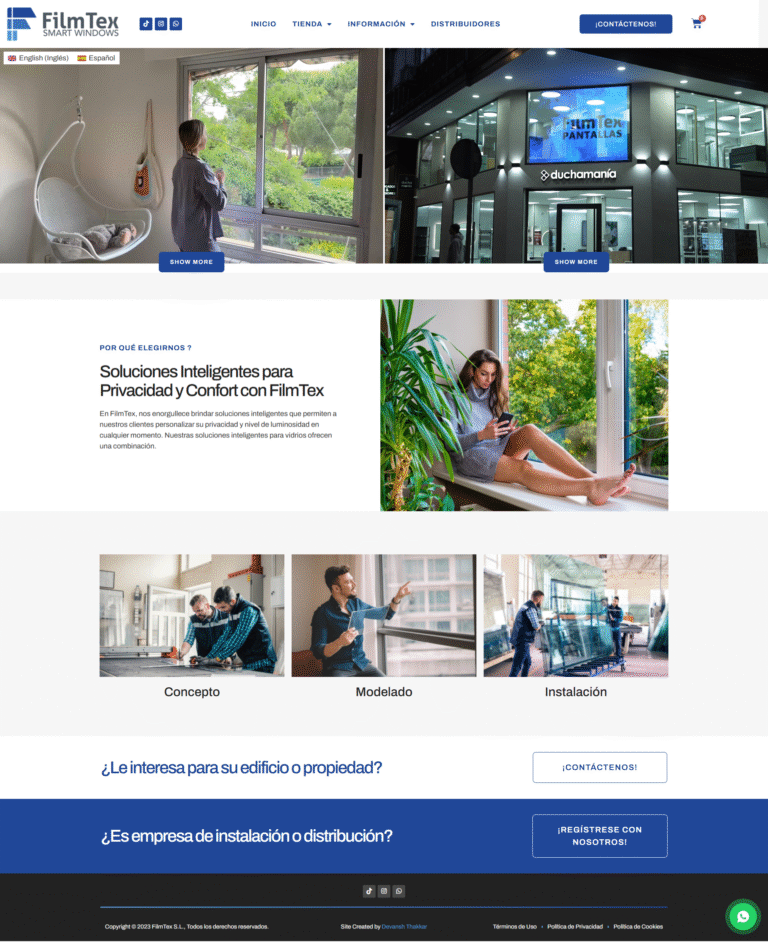
Multilingual WordPress Site Built From Scratch: Custom Theme, Video-Led Pages, Two Languages
A custom-built bilingual WordPress site for a Spanish smart glass and transparent LED manufacturer. Custom theme, square-metre product configurator, video-led presentation, and…
Read case study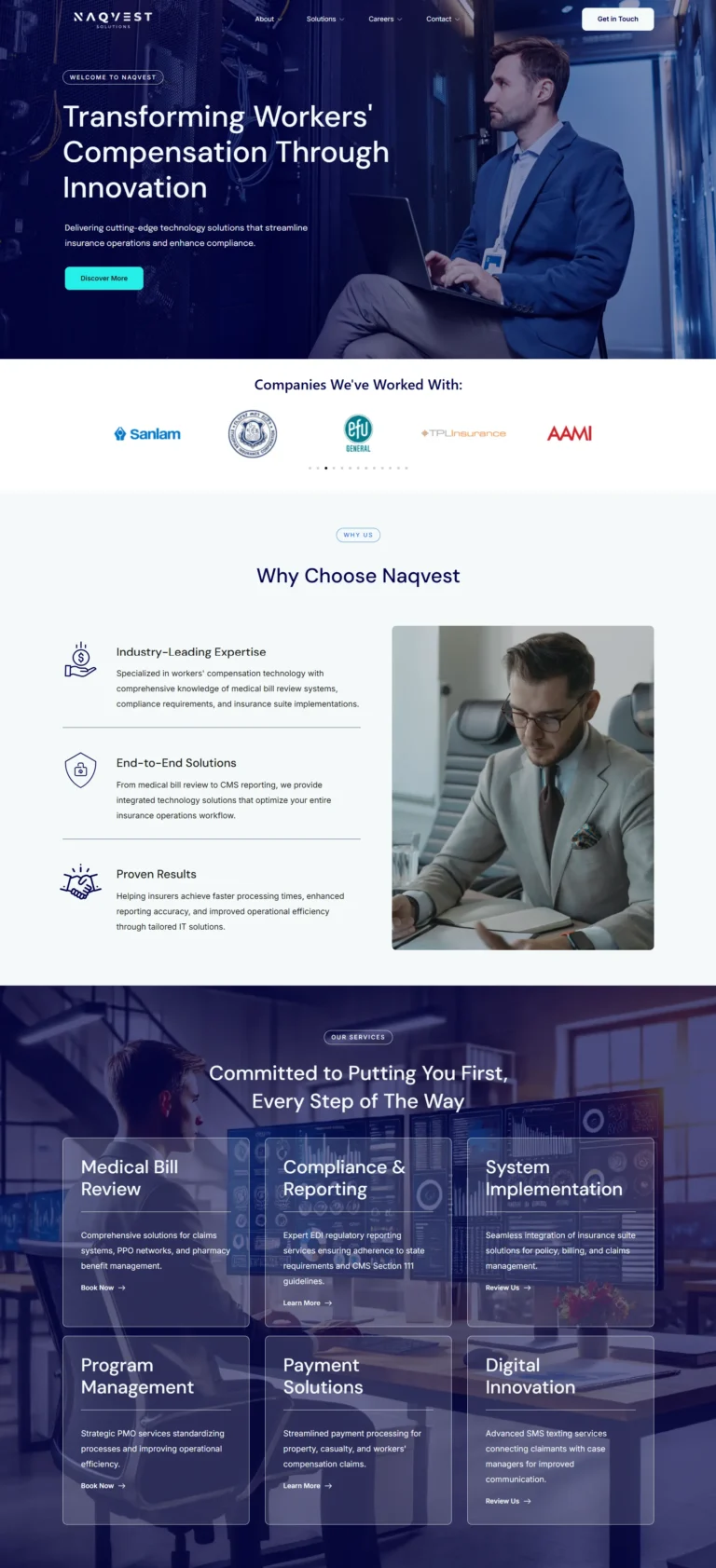
Naqvest Solutions
Technology-driven corporate platform showcasing insurance and workers compensation solutions with B2B lead generation.
Read case study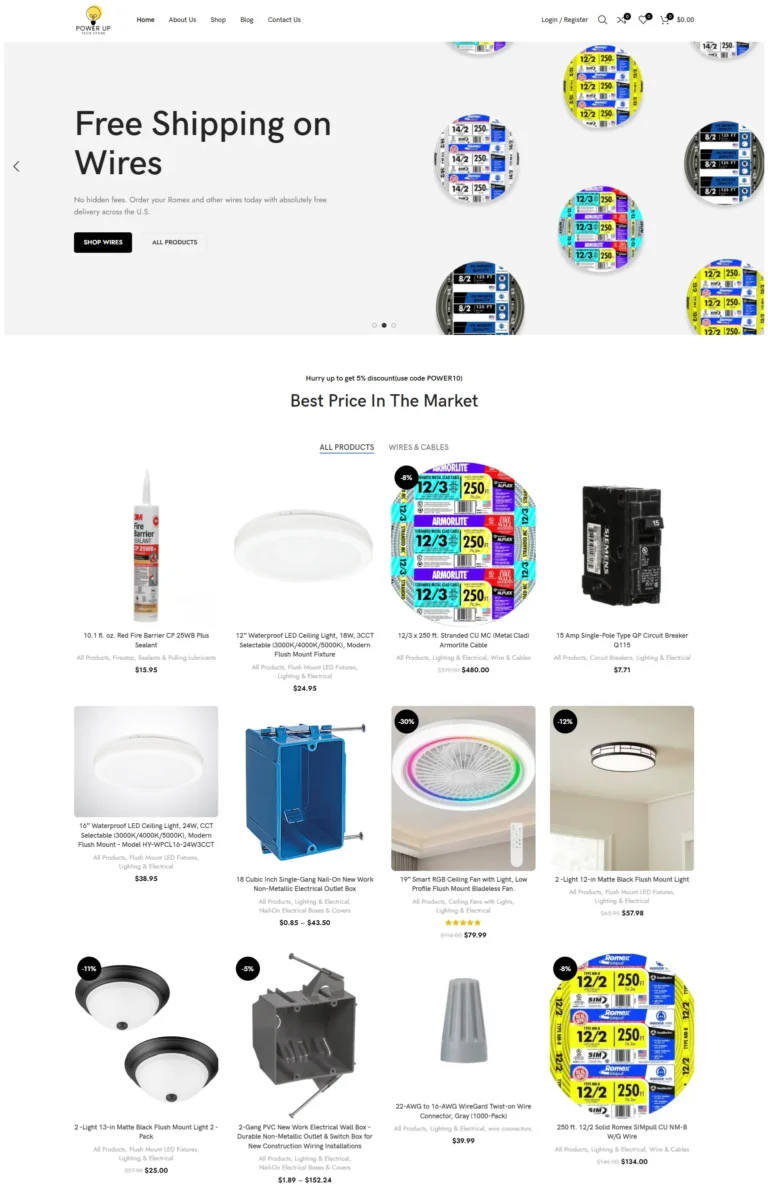
PowerUp Tech Store
High-performance WooCommerce store for electrical products with dynamic catalogs, advanced filters, and optimized checkout.
Read case studyReal numbers from real WordPress security engagements
What clients say
Really great and experienced in his skills. I really like the way we worked together and communicate to the fullest. If someone is hiring him and giving him only an idea of what he/she wants,…
Really great to work with. Super responsive and very helpful.
Devansh was very efficient and organised. He completed all tasks on time and I was very satisfied with the end results of the website. I highly recommend him for anyone looking to build a website…
Transparent WordPress Security Hardening pricing
Three options cover most situations. From a focused security audit to identify your vulnerabilities, to complete one-time hardening setup, to ongoing monthly monitoring with active threat response.
Security Audit
Identify your vulnerabilities first
- Full WordPress security audit
- Login + access control review
- Plugin and theme vulnerability scan
- Security headers assessment
- File integrity baseline check
- Database security review
- Backup status verification
- Written report with prioritized findings
- Fixed quote for full hardening
- Delivered in 3-5 business days
Hardening Setup
Most popular: complete one-time lockdown
- Full audit included
- Login protection + 2FA setup
- WAF configuration (Cloudflare + app-level)
- File integrity monitoring
- Security headers configuration
- Database hardening + table prefix
- User permission audit and cleanup
- Plugin vulnerability remediation
- Backup configuration + restore test
- Incident response procedures
- Documentation and monitoring dashboard
- 30-day re-fix guarantee
- Delivered in 7-14 business days
Security Monitoring
Ongoing protection for active sites
- Full hardening (everything in Setup tier)
- Plus monthly vulnerability scanning
- CVE database cross-reference
- Plugin update security review
- File integrity monitoring with alerts
- Login attempt log review
- Security header verification
- Quarterly penetration testing
- Quarterly user permission audits
- Quarterly backup restore testing
- Incident response on detected threats
- Direct Slack or email access
- Cancel anytime
All prices in USD, fixed-quote per project for one-time work, no hidden fees. Custom quotes for sites with specific compliance requirements (PCI DSS, HIPAA, SOC 2), high-target industries, or complex multi-site setups. Cloudflare and security plugin licenses not included unless agreed.
Plugin install vs professional WordPress Security Hardening
Everything you need to know about WordPress Security Hardening
WordPress Security Hardening is the proactive technical work of locking down WordPress sites against brute force attacks, malware injection, SQL injection, XSS attacks, and the constant background noise of automated probing. Done right, hardening prevents breaches before they happen rather than cleaning up after damage. This guide explains what real WordPress Security Hardening covers in 2026, what it should cost, and how to choose the right specialist before your site becomes the next attack statistic.
I’m Devansh Thakkar, a Top Rated freelancer on Upwork with 7+ years of experience and 250+ projects delivered. WordPress Security Hardening is one of my core specialties, with hundreds of sites locked down for clients across the United States, United Kingdom, Australia, Canada, and beyond. Every hardening engagement follows the same approach: vulnerability assessment, layered defense implementation, file integrity baseline, monitoring setup, and documented incident response procedures. Real prevention costs a fraction of breach recovery.
What WordPress Security Hardening Actually Includes
Modern WordPress Security Hardening covers eight distinct layers that work together. Most underperforming sites have weaknesses in three or four layers simultaneously. Real WordPress Security Hardening addresses all of them with a layered defense approach rather than relying on any single tool.
Login Protection and Brute Force Defense
The wp-admin login page is the single most attacked URL on WordPress sites. Bots attempt millions of credential combinations daily across the WordPress ecosystem. Real protection includes login URL change, two-factor authentication, rate limiting, geographic IP restrictions where appropriate, CAPTCHA on failed attempts, and lockout policies for repeated failures. Most successful WordPress breaches start with a successful login, not a sophisticated exploit.
Web Application Firewall (WAF)
A WAF blocks known attack patterns before they reach WordPress. Cloudflare WAF provides edge protection against SQL injection, XSS, and malicious bots at no cost on the free tier. Application-level WAFs through Wordfence or similar add depth. Real WordPress Security Hardening configures both layers because they catch different threats. Network-level WAF blocks volume attacks; application-level WAF catches WordPress-specific exploits that network filters miss.
File Integrity Monitoring
WordPress core, theme, and plugin files should not change unexpectedly. File integrity monitoring establishes a baseline of all files, then alerts when anything changes outside of normal updates. This catches malware injection within hours rather than weeks. Real hardening includes scheduled file integrity scans, hash comparison against known-good versions, and alerts when unexpected files appear in upload directories where executable code should never run.
User Permissions and Access Control
WordPress sites accumulate user accounts over years. Old contributor accounts, abandoned subscriber accounts, and shared admin credentials create unnecessary attack surface. Real Security Hardening audits user accounts, removes inactive ones, enforces role separation, restricts admin access by IP where possible, and ensures no shared credentials exist between team members.

Security Headers and HTTPS Configuration
HTTP security headers prevent classes of attacks at the browser level. Content-Security-Policy, X-Frame-Options, X-Content-Type-Options, Strict-Transport-Security, and Referrer-Policy all close specific attack vectors. Most WordPress sites ship with default headers that miss these protections. Hardening includes proper header configuration, HTTPS enforcement on all URLs, modern TLS configuration, and HSTS preloading where appropriate.
Database Security
The default WordPress database uses predictable table prefixes (wp_) that automated attacks target directly. SQL injection attacks exploit known query patterns. Real WordPress Security Hardening includes database table prefix change for new installs, prepared statement audits in custom code, database user permission restrictions, and removal of unnecessary database functions like REMOTE access from non-localhost.
Plugin and Theme Vulnerability Management
Most WordPress breaches exploit known vulnerabilities in outdated plugins and themes. The CVE database tracks public disclosures, and attackers automate scanning for vulnerable installations. Real hardening includes a complete plugin and theme inventory, vulnerability cross-reference against current CVE lists, removal of abandoned plugins that no longer receive updates, and migration away from premium plugins with poor security track records.
Backup Strategy and Incident Response
Even hardened sites need recovery capability when something goes wrong. Real Security Hardening establishes off-site backup retention with multiple recovery points, tested restore procedures, documented incident response steps, and clear escalation procedures. Many sites have backups that have never been tested by actually restoring them, which means they may not work when needed.
How Much Does WordPress Security Hardening Cost?
Security pricing reflects the layered nature of the work. A focused security audit identifying current vulnerabilities costs $199 to $399. A complete one-time hardening setup runs $499 to $999 depending on site complexity and existing technical debt. Ongoing monthly security monitoring with active threat response typically costs $99 to $399 per month based on response time tier and what is included.
Beware of pricing that seems too good. A $19 monthly “security service” usually means an automated plugin running with default settings, which catches obvious threats but misses targeted attacks completely. The pattern shows green dashboards while sophisticated attacks proceed undetected. Equally beware of $1,000+ monthly enterprise security services where most of the budget covers reporting overhead rather than actual hardening work.
The Real Cost of Skipping WordPress Security Hardening
Sites without proper hardening accumulate risk that materializes as eventual breaches. The damage compounds because security incidents have multiple cost dimensions that most owners only see after the fact.
- Direct breach recovery costs of $5,000 to $50,000+ for malware removal, blacklist removal, lost revenue during downtime, and rebuilding customer trust. Severe breaches occasionally cost six figures.
- Search ranking damage when Google flags hacked sites with “deceptive site” warnings. Sites can lose 80 percent of organic traffic within hours of detection and take months to fully recover.
- Customer trust erosion after data breaches that affect customer information. Many small businesses never fully recover their customer base after a public breach disclosure.
- Compliance penalties for sites that handle regulated data (PCI DSS, GDPR, HIPAA, SOC 2). Breach disclosure requirements alone can trigger six-figure costs.
- Insurance and legal costs from cyber liability claims, customer notification requirements, and potential class action exposure for breaches involving customer data.
- Productivity loss during recovery efforts. Site owners and their teams spend weeks recovering from breaches that proper hardening would have prevented in the first place.
The cost of skipping WordPress Security Hardening is rarely visible in the security budget. It shows up as the one weekend the site gets compromised, the customer data exposure, and the months of recovery work that proper hardening would have prevented entirely.
WordPress Security Hardening vs Plugin Install
Most site owners try the DIY route first. They install Wordfence or Sucuri, enable default settings, and assume security is handled. The plugin shows green checkmarks and they wonder why breaches still happen to similar sites. The difference between plugin install and professional WordPress Security Hardening comes down to three things.
Security plugins are tools, not strategies. They provide framework but cannot make decisions about which attack vectors actually threaten your specific site, which compliance requirements apply to your industry, or how aggressive to be with hardening that might affect legitimate users. Default settings are deliberately conservative because they need to work for millions of sites with unknown configurations. Manual hardening tunes settings to your actual risk profile.
Plugin scores measure feature activation, not actual security posture. A site with Wordfence at 100 percent green can still have weak credentials, vulnerable plugins, and missing security headers. Real hardening looks at the actual attack surface, not just plugin compliance. For sites where security genuinely matters, professional hardening pays for itself through prevented incidents. For low-stakes hobby sites, plugin defaults plus host security are often sufficient.
Who Needs WordPress Security Hardening?
Not every site needs deep hardening. The investment makes sense when any of the following apply.
Your site handles customer data, payment information, or personal data subject to regulation. Compliance requirements alone justify hardening investment. Your business depends on the site for revenue or reputation, and a breach would cause significant business disruption. You operate in a high-target industry like healthcare, finance, real estate, or e-commerce where attackers actively probe sites.
You have experienced a breach in the past and want to prevent recurrence. Returning attackers often probe the same site repeatedly hoping new vulnerabilities have appeared. You are about to launch a high-traffic campaign that will draw attention from both customers and attackers. You inherited a site from a previous developer with unknown security posture and need a baseline assessment before issues compound.
How to Choose a WordPress Security Specialist
The freelance market has many people claiming WordPress Security Hardening expertise, but few combine real attack pattern knowledge with hands-on hardening capability. Most install security plugins and call it done. Look for these signals when hiring.
Real hardening methodology, not plugin installation. A genuine specialist explains specific attack vectors being defended against, demonstrates layered defense across server and application levels, and configures security headers and database hardening rather than relying purely on plugins. Verified third-party reviews mentioning specific security work. Client reviews on platforms like Upwork that describe security engagements carry weight because they cannot be faked.
Knowledge across multiple security layers rather than just one specialty. Real WordPress Security Hardening combines login protection, WAF configuration, file integrity, security headers, database hardening, and monitoring. Specialization in only one layer leaves the others exposed. Direct work without agency middlemen, since security work involves access to sensitive systems that should not transit through multiple hands.

WordPress Security Hardening Trends in 2026
The security landscape evolved significantly in 2024-2025, and the trends shaping WordPress Security Hardening in 2026 reflect both attacker sophistication and defensive tool maturity.
AI-driven attacks increased dramatically as automated tooling lets attackers scan and exploit vulnerabilities at unprecedented scale. Sites previously safe through obscurity are now found and probed within hours of going live. Supply chain attacks on plugins became more common, with compromised plugin updates delivering malware to thousands of sites simultaneously. Hardening now requires plugin source verification beyond simple update checks.
Cloudflare and similar edge security providers expanded their free tiers significantly, putting enterprise-grade WAF capabilities within reach of small sites. Two-factor authentication adoption increased but social engineering attacks targeting 2FA bypass also grew. Security headers became more critical as browsers actively warn users about sites missing modern protections, affecting trust and conversion. The OWASP Top 10 framework remains the foundation for modern WordPress Security Hardening, with WordPress-specific implementations of each category.
WordPress Security Hardening Maintenance and Monitoring
Hardening is not a one-time project. New vulnerabilities emerge monthly across the WordPress ecosystem, attack techniques evolve, and configuration drift over time can erode protections. Real WordPress Security Hardening includes ongoing maintenance to maintain the security posture that initial hardening establishes.
Monthly security maintenance includes vulnerability scanning against current CVE databases, plugin and theme update review with security focus, file integrity baseline updates, login attempt log review, and security header verification. Quarterly deeper work includes penetration testing of critical functions, user permission audits, backup restore testing, and incident response procedure rehearsal.
The compounding nature of security work makes ongoing maintenance valuable. A site hardened today degrades steadily without active maintenance as new threats emerge and configurations drift. Sites with continuous security maintenance stay protected; sites with one-time hardening drift back toward vulnerability over months.
Get WordPress Security Hardening Today
If you’re concerned about your WordPress security posture, the next step is a free 30-minute discovery call. We’ll review your current security stack, identify the most likely attack vectors against your specific site, and discuss appropriate hardening levels for your stakes and budget. Within 48 hours of that call, you’ll receive a written security assessment and fixed-quote scope.
You can also browse my portfolio of recent work to see how I approach long-term WordPress security, or read what past clients have said about working with me on hardening engagements.
WordPress Security Hardening questions, answered
How much does WordPress Security Hardening cost?
How is hardening different from a security plugin?
Will hardening break anything on my WordPress site?
How long does WordPress Security Hardening take?
Do I need WordPress Security Hardening if I have Cloudflare?
Can you harden e-commerce stores with WooCommerce?
What if my site has already been hacked?
How do I know your hardening actually worked?
What's covered by the 30-day post-hardening guarantee?
Do you handle compliance hardening for PCI/HIPAA/GDPR?
More to dig into
-
Expert in WordPress: 10 Simple Tests of Proven Skill
What separates an expert in WordPress from a confident implementer: five layers of skill, ten plain questions that...
Read article -
Can AI Replace a Web Developer? The Complete 2026 Answer
Table of Contents The Short Answer What AI Can Actually Do Now What AI Still Cannot Do The...
Read article -
How Much Does a WordPress Website Cost in 2026? Real Numbers
The question “how much does a WordPress website cost” gets a different answer depending on who you ask....
Read article
-
Core Web Vitals Optimization
Core Web Vitals Optimization by a Top Rated freelancer. Specialist focus on LCP, INP, and CLS with real...
View service -
Custom WordPress Plugin Development
Custom WordPress Plugin Development by a Top Rated freelancer specializing in WPCS-compliant code, security hardening, REST API endpoints,...
View service -
Elementor Website Development
Elementor Website Development by a Top Rated freelancer specializing in performance-tuned Elementor Pro builds. Theme Builder for full-site...
View service
Ready to start?
Book a free 30-minute call. No pitch, no pressure. We discuss your project and decide if we're a fit.