CleanTalk stopping genuine Gravity Forms submissions on one form, fixed with a targeted exclusion while spam protection stayed on everywhere else
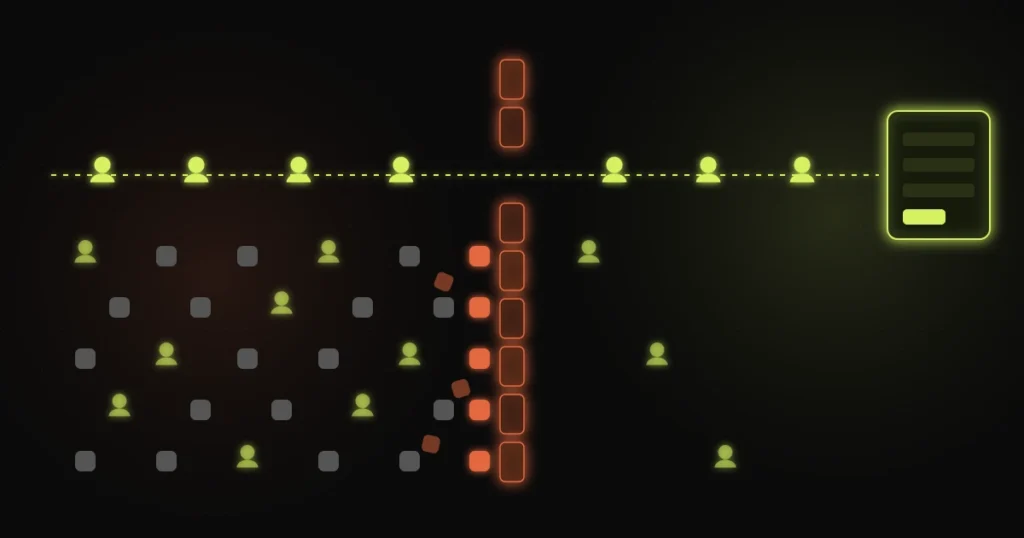
Spam protection has one job that people notice and one job that nobody does. The visible one is keeping junk out. The invisible one is letting every real person through. When the second one fails, there is no error and no alert. A real enquiry just never arrives, and nobody knows it was sent.
That was the situation on a site I worked on that runs Gravity Forms with CleanTalk. CleanTalk was doing its visible job well. On one form it was also stopping submissions that should have gone through.
The usual advice when an anti-spam plugin blocks real people is to switch it off. That fixes the blocked form and reopens every other form on the site to the spam that made someone install it in the first place.
The fix here was narrower: exclude the form that needed it, and leave the filter running everywhere else.
CleanTalk does not look at a submission and judge the text the way you would. It scores the sender, using signals that are good at catching bots and occasionally wrong about people.
Every one of those has a way to misfire on a genuine visitor.
The cases I see most, on any site running a cloud-based spam filter in front of its forms:
None of these mean CleanTalk is a bad tool. They mean a site-wide filter makes one decision for forms that have very different risk.
Not every form on a site carries the same cost when it gets something wrong.
A general contact form is the main target for bots and the least costly to get wrong. A blocked message is annoying, and the person can usually email instead. A form that takes registrations, bookings or payments is the opposite. Bots rarely bother with it, and a blocked submission is a lost sign-up or a lost payment.
So the right setup treats them differently. CleanTalk has exclusion settings for exactly this, and the job is to use them precisely: take the form that has a real cost to blocking out of the filter, and keep the filter on the forms bots actually target.
That is the change I made. The affected form stopped losing genuine submissions. The rest of the site kept its spam protection exactly as before.
Excluding a form from the spam filter does not mean leaving it open. It means using protection that suits that form.
The aim is to move the decision from “block anything that looks unusual” to “let people through and catch the rare bad entry afterwards”, on the one form where that trade is clearly worth it.
This is the hard part, because a blocked submission leaves no trace in Gravity Forms. The entry is never created.
The record lives on the CleanTalk side. Its log shows what it stopped and why, and that is the first place to look if someone says they filled in a form and never heard back. Look for blocked entries with real names, real email addresses and normal content. One is a coincidence. A pattern on the same form is a setting that needs to change.
Two other signals are worth taking seriously. A form whose entries drop sharply while traffic to its page stays steady. And people telling you, by phone or email, that the form “didn’t work” when you can submit it yourself without trouble. You are probably on a clean address. They might not be.
The form that mattered stopped dropping genuine submissions. Spam protection stayed in place on every other form. No plugin was removed, no site-wide setting was loosened, and the change is small enough that anyone looking after the site later can see exactly what was excluded and why.
If your forms go quiet for no clear reason, people say they submitted and you have nothing, or you want spam protection set up so it stops bots without stopping customers, that falls under ongoing care or a one-off fix. Tell me which form and what it is supposed to collect.

A personal brand site restructured so Google AI Overviews describe it correctly: one entity, consistent facts across sources,...

Global non-profit platform focused on family protection, economic stability, and legal advocacy with donation integration.
A Gravity Forms and Square payment flow broken by a theme conflict, fixed by isolating the form instead...
Free 30-minute call. Tell me what is going wrong and you get a fixed-price quote within 48 hours. If a smaller fix would do, I will say so.

I reply personally, usually within a few hours. No pushy sales calls.
Devansh Thakkar
Get your free quote
Takes 30 seconds. I reply personally within a few hours with a clear plan and a fixed price.
