A site live on the old platform for months while the new hosting was being paid for, with the business email sitting in the same DNS zone
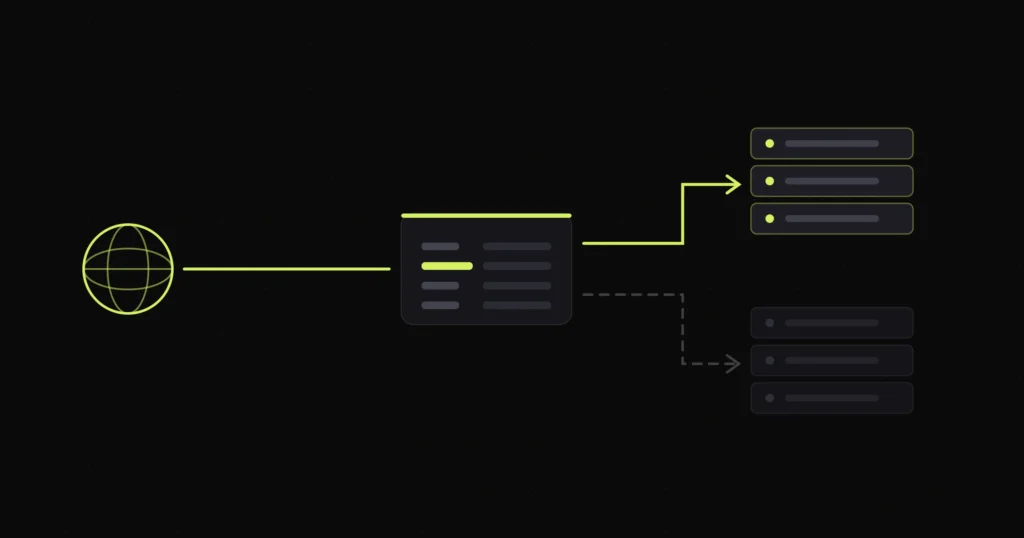
The hosting had been upgraded. The new server had the site on it. Everything loaded, everything worked, and the invoice for the new plan was being paid every month.
The live site was still being served by the old platform.
Not a caching issue, not propagation, not a stale copy. The domain had never been pointed at the new host at all. Anyone visiting the site was getting the old one, and had been for some time.
Almost every version of this problem comes from the same misunderstanding. “My domain” feels like a single thing you log into and change. It is actually three separate layers that can each live at a different company.
On this site all three were in different places. The domain was registered with one company, the nameservers were delegated to a website builder platform the business had used years earlier, and the WordPress site was on a completely separate host.
That combination is the trap. Someone logs into the registrar, looks at the DNS panel, sees records, and edits them. Nothing happens, because those records are not the ones being used. When nameservers are delegated elsewhere, the registrar’s own DNS panel becomes decoration. The zone that matters is at the nameservers.
You can spend a long time editing the wrong records with complete confidence.
Before changing anything, establish where each of the three layers actually points. There is no guesswork involved and it takes about a minute.
Look up the domain’s nameservers. Whatever they are is who holds your live DNS, regardless of where you bought the domain or where you think the DNS lives.
Look up the A record for the domain and compare that address with the one your host gives you. If they do not match, the site visitors are seeing is not the site on your server, and nothing you publish is reaching anybody.
Look up the MX records separately. They are not tied to the A record and frequently point somewhere else entirely. Knowing where mail goes before you touch anything is the difference between a clean cutover and a week of lost enquiries.
Three lookups. Done before any change, they tell you what you are actually dealing with.
This is the part that makes the situation persist for months rather than hours.
A new host gives you a temporary address so you can work on the site before pointing the domain at it. That is a sensible feature and it is also how the illusion is maintained. The site is there, it loads, you can log in and edit it. Everything about the experience says the migration is finished.
Meanwhile the domain is still resolving to the old platform, which is still serving a perfectly functional site, so there is no error page and no alarm. Two working sites, and the only clue is that updates do not appear publicly. That is easily rationalised as caching, which is exactly what tends to happen.
Browser caching makes this worse. The person who did the work has the new version warm in their browser and sees exactly what they expect. The client, on a different machine, sees the old one. Both believe the other is confused.
Repointing nameservers is a single field at the registrar. It is also the change most likely to take down a business’s email, and it does it quietly.
Mail routing lives in DNS, in the same zone as everything else. MX records say where mail is delivered. SPF, DKIM and DMARC decide whether the mail you send is trusted or treated as spam. All of them sit with whoever runs the nameservers.
Change the nameservers and you are not editing that zone, you are replacing it. The new provider starts with a blank zone and builds a default one. Unless every mail record was copied across in advance, they are gone the moment the change takes effect.
The failure is nasty because it is asymmetric. Outbound mail usually keeps working, so the business sends messages all day and assumes everything is fine. Inbound mail is what stops, and nobody can see the enquiries that are not arriving. On a site where the domain also carries the business email, which was the case here, that is the real risk in the job, not the website.
Export the full existing zone before touching anything. Every record, not just the obvious ones. This is the step that gets skipped and it is the only one that makes the change reversible.
Rebuild the zone at the new provider first, with the mail records included, and leave the A record pointing at the old host while you do it. Nothing changes for visitors at this stage.
Repoint the nameservers only once the new zone is complete. If it matches the old one apart from the web records, nothing visible happens at all, which is the goal.
Switch the A record last, when you want the site to change over, and do it during a quiet window.
Verify mail in both directions with a real message from outside the organisation, not by sending yourself a test from the same domain.
The domain now resolves to the host that is actually being paid for, mail routing survived the cutover intact, and the old platform is no longer serving anything.
The wider lesson is that “we moved hosts” and “the domain points at the new host” are two separate facts, and only one of them is visible from inside the admin panel. Checking which one you have takes a minute and is worth doing before you conclude that anything is broken.
This is standard ground in migration work, and the related Wix to WooCommerce rebuild covers moving off a builder platform properly. If your email has already gone quiet after a DNS change, that is emergency territory and worth treating as urgent, because inbound mail that bounces is not waiting for you somewhere.
Field LCP from 4.3s to 1.6s and a passing Core Web Vitals assessment, with no redesign

A 435-product WooCommerce store with wholesale pricing, freight shipping to 50 states and order source tracking

Professional corporate website showcasing financial services, investor relations resources, and thought-leadership content for enterprise clients.
Free 30-minute call. Tell me what is going wrong and you get a fixed-price quote within 48 hours. If a smaller fix would do, I will say so.

I reply personally, usually within a few hours. No pushy sales calls.
Devansh Thakkar
Get your free quote
Takes 30 seconds. I reply personally within a few hours with a clear plan and a fixed price.
