Rebuilt off Wix onto a WooCommerce store the client owns, with a custom order attribution tracker that separates paid from organic revenue
A Wix to WooCommerce migration for a US lighting retailer who had outgrown the platform. The brief was a full rebuild: new store, new platform, new infrastructure, with the catalogue and the brand intact. What follows is how a Wix to WooCommerce migration actually runs, including the part that went wrong.
The client is a US lighting retailer and the engagement is under a confidentiality agreement, so the company is not named here. What is described is the work: the decisions, the code, and the one launch incident that had nothing to do with either.
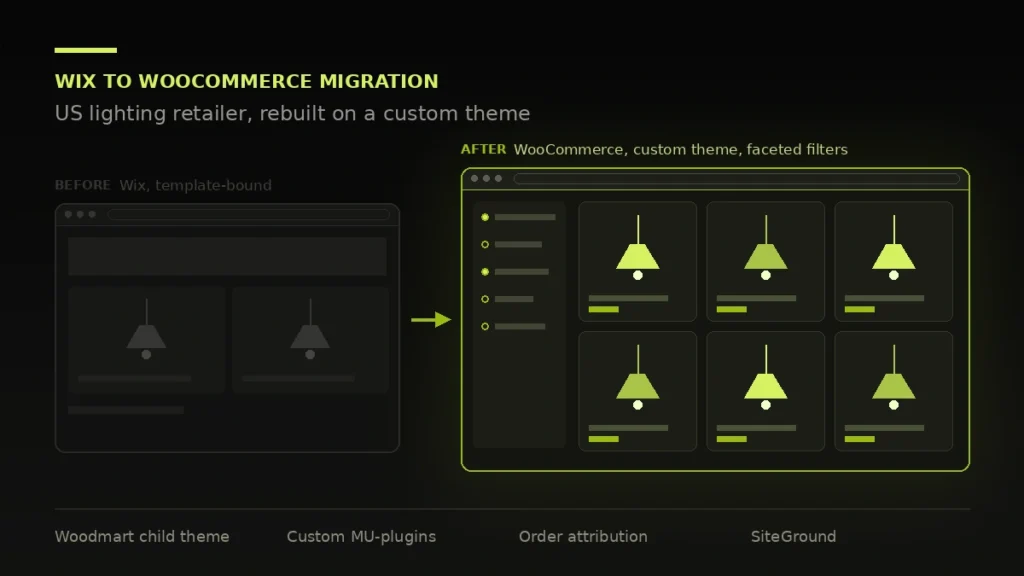
Wix to WooCommerce migration case studies tend to blur the line between what the developer did and what the client, the designer and the previous agency did. So, plainly:
Mine: the entire Wix to WooCommerce migration, the WooCommerce build, theme configuration and child theme work, every custom MU-plugin on the site, the hosting migration and DNS, the Rank Math configuration and schema, the Mailchimp migration, and the order attribution system described below. I also manage the hosting and DNS on an ongoing basis.
Not mine: the product photography, the product copy, and the commercial decisions about range and pricing. The Google Ads account is the client’s; I built the tracking that makes its performance measurable, not the campaigns.
If you are evaluating me for WooCommerce store development, that second paragraph is the useful one. A developer who claims the photography did not take the photographs.
I still manage the hosting and DNS for this store, which is the part most developers hand back at launch and most clients discover they needed six months later.
Before recommending a Wix to WooCommerce migration it is worth saying what Wix is good at. It is a reasonable place for a small catalogue and a simple checkout. It stops being reasonable at the point where you need the store to do something its template did not anticipate.
For a lighting retailer that point arrives early. Products have variations that are not simple dropdowns: finish, size, bulb type, voltage, and combinations that are not all valid together. Attribute handling that works for a t-shirt in three colours falls apart quickly.
The second constraint was measurement. The store ran Google Ads alongside organic traffic and could not reliably tell which orders came from where, which meant the ad budget was being set on instinct. More on that below, because it turned into the most interesting part of the project.
The third reason to consider a Wix to WooCommerce migration is ownership. A Wix store is rented. A WooCommerce store is yours, running on hosting you control, with a database you can export.
Every Wix to WooCommerce migration has one requirement that makes the platform decision for you. On this one it was product variations.
A lighting product is not a t-shirt. A single fixture can vary by finish, by size, by bulb type and by voltage, and the combinations are not all valid: a finish may only exist in two of the four sizes, and a voltage may rule out a bulb type entirely. Template-driven stores model variations as independent dropdowns, which means a customer can assemble a product that does not exist and only discover it at checkout, or worse, after ordering.
WooCommerce handles this natively through variation-level stock and attribute control, which is the single most common reason a store commissions a Wix to WooCommerce migration in the first place, and where the native behaviour was not enough, it is extensible in code rather than by configuration. That extensibility is the real argument for the platform. It is also the thing people underestimate when they compare monthly costs.
That is the first of the three reasons this store needed a Wix to WooCommerce migration. The second was measurement, covered under attribution below. The third was ownership: a Wix to WooCommerce migration leaves you with a database you can export and hosting you control.
The build sits on Woodmart with a child theme for all customisation, so theme updates never overwrite project work. Elementor handles the marketing pages where the client’s team edits content themselves; product and archive templates are native WooCommerce templates rather than builder output, because a builder rendering a product grid is paying for flexibility the page never uses.
That split is deliberate and it is the main structural decision on the project. Pages that change weekly get a builder. Pages that render hundreds of times a day do not.
Everything project-specific lives in must-use plugins rather than in the theme. Three reasons: the functionality survives a theme change, it cannot be deactivated by accident from the plugins screen, and the next developer finds it in one predictable place.
Where an existing plugin did the job properly I used it. Where it did not, I wrote a small custom plugin rather than installing something heavy and configuring 90% of it away. The attribution tracker below is the main example.
Rank Math handles titles, meta and sitemaps. Product schema is emitted from the theme rather than left to a plugin, so the structured data survives any future plugin change. Category and archive structure was planned before anything was built, because retrofitting a URL structure onto a live store is how you end up in a traffic drop after redesign situation.
Migrated the mailing list and transactional flows to Mailchimp. Worth saying that moving a list is the easy half; the deliverability half is covered under what is still open.
The store runs on SiteGround, with DNS and hosting managed on the client’s behalf rather than handed over as a problem. For a store doing real transaction volume that arrangement is worth stating plainly: when something breaks at the infrastructure layer, there is no three-way conversation between the client, a host and a developer who each think it is one of the others.
Caching is configured rather than installed, with cart, checkout and account pages excluded, because a cached cart is the single most damaging thing you can do to a WooCommerce store and it is the default failure mode of a plugin switched on without thought.
This is the part of the Wix to WooCommerce migration I would point at if you only read one section.
Attribution was the second driver behind the Wix to WooCommerce migration. The store spends money on Google Ads and also earns organic traffic. Standard WooCommerce records an order. It does not record where the customer came from in a way you can query later, and the analytics-side attribution lives in a different system with a different definition of a conversion. The practical result is that nobody can answer “did that ad spend produce orders” with a number from the orders table.
Rather than install an enterprise analytics plugin, I wrote a WooCommerce order source tracker: a small MU-plugin that captures the traffic source at session start, persists it through the cart, and writes it onto the order as order meta at checkout.
What that buys the client:
The caveat worth stating: this is last-touch attribution, and last-touch flatters whichever channel closes. It will not tell you that a customer found the store organically in March and converted through an ad in May. It answers a narrower question honestly rather than a broader one badly, which for a store this size is the right trade.
The build went fine. The launch did not, and the reason is worth documenting because it is not a coding problem and it will happen to someone reading this.
The domain was registered at GoDaddy. The new store was on SiteGround. The nameservers at GoDaddy were still pointing at Wix, left over from the old setup, and a hosting upgrade had made the situation look resolved when it was not.
The symptom is confusing: the site resolves for some people and not others, depending on what their resolver has cached. It looks like a hosting problem. It is a delegation problem, one level up from where most people look.
The fix was straightforward once correctly diagnosed, and it is the one step of a Wix to WooCommerce migration worth rehearsing: repoint the nameservers, verify propagation from multiple resolvers rather than from one browser, and confirm the records rather than trusting the control panel’s summary screen.
The general lesson, which applies to every Wix to WooCommerce migration and every other migration I have done since: on launch day, verify DNS from outside your own network. Your machine has the most poisoned cache of anyone’s, because you have been loading the staging site all week.
This is the section that decides whether a Wix to WooCommerce migration pays for itself. It is also where one goes wrong, and it goes wrong quietly. The store launches, everyone is pleased with the design, and six weeks later organic traffic is down by half and nobody can say exactly when it started.
Four rules, all non-negotiable. Skip any one of them and a Wix to WooCommerce migration costs you months of rankings you already paid for:
I wrote up a project where those rules were ignored in traffic drop after redesign: 62% of organic sessions lost despite a redirect map being in place, because the map was built from a sitemap rather than from a crawl.
Performance figures for this Wix to WooCommerce migration are covered by the confidentiality agreement, so they are not published here. What is worth sharing is the measurement set, because a Wix to WooCommerce migration quoted without one is a redesign with extra steps.
Five things get a baseline reading before anything moves, and the same five get re-read ninety days after launch:
If a prospective developer cannot tell you which of those they will baseline before they touch your store, they are not planning to prove anything.
Two things, stated because a Wix to WooCommerce migration that claims to have gone perfectly is not describing a real project. These are the open items on this one.
Email deliverability needs verification. MX, SPF, DKIM and DMARC records on the domain need auditing properly. Transactional email from a store is the kind of thing that works until a receiving provider tightens its rules and then quietly starts landing in spam, and nobody notices because nobody monitors the mail they are not receiving. This is on the list.
Attribution is last-touch. Covered above. Multi-touch would need a different model and more instrumentation than the store currently justifies.
A Wix to WooCommerce migration with a straightforward catalogue is three to five weeks. A store with complex variations, custom attribution or an awkward migration runs longer. Every quote carries a date, and the audit comes before the number.
Not always, and anyone who says otherwise is selling. Wix is fine for a small catalogue and a simple checkout. Shopify is excellent and has a real cost argument at scale. WooCommerce wins when you need the store to do something specific that a template does not anticipate, and when owning the data matters. This project qualified on both counts.
Because functionality that lives in a theme dies when the theme changes, and a client who redesigns in three years should not lose their order attribution with the visual refresh. MU-plugins also cannot be deactivated from the plugins screen, which matters when a site has several people with admin access.
Some of it, yes. This particular store is under a confidentiality agreement, which covers a good portion of my client work. On a call I can walk through the build in detail, show the code patterns described above, and point at the stores whose owners are happy to be referenced.
Both. A Wix to WooCommerce migration is one kind of project; inherited stores are more than half of the work. Speed work, checkout problems, and filters that generate crawl traps are the three that come up most.
Not if URLs are mapped from a crawl, redirects are single-hop at the server, and content is not thinned on the way across. Those three are where migrations lose rankings and all three are avoidable. Done carelessly it can cost months, which is why the rules above are not optional.
A Wix to WooCommerce migration moves products, yes, including variations, images and categories. Customer records and order history depend on what Wix will export for your plan, and that is worth checking before anyone quotes you a Wix to WooCommerce migration, because an export limitation changes the scope.
The client, in full, on final payment. Standard WooCommerce conventions, no proprietary framework, no licence back to me. Another developer can pick it up without archaeology.
If you are considering a Wix to WooCommerce migration, send me the URL. If the store does not exist yet, send the catalogue size and the awkward requirement. The awkward requirement is usually the thing that decides the platform, and it is the first question I ask.
Start with the contact page or book a free call. Related work: ecommerce, SaaS and real estate.

Luxury real estate platform showcasing premium villas and properties in Punta Cana with dynamic listings and multi-language support.
6.8s to 1.7s LCP, PageSpeed 54 to 94, Core Web Vitals passing, and qualified leads up from 14...

Astrology and healing crystal e-commerce store with WooCommerce integration and modern spiritual aesthetic.
Free 30-minute call. Tell me what is going wrong and you get a fixed-price quote within 48 hours. If a smaller fix would do, I will say so.
