Custom theme, bilingual architecture, square-metre product configurator and video-led pages that still pass Core Web Vitals
This multilingual WordPress site was built from nothing for a Spanish manufacturer of smart glass and transparent LED display products, selling to architects, retailers and installers across Spain and the wider European market.
A multilingual WordPress site built this way uses no template, no page builder and no starter theme. A custom theme, a bilingual content architecture, a square-metre product configurator, and a video-led presentation layer that still passes Core Web Vitals.
Here is what was built and why each decision was made that way.
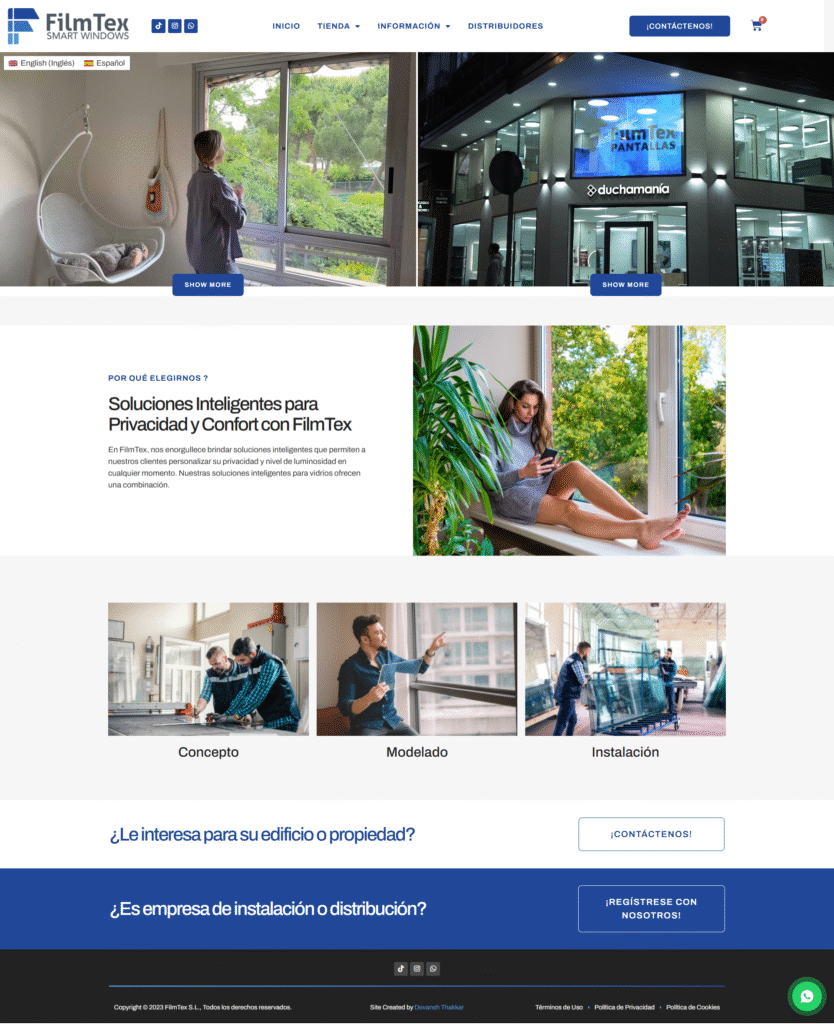
Smart glass and transparent LED film are products almost nobody has seen in person. Glass that switches from clear to opaque. A shop window playing a 3D animation while you can still see through it. The commercial problem is that a static photograph makes both look like an ordinary pane of glass.
So this multilingual WordPress site had to let video do the selling, in two languages, with pricing that works for products cut to order by area rather than sold in units. Every one of those requirements pushes against what an off-the-shelf theme does well.
That is why it became a custom theme build rather than something assembled from a template.
A page builder would have been faster to start and slower to finish on a multilingual WordPress site. The layouts here are not conventional: full-bleed video sections, product pages with a live area calculator, a bilingual switcher that has to respect the current page rather than dumping everyone at the homepage.
Building those inside a builder means fighting its assumptions on every screen. Building them in PHP and CSS means they simply do what they are told.
The other reason to avoid a builder on a multilingual WordPress site is weight. A builder ships a runtime sized for every feature it offers whether a page uses them or not. On a site whose pages are already carrying video, that overhead is the difference between passing and failing. The same reasoning applies to any WordPress development project where performance is not negotiable.
Interactive behaviour across the multilingual WordPress site is vanilla JavaScript rather than a framework. The area calculator, the video controls and the language switcher together add a few kilobytes, not a few hundred.
Content editing runs through Advanced Custom Fields, so the client edits structured fields rather than fighting a layout. Nobody can accidentally break a section by dragging it somewhere it does not belong. If you already have a design and want this treatment, that is the Figma to WordPress route.
Four decisions on a multilingual WordPress site are expensive to reverse, so they were made first.
URL structure. One domain carrying both languages, so authority accumulates in one place rather than being built twice. Separate domains only make sense when the markets are effectively separate businesses.
Shared product data. One warehouse serves both markets, so stock and pricing are shared rather than duplicated. Getting this backwards means either overselling stock you do not have or maintaining the same catalogue twice by hand.
Hreflang generated programmatically. Every alternate declares itself and every other alternate. A hand-maintained hreflang map on a growing multilingual WordPress site is a guaranteed source of silent errors, and the usual symptom is Google ignoring the tags entirely.
Translated slugs. An English page sitting at a Spanish URL throws away the keyword signal a URL carries. On a multilingual WordPress site the slug is part of the translation, not an afterthought.
The language switcher links page to page. A visitor reading a product page clicks the other language and lands on that product, not the homepage. That is the default behaviour of several plugins and it wastes every click.
Video was the hardest part of this multilingual WordPress site. Self-hosted video is one of the most reliable ways to fail Core Web Vitals, and this site needed it on almost every page.
Three rules made it work.
Encode for the web, not for editing. Source footage arrives as .mov straight from a phone or a camera. Those files are enormous and barely supported outside Safari. Everything ships as MP4 with H.264 plus a WebM fallback, sized for delivery.
Give the browser a poster image to measure. A video cannot be the Largest Contentful Paint element the way an image can, so the browser picks something else and your real perceived load time goes unmeasured. An explicit, correctly sized, preloaded poster fixes both the metric and the experience.
Load nothing below the fold. Videos further down the page use preload="none" with a poster, so a visitor who never scrolls downloads none of them. On a page with six product videos that is the difference between a 40MB page and a 2MB one.
This is the same discipline as any speed optimization engagement, applied during the build instead of bolted on afterwards. Caching sits at server level with Cloudflare in front, rather than a plugin like WP Rocket doing the work inside PHP.
Commerce on a multilingual WordPress site gets harder when the products are not sold in units. Transparent LED film and smart glass are quoted by area, cut to the opening being covered. That does not fit the standard WooCommerce model of a product with a fixed price and a quantity box.
Buyers arrive knowing their window dimensions, not a SKU. So product pages take width and height, calculate area, apply the rate for the product and configuration selected, and show an indicative price before anyone fills in a form.
That last part is a commercial decision as much as a technical one. A quote-only page loses everyone who is early in their research and just wants an order of magnitude. Showing a live figure, with a clear note that final pricing depends on installation, keeps those visitors and turns the serious ones into enquiries with real numbers attached.
The calculator is a custom plugin rather than theme code, so it survives any future theme change. A WooCommerce build that puts commerce logic in the theme is a build that has to be redone when the design does.
SEO on a multilingual WordPress site was part of the build rather than a phase afterwards, which is the only way it is cheap.
A multilingual WordPress site needs its schema to survive a plugin change, so a single graph is emitted from the theme rather than a plugin, covering Organization, Product, BreadcrumbList and FAQPage. Several translation plugins quietly break structured data on the secondary language, so both languages are tested independently. Plugin-owned schema also disappears the day you change plugins, which is a lesson most sites learn the hard way. Rank Math handles titles, meta and sitemaps; the theme owns the graph.
Hreflang aside, keyword research was done natively in Spanish rather than translated from an English list. Spanish buyers in this category search by regional phrasing, and the commercial modifiers they attach are not direct translations of the English ones. Building both languages from one content plan produces a Spanish site that reads like a translation.
The content clusters are not mirrors of each other either. The Spanish side goes deep on the local market and regional installation context. The English side is broader and more technical, because that audience is researching specifications rather than looking for a local installer. That distinction is the heart of technical SEO for a multilingual WordPress site.
With AI assistants increasingly answering product research questions directly, the same clean entity graph now does double duty. That is what AI search optimization actually rests on: consistent facts and a legible graph, not a new trick.
| Layer | Choice | Why |
|---|---|---|
| Theme | Custom, built from scratch | Unconventional layouts, no builder overhead on video-heavy pages |
| Commerce | WooCommerce with a custom area calculator | Products priced per square metre, not per unit |
| Content fields | Advanced Custom Fields | Structured editing the client cannot break |
| Front end | Vanilla JavaScript and CSS | A few kilobytes instead of a framework |
| Caching and CDN | Server-level cache plus Cloudflare | Caches before PHP runs, edge delivery across Europe |
| SEO | Rank Math, schema from the theme | Plugin handles meta, theme owns the graph |
Launch of any multilingual WordPress site should include more than a deploy. This one included security hardening and an ongoing maintenance plan, because a custom build with no update discipline becomes someone else’s problem within eighteen months. Anything that breaks between releases goes through bug fixing rather than being left to accumulate.
A custom build is only worth more than a template if the client can run it without the person who built it. A multilingual WordPress site doubles every editing task, so that matters more here than usual.
Every editable region is an ACF field with a label written in plain language, not a layout the client has to reverse-engineer. Adding a product means filling a form, and the square-metre pricing, the schema and the translated slug all follow from it.
Documentation covers the three things that actually get asked: how to add a product in both languages, how to replace a video without breaking the poster image, and what to check after a plugin update. Three short pages, not a manual nobody opens.
The build is also deliberately boring to maintain. Nothing depends on an abandoned plugin, the commerce logic sits in its own plugin rather than the theme, and the schema comes from code that a plugin change cannot remove. A multilingual WordPress site accumulates complexity faster than a single-language one, so every avoidable dependency is one fewer thing to break at the worst moment.
If you have inherited a build like this from someone else and nobody knows how it works, that is a normal WordPress engagement and usually a short one.
The language switcher sends everyone to the homepage. A visitor reading a product page clicks the other language and lands on the homepage, then has to navigate back. It is the default in several plugins and it wastes every click.
Only the content is translated, not the interface. Perfect English product copy, then a Spanish button, a Spanish validation error, a Spanish shipping label at checkout. Theme and plugin strings live in translation files rather than the content database, so they get missed. This is the most common reason a multilingual WordPress site feels unfinished to a native speaker.
Schema only outputs on the primary language. Nothing about it is visible on the front end, so it survives launch review. Test one page per language in the Rich Results Test before you go live.
Builders are the right answer often, and I work in Elementor, Bricks and Divi constantly, building in Elementor, Bricks and Divi for clients who want them. They are the wrong answer when layouts are unconventional and the pages already carry heavy media, because the builder runtime becomes the thing standing between you and a passing score.
Subdirectories for a multilingual WordPress site in almost every case. One domain accumulates authority across all languages, one hosting setup, one set of plugins. Separate domains only make sense when the markets are effectively different businesses.
No, provided hreflang is correct. Google understands the same content in different languages is not duplication. Problems start when hreflang is missing or malformed, because then the two versions genuinely compete with each other.
For a blog, at a push. For a product site where the copy sells something technical, no. Machine translation of specialist terminology reads as foreign to a native speaker, which on a B2B product site costs more than the translation would have.
Only if implemented carelessly. A multilingual WordPress site can carry video on every page and still pass. Properly encoded, with a preloaded poster, preload="none" below the fold and explicit dimensions to prevent layout shift, a video-led page passes comfortably.
Four to eight weeks for a multilingual WordPress site of this complexity, assuming translations are ready. Translation turnaround is usually the longest pole and worth starting before the build rather than after.
Yes, and it is more work than building bilingual from the start, because URL structure and product data decisions have to be retrofitted around what already exists. Still cheaper than running a second site, and often done alongside a redesign or a migration.
The four architecture decisions above are worth an hour of conversation before anyone writes code, because they are the expensive ones to reverse.
Tell me your markets, whether the products are the same in each, and who will write the translations, through the contact page or on a free call. That is usually enough to say which structure fits and roughly what it costs.
Similar multilingual WordPress site and WooCommerce work: construction and trades, ecommerce and retail, SaaS and technology, and fashion.
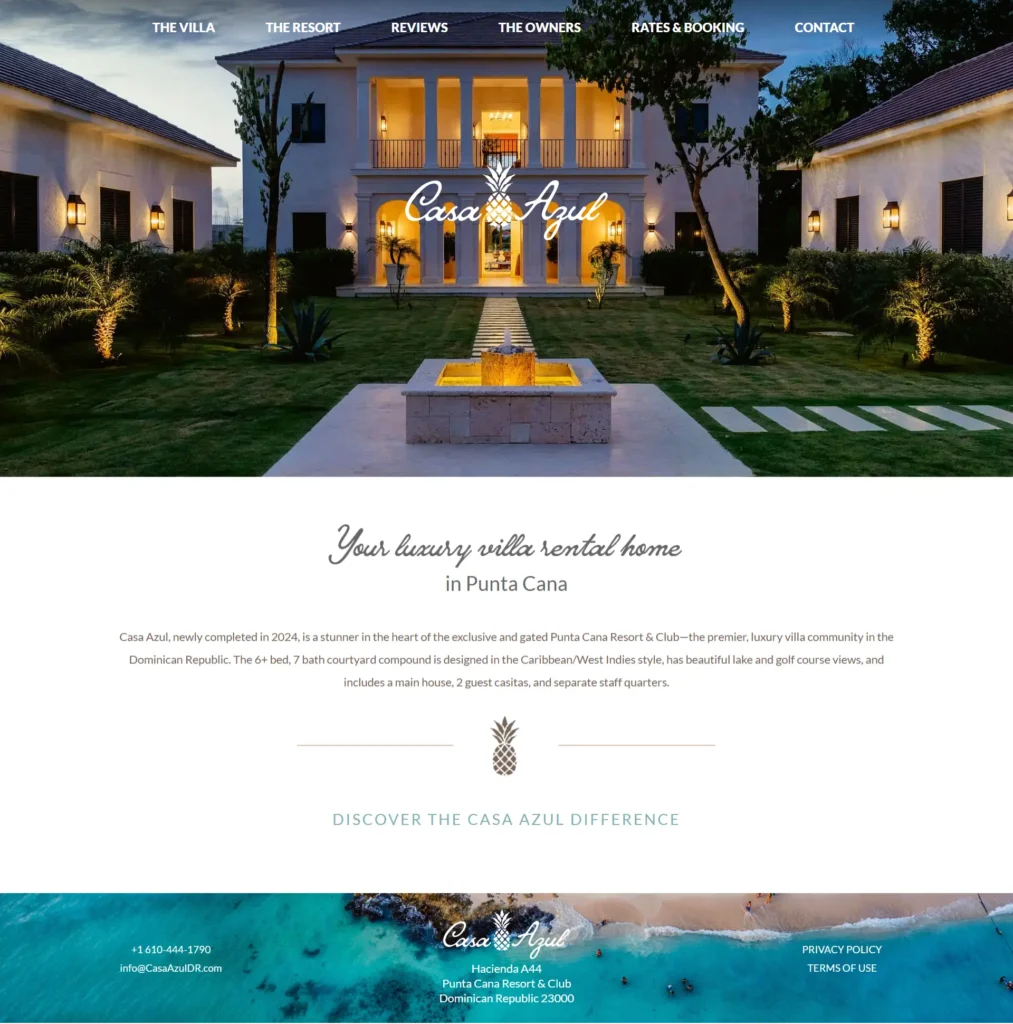
Luxury villa rental website showcasing a premium Punta Cana property with elegant design and booking calendar.

Professional corporate website showcasing financial services, investor relations resources, and thought-leadership content for enterprise clients.
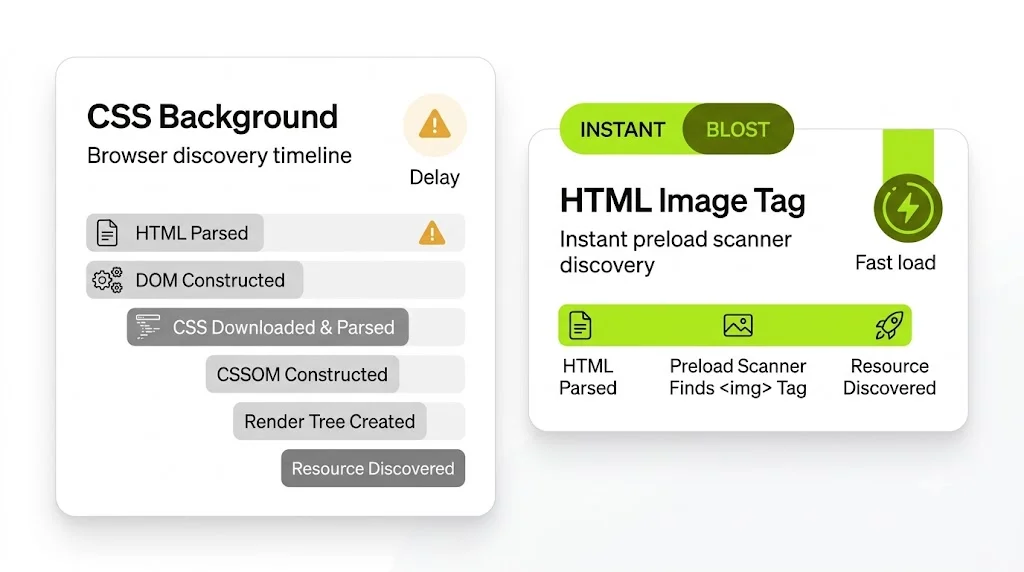
Field LCP from 4.3s to 1.6s and a passing Core Web Vitals assessment, with no redesign
Free 30-minute call. Tell me what is going wrong and you get a fixed-price quote within 48 hours. If a smaller fix would do, I will say so.
