One export that describes a whole WordPress site before any fix starts
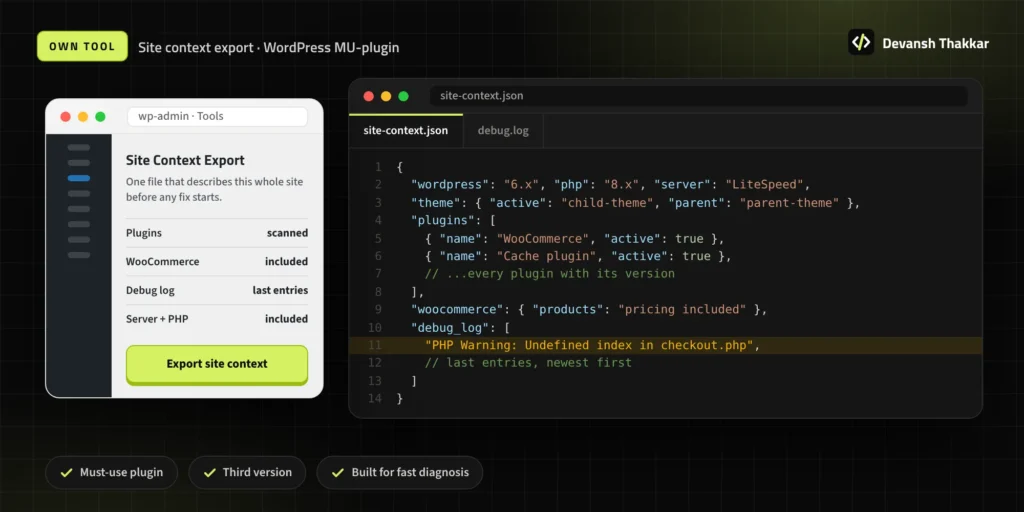
Every new support job starts with the same hour of questions: which theme, which plugins, which PHP version, what the error log says, how the store is set up. I built a small must-use plugin that answers all of them in one export. I use it on client sites before I start work, so the fix starts sooner and nothing important gets missed. This is my own tool, built for my own process.
When a client says “the checkout is broken”, the cause can be anywhere: a plugin update, a PHP version change, a caching rule, a theme override, a full disk. Finding the facts usually means clicking through a dozen admin screens, asking the client for things they do not know, and waiting for replies across time zones.
I wanted one file that describes the whole site, so I could understand it before touching anything.
The plugin is a must-use plugin, so it cannot be switched off by accident and needs no settings page. It produces a single structured export of the site, including:
The export is written so I can read it quickly and so it can be used as a brief for AI-assisted analysis. That makes the first look at a broken site a matter of minutes, not a back-and-forth over email. It is now on its third version, each one adding what the previous jobs showed was missing.
When you send me a broken site, I do not start by guessing. I start with a full picture of how your site is built, so the diagnosis is based on facts, not on questions you would otherwise have to answer first.
WordPress bug fixing · Emergency WordPress support · Get a free quote

Custom theme, bilingual architecture, square-metre product configurator and video-led pages that still pass Core Web Vitals
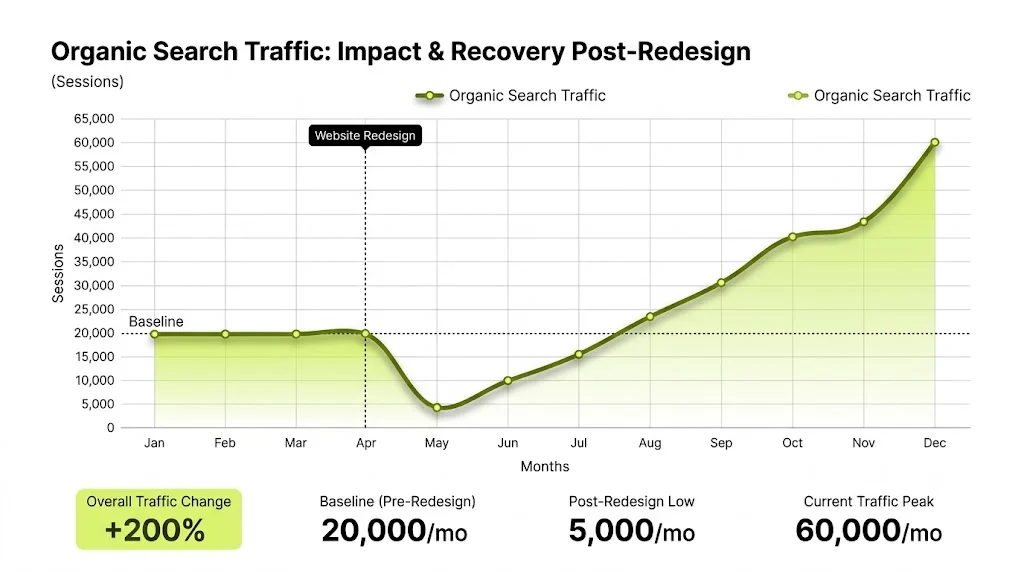
62% organic loss recovered, then 3x the pre-redesign baseline within twelve months
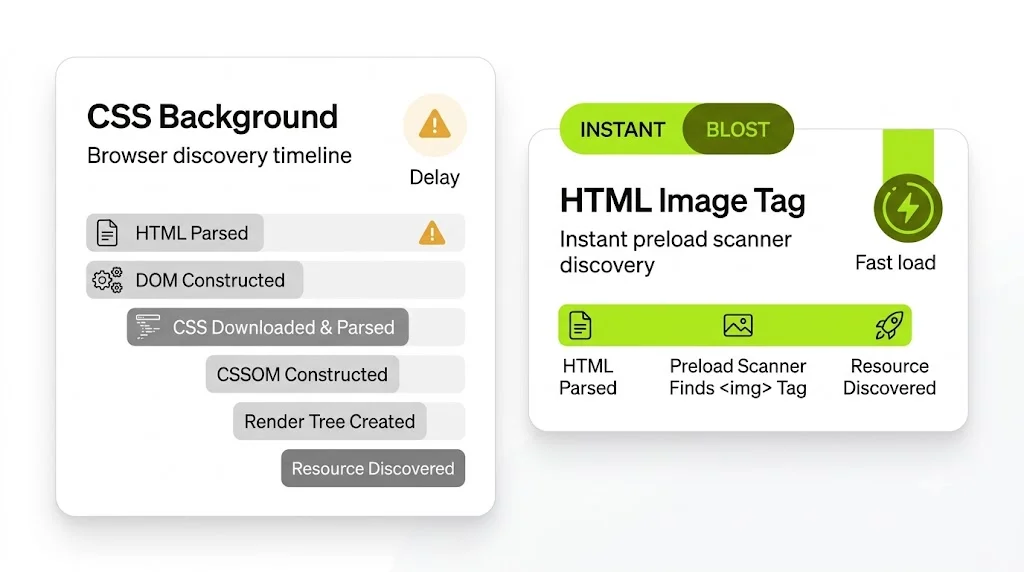
Field LCP from 4.3s to 1.6s and a passing Core Web Vitals assessment, with no redesign
Free 30-minute call. Tell me what is going wrong and you get a fixed-price quote within 48 hours. If a smaller fix would do, I will say so.

I reply personally, usually within a few hours. No pushy sales calls.
Devansh Thakkar
Get your free quote
Takes 30 seconds. I reply personally within a few hours with a clear plan and a fixed price.
