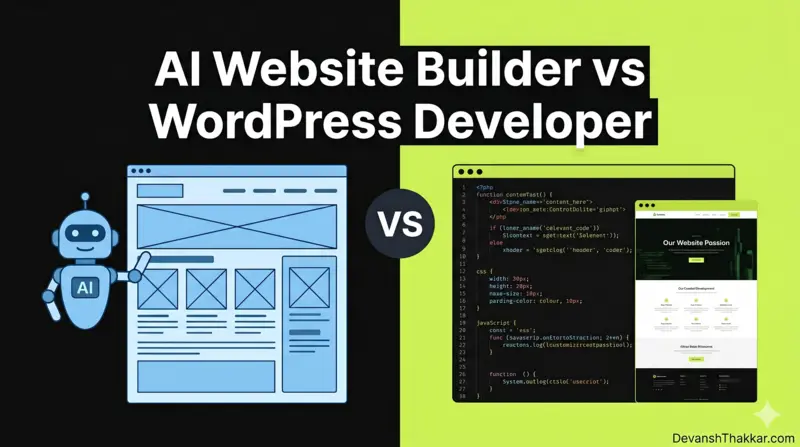
The AI website builder vs WordPress developer debate is the defining website decision of 2026. Tools like Wix ADI, Framer AI, Durable, and Hostinger’s AI builder can generate a complete website in under 30 minutes for $12-50 per month. So why do thousands of businesses still pay $2,000 to $10,000+ to hire a WordPress developer instead?
Because a website that looks good and a website that performs are two different things. WordPress developer Devansh Thakkar uses AI tools daily in his workflow and has built 100+ websites for clients across 15+ countries. This is not a “developers are better, AI is bad” argument. It is an honest breakdown of when each option wins, when it loses, and when the smartest move is to combine both.
AI Website Builder vs WordPress Developer: The Full Comparison
The AI website builder vs WordPress developer decision comes down to five factors: cost, speed, customization, SEO, and long-term control. Here is how they compare head-to-head:
| Factor | AI Website Builder | WordPress Developer |
|---|---|---|
| Cost (Year 1) | $144-$600/year | $1,000-$10,000+ one-time |
| Speed to Launch | Minutes to hours | 2-8 weeks |
| Design Quality | Good templates, limited uniqueness | Fully custom, brand-specific |
| Custom Functionality | Limited to platform features | Unlimited (custom code) |
| WooCommerce / E-commerce | Basic product listings only | Full store with custom checkout, gateways, shipping |
| Technical SEO | Basic (limited schema, URL control) | Full (schema, heading hierarchy, speed, internal linking) |
| Page Speed | Platform-dependent, often bloated | Optimized (caching, image compression, clean code) |
| Ownership | Rented (you lose it if you cancel) | You own the code, the domain, and all content |
| Scalability | Hits walls fast on complex features | Scales with custom development |
| AI Integration (2026) | Built-in but limited to platform AI | WordPress 7.0 native AI + any provider via Connectors API |
Pro Tip: The comparison table above is the summary. But the real answer depends on YOUR project. A solo consultant launching a simple portfolio does not need a developer. A WooCommerce store processing 500 orders per month absolutely does. Read the sections below to find where your project falls. – Devansh Thakkar, WordPress Developer
When an AI Website Builder Is the Right Choice
An AI website builder is the right choice when your project is simple, your budget is under $500, and speed matters more than uniqueness. In the AI website builder vs WordPress developer debate, the AI builder wins clearly in these scenarios:
- Simple portfolio or personal site with 3-5 pages, no e-commerce, no forms beyond a basic contact form
- MVP or landing page for testing a business idea before investing in a full build
- Event page or temporary campaign site that will be live for weeks, not years
- Budget under $500 where hiring even a junior developer would produce worse results than what AI generates for free
- Non-technical founder who needs something live today and does not need SEO, integrations, or custom features
The leading AI builders in 2026 are Wix ADI (most feature-rich), Framer AI (best design quality), Durable (fastest generation), Squarespace AI (best templates), and Hostinger AI Builder (cheapest). They all produce professional-looking results. For a simple brochure website, they are genuinely good enough.
When a WordPress Developer Is the Right Choice
A WordPress developer is the right choice when your website needs to do more than look good. In the AI website builder vs WordPress developer comparison, the developer wins in every scenario involving complexity, SEO, or revenue generation:
- WooCommerce stores with custom checkout flows, payment gateways (Stripe, PayPal), dynamic pricing, shipping rules, or product variations
- SEO-driven businesses that need proper heading hierarchy, schema markup (FAQ, Product, Organization, BreadcrumbList), technical SEO audits, and content architecture for ranking
- Lead generation sites with multi-step forms, CRM integrations, conversion tracking, and Google Ads landing page optimization
- Membership or course platforms using LearnPress, MemberPress, or custom access control
- Multi-language sites requiring WPML, Polylang, or custom translation workflows
- Sites needing third-party integrations like booking systems, payment processors, inventory management, ERP, or accounting software
- Any project where page speed is critical for SEO or user experience, because AI builders generate bloated code that cannot be optimized at the code level
What AI Website Builders Cannot Do in 2026
This is where the AI website builder vs WordPress developer comparison gets real. AI builders are impressive at generating layouts and copy. They are terrible at everything below the surface. After testing every major AI builder and building 100+ custom WordPress sites, Devansh Thakkar has identified these hard limitations that no AI builder has solved:
Custom WooCommerce Functionality
AI builders can add basic product listings. They cannot configure WooCommerce payment gateways with live/test API keys, set up dynamic pricing rules, handle MAP compliance, build custom checkout fields, configure shipping zones with rate tables, or optimize cart performance. These require a developer who understands WooCommerce’s hook system, AJAX cart fragments, and gateway-specific configurations.
Technical SEO Architecture
AI builders generate pages with decent meta titles and descriptions. They do not generate proper JSON-LD schema markup (FAQPage, HowTo, Product, Organization), cannot control canonical tags per page, cannot structure internal linking maps, and often produce heading hierarchies with multiple H1s or missing H2s. A WordPress developer using Rank Math builds SEO into the site structure from day one.
Performance Optimization
AI-generated sites load the platform’s entire framework on every page, whether you use those features or not. You cannot configure LiteSpeed Cache, defer specific JavaScript files, preload critical assets, serve images in AVIF format, or eliminate render-blocking CSS. A WordPress developer can achieve sub-2-second loads on appropriately scoped builds times and green Core Web Vitals scores on mobile. AI builders cannot give you that level of control. For more on this, see my WordPress speed optimization service.
Ownership and Portability
If you build your site on Wix AI and later want to move to WordPress, you cannot export your site. You get to copy your text and download your images, then rebuild everything from scratch. A WordPress site is built on open-source code that you own. You can move it to any host, any server, any infrastructure, at any time, without losing anything.
Pro Tip: The biggest hidden cost of AI builders is vendor lock-in. You pay $30/month and think you are saving money. Two years later, you have invested $720 and own nothing. If you cancel, your site disappears. A WordPress site on a $10/month hosting plan costs you $240 over two years, and you own every line of code, every image, every page. The economics flip in favor of WordPress within 12-18 months for any serious business. – Devansh Thakkar, WordPress Developer
WordPress 7.0: The Game-Changer in This Debate
WordPress 7.0, released in April 2026, adds native AI infrastructure directly into core. This changes the AI website builder vs WordPress developer equation because you no longer need to choose between AI convenience and WordPress power. You get both.
The key features for this comparison:
- Connectors API – Configure OpenAI, Anthropic Claude, or Google Gemini API keys once under Settings > Connectors. Every plugin on the site can use AI through shared credentials.
- AI Client – A provider-agnostic PHP API (
wp_ai_client_prompt()) that lets plugins send prompts to any AI model and receive results through a consistent interface. - Abilities API – Standardized AI capabilities like content summarization, alt text generation, title suggestions, and code generation from natural language.
- AI Experiments Plugin – Toggleable features including auto-generated alt text, excerpt generation, image generation, and content review notes.
What this means practically: a WordPress developer can now use AI to generate content drafts, product descriptions, image alt text, and meta descriptions inside the WordPress admin, while still having full control over the code, SEO, performance, and custom functionality. It is the best of both worlds.
Cost Breakdown: AI Builder vs WordPress Developer in 2026
The cost comparison is more nuanced than “AI is cheap, developers are expensive.” Here is what it actually looks like over 3 years, which is the realistic lifespan of a business website:
| Cost Category | AI Builder (3 Years) | WordPress + Developer (3 Years) |
|---|---|---|
| Platform / Hosting | $432-$1,800 ($12-50/mo x 36) | $360-$720 ($10-20/mo hosting x 36) |
| Initial Build | $0 (AI-generated) | $1,000-$5,000 (developer) |
| Custom Domain | $0-$36 (often included) | $36 ($12/year x 3) |
| Ongoing Maintenance | $0 (platform-managed) | $600-$1,800 ($50-150/mo plan, optional) |
| Custom Features Later | $0 (limited to platform) | $500-$2,000 (as needed) |
| Total 3-Year Cost | $432-$1,836 | $1,996-$9,556 |
| What You Own at End | Nothing (cancel = site gone) | Everything (code, content, data) |
The AI builder is cheaper in every scenario. But the question is not “which costs less” – it is “which generates more revenue.” A WordPress site with proper SEO, fast load times, and optimized conversion paths will generate more leads and sales than an AI-built site with generic templates and limited functionality. The ROI calculation, not the cost calculation, is what matters for businesses.
The Hybrid Approach: AI + Developer Together
The smartest approach in 2026 is not AI OR developer. It is AI AND developer. According to Devansh Thakkar, the hybrid workflow that delivers the best results looks like this:
- Use AI for the first draft. Generate the initial layout, copy, and content structure using WordPress 7.0’s AI features or a tool like Claude/ChatGPT for content.
- Hire a developer for the build. Take the AI-generated blueprint and build it properly in WordPress with custom code, clean heading hierarchy, schema markup, and optimized performance.
- Use AI for ongoing content. Generate blog post outlines, product description drafts, and meta descriptions with AI, then edit for accuracy and brand voice.
- Hire a developer for technical maintenance. Updates, security, speed optimization, and new features as the business grows.
This hybrid approach cuts the developer’s time (and your cost) by 30-50% compared to a fully manual build, while producing a far better result than a pure AI builder. It is the pattern Devansh Thakkar uses on most client projects in 2026.
Real-World Examples: AI Builder vs Developer Output
To make the AI website builder vs WordPress developer comparison concrete, here is what each approach produces for three common project types:
| Project Type | AI Builder Output | WordPress Developer Output |
|---|---|---|
| 5-page business site | Generic template, stock images, basic contact form, PageSpeed 60-75 | Custom design, optimized images (WebP/AVIF), multi-step form with CRM integration, PageSpeed 90+ |
| WooCommerce store (50 products) | Not possible on most AI builders. Wix/Squarespace offer basic shops with limited payment options. | Custom product pages, Stripe + PayPal, dynamic pricing, shipping zones, cart optimization, SEO schema per product |
| SEO-focused blog (100 articles) | Basic blog layout, no schema control, auto-generated URLs, limited internal linking | Topic cluster architecture, FAQPage schema, custom breadcrumbs, Rank Math optimization, internal linking strategy |
Pro Tip: Here is a test I run for every client considering an AI builder. I ask: “In 12 months, will you need to add a feature that the AI builder cannot provide?” If the answer is “probably yes” – and for most businesses it is – then starting on WordPress saves the cost and pain of migrating later. The migration from Wix or Squarespace to WordPress is not a smooth export. It is a full rebuild. Start on the platform you will end up on. – Devansh Thakkar, WordPress Developer
Decision Framework: Which Should You Choose?
Use this flowchart to decide between an AI website builder vs WordPress developer for your specific situation:
- Budget under $500? → AI builder. No developer can match AI output at this price.
- Need WooCommerce or custom e-commerce? → WordPress developer. AI builders cannot handle real e-commerce.
- SEO is a primary growth channel? → WordPress developer. Schema, speed, and architecture matter.
- Simple 3-5 page site, no e-commerce, no SEO goals? → AI builder. It is genuinely good enough.
- Budget $1,000-$5,000? → Hybrid. AI-generate the draft, developer builds and optimizes.
- Budget $5,000+? → WordPress developer. Full custom build with proper architecture.
- Need the site live in 48 hours? → AI builder for launch, developer for optimization later.
- Long-term business asset (3+ years)? → WordPress. You own it. AI builders are rented.
Need a WordPress Developer Who Uses AI the Right Way?
If you have decided that a WordPress developer is the right choice for your project, or if you want the hybrid approach where AI handles the draft and a developer handles the build, Devansh Thakkar delivers both.
With 7+ years of experience, 250+ projects, 100% Upwork job success, and daily use of AI tools in the WordPress development workflow, Devansh Thakkar builds sites that are fast, SEO-optimized, and conversion-focused. From WooCommerce stores to speed optimization to bug fixing and ongoing maintenance, every project is built on clean code and real results.
Book a free discovery call or send a message with your project details. You will get an honest recommendation on whether you need a developer, an AI builder, or both.
Frequently Asked Questions
What is the difference between an AI website builder and a WordPress developer?
An AI website builder is a platform (like Wix ADI, Framer AI, or Durable) that uses artificial intelligence to auto-generate a website from your text prompts. A WordPress developer is a person who builds custom websites using WordPress, PHP, HTML, CSS, and JavaScript. The AI builder is faster and cheaper. The developer produces custom, scalable, SEO-optimized results.
Is an AI website builder good enough for a small business?
For a simple informational site with 3-5 pages and no e-commerce, yes. For a small business that relies on SEO for leads, needs WooCommerce, or requires custom forms and integrations, no. The AI builder hits limitations quickly once you move beyond a basic brochure site.
How much does an AI website builder cost vs hiring a WordPress developer?
AI builders cost $12-$50 per month ($144-$600 per year). Hiring a WordPress developer costs $1,000 to $10,000+ as a one-time project fee, plus optional monthly maintenance of $50-$150. Over 3 years, the AI builder is cheaper in dollar terms, but the WordPress site generates better SEO results, higher conversions, and is owned by you.
Can an AI website builder handle WooCommerce or e-commerce?
Most AI builders offer basic e-commerce (simple product listings, basic checkout). They cannot handle custom payment gateway configuration, dynamic pricing, shipping zone rules, product variations with per-variation pricing, abandoned cart recovery, or checkout optimization. For any serious e-commerce operation, a WooCommerce developer is required.
Is WordPress still relevant in 2026 with AI website builders available?
WordPress powers 43%+ of all websites globally and just released version 7.0 with native AI infrastructure (Abilities API, AI Client, Connectors API). WordPress is not competing against AI – it is integrating AI into its core. Developers using WordPress in 2026 have AI tools built directly into the platform.
What is WordPress 7.0’s AI integration?
WordPress 7.0 (April 2026) introduced the Connectors API for managing AI provider API keys (OpenAI, Anthropic, Google), the AI Client for sending prompts to AI models from any plugin, and the Abilities API for standardized AI features like alt text generation, content summarization, and title suggestions. It turns WordPress into an AI-connected platform without replacing the developer.
Should I use an AI builder first and switch to WordPress later?
You can, but understand that migration from Wix, Squarespace, or Framer to WordPress is not an export. It is a full rebuild. You will lose your layouts, forms, and integrations. If you know you will need WordPress features within 12 months, start on WordPress with a hybrid AI-assisted approach to save the migration cost later.
Can a WordPress developer use AI tools in their workflow?
Yes, and the best ones already do. WordPress developer Devansh Thakkar uses AI for content drafts, product description generation, code assistance, and meta description writing. The AI accelerates the workflow. The developer ensures the output is accurate, optimized, and properly implemented. This hybrid approach is faster and cheaper than a fully manual build.
What are the limitations of AI website builders in 2026?
The main limitations are: no custom backend functionality, limited technical SEO control (schema, canonicals, heading hierarchy), vendor lock-in (you lose your site if you cancel), bloated code that cannot be performance-optimized, limited third-party integrations, and inability to handle complex WooCommerce stores. These are structural limitations of the platform model, not bugs that will be fixed.
Who should I hire for a WordPress website in 2026?
Look for a developer who specializes in WordPress and WooCommerce, has a verified track record (90%+ Upwork job success or equivalent), shows live portfolio sites you can test for speed and mobile responsiveness, and understands SEO. Devansh Thakkar meets all these criteria with 250+ projects, 100% job success, and 7+ years of experience. Visit DevanshThakkar.com to book a call.