- In the custom WordPress theme vs page builder decision, custom wins on speed, control, and long-term cost, while builders win on setup speed and easy editing.
- Page builders add roughly 200 to 500KB of extra CSS and JS, which makes Core Web Vitals harder to pass.
- A custom theme loads only the code it needs, so it is faster, cleaner, and more secure by default.
- Builders let non-technical people edit visually with no code, and get a site live in days.
- The smartest 2026 approach is often a hybrid: a lightweight custom or block theme for structure, with blocks for content.
In the custom WordPress theme vs page builder debate, a custom theme delivers the fastest, leanest, most controllable site, while a page builder gets you live quickly and lets non-technical users edit visually. Custom wins on performance and long-term cost; builders win on speed of setup and ease of editing. The best choice depends on your priorities, and often the answer is a hybrid. Here is how to decide.
After building both custom themes and builder sites for clients in 15+ countries, here is my honest position before the details. Neither approach is universally right, and anyone who tells you otherwise is selling something. I build lean custom themes when performance and control matter, and I use page builders when a client needs to edit their own site without a developer. The custom WordPress theme vs page builder choice is about matching the tool to your real priorities. Here is the fair breakdown.
The Quick Verdict
The short answer to the custom WordPress theme vs page builder question: choose a custom theme if performance, unique design, security, and long-term value matter most, and choose a page builder if you need to launch fast, edit visually without code, or keep costs low up front. Both build real, professional websites, so this is about fit, not one being universally superior.
The one-line summary for each:
- Custom theme gives you the leanest, fastest, most secure and fully controllable site, at a higher upfront cost and with a developer needed for changes.
- Page builder gets you a visually editable site live quickly and cheaply, at the cost of extra code weight, ongoing updates, and some lock-in.
Pro tip: Do not choose based on license price alone. A builder license looks cheap next to custom development, but the real number that matters is total cost of ownership over a few years, including maintenance, performance work, and the eventual rebuild if you switch tools. That comparison often looks very different.
To choose well, you first need to understand what actually separates these two approaches under the hood.
The Real Difference
The core difference in custom WordPress theme vs page builder is architectural: a page builder is a plugin that adds a visual drag-and-drop layer on top of WordPress, while a custom theme is purpose-built from scratch in code. That single distinction drives every trade-off that follows.
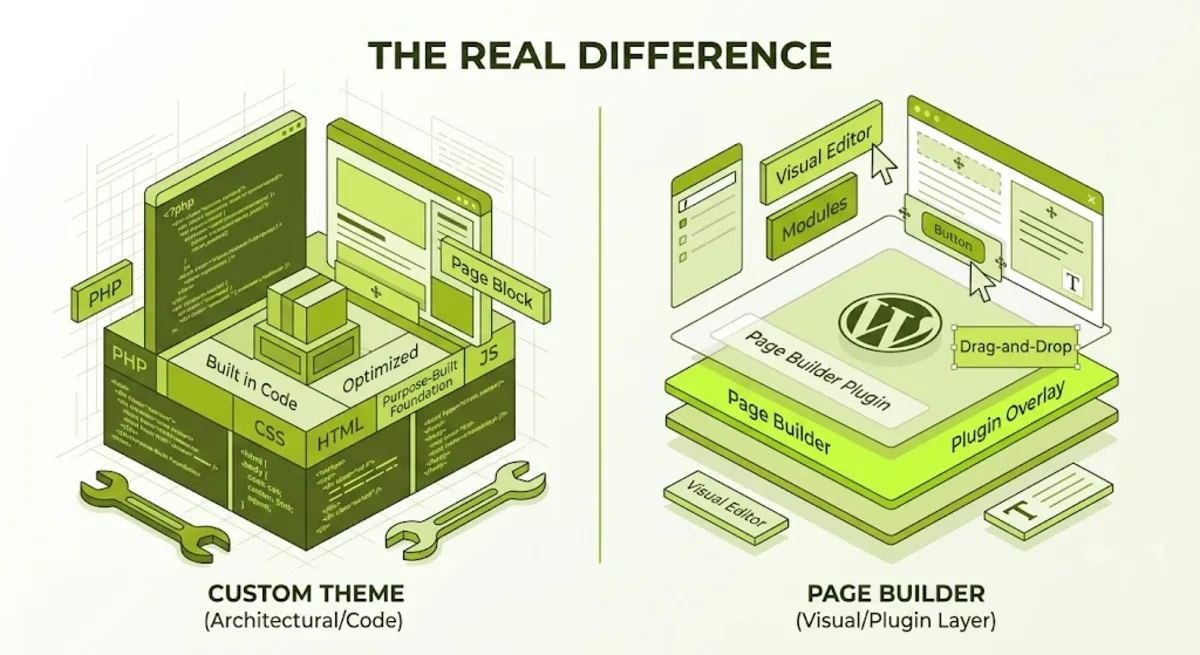
A page builder like Elementor, Divi, or Bricks abstracts the underlying code into editable widgets, so you place pre-built modules and style them in a side panel without writing PHP, HTML, or CSS. A custom theme, by contrast, is written directly in code, giving you complete control over the HTML output, the templates, and exactly what loads. One trades control for convenience, the other trades convenience for control.
There is also a third, increasingly important option: the native WordPress block editor with a block theme. Since WordPress 5.9, block themes let you edit every part of a site in the Site Editor, and because the block editor is a content tool rather than a rendering engine layered on top of WordPress, a heading and paragraph output as clean tags with no wrapper soup. As of WordPress 6.8 in 2026, block themes are effectively the default direction of WordPress core.
Why this matters: the custom WordPress theme vs page builder decision is really about how much code sits between WordPress and your visitor. A builder inserts a large abstraction layer for convenience. A custom or block theme keeps that layer thin. Everything downstream, speed, cost, security, flows from that one choice.
Nowhere does that architecture show up more clearly than in performance.
Performance and Core Web Vitals
On performance in custom WordPress theme vs page builder, custom themes win clearly, because they load only the code each page needs, while page builders ship extra CSS and JavaScript to power their visual features. That gap directly affects Core Web Vitals, which influence your Google rankings.
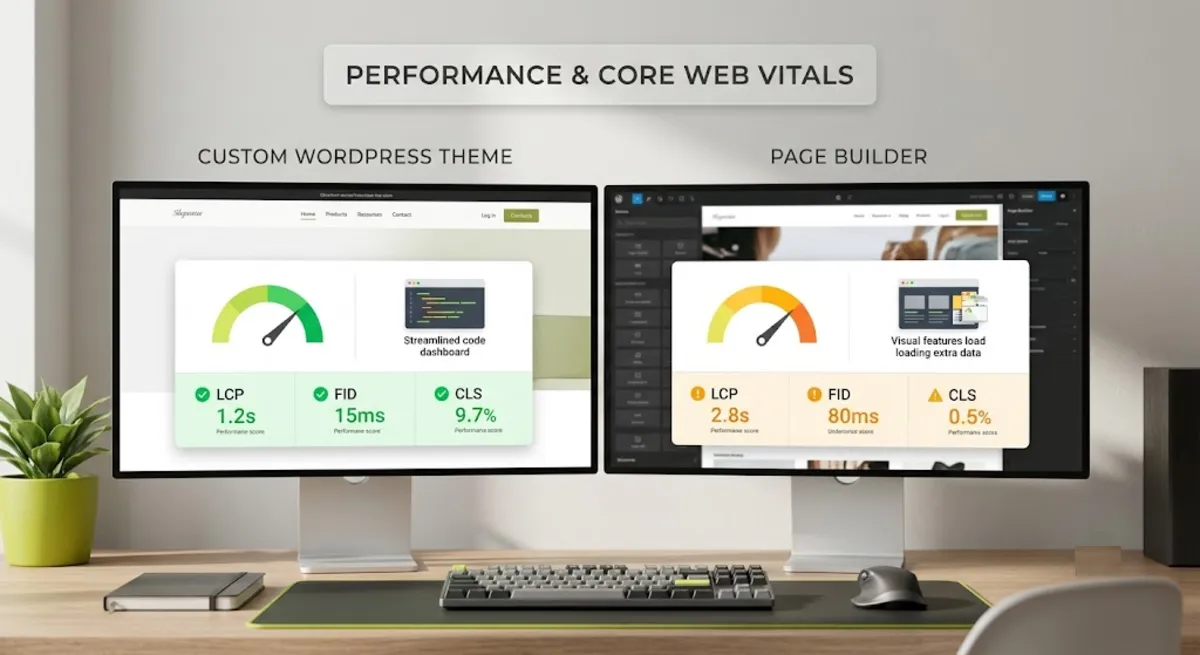
The numbers are consistent across independent testing. Page builders typically add roughly 200 to 500KB of extra CSS and JS, and can generate three to four times more code for the same visual result, along with deeply nested markup that slows rendering. A custom theme produces clean, semantic HTML and loads only what it needs, which is why well-built custom themes routinely hit sub-one-second load times with minimal optimization.
| Factor | Custom theme | Page builder |
|---|---|---|
| Extra front-end code | Only what is needed | Roughly 200 to 500KB added |
| HTML output | Clean, semantic | Deeply nested wrappers |
| Core Web Vitals | Easier to pass | Requires more optimization |
| Performance at scale | Stays lean | Overhead compounds |
In fairness, builders have improved, and this gap is narrowing. Bricks in particular outputs lean, semantic HTML and routinely passes Core Web Vitals without heavy tuning, and pairing any builder with strong caching and a fast host closes much of the difference. But the underlying rule still holds: a builder must load code to support any layout you might create, while a custom theme loads only what this page actually uses.
Pro tip: If Core Web Vitals are business-critical, such as for e-commerce or any site where rankings drive revenue, lead with a performance-first approach from the start. Optimizing a bloated builder site later is harder and more expensive than building lean from day one. The native block editor with a good block theme is the fastest foundation of all.
Performance is only one side of the ledger, though. Cost and maintenance often decide the real winner.
Cost and Maintenance
On cost in custom WordPress theme vs page builder, a builder is far cheaper upfront, while a custom theme often wins on total cost of ownership over time. The license price is the smallest part of the real number, maintenance and longevity matter far more.
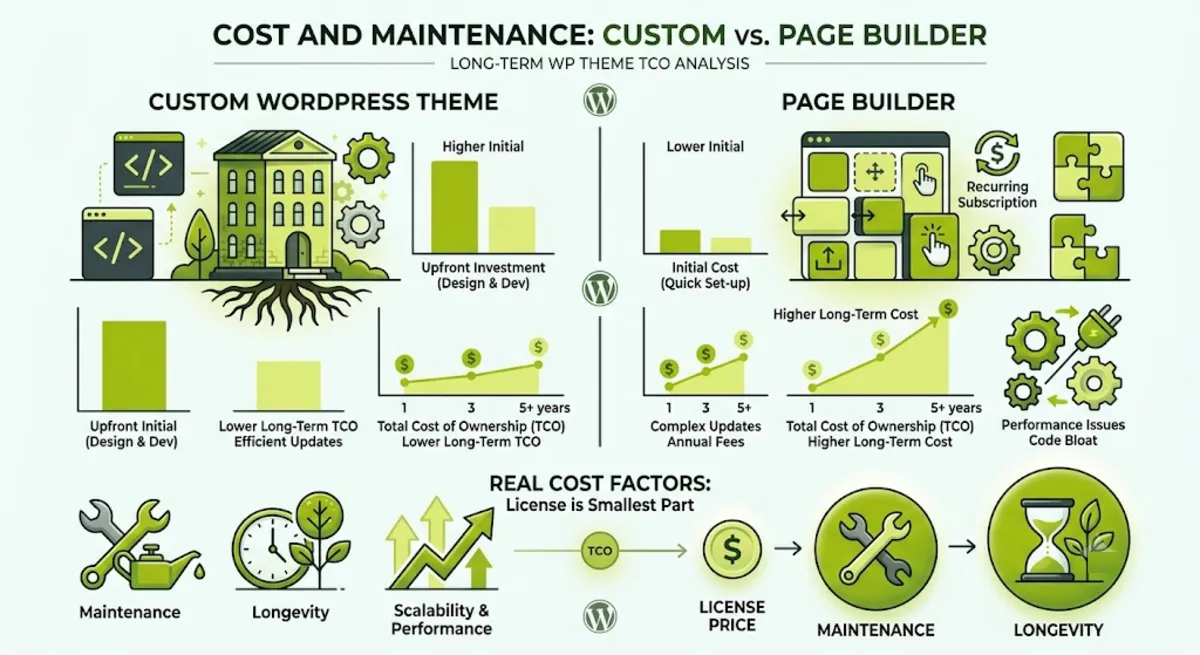
The upfront picture favors builders clearly. A page builder site can start free or cost roughly $59 to $399 per year for a pro license, and a competent designer can build a full site in days. Custom development runs much higher, often several thousand dollars and up, and takes weeks. For a startup watching every dollar, that difference is real and reasonable.
The long-term picture is where it flips:
- Builder maintenance compounds. Plugin and builder updates can break layouts, so testing and fixing updates becomes an ongoing cost, and switching builders means essentially rebuilding from scratch.
- Custom themes are more stable. A well-coded custom theme has fewer moving parts, so it can run for years with minimal updates and predictable maintenance.
- Lock-in is a hidden cost. Builder content is stored in proprietary shortcodes or markup, so leaving a builder later is a full rebuild, not a simple switch.
Cost decided, the next question is who actually has to use the thing day to day.
Design Control and Ease of Use
In custom WordPress theme vs page builder, builders win decisively on ease of use for non-developers, while custom themes win on unlimited design control. This is the trade-off that most often decides the choice in practice.
Here is the honest split. A page builder lets a non-technical person edit pages visually, with real-time preview and no code, and build a complex layout in minutes that would take custom PHP or CSS to replicate. That is a genuine, valuable strength, especially when a client wants to make their own edits. The cost is a ceiling: you are limited to what the builder supports, and unusual interactions or advanced functionality can hit a wall that needs workaround code.
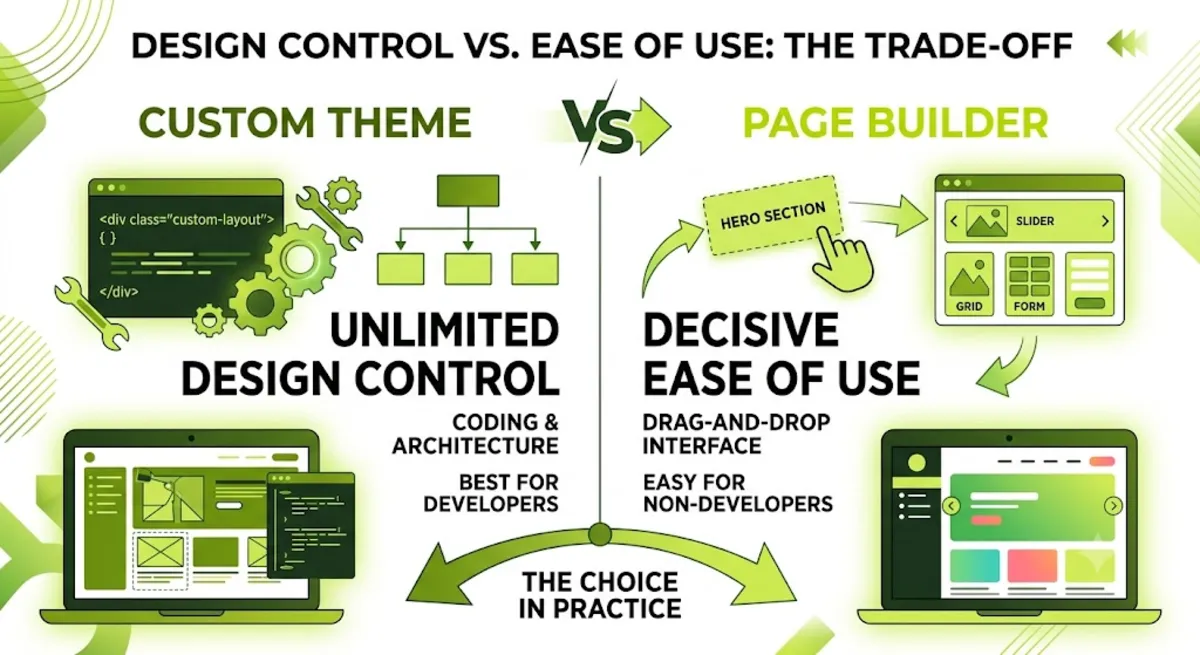
A custom theme has no such ceiling. You control every pixel, every template, and every line of markup, which is essential for truly unique designs, complex custom functionality, API integrations, or strict security requirements. The cost is that changes generally need a developer, so a client who wants to tweak layouts themselves may find it limiting.
With every angle covered, here is how to actually make the call.
Not sure which approach fits your project?
I build lean custom themes, builder sites, and performance-first hybrids, and I will recommend honestly based on your goals. See my WordPress and SEO service.
What Most People Get Wrong
The biggest mistake in custom WordPress theme vs page builder is treating it as a moral battle, page builders are “bad” or custom is “overkill”, instead of a practical fit decision. Both build excellent sites. The wrong choice is the one that ignores who maintains the site and what actually matters for the business.

Here is the pattern I see from client work. Someone picks a builder because the license is cheap, then two years later the site is slow, updates keep breaking layouts, and moving off the builder means a full rebuild. Or the opposite: someone commissions a fully custom theme for a small business that just needs to change text occasionally, and now every tiny edit requires a developer. Both chose without thinking about the whole lifespan and who would run the site.
The fix is to decide based on three honest questions: who will edit this site, how much does performance actually drive the business, and what is the total cost over several years, not just year one. Answer those and the right approach usually becomes obvious, and it is often a hybrid rather than a pure either-or.
When you want that decision made honestly and the build done right for your specific situation, that is where experienced guidance pays off.
Want an honest recommendation and a build that fits your goals?
I assess your performance needs, budget, and who edits the site, then build the right way, custom, builder, or hybrid. See my WordPress and SEO service or book a free call.
Frequently Asked Questions
Is a custom WordPress theme better than a page builder?
It depends on your priorities. A custom theme is better for performance, unique design, security, and long-term cost, since it loads only the code it needs. A page builder is better for launching fast, editing visually without code, and low upfront cost. Both build professional sites, so the better option is the one that fits your goals, budget, and who maintains the site.
Are page builders bad for SEO?
Not inherently, but they can hurt Core Web Vitals through extra CSS and JavaScript, bloated DOM, and render-blocking resources, and those affect rankings. A well-optimized builder site can still rank well, especially with a lean builder like Bricks plus good caching. A custom theme has a structural performance advantage that makes strong Core Web Vitals easier to achieve.
How much does each approach cost?
A page builder site can start free or run roughly $59 to $399 per year for a pro license, and go live in days. Custom development typically costs several thousand dollars and up and takes weeks. But over a few years, custom can win on total cost of ownership, because builder sites carry ongoing update maintenance and an eventual rebuild cost if you switch tools.
Can I switch from a page builder to a custom theme later?
Yes, but it requires a full rebuild, not a simple switch. Page builder content is stored in proprietary shortcodes or markup that does not transfer cleanly to a custom theme. If you migrate, plan carefully to preserve SEO, keeping your URLs, meta data, and redirects intact through the transition to avoid losing rankings.
What about the native WordPress block editor?
The native block editor with a block theme is a strong third option, and often the best performance foundation. Because it is part of WordPress core, it adds no third-party CSS or JavaScript, produces clean semantic HTML, and a good block theme can hit near-perfect Core Web Vitals with no optimization plugins. It is also future-proof, since block themes are the direction of WordPress core.
Which is more secure?
A custom theme generally has a smaller attack surface, because it loads only your own code with no third-party builder plugin between WordPress core and your templates. Popular page builders are high-value targets and have had serious vulnerabilities disclosed. A builder site can be kept secure with diligent updates, but fewer dependencies simply means fewer things that can be exploited.
What is the hybrid approach?
The hybrid approach uses a lightweight custom or block theme for the site’s core structure and performance-critical parts, paired with the block editor or a builder for editor-friendly content. It aims to capture the performance and control of custom code while keeping the easy visual editing clients want. In 2026 it is often the smartest choice for the custom WordPress theme vs page builder question.
Should I hire a developer for either approach?
For a custom theme, yes, it requires development skill to build and maintain. For a page builder, you can start without a developer, but hiring one for setup, performance, and structure often prevents the slow, bloated result many builder sites become. My WordPress and SEO service covers custom themes, builder sites, and performance-first hybrids.
Conclusion
The custom WordPress theme vs page builder decision has no universal winner, and that is the honest truth behind all the strong opinions. A custom theme gives you the fastest, leanest, most controllable and secure site, and often the best value over several years, at a higher upfront cost that needs a developer. A page builder gets you a visually editable site live quickly and cheaply, at the cost of extra weight, ongoing maintenance, and some lock-in. Decide by answering three questions honestly: who edits the site, how much performance drives your business, and what the real cost is over years, not months. For many projects in 2026, the best answer is a hybrid, a lean custom or block theme for structure with easy block editing for content. Start by getting clear on those three questions, and the right approach for your site will follow.
Ready to build it the right way for your goals?
I build custom themes, builder sites, and performance-first hybrids, with an honest recommendation for your situation. Book a free call or browse my recent project portfolio.
This article was last reviewed and updated in June 2026 to reflect current WordPress block themes, page builder performance, and Core Web Vitals.