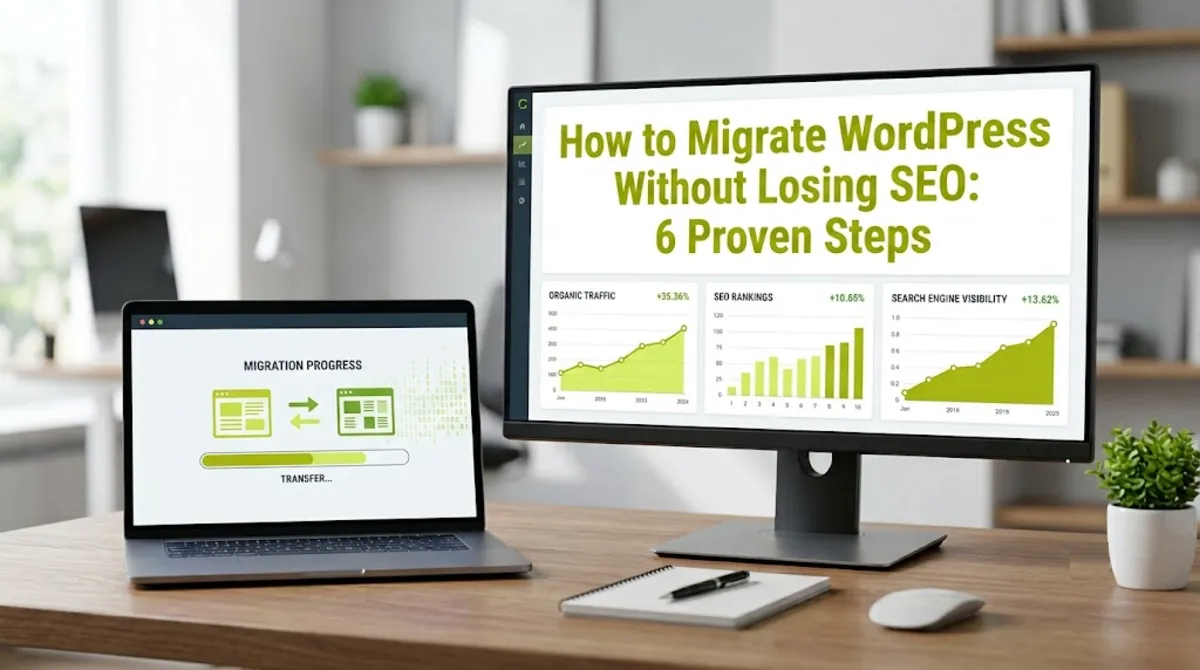
- To migrate WordPress without losing SEO, preserve your URL structure, 301 redirect every changed URL one-to-one, and verify indexability after launch.
- Migrations rarely lose rankings from moving itself, they lose them from changed URLs, missing redirects, or a leftover noindex.
- Always build and test on staging first, and keep the staging site noindexed so it never gets crawled.
- A same-domain host move needs no Change of Address, a domain change does.
- Expect a short ranking wobble for a few weeks, a lasting drop means a step was missed.
To migrate WordPress without losing SEO, back up your site, build and test it on staging, preserve your existing URL structure, 301 redirect any URLs that change, then verify indexability and redirects after going live. Rankings hold when URLs and redirects are handled correctly, and dip only when they are not. Here is the exact, safe process step by step.
After handling host and domain migrations for clients in 15+ countries, here is the truth that saves rankings. Google does not punish you for moving. Sites lose SEO from mechanical failures, a URL that quietly changed, a missing redirect, or a noindex left on from staging. Get the mechanics right and a migration is nearly invisible to Google. Here is exactly how to migrate WordPress without losing SEO, and where the real risks hide.
What Actually Loses You SEO
When you migrate WordPress without losing SEO as the goal, it helps to know that rankings almost never drop from the move itself, they drop from changed URLs, missing redirects, or accidental deindexing. Understanding the real risk tells you exactly what to protect when you migrate WordPress.
The damage when you migrate WordPress is almost always mechanical, not a Google penalty. The recurring causes when you migrate WordPress are few and preventable:
- URLs change without redirects. Every indexed URL that changes and returns a 404 instead of a 301 leaks the ranking signals that page built up.
- A noindex or robots block carries over. A staging site’s noindex setting or robots.txt block left on after launch can deindex your whole site within days.
- Broken paths and canonicals. Images pointing at the old server, or canonicals still pointing at staging or the old domain, quietly undermine the new site.
Pro tip: The risk level depends heavily on migration type. A host move that keeps your URLs identical is low risk. A domain change or URL restructure is where most ranking loss happens, because every URL that changes needs a redirect. Whenever possible, change one thing at a time, not host, domain, and design all at once.
Knowing what causes loss, the rest of this guide is about preventing it, starting well before you touch anything live.
Before You Migrate
The safest way to migrate WordPress without losing SEO starts with preparation: back up everything, inventory every URL, and record your rankings baseline before you change a thing. Sites that lose rankings when they migrate WordPress almost always skipped this stage.

Before you migrate WordPress, do this groundwork:
- Take a full, tested backup. Back up all files and the database, and confirm the backup actually restores. This is your safety net.
- Crawl and inventory every URL. Use a crawler like Screaming Frog to record every indexable URL on the current site, so you can compare old to new after launch.
- Baseline your rankings. Export your top pages and queries from Search Console and key conversions from analytics, so you can measure the migration’s real impact.
- Decide your URL strategy. The safest choice is to keep your URL structure identical. Only change URLs if you truly must, since every change adds risk.
The golden rule of preparation: keep a full inventory of the old site’s indexable URLs. After launch, you will crawl that exact list to confirm every URL either still resolves or 301 redirects correctly. Without that record, you are migrating blind and cannot verify nothing broke.
With preparation done, here is the safe sequence to actually move the site.
The Step-by-Step Process
To migrate WordPress without losing SEO, follow a tested sequence: stage, preserve URLs, redirect, go live, and verify. Rushing or skipping a step is where things break, so work through them in order to migrate WordPress safely.
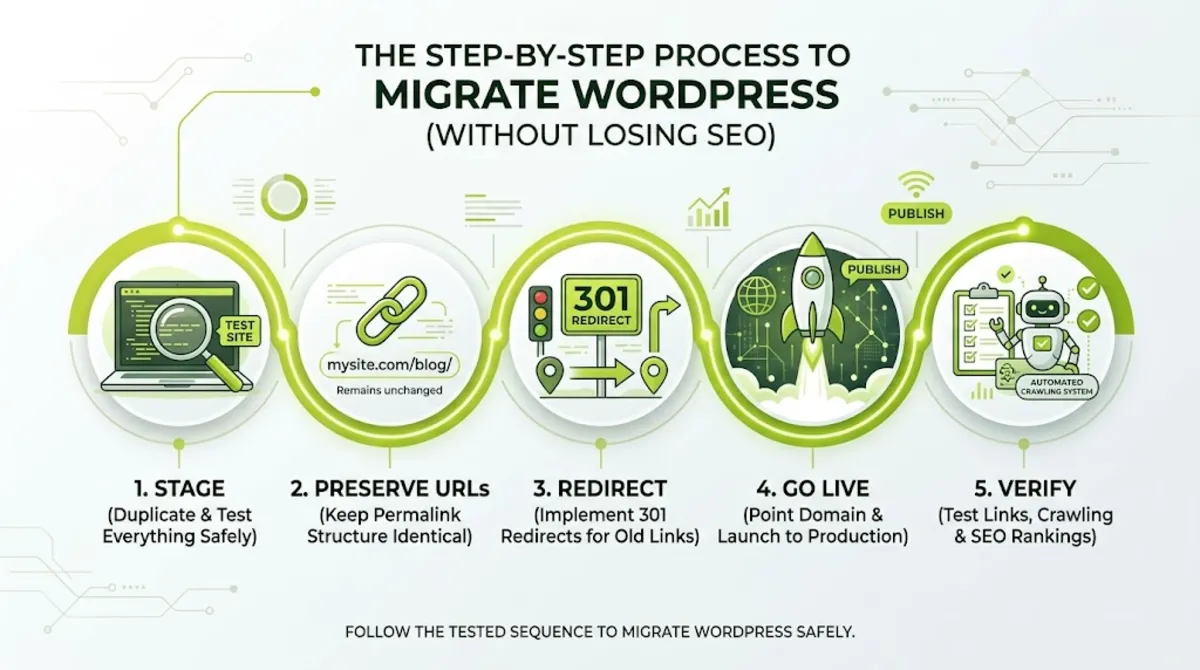
The core process to migrate WordPress without losing SEO:
- Build and test on staging. Move the site to a staging environment first, and keep it noindexed so it is never crawled. Test everything, links, forms, metadata, canonicals, and performance, before you migrate WordPress to live.
- Preserve your URL structure. Keep permalinks identical wherever possible. Unchanged URLs are the single strongest protector of your rankings, because there is nothing to redirect.
- Run a database search-replace. Update internal URLs and hardcoded paths in the database so links and images point to the new location, not the old one.
- Map and set up 301 redirects. For any URL that does change, create a permanent 301 redirect to its exact new counterpart, mapped one to one.
- Go live and switch DNS. Point your domain to the new infrastructure to complete the move. Lowering your DNS TTL beforehand makes the switch propagate faster.
- Verify and submit. Confirm indexability, test redirects, then submit your sitemap in Search Console and, for a domain change, use the Change of Address tool.
Because redirects carry the most weight and cause the most damage when done wrong, they deserve their own rules.
The Critical Redirect Rules
Redirects are the heart of how you migrate WordPress without losing SEO, and getting them right means following a few strict rules: permanent, one-to-one, single-hop, and kept in place long term. Sloppy redirects are the top cause of lasting ranking loss.
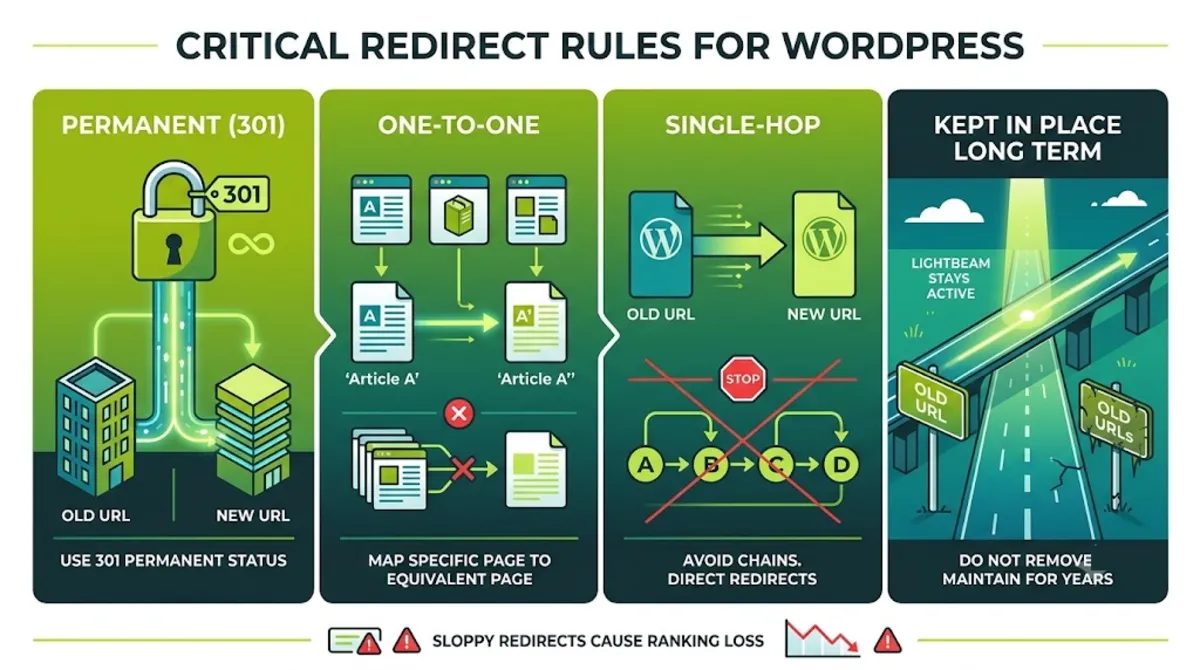
Follow these redirect rules without exception when you migrate WordPress:
| Rule | Why it matters |
|---|---|
| Use 301, not 302 | A 301 is permanent and passes most ranking signals, a 302 is temporary and does not. |
| Map one to one | Redirect each old URL to its exact new equivalent, never blanket-redirect everything to the homepage. |
| Avoid chains | Each redirect should reach its destination in a single hop, not through a chain of redirects. |
| Keep them long term | Leave redirects in place for the long haul, not weeks, so signals keep transferring. |
The reason redirects matter so much is that a 301 is how Google transfers a page’s accumulated ranking signals, its backlinks, authority, and relevance, from the old URL to the new one. Google has confirmed the transfer is strong but not one hundred percent, so a blanket redirect to the homepage, or a missing redirect that returns a 404, throws away equity you spent years building. This is also why even a same-domain move needs care, differences in trailing slashes, www versus non-www, or HTTP versus HTTPS each create technically different URLs that need handling.
Once the site is live and redirects are in place, the job is not done, verification is what confirms nothing broke.
Post-Launch Verification
The final step to migrate WordPress without losing SEO is verification: immediately after launch, confirm indexability, test redirects, and check canonicals before problems can compound. The hours after going live are where the whole effort is protected or lost.

Run these checks the moment you migrate WordPress to the live site:
- Confirm indexing is on. In Settings, Reading, make sure “Discourage search engines from indexing” is unchecked, and that robots.txt has no leftover Disallow rules from staging.
- Crawl the old URL list. Crawl your saved old URLs and confirm each returns a single 301 to the correct new URL, not a 404 or a 302.
- Check canonicals. View source on key pages and confirm canonicals point to the correct live URL, domain, and protocol, never staging, the old domain, or HTTP.
- Submit sitemaps and monitor. Submit your new sitemap in Search Console, then watch the Pages report and crawl stats daily for the first couple of weeks.
Most of what goes wrong traces back to a handful of avoidable mistakes worth naming directly.
Want your migration handled without the ranking risk?
I migrate WordPress sites across hosts and domains with redirects, indexability, and SEO fully preserved. See my WordPress and SEO service.
What Most People Get Wrong
The biggest mistake people make trying to migrate WordPress without losing SEO is treating it as a development task instead of an SEO project. The move works technically, the site loads, but rankings quietly slip because the SEO side of how you migrate WordPress was an afterthought.
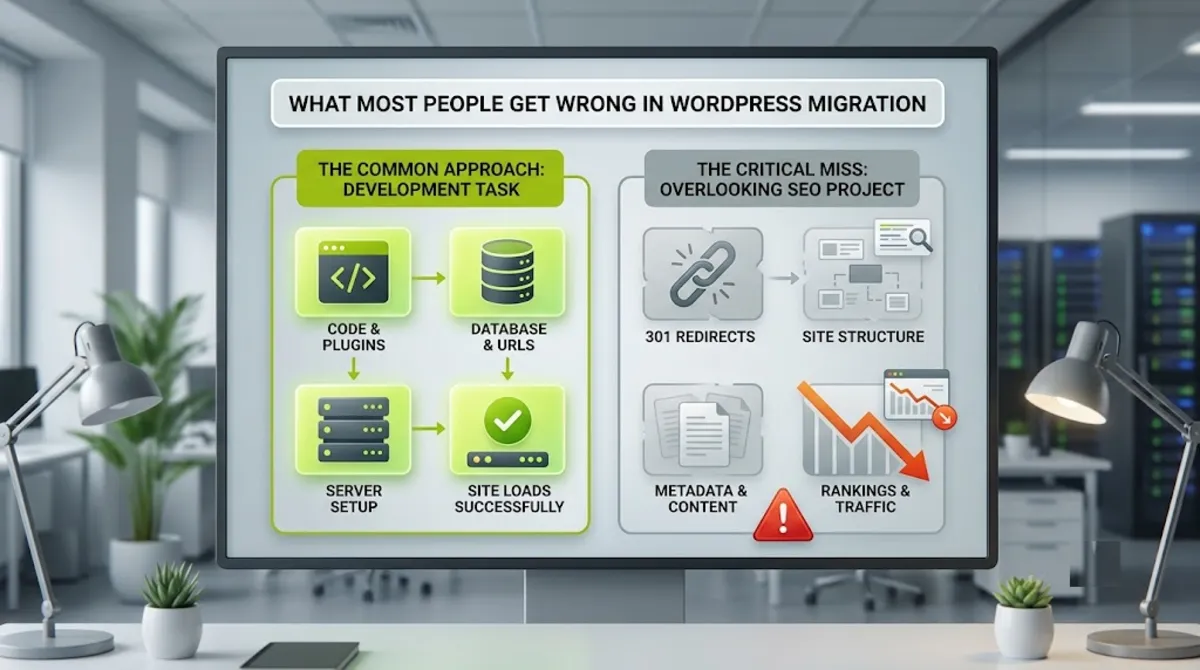
Here is the disaster I see most: the staging noindex left on. A site gets built on staging with search engines discouraged, goes live, and nobody unchecks the box or removes the robots.txt block. Within days, Google deindexes the entire site, and traffic vanishes. It is devastating, and it is completely avoidable with one post-launch check. Right behind it are missing redirects and the all-at-once migration, changing host, domain, and design together so that when rankings move, you cannot tell which change caused it.
The other big misconception is expecting literally zero movement. Even a flawless domain migration usually causes a brief dip while Google recrawls and reprocesses everything, and that is normal. The mistake is reacting to a normal two-week wobble by changing things, which only adds instability. Trust the process when you migrate WordPress, keep monitoring, and let Google catch up, as long as your redirects and indexability are correct, recovery follows.
When you want a migration done as the SEO project it actually is, that is exactly where experience protects you.
Planning a move and worried about your rankings?
I handle WordPress migrations as SEO projects, host, domain, or platform, with redirects and indexability fully protected. See my WordPress and SEO service or book a free call.
Frequently Asked Questions
Will I lose SEO if I migrate my WordPress site?
Not if you do it correctly. Rankings are lost from mechanical failures, changed URLs without redirects, a leftover noindex, or broken paths, not from moving itself. If you preserve your URL structure, 301 redirect any changed URLs one to one, keep the site indexable, and monitor after launch, a migration should cause only a brief, temporary dip before rankings fully recover.
What is the most important step to protect SEO?
Preserving your URL structure, and where URLs must change, setting up correct 301 redirects. Every indexed URL that changes needs a permanent, one-to-one redirect to its exact new equivalent. Missing or sloppy redirects are the single biggest cause of permanent ranking loss in a migration. Unchanged URLs are safest, because there is nothing to redirect and no signal to lose.
Do I need a Change of Address in Search Console?
Only for a domain change. If you are moving to a new domain, verify both domains in Search Console and use the Change of Address tool after your 301 redirects are live. For a same-domain host move, or an HTTP to HTTPS switch, you do not use it, redirects and correct canonicals handle those cases. As of 2026, a domain move should also cover www and non-www variants.
How long do rankings take to recover after migration?
Usually a few weeks. A temporary dip in the first two to four weeks is normal while Google recrawls and reprocesses your site. With correct redirects and indexability, rankings typically recover fully within that window. If a drop keeps deepening or lasts much longer, it signals a problem, most often a missing redirect, a leftover noindex, or a canonical pointing to the wrong URL.
Should I change my URLs during migration?
Only if you genuinely must. Every URL change adds SEO risk and requires a redirect, so if your current structure works, keep it. Do not let a redesign change URLs just for tidiness. If URL changes are unavoidable, map every old URL to its exact new one with a 301 redirect, and test that each resolves correctly before and after launch.
Do I need a staging site to migrate safely?
Yes. Staging is where mistakes stay cheap. You build and test the new site privately, checking metadata, canonicals, redirects, internal links, forms, and performance before anything goes public. Keep the staging site noindexed so it is never crawled. Skipping staging and migrating straight to live is how avoidable errors reach Google and your visitors at the same time.
What is the most common migration mistake?
Leaving the staging site’s noindex setting or robots.txt block active after going live. That single oversight can deindex your entire site within days and erase your traffic. It is why confirming that indexing is enabled should be your very first post-launch check. Close behind are missing redirects and migrating host, domain, and design all at once so problems are hard to isolate.
Should I hire someone to migrate my WordPress site?
Consider it if your rankings matter and the move involves a domain change, URL restructure, or a large site. A migration handled as an SEO project, with proper URL mapping, redirects, and verification, protects the visibility you have built. My WordPress and SEO service covers safe host, domain, and platform migrations with SEO preserved.
Conclusion
Learning to migrate WordPress without losing SEO comes down to one honest realization: the move itself is not the danger, the mechanics are. Preserve your URL structure whenever you can, build and test on staging with the site kept noindexed, 301 redirect every changed URL one to one, and the moment you go live, confirm indexing is on, test your redirects, and check your canonicals. Use the Change of Address tool for a domain move, keep your redirects in place long term, and monitor Search Console closely for the first few weeks. A short ranking wobble is normal, a lasting drop means something on the checklist was missed. Treat the migration as an SEO project rather than a development task, and your rankings will come through it intact. Start by inventorying your current URLs, that single record is what lets you prove nothing broke.
Ready to move your site without risking your rankings?
I run WordPress migrations end to end, with SEO preserved and verified. Book a free call or browse my recent project portfolio.
This article was last reviewed and updated in June 2026 to reflect current Google site-move guidance, redirect best practices, and Search Console tools.