
Law firm website ADA compliance means making your site usable by people with disabilities, which in practice means meeting WCAG 2.1 Level AA. There is no official ADA checklist for private business websites, but courts and the Department of Justice keep pointing to WCAG, and law firms are both expected to know this and an easy target when they get it wrong.
You know the legal side better than I do. This guide is the developer side: what actually fails on law firm sites, how to test your own, what to fix first on WordPress, and why an accessibility overlay plugin is not the shortcut it claims to be. It is not legal advice.
Does a law firm website have to be ADA compliant?
The ADA does not contain a technical standard for private business websites. What exists is a steady stream of court decisions and Department of Justice guidance saying that businesses open to the public should make their websites accessible, and WCAG 2.1 AA is the benchmark both usually reference. The DOJ’s 2024 rule that formally adopted WCAG 2.1 AA applies to state and local governments, not private firms, but it has made that standard even more of a default.
For a law firm the practical answer is simple. Your site is how clients reach you, some of them will use screen readers, magnification or keyboards, and an inaccessible intake form means lost cases as well as legal exposure. Build to WCAG 2.1 AA and you are covered on both fronts.
The accessibility problems I find most on law firm sites
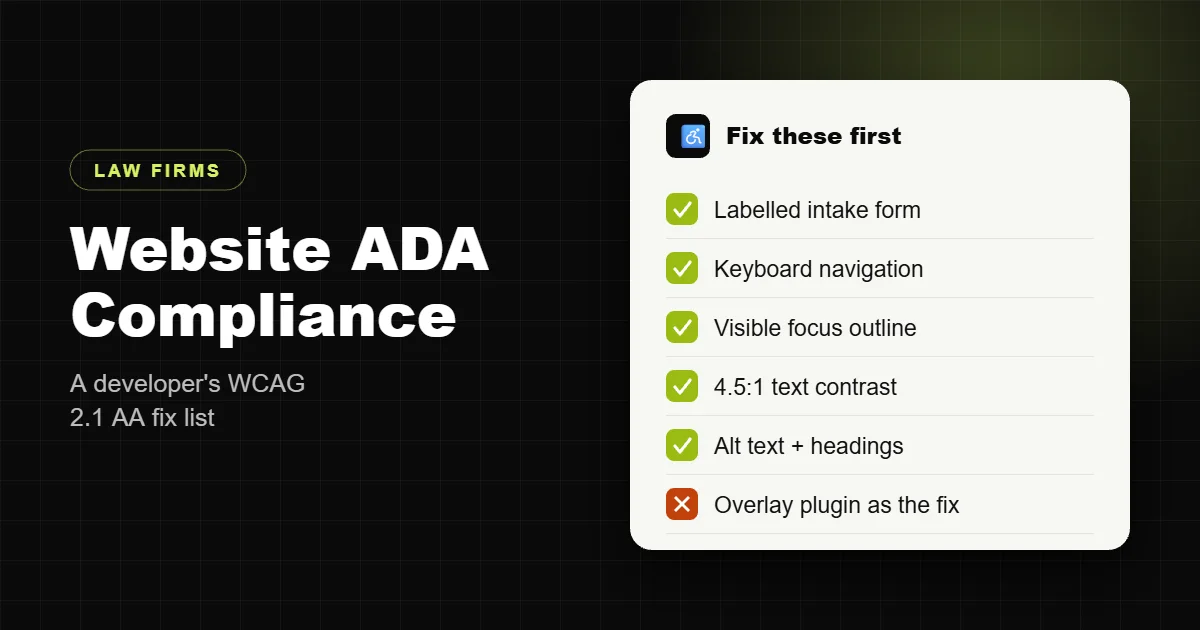
- Low-contrast text. Light grey body text, white text over photos of courthouses and skylines, thin fonts. WCAG asks for a contrast ratio of at least 4.5:1 for normal text and 3:1 for large text.
- Missing text alternatives. Attorney photos, award badges and icons with no alt text, or alt text like “IMG_2041”. Decorative images should have empty alt text so screen readers skip them.
- Unlabelled form fields. Intake forms that use placeholder text instead of real labels, error messages that only show in red, and CAPTCHAs with no accessible alternative.
- Keyboard traps. Mega menus, popups, sliders and chat widgets that cannot be reached, used or closed with the Tab and Escape keys.
- No visible focus outline. Themes that remove the outline on links and buttons, so keyboard users cannot see where they are.
- Headings used for styling. Skipped levels and text styled to look like headings, which breaks navigation for screen reader users.
- Inaccessible PDFs. Scanned intake forms, fee agreements and guides with no text layer or tags.
- Video without captions and audio without transcripts.
- Auto-playing sliders and background video with no way to pause.
- Vague link text like “click here” or “read more” repeated across a page.
How to test your own site in 20 minutes
- Keyboard test. Put the mouse away. Press Tab from the top of your homepage and try to open the menu, reach a practice area page, fill in the contact form and submit it. If you get stuck or lose track of where you are, that is a failure.
- Automated scan. Run a free checker such as WAVE or Lighthouse on your homepage, a practice area page, an attorney bio and the contact page. Automated tools catch roughly a third of issues, so treat a clean result as a starting point, not a pass.
- Zoom to 200%. Text should reflow without overlapping or forcing sideways scrolling.
- Screen reader spot check. Turn on VoiceOver (Mac) or NVDA (Windows, free) and listen to your contact page. Every field should be announced with its label.
- Check your PDFs. Open each downloadable PDF and try to select the text. If you cannot, a screen reader cannot read it either.
What to fix first on a WordPress law firm site
Order matters. Fix the things that stop someone from contacting you before anything cosmetic.
- The intake and contact forms. Real
<label>elements on every field, required fields marked in text as well as colour, error messages that name the problem and are announced to screen readers, and a CAPTCHA that does not block keyboard or screen reader users. Most form plugins can do this, but the default styling often hides labels. - Phone and consultation buttons. Large enough to tap, readable contrast, real links rather than images of text.
- Navigation. A skip-to-content link, a menu that opens with Enter and closes with Escape, and a visible focus outline on every interactive element.
- Colour and type. Bring body text and buttons up to 4.5:1 contrast and set a readable base font size. This is usually a few lines of theme CSS.
- Images. Meaningful alt text on attorney photos and badges (“Jane Doe, founding partner”), empty alt on decorative images.
- Headings. One H1 per page, then H2 and H3 in order. Page builders make it easy to pick a heading level for its size; set the size with CSS instead.
- Popups, chat and sliders. Make them keyboard operable and dismissible, stop auto-rotation, or remove them. Fewer moving parts also makes the site faster.
- Documents and media. Replace scanned PDFs with accessible versions or HTML pages, caption videos, and add transcripts.
Then publish an accessibility statement that says which standard you aim for, when the site was last reviewed and how someone can contact you if they hit a barrier. It shows good faith and gives visitors a way to reach you.
Why an overlay plugin is not the fix
Accessibility overlays are the toolbars and widgets that promise one-line compliance. They add a menu for changing colours and font sizes, and some claim to repair the page automatically with AI. They do not change the underlying code, so the form without labels and the menu that traps the keyboard are still there.
Plenty of businesses using overlays have still been sued, many disabled users find overlays get in the way of the assistive technology they already use, and in April 2025 the Federal Trade Commission finalized an order requiring one major overlay vendor to pay $1 million over misleading claims that its tool made websites WCAG compliant. Fixing the theme and content costs a bit more up front, and then it is actually fixed.
Accessibility, SEO and conversions overlap
Most accessibility fixes also help search and conversions. Descriptive alt text, a clean heading structure, real link text and fast, simple pages are things Google rewards. Labelled forms with clear errors get more submissions from everyone, not only people using assistive technology. I cover the rest of that list in my law firm website SEO checklist.
Getting it built in from the start
It is far cheaper to build accessibility in than to retrofit it. Every law firm site I build is designed for WCAG 2.1 AA from the first template: contrast-checked colours, labelled and tested intake forms, keyboard-friendly navigation, a proper heading structure and no overlay. A complete law firm website is $1,999, fixed, with legal pages, SEO setup and one month of support. See what is included on my law firm website development page.
If you already have a site, send me the URL. I will run the checks above and tell you what I would fix first and roughly what it would take.
Frequently asked questions
What standard should a law firm website meet for ADA compliance?
WCAG 2.1 Level AA. The ADA has no technical standard for private business websites, but courts and the Department of Justice commonly point to WCAG 2.1 AA.
Can a law firm be sued over an inaccessible website?
Yes. Website accessibility lawsuits are filed against businesses of every type, including law firms. Whether a specific site creates liability is a legal question for counsel, but meeting WCAG 2.1 AA reduces the risk considerably.
Do accessibility overlay plugins make a site ADA compliant?
No. Overlays add a toolbar but do not fix the underlying code, and in 2025 the FTC finalized a $1 million order against one overlay vendor over misleading compliance claims.
What are the most common accessibility problems on law firm websites?
Low-contrast text, missing alt text, unlabelled form fields, menus and popups that do not work with a keyboard, missing focus outlines, broken heading structure and scanned PDFs.
How can I test my law firm website for accessibility?
Navigate it using only the keyboard, run WAVE or Lighthouse on key pages, zoom to 200 percent, listen to the contact page with a screen reader and check that PDF text can be selected.
How much does it cost to make a law firm website accessible?
It depends on the site. Fixing contrast, forms, navigation and alt text on a typical WordPress firm site is usually a focused project rather than a rebuild. Building it in from the start costs least.
Is WordPress accessible?
WordPress core is built with accessibility in mind, but themes, page builders and plugins vary widely. Most problems on WordPress law firm sites come from the theme and add-ons.
Do law firm PDFs need to be accessible?
Documents offered to the public should be accessible too. Use tagged, text-based PDFs or publish the content as an HTML page.
Do I need an accessibility statement?
It is not required by the ADA, but it is good practice. State the standard you aim for, when the site was last reviewed and how to report a barrier.
Does accessibility help law firm SEO?
Many fixes overlap: descriptive alt text, clear headings, meaningful link text and fast, simple pages help both accessibility and search.
This article explains technical accessibility work on websites. It is not legal advice.