

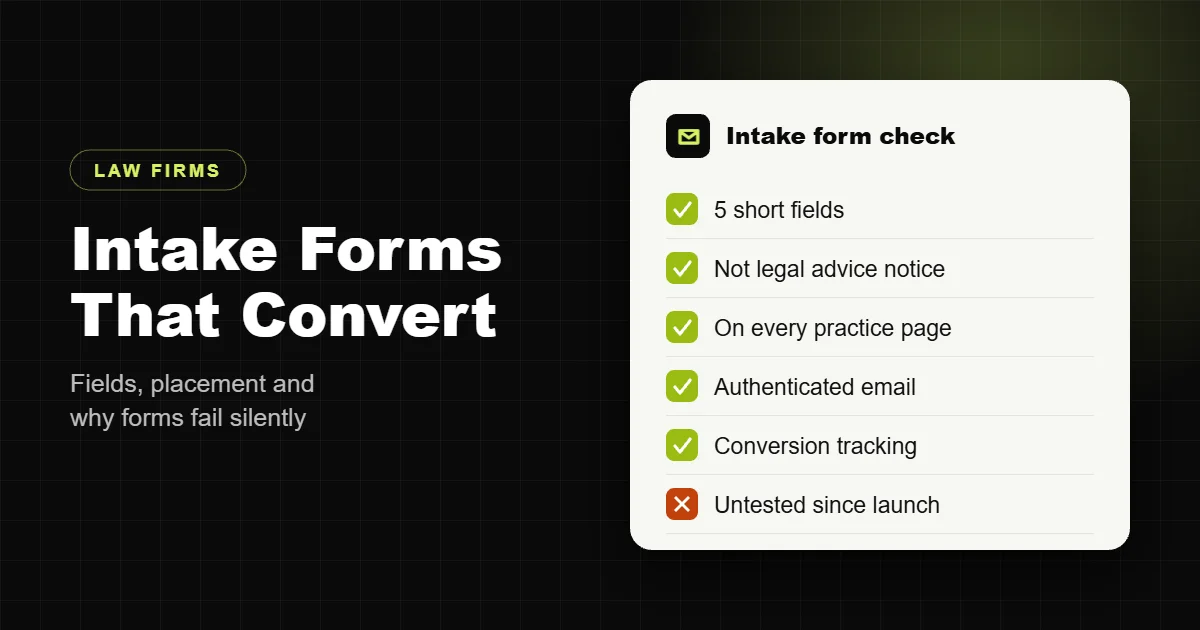
A law firm website intake form has one job: turn a worried visitor into a consultation request you can act on. Most firm sites make that harder than it needs to be. The form asks for too much, hides on the contact page, breaks quietly after a plugin update, or sends sensitive details by plain email to an inbox nobody checks after 5 p.m.
Practice management tools cover the full intake process once someone is a lead. This guide covers the part that lives on your website: which fields to ask for, where to put the form, how to keep it working, and how to handle what people send you.
The fields a law firm website form actually needs
Every field you add costs submissions. The website form is the first step, not the full intake interview. Collect enough to call the person back and run a quick conflict check, then do the rest on the phone.
| Field | Required | Why |
|---|---|---|
| Full name | Yes | Who to call back, and the first conflict check |
| Phone | Yes | Most legal leads are won by calling back fast |
| Yes | Confirmation and follow-up | |
| Case type (dropdown) | Yes | Routes the lead to the right attorney |
| What happened (short text) | Optional | Context for the call; keep it brief and do not ask for documents |
| Other party’s name | Optional | Lets you run a conflict check before calling |
| Best time to call | Optional | Helps the callback land |
| Consent checkbox | Yes | Confirms they read the notice below the form |
Leave out date of birth, case numbers, insurance details, file uploads and long questionnaires. They belong in the intake call or your practice management system’s secure portal, not in a public website form.
The notice every legal intake form should show
People often share more than they should in a contact form. A short, plain notice next to the submit button protects both sides. Most firms use wording along these lines, adjusted to their state’s rules:
“Submitting this form does not create an attorney-client relationship. Please do not include confidential information until we have confirmed we can help you.”
Ask your firm’s own counsel or ethics resources for the exact wording. Rules on prospective clients, such as ABA Model Rule 1.18, mean what someone tells you through a form can still create duties, which is another reason to keep the form short.
Where the form should go
- Every practice area page, in the sidebar on desktop and after the first few sections on mobile. The person reading about car accident claims is the person most ready to ask about theirs.
- A sticky call or consultation button on mobile, since many legal searches happen on a phone right after something has gone wrong.
- Attorney bio pages, so someone who has chosen a lawyer can reach that lawyer.
- The contact page, with the office address, map, hours and phone number alongside the form.
Make the phone number a real tap-to-call link everywhere. Many people would rather call than type.
Why law firm forms fail silently
This is the part nobody checks. In audits I regularly find firm websites where the contact form looks fine but has not delivered a message in weeks. The usual causes:
- Email sent from the web server. WordPress sends mail through the hosting server by default, and those messages often land in spam or get rejected. Send through an authenticated SMTP or email API service instead, with SPF, DKIM and DMARC set up on your domain.
- A plugin or theme update that changes the form markup or breaks its JavaScript.
- Caching. Aggressive page caching can serve an expired security token, so submissions fail with a vague error.
- Spam protection that blocks people. A CAPTCHA that is too strict, or a security plugin that flags real submissions.
- The notification goes to one person who left the firm, changed address or is on holiday.
The fix is boring and effective: store every submission in the WordPress database as well as emailing it, send notifications to a shared intake address, and submit a test lead after every update and at least once a month.
Spam protection without losing real leads
Legal forms attract a lot of spam. Layer light protections instead of one heavy one:
- A hidden honeypot field that bots fill in and people never see.
- An invisible challenge such as reCAPTCHA v3 or Cloudflare Turnstile, which scores visitors in the background instead of making them solve puzzles.
- Basic rate limiting so one source cannot send hundreds of submissions.
- Only then, a visible challenge as a fallback for suspicious traffic.
Handling sensitive information
- HTTPS on every page so the form is encrypted in transit.
- Keep the notification email short. Send the name, phone and case type, and keep the full message inside your site or practice management system so detailed facts are not sitting in several inboxes.
- Limit who can see entries in WordPress, and delete old entries on a schedule that matches your retention policy.
- Connect to your practice management software if you use one. Most offer their own embeddable intake forms or an integration that creates the lead directly.
Make the form accessible and easy on mobile
- Real labels above every field, not placeholder text that disappears when someone starts typing.
- Correct input types so phones show the number pad for phone fields and the email keyboard for email.
- Error messages that say what is wrong next to the field, in text as well as colour.
- A large, high-contrast submit button with a clear label like “Request a free consultation”.
I cover the wider accessibility picture in my guide to law firm website ADA compliance.
Track every submission
If you cannot see how many consultation requests the website produced last month, you cannot judge your SEO or ads. Send each successful submission to a thank you page or fire a conversion event in Google Analytics 4, track tap-to-call clicks the same way, and mark both as key events. Then you can see which practice area pages actually bring in cases.
Built in from day one
Every law firm site I build ships with a short, labelled, tested intake form on every practice area page, a clear notice, layered spam protection, authenticated email delivery, stored entries and conversion tracking. A complete law firm website is $1,999, fixed, with legal pages, SEO setup and one month of support. See what is included on my law firm website development page, or read the full law firm website SEO checklist.
Not sure your current form is working? Send me the URL and I will test it and tell you what I find.
Frequently asked questions
What should a law firm website intake form ask for?
Name, phone, email, case type and a short description. Optionally the other party’s name for a conflict check and the best time to call. Everything else belongs in the intake call.
Should a law firm contact form include a disclaimer?
Yes. A short notice that submitting the form does not create an attorney-client relationship, and asking people not to send confidential details yet, is common practice. Check the wording against your state’s rules.
Where should the intake form go on a law firm website?
On every practice area page and attorney bio, on the contact page, and behind a sticky consultation or call button on mobile.
Why is my law firm’s contact form not sending emails?
Usually because WordPress sends mail from the web server without authentication. Send through an SMTP or email API service with SPF, DKIM and DMARC, and store entries in the database as a backup.
How do I stop spam on a law firm contact form?
Combine a hidden honeypot field, an invisible challenge such as reCAPTCHA v3 or Cloudflare Turnstile, and rate limiting, with a visible challenge only as a fallback.
Should clients upload documents through the website form?
No. Keep the website form short and collect documents later through a secure client portal or your practice management system.
How many fields should a legal intake form have?
Around five required fields is a good target. Every extra required field reduces the number of people who finish the form.
How do I track leads from my law firm website?
Send successful submissions to a thank you page or fire a Google Analytics 4 event, track tap-to-call clicks, and mark both as key events.
Can I connect my website form to practice management software?
Usually yes. Most legal practice management tools offer an embeddable intake form or an integration that creates the lead automatically.
How often should I test my law firm’s contact form?
After every plugin, theme or WordPress update, and at least once a month.