

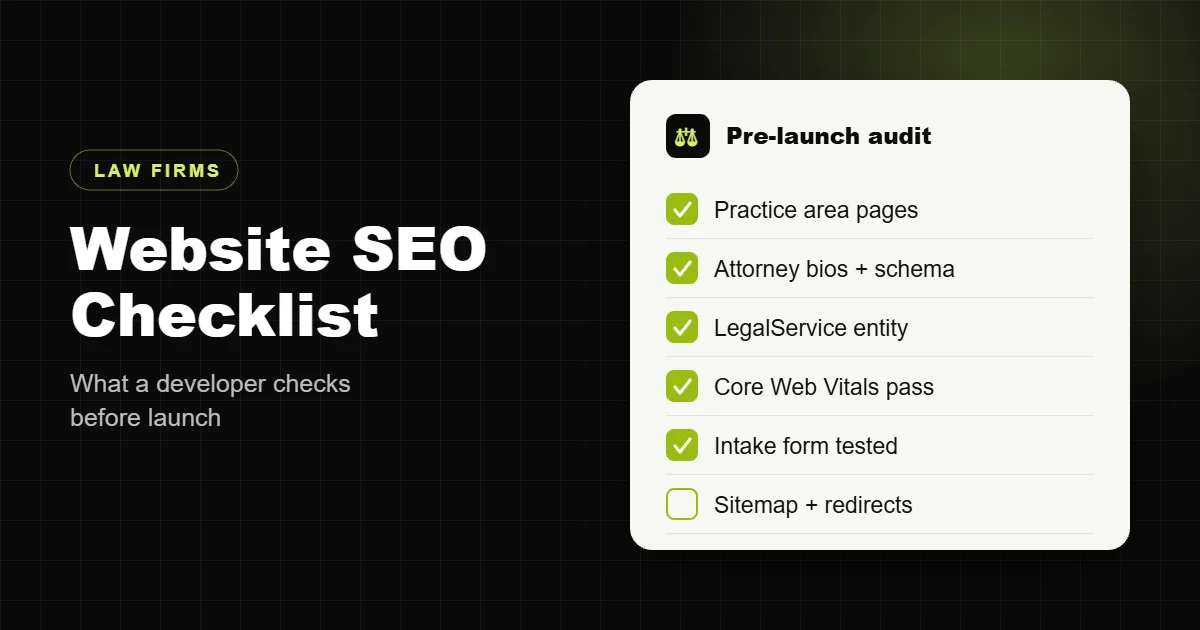
Law firm website SEO is mostly decided before anyone writes a blog post. The way practice area pages are structured, how attorney bios are marked up, how fast the site loads on a phone and whether Google can tell which city you serve all get locked in during the build. Get those right and content and links work much harder. Get them wrong and you pay an agency every month to push against your own website.
This is the checklist I run on every law firm site I build or audit. It is written from the developer side: what goes into the site itself, not a list of marketing tactics. Work through it with your current site open in another tab.
Why law firm SEO starts with the website build
Legal is one of the most expensive search markets there is. Personal injury, criminal defense and family law terms routinely sit near the top of paid search cost lists, which tells you how much firms are fighting for the same clicks. When the organic competition is that strong, you cannot afford a site that leaks ranking signals.
Most of the law firm sites I get asked to fix share the same problems: one “Practice Areas” page that lists eight services in bullet points, attorney bios that are a photo and two paragraphs, a contact form that silently fails, and a theme that loads three sliders before the first line of text. None of that is a content problem. It is a build problem, and no amount of monthly blogging fixes it.
Site structure: one page for every service and place
Google ranks pages, not websites. If someone searches “DUI lawyer in Austin” and your only relevant page is a general criminal defense page, a competitor with a dedicated DUI page will usually win, even with a weaker domain.
- One page per practice area. Car accidents, truck accidents and slip and fall are three pages, not three bullet points. Each one gets its own URL, H1, intro, process explanation, FAQs and a clear consultation call to action.
- Clean URLs. Use
/practice-areas/car-accidents/, not/services-2/or/page-id-417/. Short, readable and stable. - Location pages only where you actually serve. If you have an office or regularly take cases in a city, give it a page with real local detail: courts you appear in, the office address, directions, parking. Swapping the city name into the same template across forty pages is how sites get flagged as thin.
- A hub that links to everything. A Practice Areas page that links to every practice page, and each practice page linking back up and across to related ones. This is the internal linking structure Google uses to understand what matters.
- Breadcrumbs. Home, Practice Areas, Car Accidents. They help visitors, and BreadcrumbList schema helps search engines read the hierarchy.
On-page basics most law firm sites still get wrong
These are boring, and they are where I find the most easy wins during audits.
- One H1 per page that says what the page is about and where. “Car Accident Lawyer in Tampa” beats “Welcome to Our Firm”.
- Title tags under about 60 characters with the practice area and city near the front. Write them for a person scanning results, not for a keyword tool.
- Meta descriptions that sell the click. Mention free consultations, contingency fees or response time if they apply. Google rewrites many descriptions, but a good one still gets used often.
- The keyword in the first paragraph, said naturally. If you cannot say it naturally, the page is probably targeting the wrong term.
- Descriptive image alt text. “Attorney meeting a client in the Tampa office” is useful. “lawyer lawyer best lawyer Tampa” is not.
- No duplicate pages. Old landing pages from past ad campaigns, tag archives and attachment pages often compete with your real pages. Redirect or noindex them.
Attorney bios are ranking pages, treat them that way
People search for lawyers by name before they call, and Google leans heavily on signals of real expertise in legal topics. A strong bio page does both jobs.
- A real, professional photo, not a stock image.
- Bar admissions, years in practice, education, courts admitted to and practice focus.
- Notable case types handled (within your bar’s advertising rules), speaking, publications and memberships.
- Links from the bio to the practice areas that attorney handles, and from those practice pages back to the attorney.
- Person schema with name, job title, the firm as employer, education and
sameAslinks to the attorney’s bar profile and professional profiles. - Bylines on blog posts that link to the bio, so the content is tied to a real licensed person.
On one recent law firm build I rewrote every attorney bio this way and added Person schema linked to the firm entity. It is the single change I recommend first, because it helps search engines and AI assistants understand who the firm is, and it makes the bios far more convincing to the people reading them.
Schema markup for law firms
Structured data does not rank a page on its own, but it removes guesswork. It tells search engines exactly what your firm is, where it is and who works there. For a law firm site I set up:
- LegalService (or Attorney) for the firm, with name, address, phone, opening hours, geo coordinates, areas served, logo and
sameAslinks to your Google Business Profile and directory listings. - Person for each attorney, linked to the firm with
worksFor. - WebSite and BreadcrumbList across the site.
- FAQPage where a page genuinely answers common questions. Google now shows FAQ rich results for very few sites, but the markup still helps machines read the answers.
- Article on blog posts, with the attorney as author.
The important part is that these entities connect. One firm, with stable IDs, referenced from every page. Many SEO plugins output several disconnected Organization blocks that contradict each other, so check yours with the Rich Results Test and the Schema Markup Validator after launch.
For the full markup with a copy-ready example, see my guide to law firm schema markup.
Local SEO signals your website controls
The map pack drives a large share of legal calls, and your Google Business Profile does most of the work there. The website still has to back it up.
- Name, address and phone identical everywhere. Same suite number format, same phone, on the site footer, contact page, schema and every directory listing.
- An embedded map and directions on the contact or location page.
- Click to call on mobile, with the number in the header.
- Review content on the site, shown honestly and following your state bar’s rules on testimonials.
- Link your Google Business Profile to the most relevant page, usually the homepage or the location page for that office, and make sure that page clearly names the city.
Speed and Core Web Vitals on mobile
Someone searching for a lawyer after an accident is on a phone, often in a hurry. A site that takes five seconds to show anything loses that call to the next result. Google also uses Core Web Vitals as part of page experience.
- Largest Contentful Paint under 2.5 seconds on mobile. Usually means a compressed hero image in WebP or AVIF, preloaded, with no slider in front of it.
- Interaction to Next Paint under 200 milliseconds. Cut chat widgets, heavy tracking scripts and animation libraries that block the main thread, or load them after the page is usable.
- Cumulative Layout Shift under 0.1. Set image dimensions and reserve space for banners and cookie notices.
- Good hosting and a properly configured cache. Most slow legal sites I see are not slow because of the content, they are slow because of a heavy theme, a dozen plugins and caching that is either off or misconfigured.
If your site is already live and slow, my WordPress speed optimization work usually fixes this without a rebuild.
Content that answers what clients actually ask
Good legal content is specific. “What to do after a car accident” is crowded. “How long you have to file a car accident claim in Florida” is a question a real person types, and a page that answers it clearly in the first two lines has a real chance.
- Start with the questions your intake team hears every week. Those are your topics.
- Answer the question in the first paragraph, then explain. That is what gets quoted in AI Overviews and by AI assistants.
- Link every article to the matching practice page with natural anchor text, and from the practice page back to the best two or three articles.
- Have an attorney review and sign every piece. Legal topics are held to a high standard for accuracy, and a named, licensed reviewer is part of that.
- Update older articles when the law changes, and show the updated date.
Conversion: the part SEO checklists forget
Rankings that do not turn into calls are a cost, not an asset. The build has to make contacting the firm easy.
- A clear consultation call to action above the fold on every practice page.
- A short intake form: name, phone, email, case type, a short description. Every extra field loses people.
- Test the form after every plugin update. I regularly find law firm forms that have been failing quietly for weeks because of a spam plugin, an SMTP change or a caching conflict. More in my guide to law firm website intake forms.
- A thank you page so you can track conversions properly in analytics and ads.
- Accessibility: readable contrast, keyboard navigation and labelled form fields. It is the right thing to do, and law firms are an obvious target for accessibility complaints. My law firm website ADA compliance guide covers what to fix first.
Technical checks before and after launch
- HTTPS everywhere, with HTTP and non-www versions redirecting to one version of the site.
- An XML sitemap submitted in Google Search Console and Bing Webmaster Tools, containing only pages you want indexed.
- A robots.txt that does not block CSS, JavaScript or important pages. Staging sites set to “discourage search engines” sometimes go live with that setting still on.
- 301 redirects from every old URL when you redesign or move platforms, so you keep the rankings you already have. See how in my law firm website redesign guide.
- Canonical tags pointing to the right version of each page.
- No broken internal links or redirect chains.
- Google Analytics 4 and Search Console connected, with form submissions and phone clicks tracked as conversions.
The checklist in one table
| Area | What to check | Done when |
|---|---|---|
| Structure | Practice area and location pages | Every service and served city has its own page |
| On-page | H1, title, meta, first paragraph | Each page targets one clear search |
| Attorneys | Bios and Person schema | Every attorney has a full bio linked to their practice areas |
| Schema | LegalService, Person, Breadcrumb | Validators show one connected firm entity |
| Local | Name, address, phone, map | Identical everywhere, linked from Business Profile |
| Speed | Core Web Vitals on mobile | All three metrics in the green |
| Content | Question-led articles | Each links to a practice page, attorney reviewed |
| Conversion | CTA and intake form | Form tested and conversions tracked |
| Technical | Sitemap, robots, redirects, canonicals | Clean in Search Console |
What this costs if you want it done for you
Every law firm site I build ships with this checklist already done: practice area and attorney pages, connected schema, local signals, mobile speed, a tested intake form, legal pages and the technical setup. A complete law firm website is $1,999, fixed, with one month of support after launch, and the site is yours. You can see what that includes and how it compares to the market in my breakdown of law firm website cost, or read more about my law firm website development service.
If you already have a site and want to know where it stands, send me the URL. I will tell you which of these checks it fails and what I would fix first.
Frequently asked questions
How long does law firm SEO take to show results?
Technical fixes such as speed, indexing and schema can show up within a few weeks once Google recrawls the site. Ranking for competitive practice area terms in a busy city usually takes several months of steady content and link building on top of a solid site.
Do I need a separate page for every practice area?
Yes, if you want to rank for it. A single page listing all your services rarely ranks for any of them. Each practice area needs its own page with enough detail to be the best answer for that search.
Should I create a page for every city near my office?
Only for places you genuinely serve and can say something specific about. Dozens of near-identical city pages can do more harm than good.
Is WordPress good for law firm SEO?
Yes. WordPress gives you full control over URLs, titles, schema, redirects and speed. Most problems come from heavy themes and too many plugins, not WordPress itself.
What schema should a law firm website use?
LegalService or Attorney for the firm, Person for each attorney, plus WebSite, BreadcrumbList and Article. Connect them so every page refers to the same firm entity.
Do blog posts still matter for law firms?
Yes, when they answer real client questions and link to the right practice page. Generic posts written only to publish something every week rarely help.
How fast should a law firm website be?
Aim for the main content to appear in under 2.5 seconds on a mid-range phone, with all three Core Web Vitals passing in Search Console.
Can I do law firm SEO myself?
Much of the on-page work, yes, using this checklist. Schema, speed and redirects are where a developer usually saves time and avoids mistakes.
Does a redesign hurt my rankings?
It can if old URLs are not redirected and content is cut. Map every old URL to its new home before launch and check Search Console for errors in the weeks after.
How much does a law firm website with SEO built in cost?
With me, $1,999 fixed for a complete site with all pages, legal pages, SEO setup and one month of support. Across the market, prices range much wider depending on who builds it.