
Law firm schema markup is structured data that tells search engines and AI assistants exactly who your firm is, where it practices, which attorneys work there and what they handle. Most firm sites have some schema already, usually whatever an SEO plugin adds by default. In audits I almost always find the same thing: a generic Organization with no address, no attorneys, and two or three blocks that contradict each other.
This guide covers the schema types a law firm actually needs, a copy-ready JSON-LD example that connects them properly, how to add it on WordPress without fighting your SEO plugin, and the mistakes that get markup ignored.
What schema markup does for a law firm, and what it does not
Schema does not push a page up the rankings on its own. What it does is remove ambiguity. When your firm name, address, phone, practice areas and attorneys are described in a consistent, machine-readable way, search engines can match your site to your Google Business Profile, your directory listings and your attorneys’ bar profiles with confidence. That consistency is what local search depends on.
It also matters more now that people ask AI assistants for lawyer recommendations. Those systems pull from pages they can parse quickly. A clean entity graph that says “this firm, at this address, with these attorneys, handles these case types” is easier to quote than a paragraph of marketing copy.
What schema will not do: get you review stars for reviews you collect about yourself. Google stopped showing self-serving review stars for local businesses and organizations in 2019. FAQ rich results are also now limited to a small set of authoritative government and health sites. The markup is still worth having for clarity, but do not expect those visual extras.
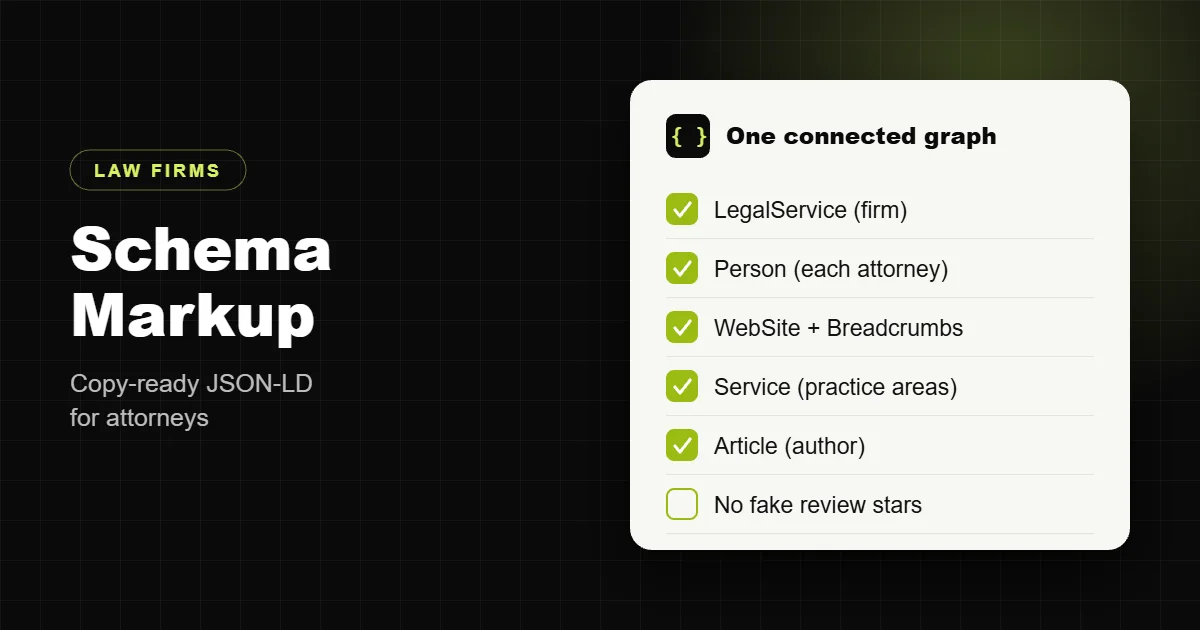
The schema types a law firm needs
| Type | Where it goes | What it describes |
|---|---|---|
| LegalService or Attorney | Sitewide (referenced), full detail on home and contact | The firm: name, address, phone, hours, geo, areas served, logo, profiles |
| Person | Each attorney bio page | The lawyer: role, education, bar admissions, practice focus, profiles |
| WebSite | Sitewide | The site itself, linked to the firm as publisher |
| BreadcrumbList | Every page below the homepage | Where the page sits in the site structure |
| Service | Each practice area page | The practice area, provided by the firm, in the areas it serves |
| Article or BlogPosting | Blog posts | The post, with the attorney as author |
| FAQPage | Pages with a real FAQ section | The questions and answers on that page |
Attorney is a more specific type of LegalService in schema.org. Either works for a firm. I use LegalService for multi-attorney firms and Attorney for solo practices where the firm and the lawyer are effectively the same business. Use Person for the individual lawyers in both cases.
Copy-ready JSON-LD for a law firm
This is the structure I use, shown with a fictional firm. Replace every value with your own details and remove anything you cannot fill in honestly. The key is the @graph: one block that defines the firm, the attorney and the website, and links them by @id.
{
  "@context": "https://schema.org",
  "@graph": [
    {
      "@type": "LegalService",
      "@id": "https://www.examplelaw.com/#firm",
      "name": "Example Law Group",
      "url": "https://www.examplelaw.com/",
      "logo": "https://www.examplelaw.com/logo.png",
      "image": "https://www.examplelaw.com/office.jpg",
      "telephone": "+1-555-010-0100",
      "address": {
        "@type": "PostalAddress",
        "streetAddress": "100 Main Street, Suite 200",
        "addressLocality": "Austin",
        "addressRegion": "TX",
        "postalCode": "78701",
        "addressCountry": "US"
      },
      "geo": {
        "@type": "GeoCoordinates",
        "latitude": 30.2672,
        "longitude": -97.7431
      },
      "openingHoursSpecification": [
        {
          "@type": "OpeningHoursSpecification",
          "dayOfWeek": [
            "Monday",
            "Tuesday",
            "Wednesday",
            "Thursday",
            "Friday"
          ],
          "opens": "09:00",
          "closes": "17:00"
        }
      ],
      "areaServed": [
        {
          "@type": "City",
          "name": "Austin"
        },
        {
          "@type": "City",
          "name": "Round Rock"
        }
      ],
      "knowsAbout": [
        "Personal injury law",
        "Car accident claims",
        "Wrongful death claims"
      ],
      "employee": [
        {
          "@id": "https://www.examplelaw.com/attorneys/jane-doe/#person"
        }
      ],
      "sameAs": [
        "https://www.google.com/maps?cid=YOUR_CID",
        "https://www.linkedin.com/company/example-law-group"
      ]
    },
    {
      "@type": "Person",
      "@id": "https://www.examplelaw.com/attorneys/jane-doe/#person",
      "name": "Jane Doe",
      "jobTitle": "Founding Partner",
      "url": "https://www.examplelaw.com/attorneys/jane-doe/",
      "image": "https://www.examplelaw.com/jane-doe.jpg",
      "worksFor": {
        "@id": "https://www.examplelaw.com/#firm"
      },
      "alumniOf": {
        "@type": "CollegeOrUniversity",
        "name": "Example University School of Law"
      },
      "hasCredential": {
        "@type": "EducationalOccupationalCredential",
        "credentialCategory": "Bar admission",
        "recognizedBy": {
          "@type": "Organization",
          "name": "State Bar of Texas"
        }
      },
      "knowsAbout": [
        "Car accident claims",
        "Truck accident claims"
      ],
      "sameAs": [
        "https://www.linkedin.com/in/example-jane-doe"
      ]
    },
    {
      "@type": "WebSite",
      "@id": "https://www.examplelaw.com/#website",
      "url": "https://www.examplelaw.com/",
      "name": "Example Law Group",
      "publisher": {
        "@id": "https://www.examplelaw.com/#firm"
      }
    }
  ]
}
On an attorney bio page, keep the same @id values. On a practice area page, add a Service with "provider": { "@id": "https://www.examplelaw.com/#firm" } and the practice area as its name. That way every page points back to one firm instead of creating a new one each time.
Attorney Person schema in more detail
Attorney bios are where most firms leave the most value on the table. Google puts a lot of weight on who is behind legal content, and a bio page with proper markup ties that expertise to a real, licensed person.
- name, jobTitle, url and image: the basics, matching what is visible on the page.
- worksFor: a reference to the firm’s
@id, not a new Organization. - alumniOf: law school and undergraduate school.
- hasCredential: bar admissions, one credential per state.
- knowsAbout: the practice areas this attorney actually handles.
- sameAs: links to the attorney’s state bar listing, LinkedIn and legal directory profiles. These are what let search engines connect your bio to the rest of the web.
On blog posts, set the author of the Article to the attorney’s @id. On a recent law firm project I did exactly this across every bio and post: it took the site from a vague “Organization” to a clear set of named, connected attorneys, and the bios read better for visitors too.
How to add law firm schema on WordPress
There are three practical routes, and the right one depends on how much your SEO plugin already outputs.
- Configure your SEO plugin first. Rank Math and Yoast both let you set the site as an organization, choose a local business type and fill in name, logo and contact details. This covers the firm and the website.
- Extend the plugin’s graph for attorneys and practice areas. Both plugins expose filters (for example
rank_math/json_ldandwpseo_schema_graph) that let a developer add Person and Service nodes that reference the plugin’s own firm@id. This keeps one connected graph. - Output your own graph and switch the plugin’s off. For custom themes I often disable the plugin’s schema and print a single hand-built
@graphfrom the theme, pulling values from custom fields so the firm’s staff can update addresses and bios without touching code.
The route to avoid is the one most sites end up on: plugin schema, plus a separate schema plugin, plus a JSON-LD block pasted into a page builder widget. Three tools, three versions of the firm, often with three different phone numbers.
Common law firm schema mistakes
- Duplicate firm entities. Several Organization or LegalService blocks with different names or addresses. Search engines cannot tell which one is right.
- Markup that does not match the page. Hours, prices or reviews in the schema that a visitor cannot see on the page. Google treats this as a guideline violation.
- Self-serving review stars. Adding AggregateRating to your own firm to get stars in search. They will not show, and they can trigger a manual action.
- Inconsistent name, address and phone. “Suite 200” in schema, “Ste. 200” in the footer and a tracking number on the Business Profile.
- Every attorney as a separate organization. Lawyers are people. Use Person, linked to the firm.
- Location pages that copy the main firm schema. If you have several offices, each office should be its own LegalService with its own address, linked to the parent firm with
parentOrganization. - Never validating it. Run the Rich Results Test and the Schema Markup Validator after every template change, and check the Enhancements reports in Search Console.
Where schema fits in the bigger picture
Schema is one item on a longer list. It works best on a site that already has a page per practice area, full attorney bios, consistent local details and fast mobile pages. I cover all of that in my law firm website SEO checklist.
Every law firm site I build ships with the connected schema above already in place, along with practice area pages, attorney bios, legal pages and a tested intake form. A complete law firm website is $1,999, fixed, with one month of support. See what is included on my law firm website development page, or compare prices in my guide to law firm website cost.
Already have a site? Send me the URL and I will check what your current schema says about your firm and what I would fix first.
Frequently asked questions
What schema type should a law firm use?
LegalService for most firms, or Attorney for a solo practice. Attorney is a more specific type of LegalService. Use Person for each individual lawyer in both cases.
Does schema markup help law firm rankings?
Not directly. It removes ambiguity about who the firm is, where it is and who works there, which supports local search and makes the site easier for AI assistants to quote.
Can I get review stars in Google with schema?
Not for reviews about your own firm. Google stopped showing self-serving review stars for local businesses and organizations in 2019.
Do FAQ rich results still work for law firms?
Google now shows FAQ rich results for very few sites, mainly authoritative government and health sites. FAQPage markup is still fine to use, but do not expect the expanded result.
What schema should an attorney bio page have?
A Person with name, job title, image, the firm as worksFor, law school as alumniOf, bar admissions as hasCredential, practice areas as knowsAbout and sameAs links to bar and professional profiles.
How do I add schema to a WordPress law firm site?
Configure your SEO plugin for the firm, then extend its graph with Person and Service nodes using the plugin’s filters, or output one hand-built graph from the theme and switch the plugin’s schema off.
How do I handle schema for several offices?
Give each office its own LegalService with its own address and phone, and link each one to the main firm with parentOrganization.
How do I test law firm schema?
Use Google’s Rich Results Test, the Schema Markup Validator, and the Enhancements reports in Search Console after every template change.
Should every page repeat the full firm schema?
No. Define the firm once with a stable @id and reference that @id from other pages. Repeating full copies with small differences creates conflicting entities.
Is Attorney or LegalService better for SEO?
Neither ranks better. Pick the one that describes the business accurately and use it consistently across the site, Business Profile and directories.