- An expert in WordPress understands what happens under the admin screen, not just which settings to change.
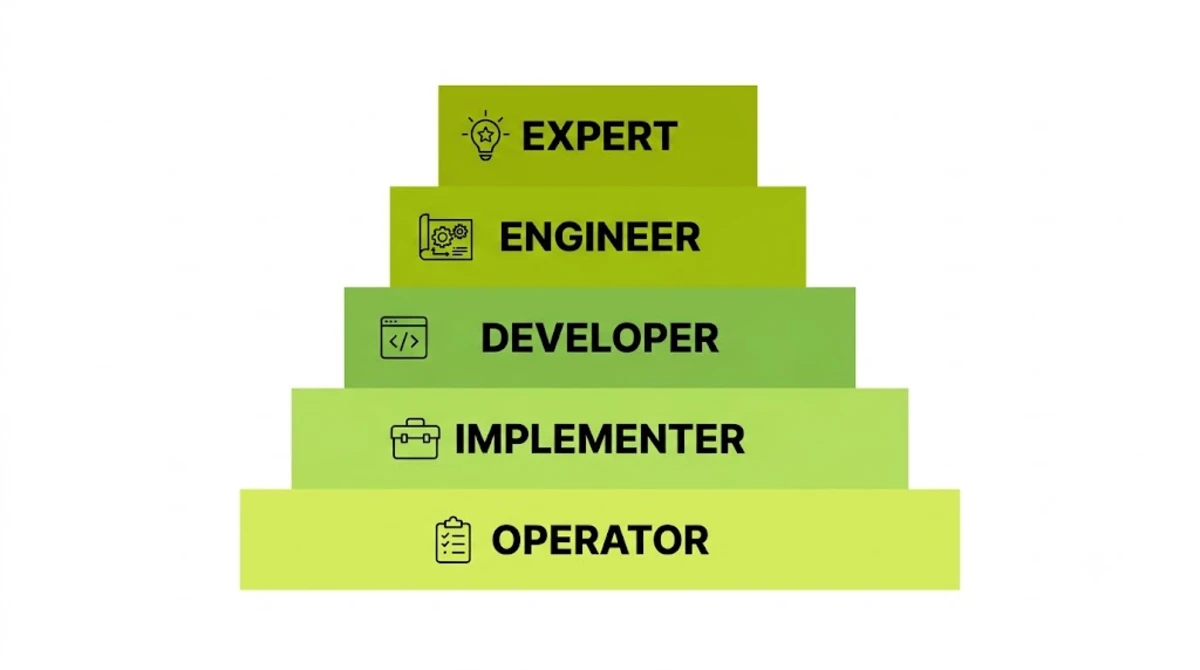
- Expertise has five layers: operator, implementer, developer, engineer, and expert. Years alone do not move anyone up.
- Ten plain questions, from hooks to nonces to WP-Cron, reveal the real layer in under fifteen minutes.
- WordPress 7.1 enforced the iframed editor in August 2026, so older custom blocks now need an expert check.
- Most simple sites need an implementer. Save expert rates for speed, security, custom code, and rescues.
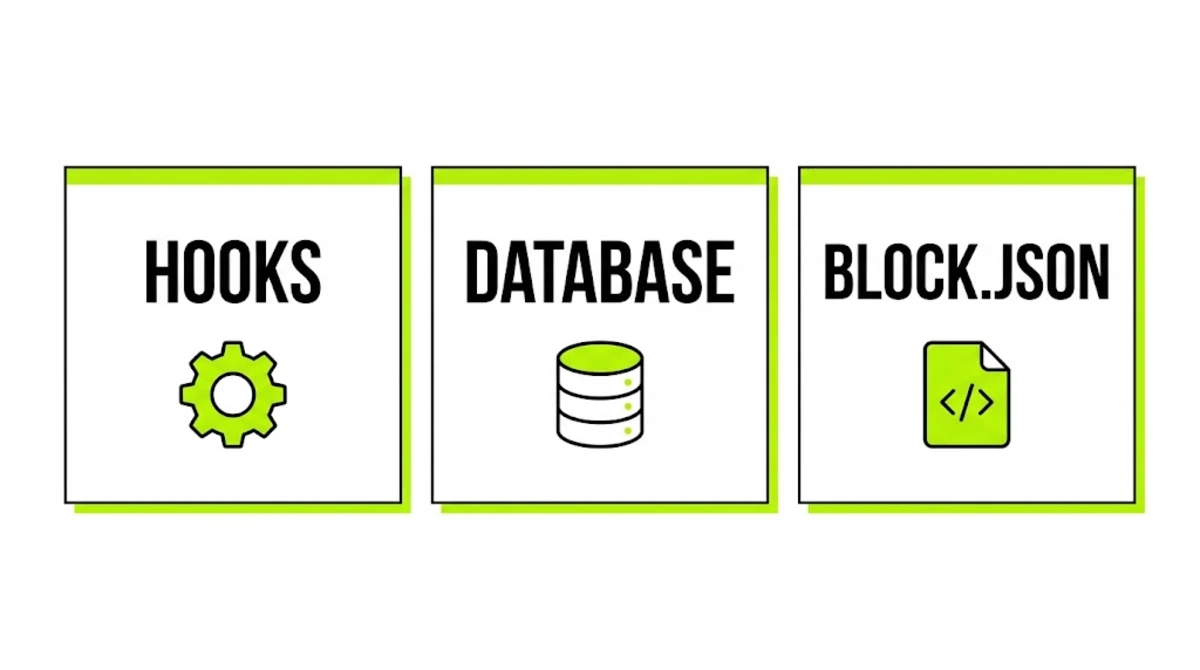
An expert in WordPress understands how WordPress works underneath the admin screen. That means hooks, the template hierarchy, the database, caching, security, and the block system. As a result, they can explain why something broke, not just reinstall it. However, most self-described experts are implementers. Ten short questions tell the two apart.
Across 250+ projects, a large share of my work has been rescuing sites built by people who called themselves experts. The pattern is consistent. In each case they knew which button to press, but not what the button called. Therefore this guide gives you the ten questions I would want a client to ask me, with the answers a real expert in WordPress gives and the answers that should worry you.
What It Actually Means to Be an Expert in WordPress
In short, an expert in WordPress can predict what the software will do before it does it. Specifically, they know which hook fires when, where the data lives, and what each plugin adds to every page load. So when something breaks, an expert in WordPress reasons from the system rather than from a search result.
However, that is different from being experienced. For example, someone can build 200 sites with the same theme and never open a PHP file. In effect, that is seven years of the same year. By contrast, a real expert in WordPress has hit enough strange failures to know how the parts fit together. Rescue work, custom code, and performance problems build that knowledge, whereas repeat builds rarely do.

Pro tip: Ask for the strangest WordPress bug they have fixed, and how they found the cause. An expert in WordPress tells a specific story with a specific culprit. Everyone else says they “fixed a plugin conflict”.
That story usually reveals which layer someone works at, and the layers are worth defining properly.
The Five Layers of WordPress Expertise
WordPress skill stacks in five layers. Furthermore, each one depends on the one below it. Moreover, each layer solves a different kind of problem. Therefore the right hire depends on your problem, not on who sounds most senior.
| Layer | What they can do | Where they get stuck |
|---|---|---|
| 1. Operator | Edit content, install plugins, run updates | Anything that breaks after an update |
| 2. Implementer | Configure themes, page builders, and plugins; add CSS | Features no plugin offers |
| 3. Developer | Write PHP and JavaScript with hooks, custom post types, and templates | Slow queries, scale, security design |
| 4. Engineer | Tune databases and caching, secure code, deploy with Git and WP-CLI | Core behaviour and new platform APIs |
| 5. Expert | Reason from core internals, diagnose unknown failures, design for new releases | Rarely stuck on WordPress itself |
What most guides get wrong: they treat expertise as a single scale measured in years. In practice, however, it is a stack of different skills. For example, an implementer with ten years may never reach layer three, while a developer with four years of rescue work may already sit at layer four.
Here is the simplest way to picture it. An implementer knows which button to press. By contrast, an expert in WordPress knows what the button calls.
Pro tip: Write down the layer your problem needs before you talk to anyone. Otherwise a confident implementer can talk you into a layer-two fix for a layer-four problem, and an expert in WordPress can talk you into paying layer-five rates for layer-two work.
Knowing the layers is useful. However, you still need a way to test which one a person actually works at.
10 Simple Tests That Reveal an Expert in WordPress
First, ask these in plain words on a call. You do not need to know the answers yourself, because the gap between a strong answer and a weak one is obvious to anyone. Then note what comes back. Each test below shows the layer it checks, a strong answer, and a warning sign.
1. “How would you change what WordPress outputs without editing core or plugin files?”
Checks: layer 3 · Strong answer: hooks. In short, actions run code at set points, while filters change data before WordPress uses it. Therefore the change goes in a child theme or a small custom plugin, since updates overwrite edited core, theme, and plugin files. Warning sign: “I’d edit the plugin file” or “I’d hide it with CSS”.
2. “Where does WordPress look for the template on a single post?”
Checks: layer 3 · Strong answer: the template hierarchy. For a classic theme it tries single-{post-type}-{slug}.php, then single-{post-type}.php, then single.php, singular.php, and finally index.php. Similarly, block themes follow the same order with HTML templates. Warning sign: “I’d just edit the page in the builder”.
3. “What is the difference between sanitising and escaping?”
Checks: layers 3 and 4 · Strong answer: sanitise data when it comes in, before saving it. Escape data when it goes out, as late as possible, with functions like esc_html(), esc_attr(), and esc_url(). Because they protect against different attacks, you need both. Warning sign: “They’re the same thing” or “the security plugin handles that”.
4. “Is a WordPress nonce used only once?”
Checks: layer 4 · Strong answer: no, despite the name. In fact, a WordPress nonce stays valid for a time window, 24 hours by default, and can be reused inside it. It helps stop forged requests. However, it is not a permission check, so you still need current_user_can(). Warning sign: “Yes, that’s what nonce means”. Indeed, this single question separates more candidates than any other on the list.
5. “Why can a site get slower over a year without new plugins?”
Checks: layer 4 · Strong answer: data builds up. For example, autoloaded rows in wp_options load on every request. Similarly, expired transients pile up without a persistent object cache. Meanwhile revisions, orphaned post meta, and WooCommerce’s Action Scheduler tables all grow quietly. Warning sign: “Your hosting got worse” or “install a caching plugin”.
6. “What does a persistent object cache change, and when does it not help?”
Checks: layer 4 · Strong answer: by default the object cache only lasts one request. However, Redis or Memcached, through an object-cache.php drop-in, keeps it across requests. As a result, it cuts repeated database queries, which matters most for logged-in users and stores. However, it does little when the slowness is front-end JavaScript, or when anonymous pages are already fully cached. Warning sign: any answer that treats all caching as one thing.
7. “Why do scheduled posts or emails sometimes fire late?”
Checks: layer 4 · Strong answer: WP-Cron is not a real clock. Instead, page visits trigger it, so quiet sites miss schedules and heavily cached sites may barely trigger it at all. Therefore the fix is to set DISABLE_WP_CRON and run due events from a real server cron job, often through WP-CLI. Warning sign: “That’s a server problem”.
8. “What fires first, plugins_loaded or init, and why does it matter?”
Checks: layer 5 · Strong answer: plugins_loaded fires first, once every active plugin has loaded. After that, the theme is set up, the current user is set just before init, and then init fires. Consequently, custom post types register on init, and code that checks the user too early fails in odd ways. Warning sign: a guess, or “it doesn’t matter”.
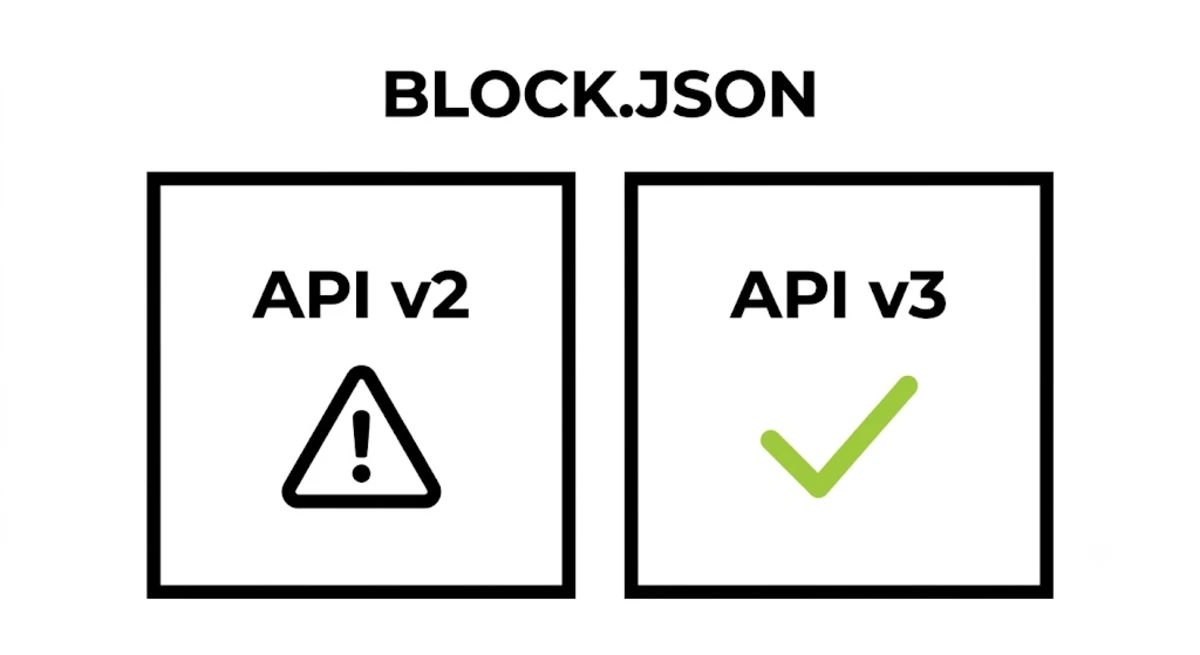
9. “WordPress 7.1 enforces the iframed editor. Which of our custom blocks could break?”
Checks: layer 5 · Strong answer: blocks registered with apiVersion 2 or lower in block.json. Because their editor styles and scripts may assume the main document, they can miss the iframe. So the fix is to check each block, move it to apiVersion 3, and test on staging before updating. Warning sign: “Blocks just work” or no idea that 7.1 changed anything.
10. “How would you let an AI agent do one job on this site and nothing else?”
Checks: layer 5 · Strong answer: register one narrow ability through the Abilities API. Then give it a permission_callback that checks a specific capability, plus an input schema that rejects anything unexpected. Finally, connect the agent as a low-privilege user with an application password, and log each run. Warning sign: “Give it an admin login” or “install an AI plugin”.
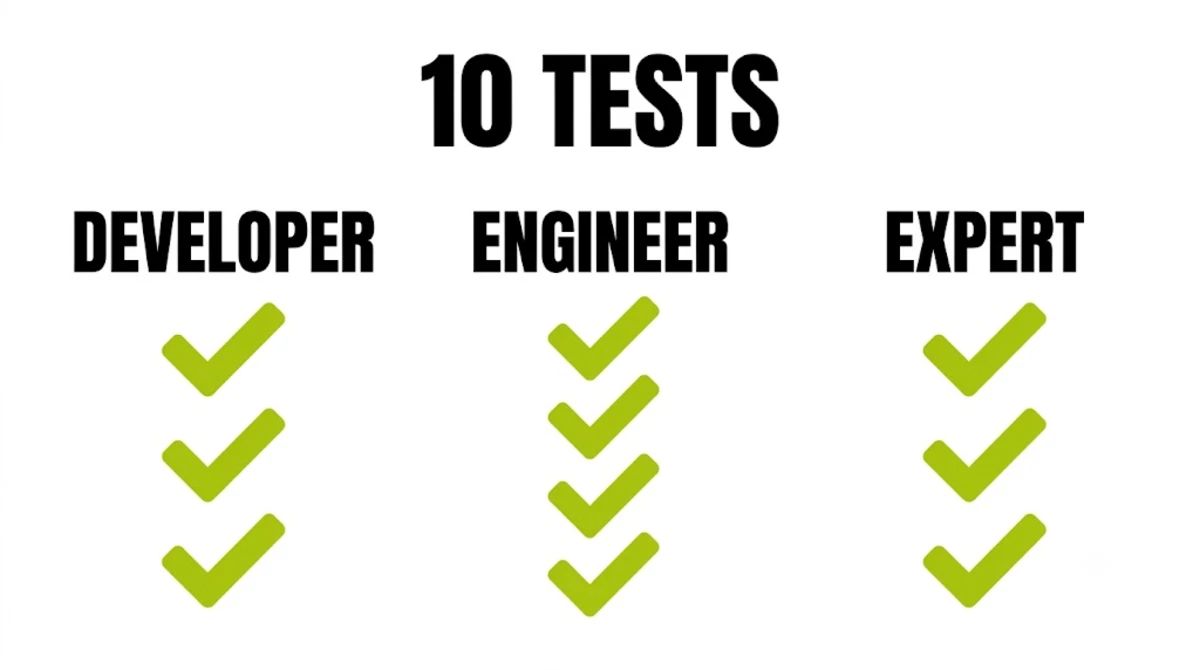
Most developers answer tests one to three well. Therefore tests four to seven are where engineers appear, and eight to ten are where you find a genuine expert in WordPress.
Pro tip: Ask the questions in writing as well as on the call. A real expert in WordPress answers in two or three precise sentences. Long, vague answers usually mean someone is searching while they type.

What Changed in 2026: The New Expert Baseline
Three releases in under a year moved the goalposts for anyone who calls themselves an expert in WordPress. As a result, an expert in WordPress in late 2026 needs knowledge that did not exist in 2024.
First, AI now has a formal way into WordPress, which every expert in WordPress must now understand. Specifically, abilities are registered actions with defined inputs, outputs, and permission checks. Consequently the security question has moved. It is no longer just who can log in. Instead, it is also which abilities are exposed, to whom, and through which connector.
Second, 7.1 changed the editor under existing sites. SmartWP’s release review flags the enforced iframed editor as the most likely source of trouble, affecting blocks built on Block API version 2 or lower. In addition, 7.1 moved image resizing into the browser and added responsive styling controls without custom CSS.
Third, the security load keeps climbing. Patchstack’s 2026 report counted 11,334 new WordPress vulnerabilities during 2025, with 91 percent in plugins. So an expert in WordPress now judges every plugin as a security decision first and a feature second.
Because new releases make the label harder to judge, profiles deserve a closer look.
Why “Expert” on a Profile Means Less Than You Think
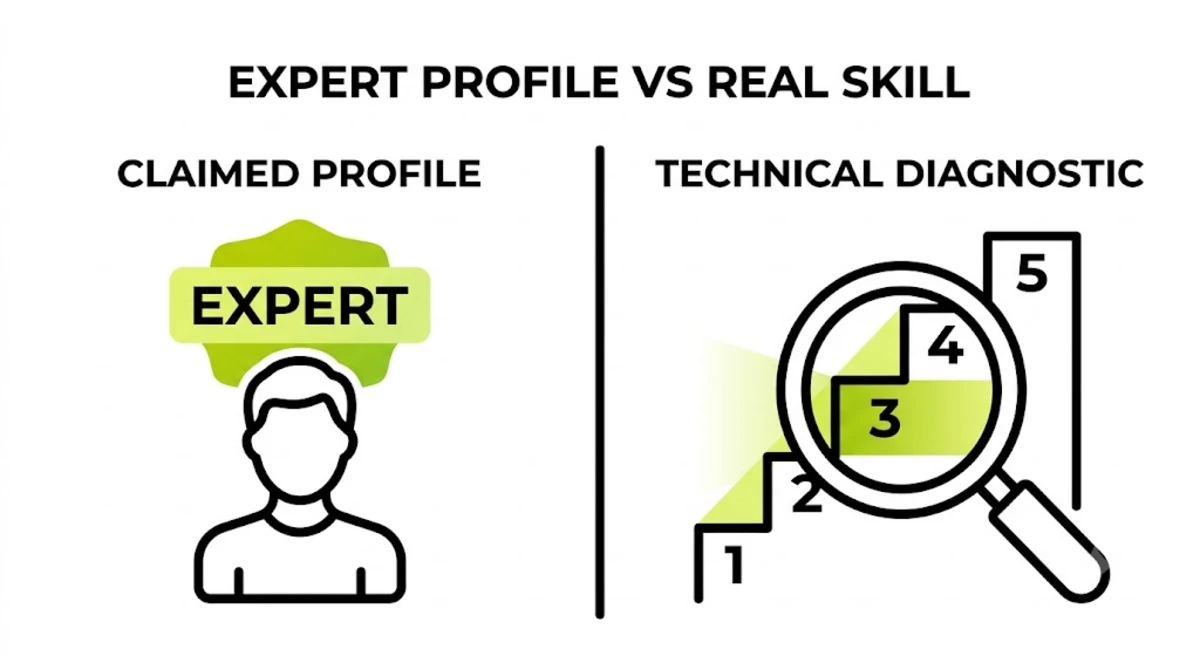
The word costs nothing to add, and no body controls it. Consequently, most freelance profiles use it. As a result, it carries almost no information on its own.
In particular, three things make the label unreliable, although none of them is obvious at first. First, years hide repetition, as covered above, so a long career proves little alone. Second, builder expertise gets relabelled as being an expert in WordPress. Someone can be excellent in Elementor, Divi, or Bricks. Even so, they can be stuck the moment the problem sits below the builder, in the database, the cache, or a hook. Third, marketplaces reward reviews. Yet reviews measure how pleasant a project felt rather than how the code will age.
To be clear, none of this makes reviews or builder skills worthless. It just means neither one tells you the layer. Instead, the ten tests do.
Of course, testing only matters if your project needs an expert at all.
When You Actually Need an Expert in WordPress (and When You Don’t)
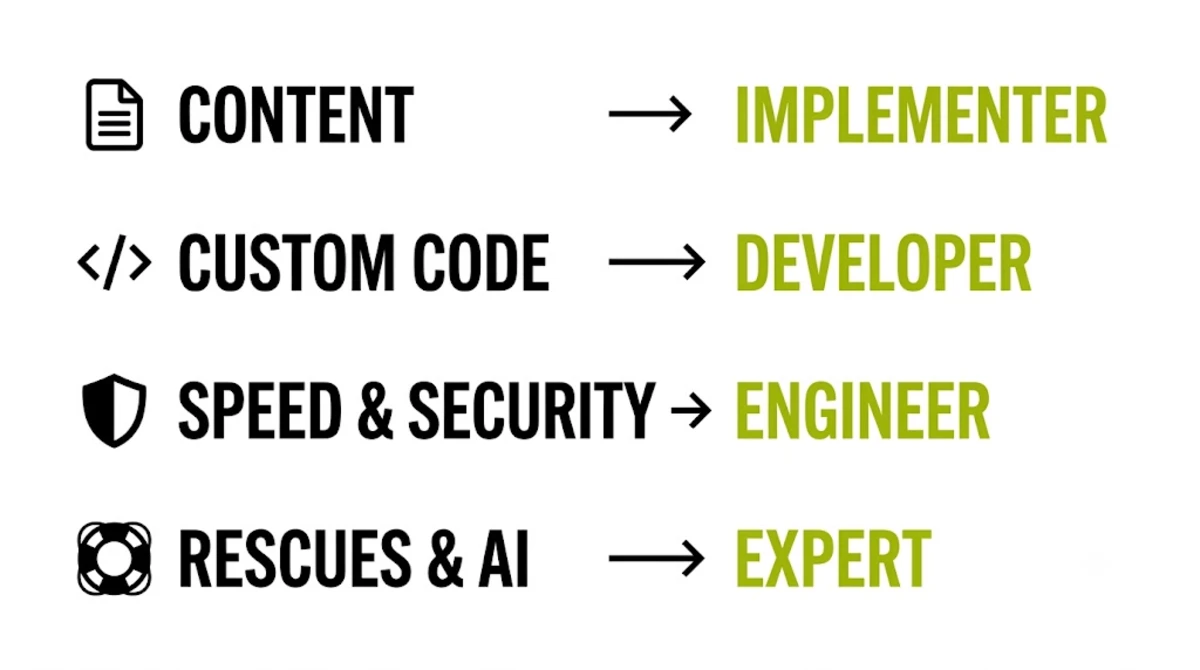
Many projects do not need layer five, and paying expert rates for implementer work wastes budget. Instead, match the layer to the problem, and only hire an expert in WordPress where the problem sits at layer five.
- An implementer is enough for content updates, a new page in an existing theme, or plugin setup on a simple site.
- A developer fits custom post types, bespoke templates, form integrations, and small custom plugins.
- An engineer is needed for speed and Core Web Vitals work, WooCommerce at volume, migrations, and security hardening.
- A real expert in WordPress earns the rate on unexplained failures, rescue jobs, AI agent access design, and major-release risk on sites with custom code.
In my own work the split is roughly even. For example, about half of it sits at the engineer layer. Meanwhile the rest is rescue and architecture, where an expert in WordPress saves days of trial and error by knowing where to look first.
Something broken that nobody has managed to explain?
Indeed, unexplained failures are the work I take on most often, from white screens to checkouts that fail only on mobile. See how WordPress bug fixing works.
Finally, the tool below applies this to your own project in four questions.
Want someone to run the ten tests on a candidate for you?
Send me their name and the job. I will tell you which layer their answers point to, whether or not you hire me. Send the details here or message me on WhatsApp.
Frequently Asked Questions
What makes someone an expert in WordPress?
They understand the system below the admin screen: hooks, the template hierarchy, the database, caching, security, and the block system. As a result, they can explain why something failed rather than reinstalling until it works. Therefore years matter less than the range of problems they have solved.
Is there an official WordPress certification?
No certification is widely accepted as proof of WordPress expertise. Some vendors run their own programmes, and they can show effort. Still, live work and the ability to explain decisions tell you far more about an expert in WordPress than a badge.
What questions should I ask to find an expert in WordPress?
Ask about hooks, the template hierarchy, sanitising versus escaping, nonces, database bloat, object caching, WP-Cron, hook load order, the 7.1 iframed editor, and safe AI agent access. You do not need to know the answers. The gap between a precise answer and a vague one is obvious.
What is the difference between a WordPress developer and a WordPress expert?
A developer writes code with WordPress APIs such as hooks, custom post types, and templates. An expert also understands why the platform behaves as it does, including load order, the data model, caching, and new release changes. So an expert in WordPress can diagnose failures that have no search result yet.
What level of WordPress expertise does my project need?
Match the layer to the problem. For example, content and simple pages need an implementer. Similarly, custom features need a developer. Speed, security, migrations, and busy stores need an engineer. Unexplained failures, rescues, AI agent access, and major updates on custom code need a genuine expert.
Do I need an expert in WordPress for a simple website?
Usually not. A brochure site built on a solid theme with a few plugins is implementer work. Therefore paying expert rates for it wastes money. Bring in an expert when something fails without explanation, when revenue depends on the site, or when custom code meets a major update.
How much does an expert in WordPress cost?
Senior specialists usually charge 50 to 150 dollars an hour in 2026, depending on channel and region. However, fixed prices are more useful. For example, a scoped fix can start under 100 dollars, while rescue or architecture work often runs to several thousand, depending on how much has to be diagnosed first.
Can an Elementor expert fix any WordPress problem?
Not always. Builder expertise covers layout, templates, and dynamic content inside the builder. Many serious problems sit below it, in the database, caching, hooks, or server setup. Therefore a strong builder specialist says so and brings in an expert in WordPress, while a weak one keeps adding plugins.
What should a WordPress expert know in 2026?
The Abilities API from 6.9, the AI Client and Connectors from 7.0, and the enforced iframed editor from 7.1. In addition, INP as a Core Web Vital, plugin risk given that most vulnerabilities sit in plugins, and how to give AI agents narrow permissions instead of admin accounts.
How long does it take to become an expert in WordPress?
It depends on the work, not the calendar. In my experience, varied rescue, performance, and custom code work builds expertise far faster than repeat builds. As a result, several years of that kind of exposure is typical. Ten years of the same theme setup can leave someone at the implementer layer.
When should I hire an expert in WordPress?
When a problem resists explanation, when downtime costs real revenue, when a major update meets custom code, or when you are giving AI agents access. For those cases, see WordPress bug fixing or WordPress development services.
Conclusion
An expert in WordPress is defined by the layer they work at, not by the label or the years. Three points decide your hire. First, expertise stacks in five layers, and your problem sits in one of them. Second, ten plain questions reveal the layer in fifteen minutes, with nonces and hook order separating the most people. Third, 2026 raised the bar with the Abilities API, the AI Client, and the 7.1 iframed editor. Pick the layer your project needs, then ask the questions that prove it.
You have the ten tests. Here is someone who will answer them.
I am Top Rated on Upwork with a 100 percent job success score and 250+ projects delivered across 15+ countries, much of it rescue and performance work. Send your URL and the problem, and you will get a diagnosis plan and fixed pricing within 48 hours.
Book a free call
This article was last reviewed and updated in {{UPDATED}} to reflect what an expert in WordPress needs to know after WordPress 7.1.