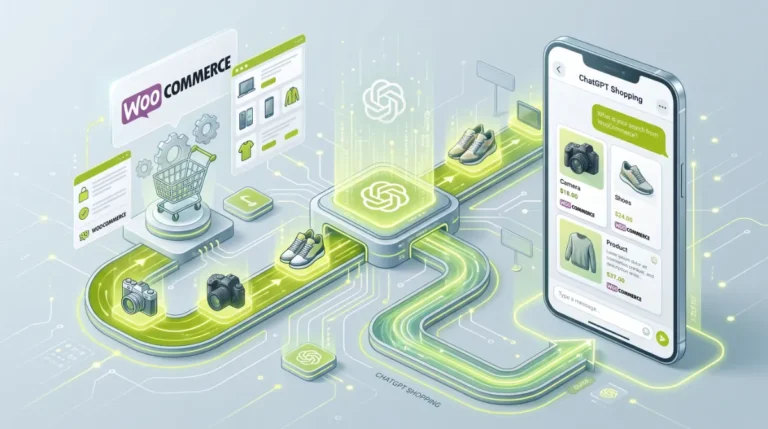
- To optimize WooCommerce for AI shopping, work four layers: findable, readable, complete, and trusted.
- Most of the highest-leverage work is not AI-specific, since AI engines read your existing JSON-LD and product feed.
- Blocking GPTBot does not block ChatGPT search, and blocking OAI-SearchBot makes you invisible there. They are separate switches.
- Schema rendered only by JavaScript may never be parsed, so keep product structured data in your initial HTML.
- Reviews, shipping speed, and return policy act as trust signals that decide whether an agent recommends you or a competitor.
To optimize WooCommerce for AI shopping, make your store findable to AI crawlers, your product data readable as server-rendered JSON-LD, your product attributes complete, and your trust signals strong. AI assistants like ChatGPT, Gemini, and Perplexity recommend products by reading structured data and feeds, not by browsing your storefront. Fix those four layers and your products start showing up.
After optimizing WooCommerce stores for clients in 15+ countries, here is what surprised me most about this shift. Almost nothing you do to optimize WooCommerce for AI shopping is actually new. The engines read the same structured data and feeds that already power your Google rich results. The stores winning here are not the ones with a clever AI strategy. They are the ones whose product data is clean, complete, and reachable. Here is exactly how to get yours there.
Why Optimize WooCommerce for AI Shopping?
You should optimize WooCommerce for AI shopping because a fast-growing share of buyers now start their product research inside an AI assistant instead of a search engine, and those visitors convert unusually well. Adobe Analytics reported that traffic to US retail sites from AI sources grew sharply through the 2025 holiday season, and that AI-referred shoppers bounced less and converted better than traffic from other channels.
Here is why it matters more than another traffic channel. When someone asks an assistant for “the best insulated water bottle for hot yoga,” the AI does not show ten links. It names two or three products. You are either inside that recommendation set or you are invisible, and there is no page two to fall back to. AI shopping is a different game than ranking.
Pro tip: Traditional SEO gets you onto a results page. AI shopping optimization gets you into the answer. The signals overlap heavily, but the outcome is winner-takes-most, so completeness matters more than it ever did in classic SEO.
To fix your visibility, you first need to know what these engines actually read.
How AI Shopping Engines Pick Products
AI shopping engines pick products by reading structured data, product feeds, reviews, and third-party citations, and each engine weights those sources differently. None of them “browse” your store the way a human does. They ingest machine-readable data, then reason over it to decide which products to name.
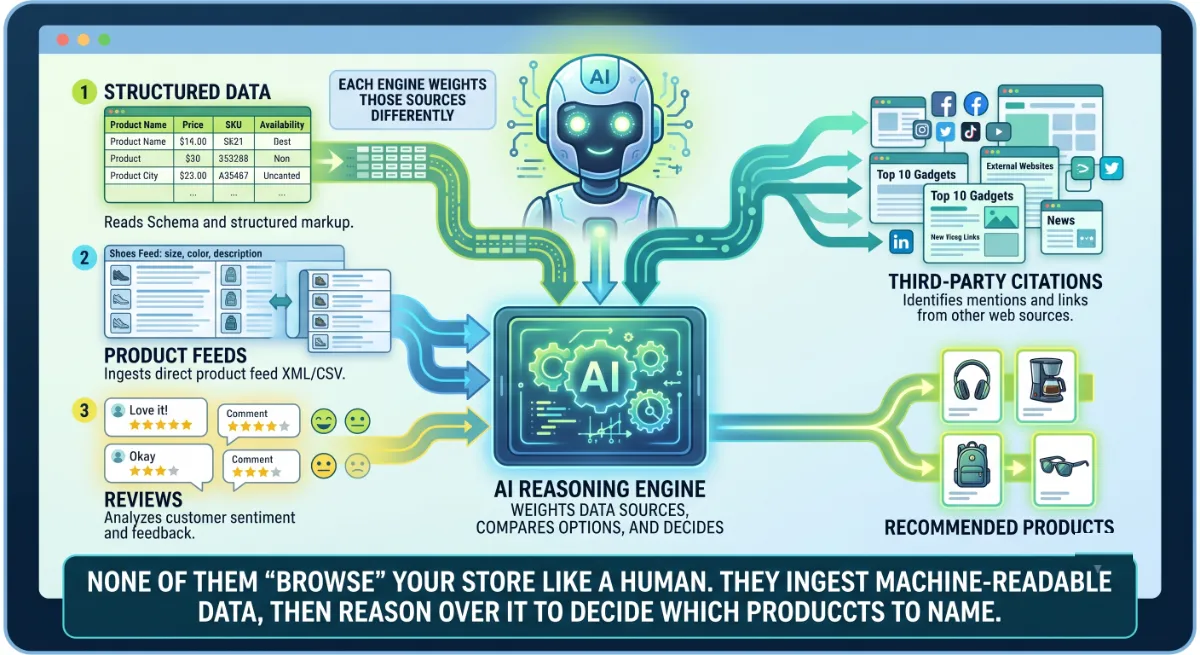
A simplified map of what each leans on:
- ChatGPT draws on its search index and shopping feed data. Research suggests its product picks overlap heavily with top Google Shopping results, so a healthy Merchant Center feed matters.
- Gemini extends Google’s trust graph, so classic ranking signals, structured data, and your Merchant Center feed carry directly over.
- Perplexity indexes in real time and cites sources, so it favors clear, factual, extractable content and third-party reviews and editorial roundups.
- Copilot and others lean on Bing’s index and pricing competitiveness.
The pattern underneath every AI shopping engine is what matters: structured product data plus trust signals plus citable content. That is the foundation of the framework I use, the AI Shelf, which has four layers: findable, readable, complete, and trusted. Build them in order.
Step 1: Make Your Store Findable
To be recommended, your store must first be crawlable by AI search bots, and this is where most WooCommerce stores quietly lose before they start. If a bot cannot fetch your product pages, no amount of content or schema work will win you AI shopping visibility. Findable is layer one for a reason.
Two things to check, and they are not the same thing.
First, your robots.txt. AI companies run separate crawlers for separate jobs, and they are independent switches. Per OpenAI’s crawler documentation, GPTBot gathers content that may be used for model training, while OAI-SearchBot powers ChatGPT’s search results. You can allow one and disallow the other. Set them deliberately:
- Allow
OAI-SearchBotif you want to appear in ChatGPT’s results. - Allow
PerplexityBotto appear in Perplexity’s answers. - Decide on
GPTBotseparately, based on your training-data policy. Blocking it does not block ChatGPT search. - Use
Google-Extendedto opt out of Google’s generative training while keeping normal search inclusion.
Once agents can reach you, they have to be able to understand what they find.
Step 2: Make Your Data Readable
The single highest-leverage technical step to optimize WooCommerce for AI shopping is valid Product JSON-LD rendered in your initial HTML. AI crawlers parse structured data directly rather than interpreting your page layout, so JSON-LD is how you tell them exactly what your product is, costs, and whether it is in stock.

The good news for WooCommerce owners: if you run Rank Math or Yoast, your products almost certainly output Product schema already. Your job is to verify and enrich it rather than build it from scratch. Make sure each product carries name, description, brand, a product identifier such as a GTIN, price, currency, availability, images, and aggregate rating.
Pro tip: Test with your JavaScript disabled. Load a product page, view source, and search for your JSON-LD block. If it is missing, that is exactly what a large share of AI crawlers experience.
Readable is necessary. But in AI shopping, readable and thin still loses to readable and complete.
Step 3: Make Your Data Complete
AI engines recommend the products they understand best, so completeness of your product attributes is a direct ranking factor for AI shopping. When a field is missing, the agent cannot confidently match your product to a shopper’s specific question, so it recommends a competitor whose data answers it.
Prioritize your highest-revenue products first, and fill in:
- Identifiers: GTIN, MPN, and brand, so engines can match your product across sources.
- Real attributes: size, material, dimensions, color, compatibility. These answer the natural-language questions people actually ask.
- Accurate price and availability, synced with what is live on your site.
- Product category mapped properly, plus clear, specific descriptions rather than marketing fluff.
- Google Merchant Center feed, kept healthy. It feeds Google’s surfaces and, indirectly, other assistants too.
This is why a “14-inch counter depth” or “for flat feet” query is so revealing. The store that published the dimension or the use case gets named. The store that wrote “premium quality, built to last” does not. Specificity is the whole game.
With your data complete, the remaining lever is whether an agent trusts you enough to recommend you.
Step 4: Earn Trust Signals
AI agents weigh trust signals heavily when they decide which product to recommend, because recommending a bad purchase is their biggest risk. Reviews, shipping clarity, and return policies are what turn a technically eligible product into a confidently recommended one.

Focus on four:
- Reviews and ratings. Shoppers hesitate on products with no reviews, and agents weight the same signal. Collect reviews, then make sure review count and average rating appear in your schema and feed.
- Shipping and returns. Free shipping indicators, shipping speed, and a clear return policy are trust signals agents surface. Mark them up, since Google supports shipping and return policy markup.
- Third-party citations. Perplexity in particular pulls from independent reviews and editorial roundups. Being covered elsewhere in your category compounds across every engine.
- Buyer-intent content. Comparison pages, buying guides, and FAQ content that explicitly connect your products to specific problems and scenarios give engines quotable material.
Pro tip: Write one page per real shopper question, not per keyword. “Best water bottle for hot yoga” is a prompt someone is typing into ChatGPT right now. Answer it factually, with specifics, and you become the citable source.
Four layers done. Now you need to know whether any of it is working.
Step 5: Measure What AI Sends You
You cannot see AI shopping visibility in your normal SEO dashboard, because these engines cite and recommend rather than rank, so you have to measure it directly. Search Console will not tell you whether ChatGPT named your product, which leaves most store owners blind to a channel that is already sending them buyers.
Three practical ways to get visibility:
- Track AI referral traffic. Per OpenAI’s publisher documentation, ChatGPT appends a
utm_source=chatgpt.comparameter to referral links, so you can segment that traffic in Google Analytics. Do the same for other assistants. - Run your own prompts. Take your top twenty buying questions, ask them in ChatGPT, Gemini, and Perplexity, and record whether you appear, how you are described, and who appears instead.
- Watch your server logs for AI crawler hits and status codes, which confirms the findable layer is genuinely working.
Do that monthly and you have an AI shopping feedback loop. Skip it and every improvement is a guess, which brings us to the mistakes that waste the most time.
Want your WooCommerce store optimized for AI shopping, properly?
I audit and fix all four layers: crawler access, schema, data completeness, and trust signals. See my WordPress development service.
What Most People Get Wrong
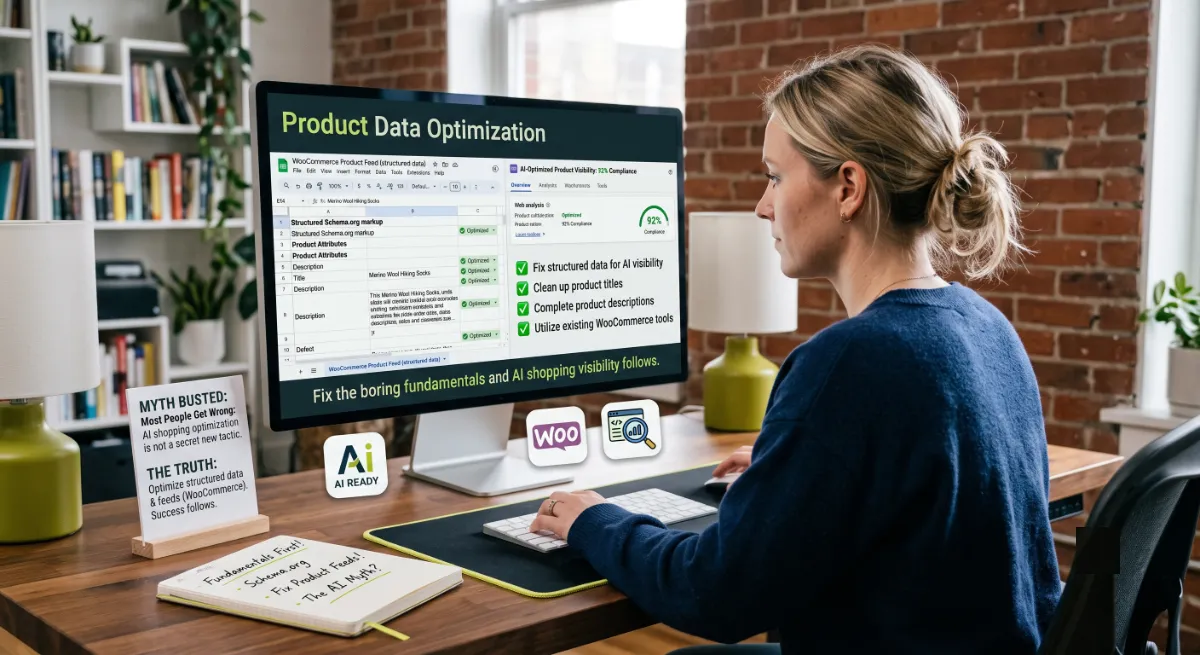
The biggest misconception is that optimizing for AI shopping requires some new AI-specific tactic. It does not. The engines read the structured data and product feeds you already have, which means most WooCommerce stores are further along than they think. Fix the boring fundamentals and AI shopping visibility follows.
Here is the observation from client work: the stores that get recommended are not the ones with the cleverest AI strategy. They are the ones whose product data is complete. I have seen a store fix nothing but missing attributes and reviews on its top fifty products and start appearing in assistant recommendations. Meanwhile, the most damaging mistake I find is accidental invisibility. A security plugin or a well-meaning “block AI bots” setting disallows every crawler, including the search bots, and the store disappears from ChatGPT entirely while its owner blames the algorithm.
When your catalog is large, your schema is unreliable, or your visibility has quietly collapsed, that is where an experienced developer earns the fee, by fixing the layers in the right order and proving it with data.
Invisible in AI shopping results and not sure why?
I diagnose crawler access, schema, feed gaps, and trust signals, then fix them. See my WordPress development service or book a free call.
Frequently Asked Questions
How do I optimize WooCommerce for AI shopping?
Work four layers in order. Make your store findable by allowing AI search crawlers, make your product data readable with valid Product JSON-LD in the initial HTML, make your attributes complete, and earn trust signals through reviews, shipping clarity, and citations. Then measure AI referral traffic.
Does blocking GPTBot remove me from ChatGPT shopping results?
No. GPTBot relates to crawling that may be used for model training, while OAI-SearchBot powers ChatGPT’s search results. OpenAI documents these as independent settings, so you can block GPTBot and still appear in ChatGPT search by allowing OAI-SearchBot. Blocking OAI-SearchBot is what makes you invisible.
What structured data do AI shopping engines need?
Valid Product JSON-LD with name, description, brand, an identifier such as GTIN, price, currency, availability, images, and aggregate rating. Shipping and return policy markup helps too. Most WooCommerce stores already output Product schema through Rank Math or Yoast, so verify and enrich rather than rebuild.
Why do my products not appear in ChatGPT or Perplexity?
The usual causes are crawler access, thin product data, or missing trust signals. Check that AI search bots are not blocked in robots.txt or by your CDN or security plugin, that your schema renders in the initial HTML, that key attributes are filled in, and that your products have reviews.
Does JavaScript-rendered schema work for AI shopping?
Often not. Google recommends placing Product structured data in the initial HTML and warns that JavaScript-generated markup makes shopping crawls less frequent and less reliable. Many AI crawlers do not execute JavaScript at all, so schema that only appears after scripts run may never be read.
Do I need a Google Merchant Center feed for AI shopping?
It helps considerably. Google’s surfaces rely on it, and research suggests ChatGPT’s product recommendations overlap heavily with top Google Shopping results. A complete, accurate feed with identifiers, pricing, availability, shipping, and ratings is one of the highest-leverage things you can maintain.
How do I track traffic from AI shopping assistants?
ChatGPT appends a utm_source parameter to referral links, so you can segment that traffic in Google Analytics. Beyond that, run your top buying prompts through the assistants monthly to see whether you appear, and check server logs to confirm AI crawlers are reaching your pages successfully.
Should I hire someone to optimize my store for AI shopping?
Consider it when your catalog is large, your schema is inconsistent, or your visibility has dropped without explanation. Diagnosing crawler blocks, fixing structured data at scale, and completing product attributes is technical work. My WordPress development service covers the full audit and fix.
Conclusion
To optimize WooCommerce for AI shopping, stop looking for a secret tactic and build the AI Shelf: findable, readable, complete, trusted. Allow the AI search crawlers on purpose, keep valid Product JSON-LD in your initial HTML, fill in every attribute on your best-selling products, and earn reviews and citations that make an agent confident recommending you. Then measure it, because you cannot fix what you cannot see. The stores winning AI shopping are not doing anything exotic. They simply have product data an agent can trust. Start with your top fifty products this week.
Want to be the store AI assistants recommend?
I make WooCommerce stores visible, fast, and trusted across AI shopping engines. Book a free call or browse my recent project portfolio.
The exact findable, readable, complete, and trusted checklist I use to make WooCommerce stores visible to AI shopping engines.
Get it free →This article was last reviewed and updated in June 2026 to reflect current AI shopping engines, crawler policies, and structured data guidance.