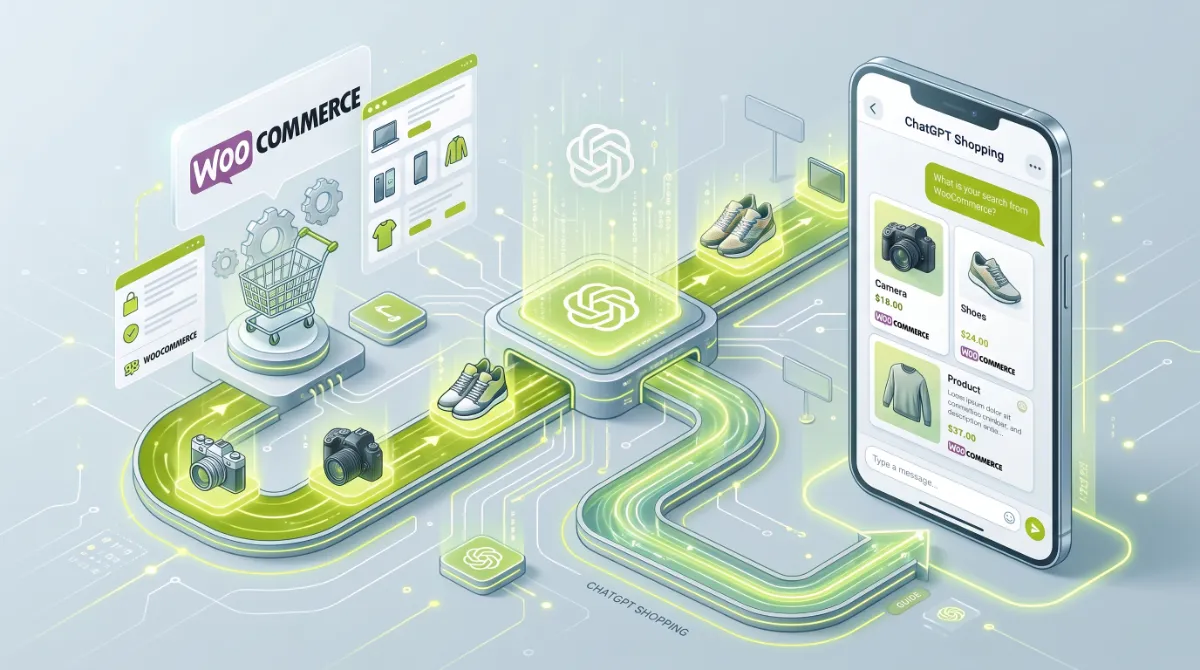
- You get WooCommerce products in ChatGPT two ways: organic discovery, and a submitted product feed.
- Organic is the route for most stores today, and it runs on your Google Shopping feed, schema, and crawler access.
- ChatGPT largely builds its product results from Google Shopping, so a healthy Merchant Center feed is the foundation.
- Allowing OAI-SearchBot in robots.txt is essential, and a CDN or security plugin can silently block it.
- OpenAI is moving away from in-chat Instant Checkout toward discovery, with purchases completed on your own site.
To get your products in ChatGPT shopping, you have two routes for WooCommerce: rank in Google Shopping’s organic results, which ChatGPT pulls from, and submit a product feed through OpenAI’s merchant portal. For most stores that want products in ChatGPT today, the organic path is the practical one, and it depends on your Google Merchant Center feed, your product schema, and letting OpenAI’s crawler in. This guide covers both.
After getting WooCommerce stores ready for AI shopping for clients in 15+ countries, here is the reassuring part. You do not need to be on Shopify, and you do not need to wait for a checkout integration. Most of what puts your products in ChatGPT is work you can control this week: a clean feed, solid schema, and open crawler access. Here is exactly how the pieces fit, and what to do first.
How Products Get Into ChatGPT Shopping
Getting products in ChatGPT shopping happens through two distinct routes: organic discovery, where ChatGPT surfaces products it finds through search, and a merchant product feed, where you submit your catalogue to OpenAI directly. Getting products in ChatGPT is not one choice but two layers, and most WooCommerce stores start with the first.
The mechanics behind each one:
- Organic discovery. When a shopper asks a buying question, ChatGPT runs shopping queries against Google Shopping’s organic results and re-ranks the candidates using product attributes, reviews, price, and availability. Its own crawler, OAI-SearchBot, also reads your product pages directly to place your products in ChatGPT.
- Product feed. You submit a structured catalogue through OpenAI’s merchant portal, which becomes the source of truth for how your products in ChatGPT display, with pricing and availability you control.
Pro tip: You do not have to be on Shopify. Shopify merchants get an automatic catalogue integration, but WooCommerce stores participate fully through the Google Shopping feed, product schema, and crawler access. The playing field is more level than the headlines suggest.
Because most stores get their products in ChatGPT through organic discovery, that is where your effort pays off first.
Route 1: The Organic Path (Most Stores)
The organic path is how most WooCommerce products get into ChatGPT shopping today, and it rests almost entirely on your Google Shopping feed. Research indicates ChatGPT builds the large majority of its product results from Google Shopping’s organic listings, so your Google Merchant Center feed is effectively the feed ChatGPT reads, whether you think of it that way or not.
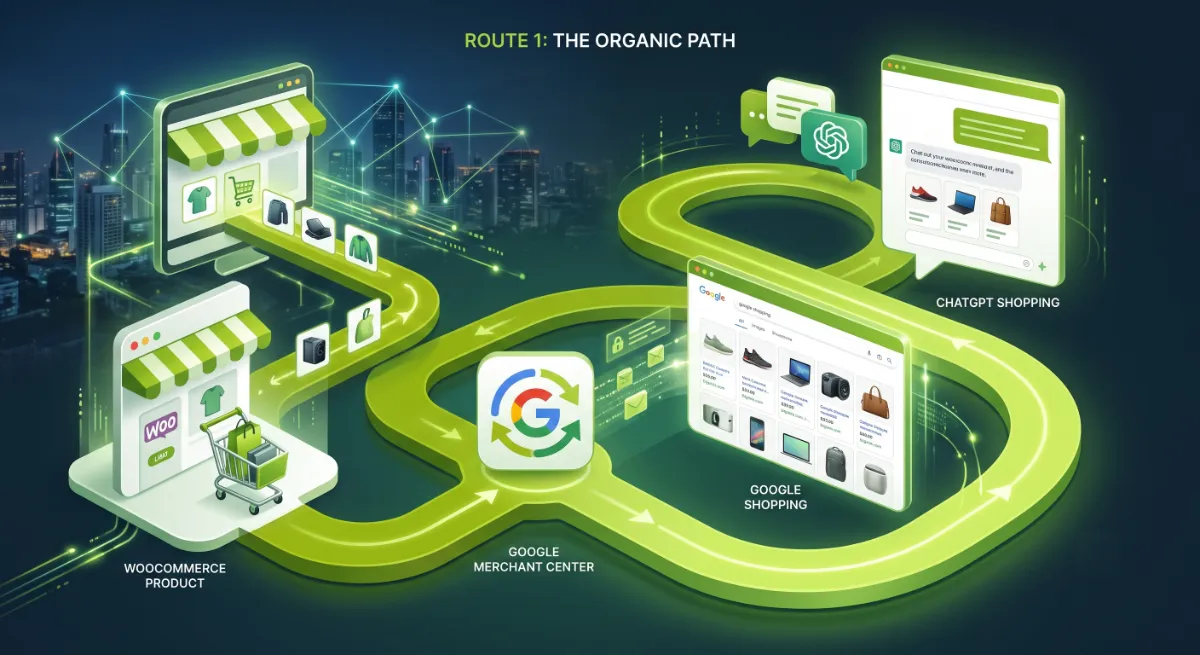
Three things carry this route:
- A healthy Google Merchant Center feed. Incomplete feeds get filtered out before ChatGPT ever considers them. Connect WooCommerce to Merchant Center with a feed plugin, fill every attribute, and resolve every disapproval.
- Complete product schema. To rank your products in ChatGPT, OAI-SearchBot reads your Product JSON-LD directly, so server-rendered schema with identifiers, price, availability, and reviews raises your confidence with the model.
- Open crawler access. If OAI-SearchBot cannot reach your pages, none of the above matters.
Because ChatGPT re-ranks Google Shopping candidates by product attributes and copy, the completeness of your feed matters as much as your Shopping position. This route to getting products in ChatGPT is free, and it improves your Google Shopping performance at the same time.
Route 2: The ChatGPT Product Feed
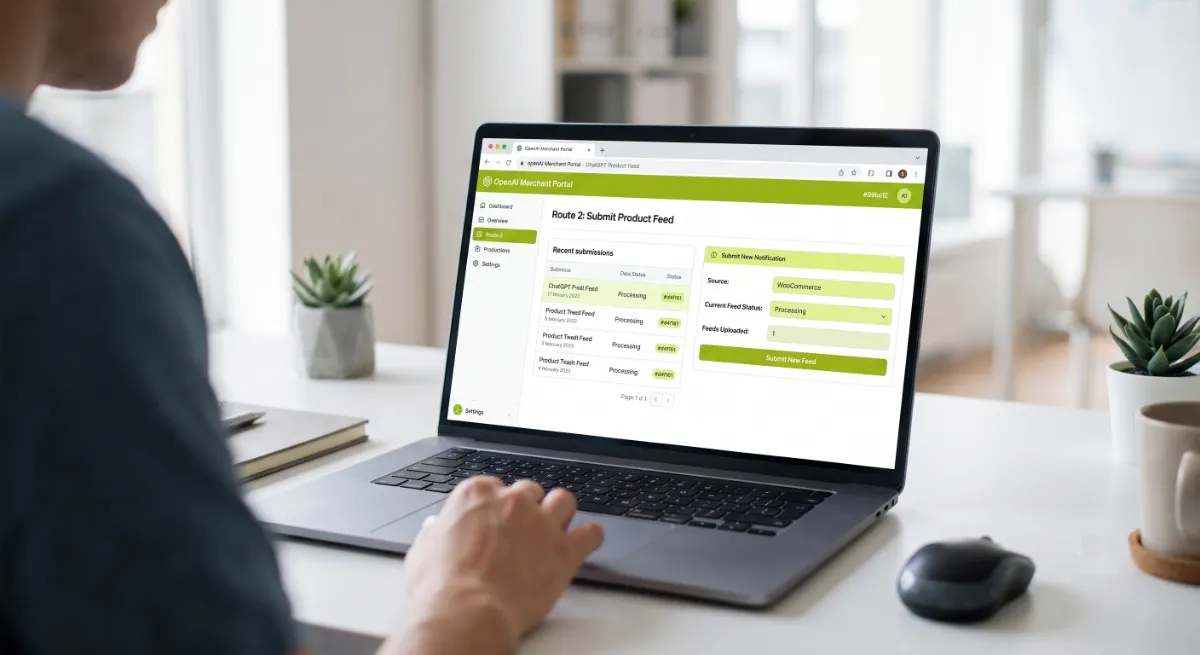
The second way to get WooCommerce products in ChatGPT is submitting a product feed directly through OpenAI’s merchant portal, which gives you more control over how your products appear. Instead of getting your products in ChatGPT indirectly through Google, you push a structured file that becomes the canonical record for your pricing, availability, and descriptions.
What you should know before you count on it:
| Aspect | What to expect |
|---|---|
| Where to start | Sign up at OpenAI’s merchant portal, then submit business details for verification |
| Availability | Rolling out, US-first, with a self-serve portal expanding to more regions over time |
| Format | A structured feed with required fields like product ID, title, description, price, availability, image, and URL |
| Freshness | Updates accepted very frequently, so pricing and stock stay near real-time |
| Control flags | Eligibility flags decide whether each product can appear in search at all |
Per OpenAI’s product feed specification, the feed is a genuine second layer, not a replacement for the organic work. And you register for it at OpenAI’s merchant portal. If you are outside the US, treat the feed as something to prepare for while the organic route does the work now.
One thing has genuinely changed in 2026, and it clears up a lot of confusion.
Where Checkout Actually Happens Now
As of 2026, purchases of your products in ChatGPT complete on your own WooCommerce site, not inside the chat, because OpenAI has moved away from a standalone in-chat checkout. A shopper discovers your products in ChatGPT, then clicks through to your store to buy. That is the model to build for right now.
This is worth being clear about, because the earlier story was different. OpenAI launched an in-chat Instant Checkout in the US in late 2025 with a small group of Shopify merchants, and by early 2026 it pulled that standalone experience back to prioritise discovery and merchant-owned checkout. So the thing many store owners were anxious about, complex in-chat payment integration, is not the barrier they feared.
With the routes and the checkout reality clear, here is the concrete setup.
Your WooCommerce Setup, Step by Step
To get your WooCommerce products in ChatGPT shopping, work these five steps in order, because each depends on the one before it. None of them requires special access, and most stores can complete the core of it in an afternoon.
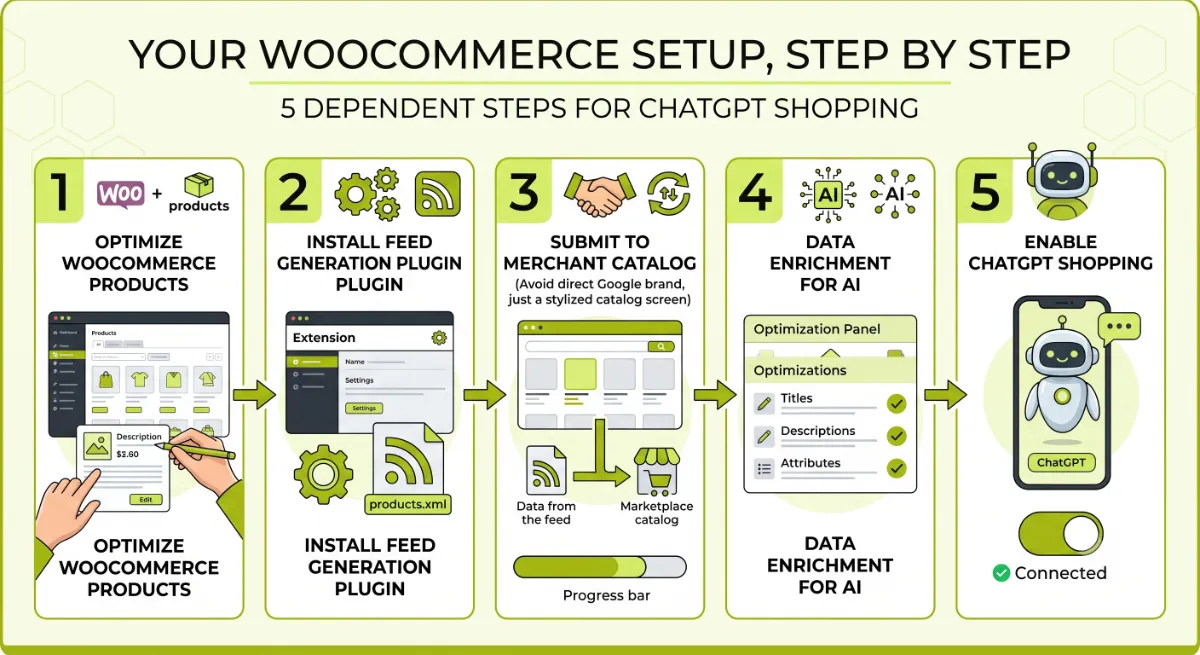
Step 1: Open crawler access. Check your robots.txt allows OAI-SearchBot, the crawler that decides whether you appear in ChatGPT’s results. Per OpenAI’s crawler documentation, this is separate from GPTBot, which relates to training. Then confirm your CDN or security plugin is not blocking it despite what robots.txt says.
Step 2: Complete your product schema. Make sure every product outputs server-rendered Product JSON-LD with brand, a GTIN or MPN, price, availability, and reviews. This is what OAI-SearchBot reads directly, and it must match your feed and your visible page.
Step 3: Build a healthy Merchant Center feed. Connect WooCommerce to Google Merchant Center with a product feed plugin, fill in identifiers and attributes, and clear every disapproval. This is the single highest-leverage step, because it is the feed ChatGPT mostly reads.
Step 4: Write for how people ask. Titles and descriptions should answer natural-language questions, with specific attributes like size, material, and use case, because ChatGPT matches products to conversational queries, not keywords.
Step 5: Prepare the direct feed. If you are eligible, register at OpenAI’s merchant portal and submit a sample feed, then scale to your full catalogue. If you are not yet eligible, keep it ready so you can move the moment you are.
Pro tip: Keep price, availability, schema, feed, and visible page all in agreement. AI systems cross-check these, and any mismatch, like a schema price that differs from your feed, erodes the trust that gets you recommended.
Do those in order and you are genuinely in the game. Here is where stores most often trip.
Want your WooCommerce store set up to appear in ChatGPT shopping?
I handle the whole path: crawler access, schema, Merchant Center feed, and the direct feed. See my WordPress development service.
What Most People Get Wrong
The most common mistake is assuming you need Shopify, a US business, or an in-chat checkout to get your products in ChatGPT. You need none of those. The barrier most owners imagine simply is not there, and while they wait for it to clear, competitors with clean feeds are already showing up.
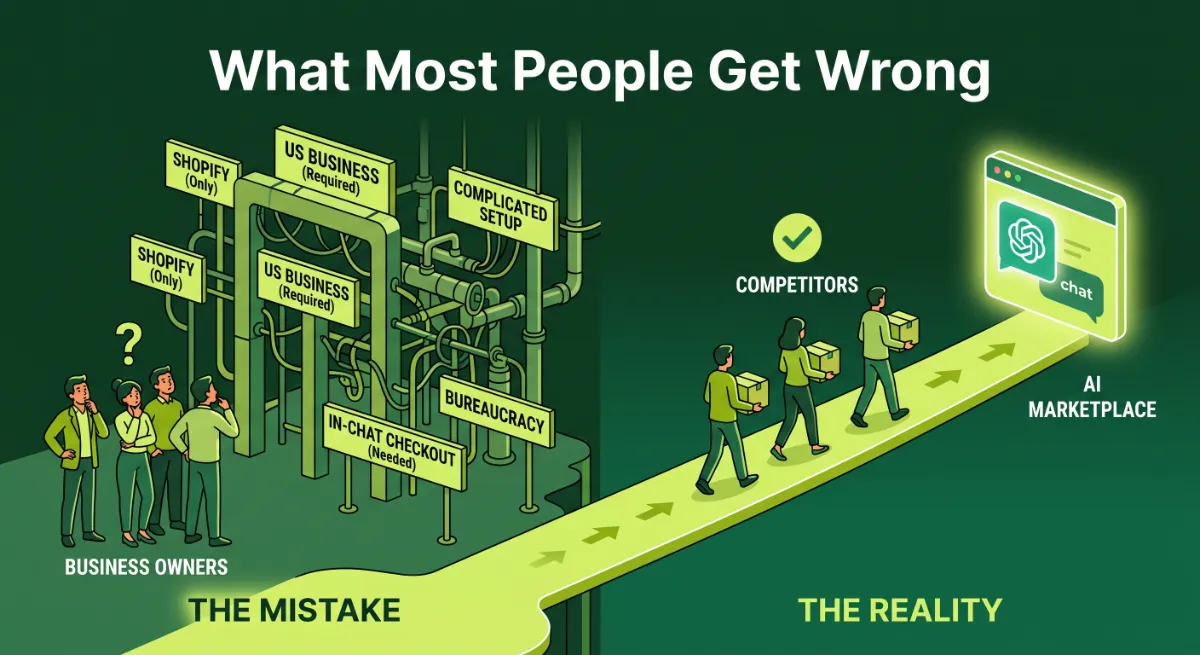
Here is the observation from client work: the stores that get their products in ChatGPT are the ones whose Google Shopping feed is complete and disapproval-free, full stop. I have seen a WooCommerce store do nothing but fix feed disapprovals and complete its product attributes, and start getting its products in ChatGPT within weeks. No portal, no checkout integration, no Shopify migration.
The second trap is the quiet one: a security plugin or an overzealous “block AI bots” setting that disallows OAI-SearchBot along with everything else. The store then never appears, and the owner blames the algorithm rather than the robots file. Findability is the prerequisite for your products in ChatGPT, and it is the easiest thing to break by accident.
When your catalogue is large, your feed keeps getting disapprovals, or you want the direct feed built properly, that is where getting it right the first time saves weeks of missed visibility.
Not showing up in ChatGPT and not sure why?
I diagnose crawler access, feed health, and schema, then get your products appearing. See my WordPress development service or book a free call.
Frequently Asked Questions
How do I get my WooCommerce products in ChatGPT shopping?
There are two ways to get your products in ChatGPT. Rank in Google Shopping’s organic results, which ChatGPT pulls from, by keeping a healthy Merchant Center feed, complete product schema, and OAI-SearchBot access. Or submit a product feed through OpenAI’s merchant portal where eligible. Most WooCommerce stores start with the organic route.
Do I need Shopify to appear in ChatGPT shopping?
No. Shopify merchants get an automatic catalogue integration, but WooCommerce stores can fully appear by ranking in Google Shopping’s organic results and giving OAI-SearchBot access to complete product pages. The organic path does not depend on your platform at all.
Does ChatGPT use my Google Merchant Center feed?
Effectively, yes. Research indicates ChatGPT builds most of its product results from Google Shopping’s organic listings, which run on your Merchant Center feed. So a complete, disapproval-free feed is the single most important thing you can maintain to keep your products in ChatGPT visible.
Can I submit a product feed directly to ChatGPT?
Yes, through OpenAI’s merchant portal, though access is rolling out and currently US-first with a self-serve portal expanding over time. You register, verify your business, then submit a structured feed. Outside eligible regions, prepare the feed while the organic route does the work.
Can customers buy directly inside ChatGPT?
Generally not right now. OpenAI moved away from a standalone in-chat Instant Checkout in 2026 toward discovery, so shoppers find your product in ChatGPT and complete the purchase on your own WooCommerce site. Your existing checkout is where the sale finishes.
Why are my products not showing up in ChatGPT?
The usual causes are a blocked crawler, an incomplete or disapproved Google Shopping feed, or thin product schema. Confirm OAI-SearchBot is allowed in robots.txt and not blocked by your CDN or security plugin, clear all Merchant Center disapprovals, and complete your product attributes.
Is it free to appear in ChatGPT shopping?
The organic route is free, since Google Shopping’s organic listings are unpaid and ChatGPT surfaces products without ads or paid placement. Product recommendations depend on feed quality, relevance, and context, not payment. You only invest time in feed and schema quality.
Should I hire someone to set this up?
Consider it if your catalogue is large, your feed keeps getting disapprovals, or you want the schema and direct feed built correctly. Diagnosing crawler blocks and fixing feed and schema issues at scale is technical work. My WordPress development service covers the full setup.
Conclusion
Getting your products in ChatGPT is more achievable than the hype implies. You do not need Shopify, a US entity, or an in-chat checkout. You need OAI-SearchBot allowed, complete product schema, and above all a clean, disapproval-free Google Merchant Center feed, since that is the feed ChatGPT mostly reads. Layer the direct feed on when you are eligible to expand your products in ChatGPT, keep every data source in agreement, and write for the way people actually ask. Start by checking one thing today: open your robots.txt and confirm OAI-SearchBot is welcome. Everything else builds from there.
Want to be the store ChatGPT recommends?
I get WooCommerce stores found in ChatGPT shopping, feed, schema, and crawler access done right. Book a free call or browse my recent project portfolio.
The exact crawler, feed, and schema checklist I use to get WooCommerce products appearing in ChatGPT shopping.
Get it free →This article was last reviewed and updated in June 2026 to reflect current ChatGPT shopping, crawler, and product feed behaviour.