
- WooCommerce product schema is valid by default but incomplete for the AI shopping engines that read it.
- Passing Google’s Rich Results Test does not mean an AI agent has enough data to recommend you.
- The commonly missing fields are brand, GTIN or MPN, aggregateRating, shipping details, and return policy.
- Free tiers of the popular SEO plugins do not add shipping and return policy markup automatically.
- Never mark up ratings or identifiers you do not genuinely have, since mismatched schema gets ignored or penalised.
WooCommerce product schema is the JSON-LD structured data that tells search engines and AI assistants what your product is, costs, and whether it is in stock. WooCommerce outputs a basic version by default, but it leaves several fields empty, and those are exactly the ones AI shopping engines use to decide whether to recommend you. This guide shows you which fields matter and how to fill them.
After auditing WooCommerce stores for clients in 15+ countries, I keep finding the same thing. The schema passes every validator, the store owner assumes structured data is handled, and their products still never get named by ChatGPT or Perplexity. Their WooCommerce product schema is not broken. It is thin. Here is the difference, and exactly which fields close the gap.
What Is WooCommerce Product Schema?
WooCommerce product schema is a block of JSON-LD structured data on each product page that declares your product’s facts in a machine-readable format. Instead of asking a crawler to infer the price from your layout, you state it explicitly. Search engines and AI assistants parse WooCommerce product schema directly, which is why it carries so much weight.
It does three jobs at once. It makes you eligible for rich results like star ratings and price in Google Search. It feeds Google’s merchant and shopping surfaces. And, increasingly, it is what AI shopping engines read when a shopper asks an assistant to find them a product. According to Google’s product structured data documentation, there are two flavours: product snippets for pages where people cannot buy directly, and merchant listings for pages where they can. WooCommerce product schema should target merchant listings.
Pro tip: Use JSON-LD, not microdata. It is the format Google recommends, it is what AI crawlers parse most reliably, and it lives independently of your page layout, so a theme change cannot break it.
Here is where nearly every store owner gets a false sense of security.
Valid Is Not the Same as Complete
Your WooCommerce product schema can pass Google’s Rich Results Test and still give an AI agent too little information to recommend your product. Validation checks whether your WooCommerce product schema is well-formed and meets the minimum requirements. It does not check whether you gave the engine enough to answer a shopper’s actual question.
Think about how people talk to an assistant. They do not ask for “headphones.” They ask for wireless headphones under 150 dollars, in black, that ship within two days and can be returned. Every constraint in that sentence maps to a schema field. If your markup is missing colour, shipping speed, or return policy, the agent cannot confirm you match, so it recommends a competitor whose data does answer.
The distinction that matters: valid schema makes you eligible. Complete schema makes you recommendable. Most WooCommerce product schema is stuck at eligible.
So which fields does WooCommerce product schema actually give you, and which does it leave blank?
The 8 Fields WooCommerce Leaves Empty
WooCommerce product schema gives you a genuinely useful baseline, then stops short of the fields that AI shopping engines lean on most. Knowing exactly where the line falls is the whole diagnosis, so here it is.
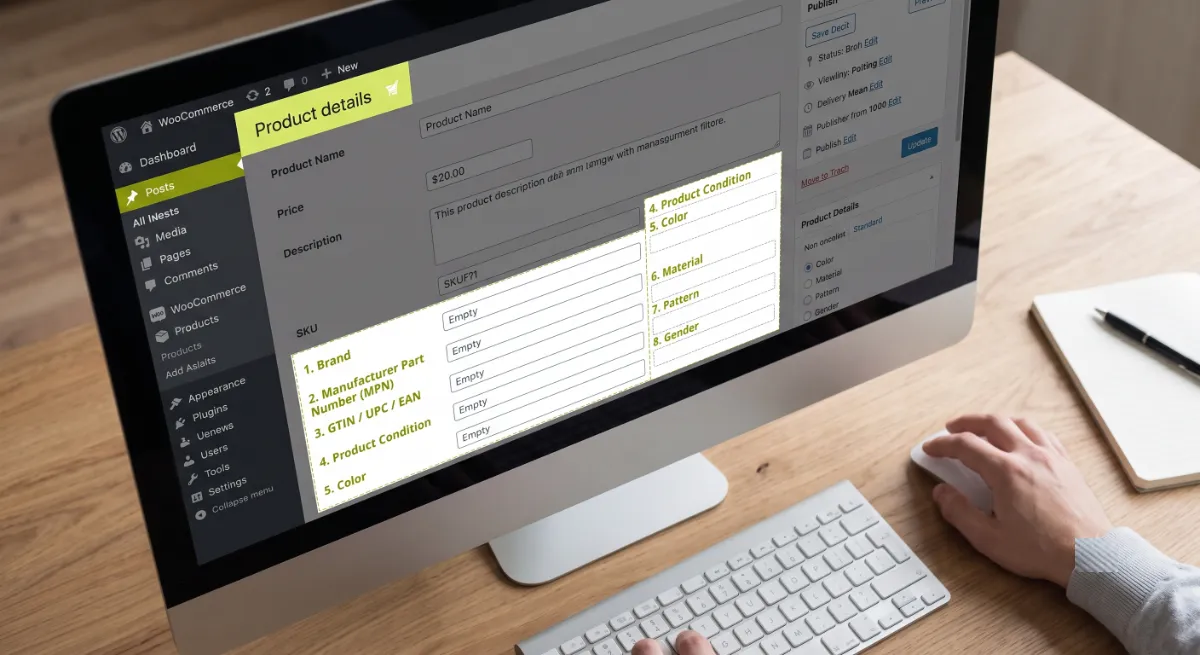
What you usually get by default: name, description, image, SKU, price, price currency, and availability. That is enough to be valid.
What is typically missing, and why it matters:
| Field | What it answers for an agent |
|---|---|
| brand (as a nested Brand object) | Who makes it, and can I match it across sources? |
| gtin or mpn | Is this the exact same product I found elsewhere? |
| aggregateRating | Do real customers rate this well? |
| hasMerchantReturnPolicy | Can the buyer return it, and within how long? |
| shippingDetails | How fast and how much does delivery cost? |
| color | Does it match the colour they asked for? |
| material | Is it the material they specified? |
| size or additionalProperty | Will it fit their stated constraint? |
Now for the part of WooCommerce product schema that actually changes your visibility.
How to Fill the Gaps
You close the gaps in WooCommerce product schema in three ways, and most stores need a combination: fill in the product data itself, configure your SEO plugin properly, and extend the output with a filter for anything left over. Start with the data, because no plugin can put a brand into your WooCommerce product schema if you never entered one.

Step 1: Fill in the product data. In each product, add a unique SKU under Inventory. Assign a brand. Enter a real GTIN, UPC, or EAN if you have one. Map colour, material, and size as WooCommerce product attributes rather than burying them in the description.
Step 2: Configure your SEO plugin. If you use Rank Math, its WooCommerce product schema settings let you choose which taxonomy supplies the brand and which global identifier key to use, and it adds aggregateRating automatically once real reviews exist. Yoast does the equivalent through its WooCommerce add-on. Configure it once, and it applies catalogue-wide.
Step 3: Extend with a filter for the rest. Shipping details and return policy usually need either a paid tier, a dedicated schema plugin, or a small PHP filter that appends them to the Offer object. WooCommerce and the major plugins both expose filters for exactly this, so you extend the existing schema rather than adding a second, competing block.
Pro tip: Prioritise by revenue, not alphabetically. Fill every field on your top fifty products first. Those are the ones with a real chance of being recommended, and the work is finite.
Step 4: Add merchant trust markup. Google’s merchant listing documentation supports shipping and return policy properties, and recommends putting Product structured data in the initial HTML rather than generating it with JavaScript. Return policy can also be declared once at the organisation level, which saves you repeating it per product.
Once the fields are in, you have to prove your WooCommerce product schema actually works.
Validate It Properly
Validating WooCommerce product schema takes two tools, not one, because they check different things. The Rich Results Test tells you whether Google considers the page eligible for rich results, but it does not measure completeness. The Schema Markup Validator checks your JSON-LD against the broader Schema.org standard, catching issues Google’s tool ignores.
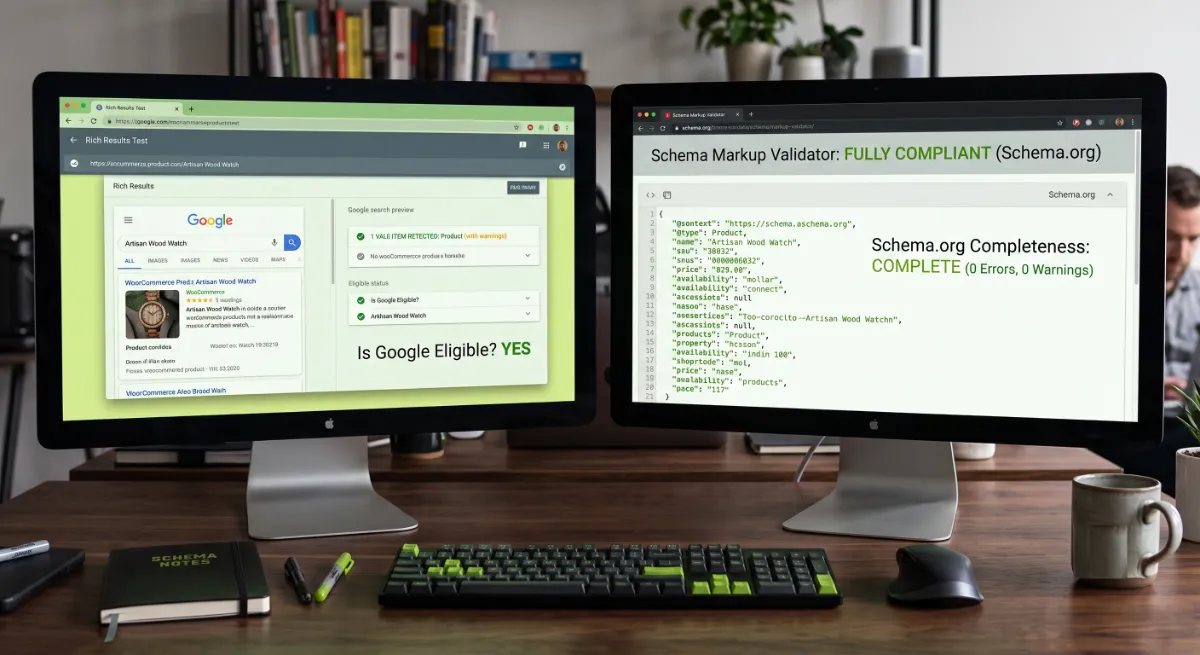
A workflow that catches the real problems:
- Test a live product URL, not a code snippet, so you test what crawlers actually receive.
- Test with JavaScript disabled, or view source directly, to confirm your JSON-LD sits in the initial HTML.
- Check for duplicate schema. Search the page source for more than one Product block. Two plugins each outputting schema is a common, silent problem.
- Read the warnings, not just the errors. Warnings are usually missing recommended fields, which is precisely the completeness gap.
- Monitor Search Console. The Enhancements reports flag product schema issues across your whole catalogue over time.
Validating WooCommerce product schema surfaces a familiar set of failures. These are the ones I see most.
The Errors That Break Product Schema
Most WooCommerce product schema errors come from a handful of repeat offenders, and nearly all of them trace back to schema that does not match what a visitor sees on the page. Google’s guidelines are explicit that you must not mark up content that is not visible to readers, and mismatched markup gets ignored or, if repeated, penalised.
The usual suspects:
- Duplicate Product schema. Your theme and your SEO plugin both output it. Disable one.
- aggregateRating with no visible reviews. If shoppers cannot see ratings on the page, do not mark them up.
- Missing review or author. If you declare aggregateRating, Google often expects at least one properly marked-up review with an author.
- Values as strings, not numbers. Price, rating value, and review count should be numeric.
- Fabricated identifiers. If you do not have a real GTIN, disable GTIN output rather than inventing one.
- Stale availability. Schema saying “in stock” while the page says sold out is one of the more serious mismatches.
Which leads to the misconception that costs stores the most.
Not sure what your product schema actually outputs?
I audit WooCommerce product schema, close the field gaps, and fix duplicate or mismatched markup. See my WordPress development service.
What Most People Get Wrong
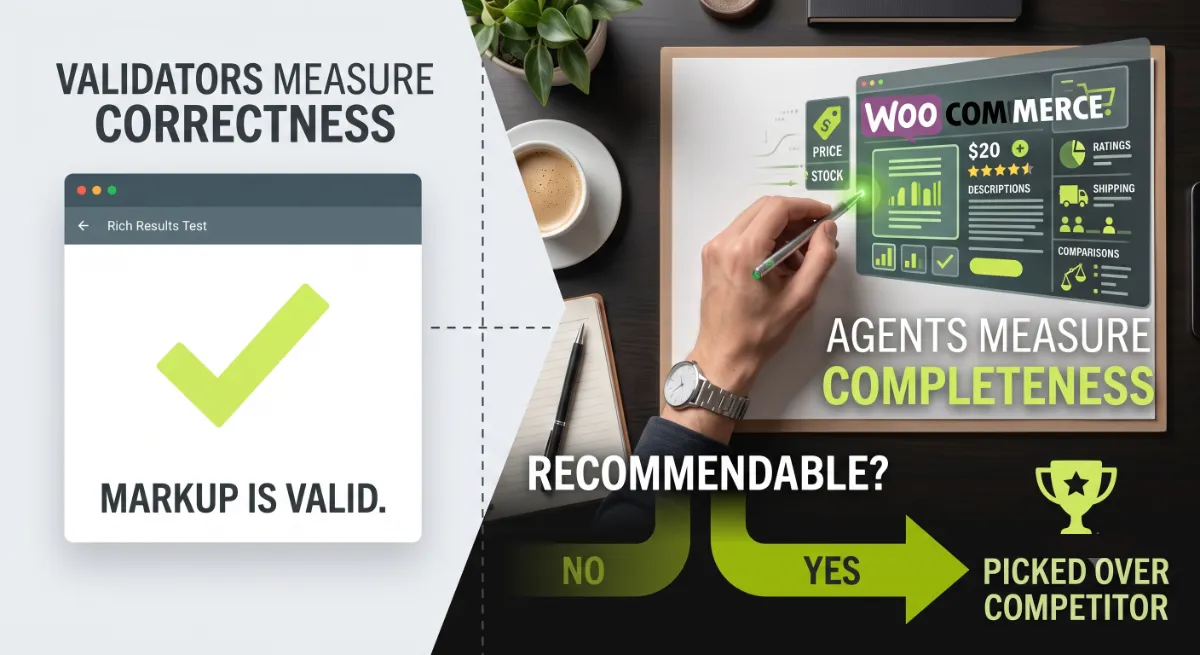
The biggest misconception is that a green checkmark in the Rich Results Test means your WooCommerce product schema is done. It means your markup is valid. It says nothing about whether an AI agent has enough detail to pick you over a competitor. Validators measure correctness. Agents measure completeness. Those are different tests, and only one of them decides whether you get recommended.
Here is the observation from client audits: the stores that get named by AI assistants are rarely the ones with the cleverest markup. They are the ones whose schema answers more of the shopper’s constraints. I have watched a store add nothing but brand, GTIN, and return policy to its best sellers and start surfacing in comparisons where it had been invisible. Nothing about the page changed except the WooCommerce product schema. The agent simply had enough to trust it.
The second mistake runs the other way: over-marking. Store owners add aggregateRating with no reviews, or invent a GTIN to clear a warning. That is worse than leaving the field empty, because AI engines cross-reference your schema against your feed and your visible page, and inconsistency is exactly what makes an agent skip you.
When your catalogue runs to thousands of SKUs, or your schema is coming from three sources at once, that is where getting it right at scale stops being a settings change and starts being a project.
Products passing validation but never getting recommended?
I close the field gaps, remove duplicate markup, and make your schema agent-ready. See my WordPress development service or book a free call.
Frequently Asked Questions
Does WooCommerce add product schema by default?
Yes, WooCommerce outputs basic Product JSON-LD including name, description, image, SKU, price, currency, and availability. It is valid, but it leaves out fields like brand, GTIN, aggregateRating, shipping details, and return policy, which are exactly what AI shopping engines rely on most.
Which product schema fields do AI shopping agents need?
Beyond the basics, agents lean on brand as a nested object, a GTIN or MPN identifier, aggregateRating, hasMerchantReturnPolicy, shippingDetails, and attributes like colour, material, and size. Each one answers a constraint in a shopper’s natural-language question, so missing fields mean missed recommendations.
Do Rank Math or Yoast add all the schema fields I need?
Not entirely. Both generate solid Product schema and add aggregateRating once real reviews exist, but the free tiers generally do not add shipping details or return policy markup automatically. Those usually require a paid tier, a dedicated schema plugin, or a small custom filter.
My schema passes the Rich Results Test, so why am I invisible in AI results?
Because validation checks correctness, not completeness. Passing means your markup is well-formed and meets the minimum. It does not mean you gave an AI agent enough detail to match your product to a specific shopper question. Fill in the missing recommended fields.
Can I add aggregateRating if I do not have reviews?
No. Google requires that structured data reflect content visible on the page, so marking up ratings you do not display or do not have is a policy violation and a manual action risk. Collect genuine reviews first, display them, then let your plugin mark them up.
What causes duplicate product schema in WooCommerce?
Two sources outputting it at once, usually your theme plus an SEO plugin, or two SEO plugins together. View your page source and search for more than one Product block. Disable the redundant source rather than trying to reconcile both, then revalidate the live URL.
Should product schema be in the initial HTML?
Yes. Google recommends placing Product structured data in the initial HTML and warns that JavaScript-generated markup makes shopping crawls less frequent and less reliable. Many AI crawlers do not execute JavaScript, so schema that only appears after scripts run may never be read at all.
Should I hire a developer for WooCommerce product schema?
Consider it when your catalogue is large, schema comes from multiple sources, or you need shipping and return policy markup added reliably across thousands of products. Doing it accurately at scale, without breaking Google’s guidelines, is technical work. My WordPress development service covers the full audit and fix.
Conclusion
WooCommerce product schema is not something you switch on and forget about. The default output is valid, and valid is only the starting line. Fill in brand, a real identifier, ratings backed by visible reviews, shipping details, return policy, and the attributes that answer how people actually shop. Validate with both tools, kill any duplicate markup, and never invent data to clear a warning. Do that to your WooCommerce product schema on your top products and you move from eligible to recommendable, which is the only distinction the AI engines care about. Start by viewing the source on your best seller and seeing what is really there.
Want product schema that AI engines can actually act on?
I audit, complete, and validate WooCommerce product schema across your whole catalogue. Book a free call or browse my recent project portfolio.
The exact field-by-field checklist I use to take WooCommerce product schema from valid to recommendable.
Get it free →This article was last reviewed and updated in June 2026 to reflect current Google structured data guidance and WooCommerce schema behaviour.