- Headless WooCommerce runs your store as an API backend with a separate React frontend, trading real speed and flexibility for cost and complexity.
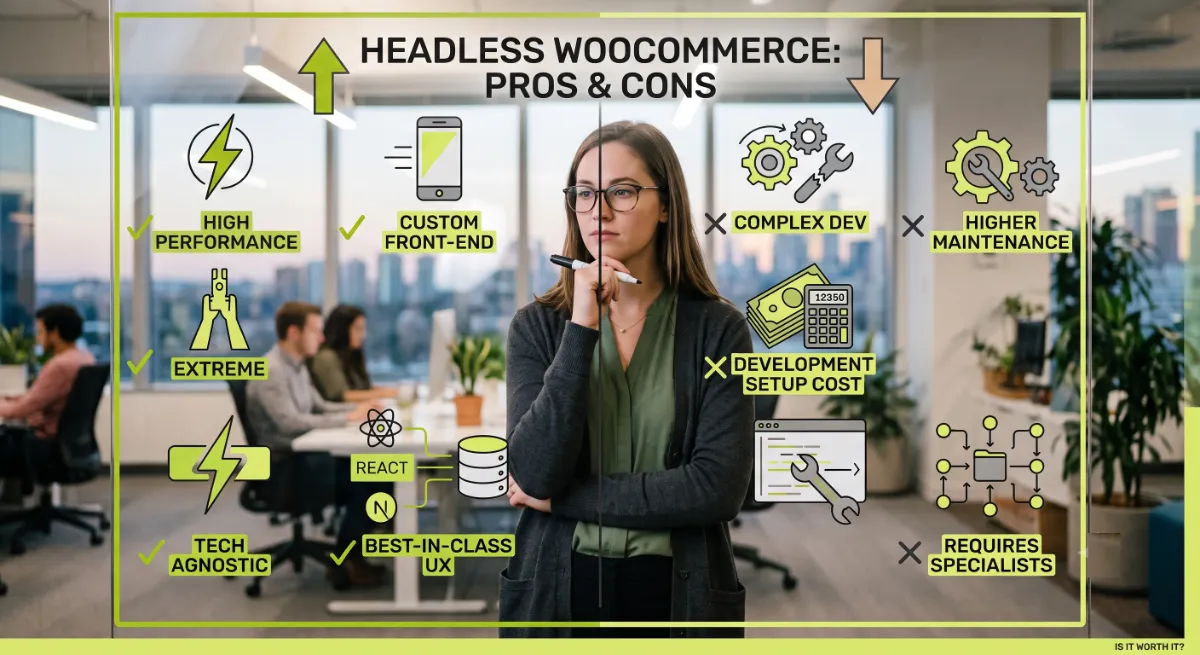
- The pros are performance, a fully custom frontend, stronger security, scalability, and omnichannel selling.
- The cons are high cost, a rebuilt checkout, lost plugin compatibility, extra SEO work, and two systems to maintain.
- Headless only pays off above a certain traffic and revenue threshold, which most stores have not reached.
- For most stores, optimizing a traditional WooCommerce build delivers most of the speed for a fraction of the cost.
Headless WooCommerce means running WooCommerce as a backend that serves your store data through an API, while a separate React or Next.js frontend handles everything shoppers see. The pros are real performance, flexibility, and scale, and the cons are real cost, complexity, and maintenance. Whether it is worth it depends entirely on your traffic, budget, and goals. This guide covers both sides honestly.
After building both traditional and headless WooCommerce stores for clients in 15+ countries, here is the honest position I take with every client who asks about headless WooCommerce. Headless is a genuinely powerful architecture, and it is the wrong choice for most stores. Both of those things about headless WooCommerce are true at once. The trick with headless WooCommerce is knowing which camp you are in before you spend the budget, so let us weigh it properly.
What Is Headless WooCommerce?
Headless WooCommerce is an architecture where WooCommerce handles all the commerce logic behind the scenes while a separate frontend, built in a framework like Next.js, renders the store your customers actually see. In headless WooCommerce, WordPress stops generating your pages. It becomes a pure engine for products, orders, pricing, tax, inventory, and payments, exposed through an API.
The two halves of a headless WooCommerce store connect through an API layer, and you have two main choices. WooCommerce ships a REST API and a Store API out of the box, covering products, orders, cart, and checkout through authenticated API keys. Most modern headless builds instead use WooGraphQL, a GraphQL layer that lets the frontend request exactly the data it needs in one query, rather than stitching together several REST calls.
Pro tip: A production headless setup is three layers: WooCommerce on a managed host serving the API, a build layer like Next.js consuming it, and the React frontend shoppers use. Each layer is real engineering that has to be built and maintained, which is the root of both the power and the price.
With the shape clear, here is what you gain.
The Pros of Headless WooCommerce
The pros of headless WooCommerce are real and significant, especially for larger, high-traffic stores that have outgrown a traditional WooCommerce theme. When your catalog and traffic are big enough, headless WooCommerce genuinely changes what your store can do.
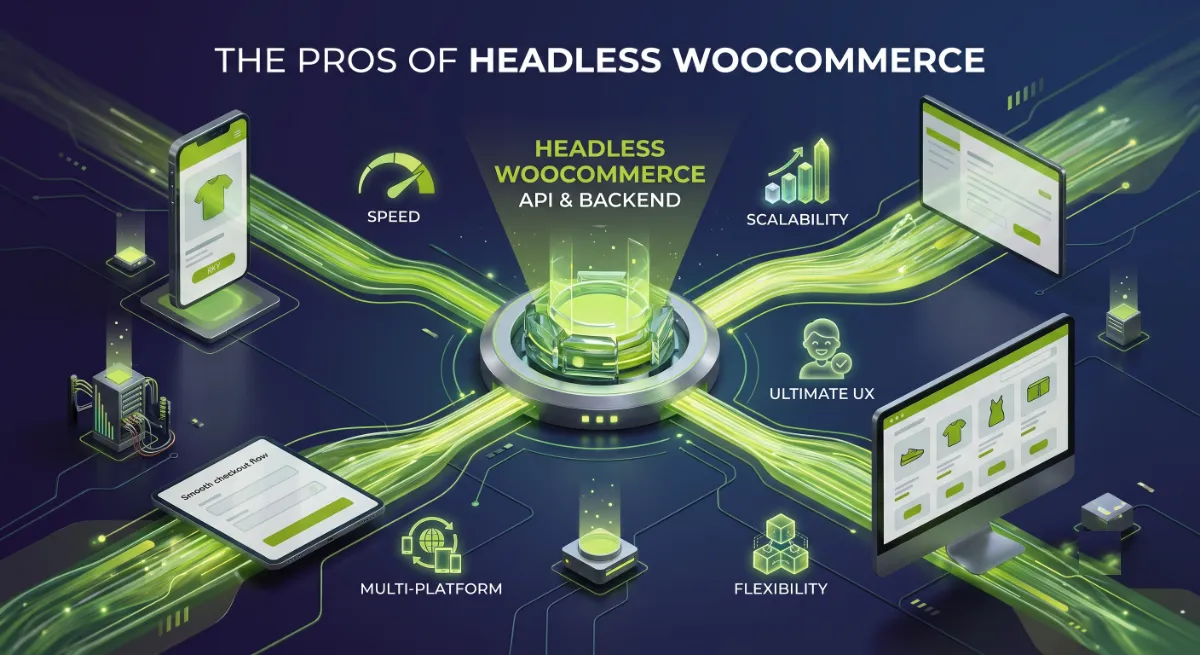
The genuine advantages:
- Performance at scale. A React frontend with static generation and a CDN can be extremely fast, and the frontend and backend no longer compete for the same server resources.
- A fully custom frontend. You are no longer bound to PHP themes. You can build any experience you can design, with precise control over what loads and when.
- Stronger security. With the WordPress frontend disabled, a whole class of theme and frontend-plugin vulnerabilities simply disappears. Your attack surface shrinks to the API and the admin.
- Scalability. The architecture absorbs traffic spikes and large catalogs well, because each layer scales independently.
- Omnichannel selling. One backend can feed a website, a mobile app, a kiosk, and more, so the same products power every channel.
Those are compelling. But every one of them comes with a matching cost.
The Cons of Headless WooCommerce
The cons of headless WooCommerce are just as real as the pros, and they are the reason it is the wrong fit for most stores. Headless WooCommerce does not remove work, it moves it onto your team, and adds a good deal more.
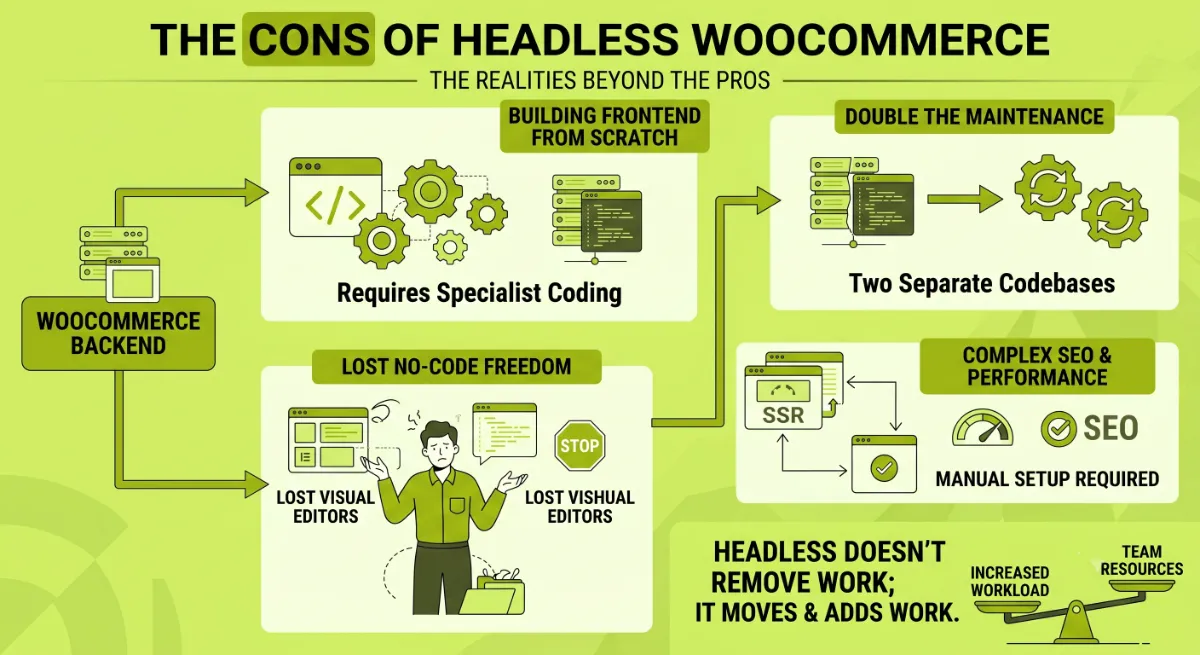
The real drawbacks:
- High cost. Agency headless builds with WooCommerce commonly run from around twenty thousand to fifty thousand dollars, plus two hosting environments to pay for instead of one.
- You rebuild the checkout. Cart, checkout, and payment flows must be recreated in React. This is a large scope increase and the single riskiest part of a headless project.
- Plugins break. Many WooCommerce and WordPress plugins assume the PHP frontend. Anything that renders on the frontend will not just work, so every plugin needs assessing during scoping.
- SEO is no longer free. Metadata from Rank Math or Yoast, structured data, sitemaps, and redirects all have to be piped through the API and rebuilt in the frontend to match what a traditional store gives you out of the box.
- Two systems to maintain. WordPress and the frontend deploy separately and both need ongoing care, which compounds the maintenance burden for years, not just at launch.
- Editing and preview change. Your team loses visual, page-builder editing, and content previews now run through the frontend app, which takes some adjustment.
So with both sides on the table, how do you actually decide?
Headless vs Traditional: Which Wins?
Headless WooCommerce is worth it only when you clear three thresholds at once, which I call the Headless Threshold: scale, custom experience, and capacity. Miss any one threshold, and traditional WooCommerce will serve you better than headless WooCommerce for far less money.
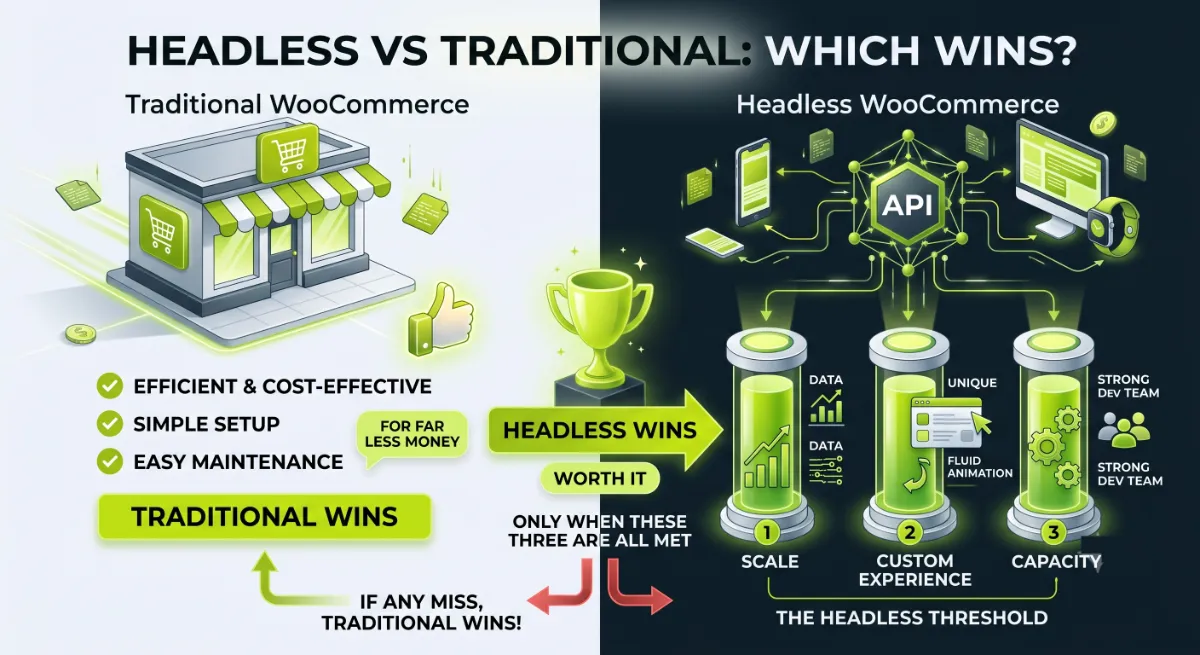
Here is how the two stack up:
| Factor | Traditional WooCommerce | Headless WooCommerce |
|---|---|---|
| Best for | Most stores, small to mid-scale | High-traffic, custom UX, omnichannel |
| Cost | Low, theme plus plugins | High, large build plus two hosts |
| Speed | Good with optimization | Excellent at scale |
| Plugins | Full ecosystem works | Many frontend plugins break |
| SEO | Works out of the box | Custom work to reach parity |
| Editing | Visual, page builders | Preview through the app |
| Maintenance | One system | Two systems |
The three thresholds to clear before going headless: genuine scale or omnichannel need, a custom experience a PHP theme truly cannot deliver, and the capacity, budget and developers, to build and maintain two systems. Clear all three and headless is a smart investment. Clear only one or two, and it is an expensive detour.
Not sure whether headless is right for your store?
I build both traditional and headless WooCommerce, so I will give you a straight answer based on your numbers. See my WordPress development service.
What Most People Get Wrong
The most common mistake with headless WooCommerce is treating it as a speed upgrade. It is not. Headless is a scale and custom-experience decision, and the speed most owners are chasing is usually achievable on a traditional build for a tiny fraction of the cost. Caching, image optimization, Core Web Vitals work, and the newer block checkout get most stores where they want to be without decoupling anything.
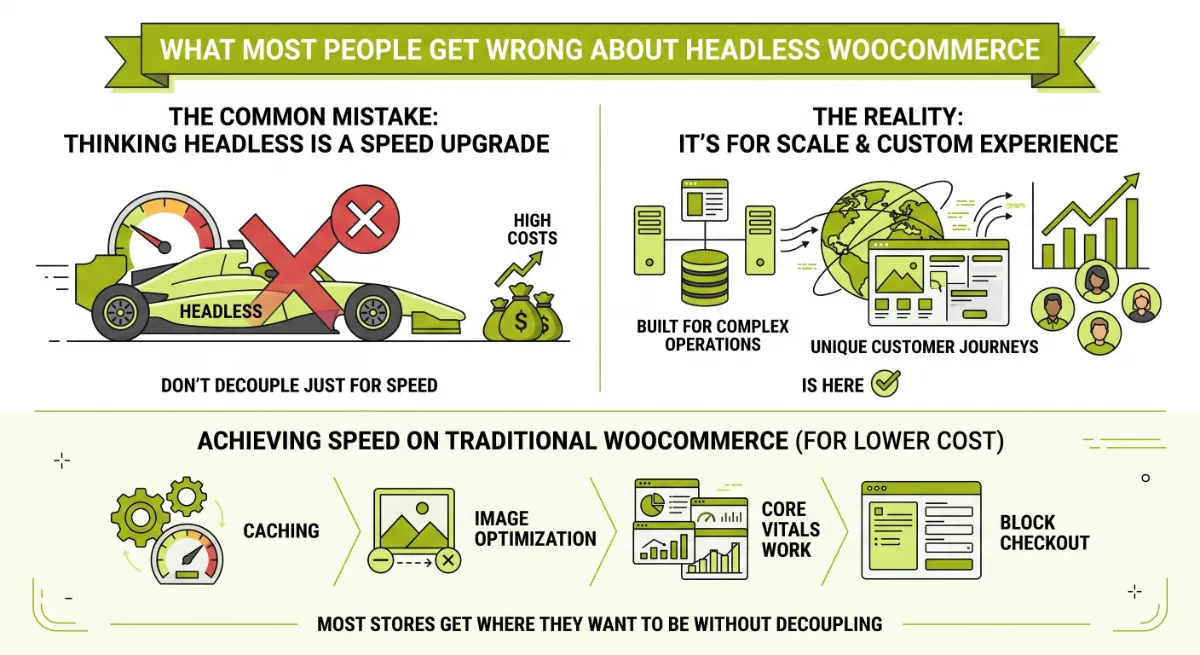
Here is the observation from client work. The stores that truly benefit from headless WooCommerce are high-traffic, large-catalog, or omnichannel brands with real budget and a team to maintain two systems. For everyone else, the money is far better spent optimizing the store they already have. And it is worth noting that WooCommerce itself keeps closing the gap: the block checkout and the Interactivity API bring modern, app-like speed to traditional stores, which weakens one of the main reasons people reached for headless in the first place.
The other trap is underestimating scope. People picture headless as a faster coat of paint, when in reality you are rebuilding the checkout, re-solving SEO, and re-testing every plugin. That is a serious project, not a theme swap, and going in expecting the smaller version is how budgets double.
When you genuinely clear the threshold, headless WooCommerce is a powerful, worthwhile investment, and that is exactly when getting the build right matters most.
Weighing headless against optimizing what you have?
I will tell you honestly which one fits your store, then build it right, whichever it is. See my WordPress development service or book a free call.
Frequently Asked Questions
What is headless WooCommerce in simple terms?
It is WooCommerce used only as a backend engine for products, orders, and payments, served through an API, while a separate frontend built in a framework like Next.js renders the store. WordPress no longer generates your pages, so you gain a fully custom frontend at the cost of building and maintaining two systems.
Is headless WooCommerce faster than traditional WooCommerce?
It can be, especially at high traffic with a static, CDN-served frontend. But a well-optimized traditional store with good caching and the block checkout is fast too, at a fraction of the cost. Headless is best seen as a scale and custom-experience choice, not simply a speed upgrade.
How much does a headless WooCommerce build cost?
Agency headless WooCommerce projects commonly range from around twenty thousand to fifty thousand dollars, depending on complexity, plus the cost of two hosting environments. The rebuilt checkout is the biggest single driver of both budget and timeline, which typically runs three to six months.
Do my WooCommerce plugins work with headless?
Some do, many do not. Plugins that render on the WordPress frontend will not carry over, since that frontend is disabled. Product and order data is accessible through the API, but each plugin must be assessed during scoping, and frontend features often need rebuilding in your React app.
What about SEO on a headless WooCommerce store?
SEO is achievable but not automatic. Metadata from Rank Math or Yoast, structured data, sitemaps, and redirects must be exposed through the API and rebuilt in the frontend to match what a traditional store provides by default. Budget for this work, since it is a common headless blind spot.
REST API or GraphQL for headless WooCommerce?
The WooCommerce REST API and Store API work and ship by default. Most modern builds prefer WooGraphQL, a GraphQL layer that lets the frontend request exactly the data it needs in a single query, avoiding the over-fetching and multiple round trips common with REST for complex storefronts.
Who should actually go headless?
High-traffic stores, brands needing a bespoke or omnichannel experience, and teams with the budget and developers to maintain two systems. If you are a small or mid-scale store mainly wanting speed, optimizing your existing WooCommerce build almost always delivers better value.
Should I hire a developer to decide or build this?
Yes, because the decision is as important as the build. A developer who works in both models can tell you honestly whether headless fits your numbers, then build the right architecture cleanly. My WordPress development service covers both traditional and headless WooCommerce.
Conclusion
The headless WooCommerce pros and cons come down to a single honest trade: you gain real performance, a fully custom frontend, security, and scale, and you pay for it with cost, a rebuilt checkout, broken plugins, extra SEO work, and two systems to maintain. Headless WooCommerce is a genuinely great architecture for high-traffic, custom, or omnichannel stores with the budget and team to support it. For most other stores, a well-optimized traditional WooCommerce build delivers most of the benefit for a fraction of the price. Run your store through the Headless Threshold, scale, custom experience, and capacity, before you commit. If you clear all three, go headless with confidence. If you do not, optimize what you have and put the savings into growth.
Want an honest headless-or-not verdict for your store?
I build traditional and headless WooCommerce, and I will recommend the one that actually fits. Book a free call or browse my recent project portfolio.
This article was last reviewed and updated in June 2026 to reflect current headless WooCommerce tooling, costs, and trade-offs.