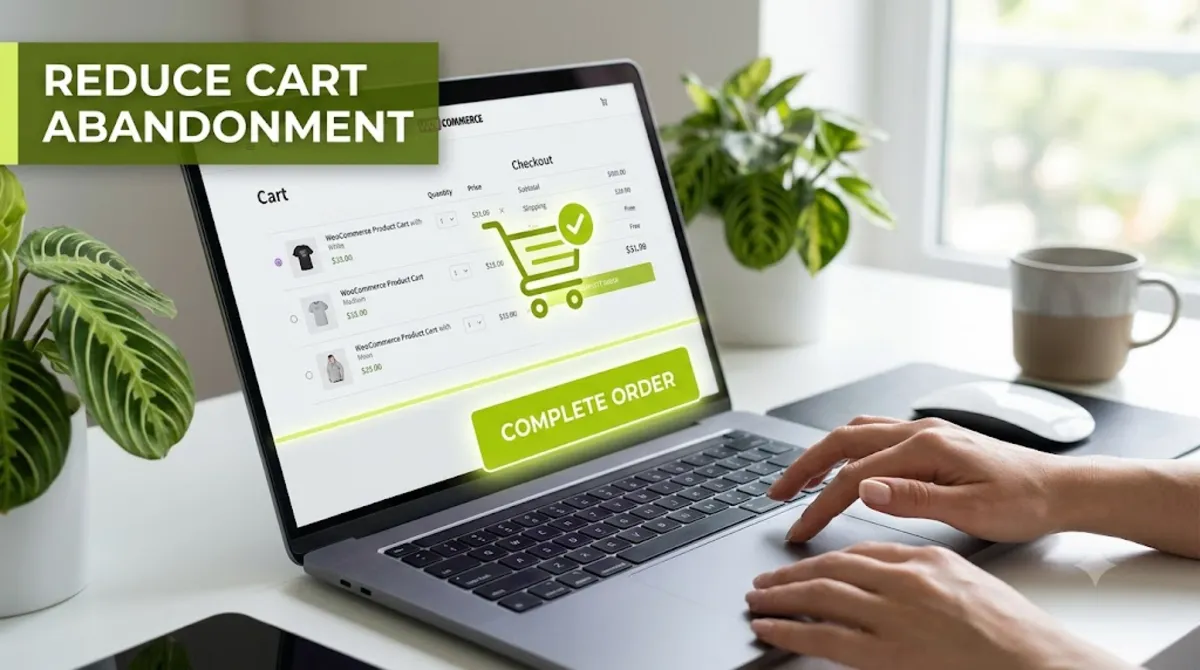
- You reduce WooCommerce cart abandonment mainly through checkout design, since most shoppers leave over surprise costs, forced accounts, and friction.
- Cart abandonment averages around 70 percent, but a large share of those shoppers never intended to buy.
- The biggest single cause is unexpected shipping, tax, and fees appearing late, so show the full cost early.
- Guest checkout, fewer form fields, and digital wallets fix most of the controllable abandonment.
- Abandoned cart emails are the safety net, not the strategy. Fix the checkout first, then recover the rest.
To reduce WooCommerce cart abandonment, fix the checkout first, because most shoppers leave over surprise costs, forced account creation, and a slow or awkward checkout, not because they changed their mind. Recovery emails help, but they cannot fix those problems. This guide covers the five checkout leaks behind most cart abandonment, in order of impact, then the recovery net.
After optimizing WooCommerce checkouts for clients in 15+ countries, here is the pattern I see every time. Store owners install an abandoned cart plugin and wonder why it barely moves the needle. The reason is simple: the plugin is trying to recover shoppers who left over problems the email cannot solve. Fix the checkout, and you stop the cart abandonment at the source. Here is exactly how, in order of impact.
Why Shoppers Abandon WooCommerce Carts
Shoppers abandon WooCommerce carts mostly for practical, fixable reasons at checkout, not because they lost interest in the product. Cart abandonment averages roughly 70 percent across ecommerce, a number that has barely moved in a decade, per Baymard Institute’s research. But that headline figure hides the real story.
Here is the part most guides skip: a large share of people who add to cart, well over half by some measures, never intended to buy in that session. They are comparing prices, saving for later, or window shopping. You will never recover them, and chasing them wastes effort. The shoppers worth your attention are the ones who wanted to buy and hit a wall. Among those, the reasons for cart abandonment cluster tightly, and nearly all of them are things you control.
Pro tip: Do not panic at your 70 percent number. Split it in your head: the browsers you cannot win, and the persuadable shoppers who abandoned over friction. Your entire job is fixing the friction that loses the second group.
So what exactly drives that cart abandonment? It comes down to five leaks.
The 5 Checkout Leaks That Cost You Sales
Most WooCommerce cart abandonment traces back to five specific checkout leaks, and Baymard’s research shows the same reasons topping the list year after year. Plug these in order, because the first one alone accounts for nearly half of controllable abandonment.
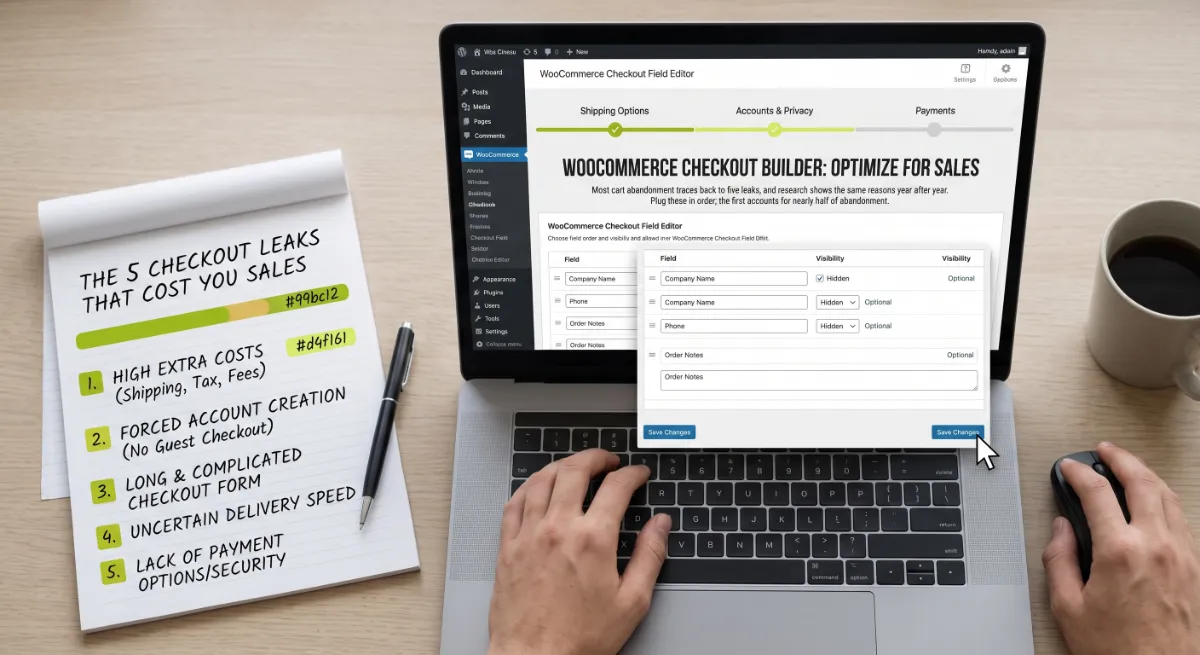
Here are the five, ranked by how often they cause abandonment:
| Why shoppers leave | Roughly | The fix |
|---|---|---|
| Extra costs appear late (shipping, tax, fees) | ~48% | Show the full cost early |
| Forced to create an account | ~26% | Turn on guest checkout |
| Checkout too long or complicated | ~22% | Cut fields, speed it up |
| Preferred payment method missing | ~19% | Add digital wallets |
| Does not trust the site with card details | ~18% | Add trust signals |
Every one of those cart abandonment causes is a design decision, not bad luck. Better checkout design can cut cart abandonment and lift conversion by as much as a third, which is why this is the highest-return work in your store. Now, how to fix each one in WooCommerce.
How to Fix Each Leak in WooCommerce
You fix WooCommerce cart abandonment by addressing these five leaks with concrete, mostly built-in changes, no rebuild required. Here is the practical how for each, in priority order.
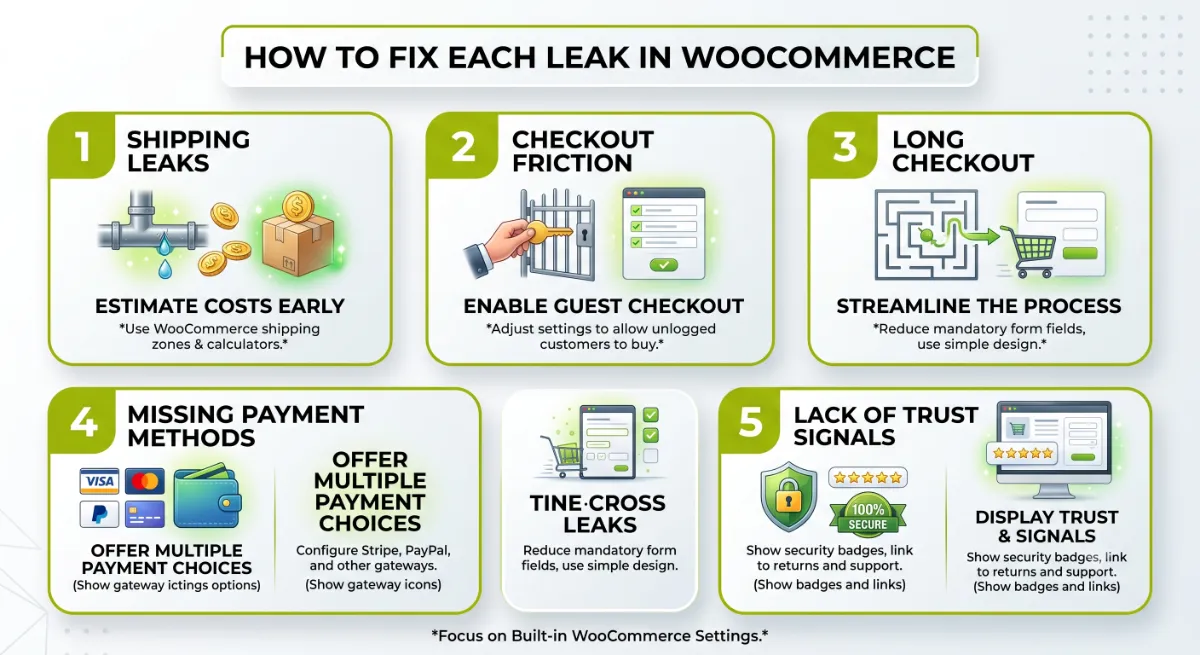
1. Kill surprise costs
This is the big one. Show shipping, tax, and any fees as early as possible, ideally on the product and cart pages, not just the final step. Add a shipping calculator to the cart, and if your margins allow, set a free shipping threshold and show shoppers how close they are to it. Nothing cuts cart abandonment like removing the nasty surprise that killed the sale.
2. Turn on guest checkout
Forcing account creation is the second biggest leak, and the fix takes two minutes. In WooCommerce’s Accounts & Privacy settings, enable orders without an account. Let people buy as guests, then invite them to create an account after the purchase, when the friction no longer costs you the sale.
3. Shorten and speed up the checkout
Long forms and slow pages bleed conversions. Aim for around seven or eight fields, removing anything you do not truly need. Migrating to the block checkout helps here too, since it validates fields as the customer types, updates totals without a reload, and loads lighter than the classic checkout.
4. Add digital wallets
If a shopper’s preferred payment method is missing, they leave. Add Apple Pay and Google Pay through a gateway like Stripe, and show those express buttons prominently, not buried at the bottom. Wallets turn a long form into a couple of taps, and studies put the conversion lift from offering them at around twenty percent.
5. Build trust at the checkout
Some shoppers hesitate to hand over card details. Reassure them right where they pay: a valid SSL padlock, recognizable payment and security badges, visible reviews or ratings, and a clear, linked return and refund policy. Small signals, placed near the pay button, close the confidence gap.
Pro tip: Fix these in order. Surprise costs and forced accounts together cause most of your controllable abandonment, so those two changes usually move your numbers more than anything else combined.
Do all five and the leak slows to a trickle. For the shoppers who still slip away, you set a net.
Want your WooCommerce checkout audited and the leaks plugged for you?
I optimize WooCommerce checkouts for conversion, pricing display, guest checkout, wallets, and trust. See my WordPress development service.
Recovery: The Safety Net, Not the Strategy
Abandoned cart recovery is the safety net that catches shoppers who were genuinely interrupted, but it is not a substitute for fixing your checkout. Recovery emails cannot fix surprise costs or a broken form. They only reduce cart abandonment for the smaller group who wanted to buy and simply got distracted, so treat them as the last step, not the first.
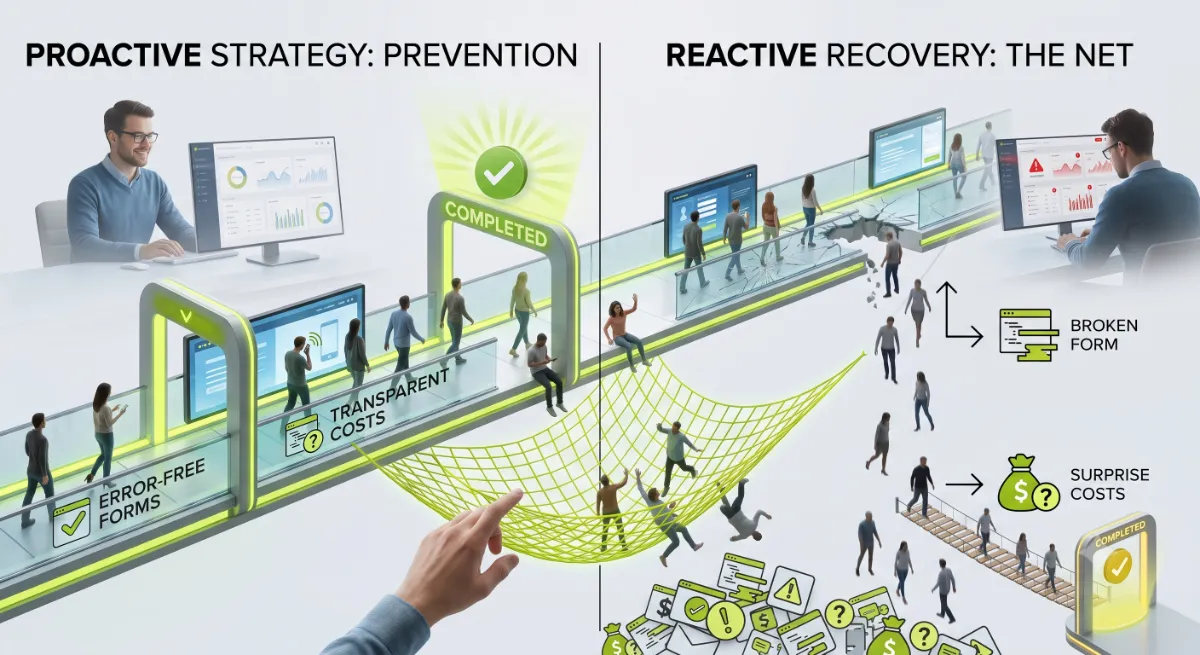
When you do run cart abandonment recovery, timing beats everything. A sensible sequence looks like this:
- Within the first hour: a quick nudge, often by SMS, since recoveries sent fast convert far better than next-day ones.
- A few hours later: an email showing the cart contents and one clear button back to it, no discount yet.
- Around a day later: a gentle incentive, like free shipping, only if your margins allow it.
- Then stop: after about three touches, more messages damage your brand more than they recover sales.
WooCommerce stores can run this with a recovery plugin or an email platform. To capture guests, ask for the email address early in the flow, so an abandoned cart is still reachable even when the shopper never finished.
That order, prevention first and recovery second, is exactly where most stores get it backwards.
What Most People Get Wrong
The biggest mistake in reducing cart abandonment is treating cart abandonment as an email problem instead of a checkout problem. Stores buy a recovery plugin, automate a sequence, and never touch the surprise shipping cost or the forced account that caused the abandonment in the first place. Recovery is the last five percent. Prevention is the other ninety-five.

Here is the observation from client work. The two changes that move the numbers most are almost boringly simple: show the full cost before the final step, and turn on guest checkout. I have seen those two alone lift completed orders noticeably within weeks, with no plugin and no discounts. Yet stores skip them and reach for a tool, because a tool feels like action while a settings change feels too easy to matter.
The second trap is the discount reflex. Leading recovery emails with a coupon feels generous, but it quietly trains your best customers to abandon on purpose and wait for the deal. Save incentives for later in the sequence, and only if margins allow. And remember: a big chunk of your abandoners were only ever browsing, so measure the abandonment of shoppers who reached checkout, not the raw cart number, or you will chase people who were never going to buy.
When abandonment is genuinely hurting revenue, or you want the whole checkout tuned properly, that is where an experienced developer turns cart abandonment back into completed orders.
Losing sales at checkout and not sure where?
I audit WooCommerce checkouts, find the leaks, and fix them, from pricing display to wallets to recovery. See my WordPress development service or book a free call.
Frequently Asked Questions
What is a normal cart abandonment rate for a WooCommerce store?
Around 70 percent is the ecommerce average, with a healthy range roughly between 60 and 80 percent. Mobile runs higher than desktop. If you are above 80 percent, look first at surprise costs, forced account creation, and mobile checkout, since those usually signal a structural problem rather than bad luck.
What is the number one cause of cart abandonment?
Unexpected extra costs. Nearly half of shoppers with real buying intent abandon because shipping, taxes, or fees appear too high or too late in the checkout. The fix is showing the full landed cost as early as possible, on the product and cart pages, not only at the final step.
How do I enable guest checkout in WooCommerce?
Go to WooCommerce, then Settings, then Accounts & Privacy, and enable the option to let customers place orders without an account. Save the changes and test in an incognito window. For best results, offer guest checkout by default and invite account creation after the purchase instead.
Do abandoned cart emails actually work?
They help, but only for shoppers who were interrupted rather than blocked by friction. Sent quickly, ideally within the first hour, a short sequence recovers a meaningful slice of those carts. They cannot fix surprise costs or forced accounts, though, so they work best on top of a well-designed checkout.
Does the WooCommerce block checkout reduce abandonment?
It can. The block checkout loads lighter, validates fields as customers type, updates totals without a page reload, and surfaces digital wallets prominently. Those directly address the long-checkout and payment-method leaks. Migrate carefully, though, testing every gateway and custom field on staging first.
Will offering more payment methods reduce cart abandonment?
Usually yes. Shoppers abandon when their preferred method is missing, and digital wallets like Apple Pay and Google Pay turn checkout into a couple of taps. Adding them through a gateway such as Stripe and displaying the express buttons prominently can lift conversion noticeably, especially on mobile.
Should I discount to recover abandoned carts?
Sparingly. Leading with a coupon trains shoppers to abandon on purpose and erodes margin on people who would have paid full price. Use incentives late in a recovery sequence, only if margins allow, and prioritize removing the friction that caused the abandonment in the first place.
Should I hire someone to optimize my checkout?
Consider it when abandonment is clearly costing revenue, or when you want pricing display, guest checkout, wallets, and recovery set up properly together. Checkout optimization is high-return, technical work. My WordPress development service covers the full audit and fixes.
Conclusion
To reduce WooCommerce cart abandonment, stop leading with recovery emails and start with the checkout. Plug the five leaks in order: show the full cost early, turn on guest checkout, shorten and speed up the flow, add digital wallets, and build trust where shoppers pay. Then, and only then, set a short, well-timed recovery sequence as your cart abandonment safety net. Remember that much of your 70 percent was never going to buy, so measure the shoppers who reached checkout and focus on their friction. Fix the two biggest leaks this week, surprise costs and forced accounts, and you will likely see more completed orders before you touch a single email.
Want a checkout that converts the shoppers you already have?
I tune WooCommerce checkouts to recover lost sales, prevention first, recovery second. Book a free call or browse my recent project portfolio.
The exact checklist I use to find and plug the five leaks causing WooCommerce cart abandonment, before touching recovery emails.
Get it free →This article was last reviewed and updated in June 2026 to reflect current cart abandonment research and WooCommerce checkout options.