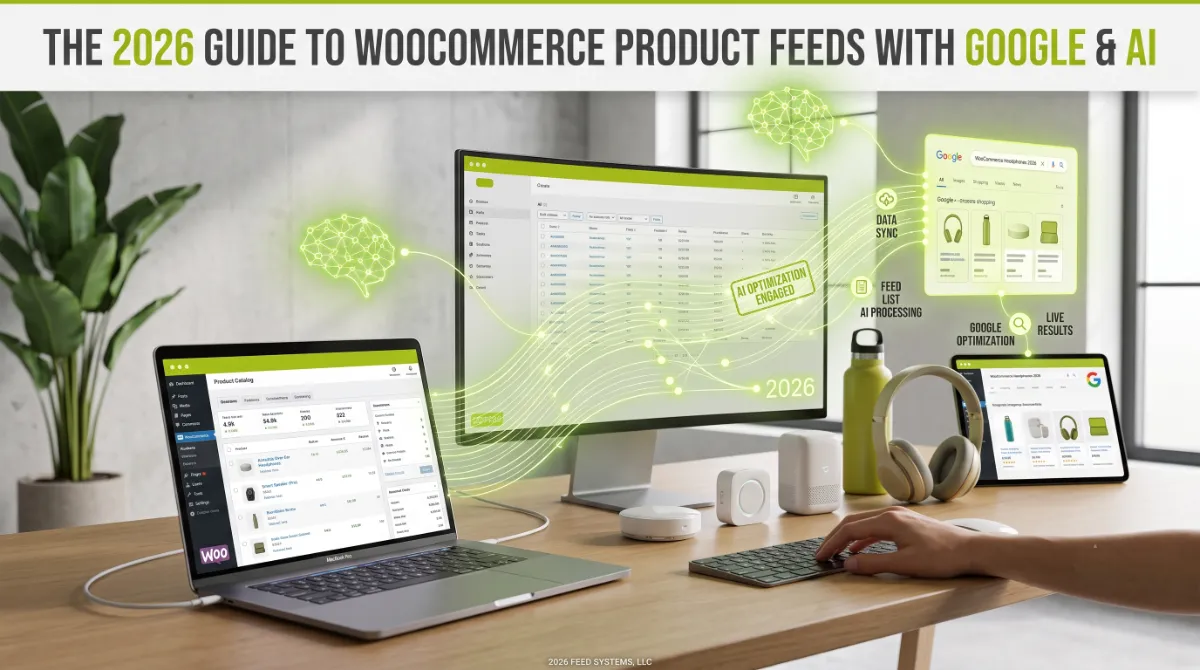
- A WooCommerce product feed is a structured file of your products that Google and AI shopping engines read to recommend you.
- One well-built feed serves Google Shopping, free listings, and AI engines like ChatGPT and Perplexity at once.
- Your Google Merchant Center feed is now the primary data source deciding whether AI assistants recommend your products.
- WooCommerce often lacks the fields Google needs, such as Google Product Category, GTIN, gender, and age group.
- Feed data must match your product page exactly, since any mismatch causes disapprovals and lost AI trust.
A WooCommerce product feed is a structured file of your product data that Google Merchant Center and AI shopping engines read to list and recommend your products. The important shift in 2026 is that a single, well-built feed now powers both Google Shopping and AI assistants like ChatGPT, so getting it right is the highest-leverage work in ecommerce. This guide shows you how to build and optimize one.
After building product feeds and AI-shopping setups for clients in 15+ countries, here is the shift most store owners have not caught up with. The feed you built years ago just to run Google Shopping ads is now the single most important file deciding whether an AI assistant recommends your products. Same WooCommerce product feed, far higher stakes. Let me show you how to build it so it works everywhere at once.
What Is a WooCommerce Product Feed?
A WooCommerce product feed is a structured file, usually XML, CSV, or JSON, that lists every product in your store with standardized attributes like title, price, availability, image, and identifiers. Shopping platforms read your WooCommerce product feed to match your products to what shoppers are searching for, which is why its completeness directly shapes your visibility.
You submit it to Google Merchant Center, which then displays your products across Google Shopping ads, free listings, and other surfaces. The feed is separate from your storefront: it is a clean, machine-readable summary of your catalog built specifically for platforms to consume. That distinction matters, because the file can be perfect while your store looks fine, or broken while your store looks fine, and only the feed decides whether you appear.
Pro tip: Think of your WooCommerce product feed as a second storefront, one built for machines instead of humans. Your website persuades people; your feed persuades algorithms. Both deserve real attention, and most stores only maintain the first.
And in 2026, that machine-facing storefront reaches far more than Google.
One Feed, Google and AI
The single most important fact about a WooCommerce product feed in 2026 is that this one feed now powers both Google and AI shopping. Your Google Merchant Center feed has quietly become the connective infrastructure for AI commerce, so building it well pays off across every surface at once.
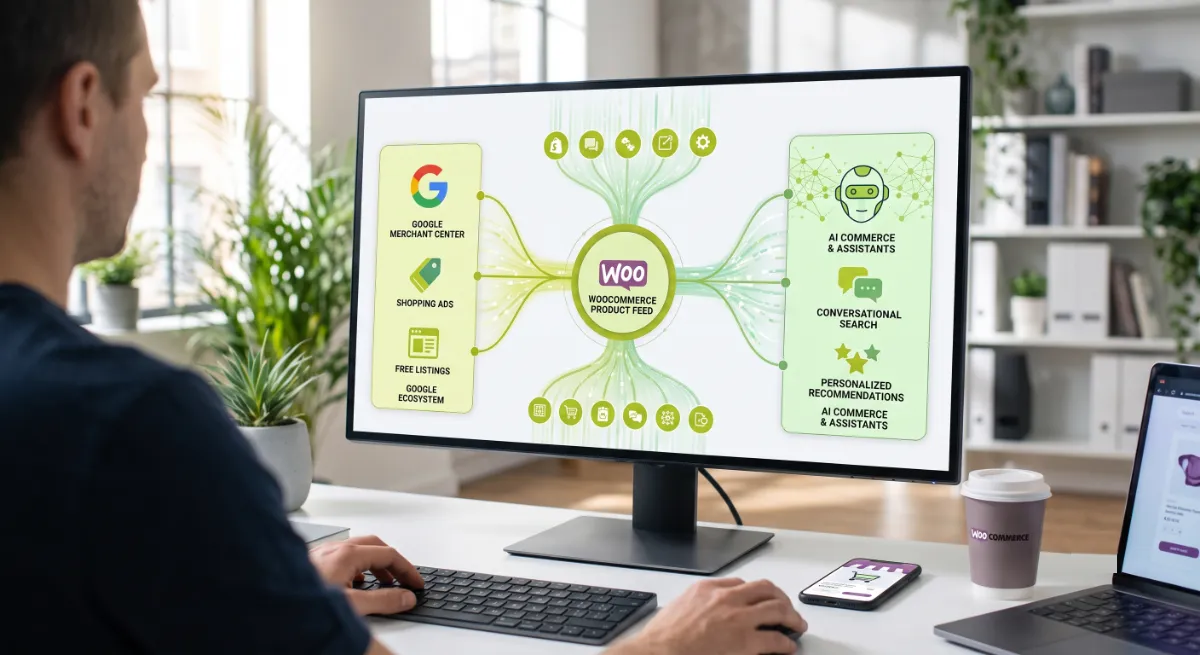
Here is how one file reaches everywhere:
- Google Shopping and free listings read your feed directly through Merchant Center.
- ChatGPT pulls product recommendations largely from Google Shopping’s organic index, and also accepts a direct product feed, so your feed is the primary data source deciding whether it recommends you. Research in early 2026 found the large majority of ChatGPT’s product picks matched Google Shopping’s top listings.
- Google AI Mode and AI Overviews use Merchant Center as their canonical product source.
- Perplexity pulls structured product data that includes Google’s specification.
The takeaway: brands without an optimized Merchant Center feed are increasingly invisible to AI shopping queries, no matter how strong their content or schema is. The feed is the price of admission to AI commerce, and you likely already have one to build on.
So the job is one WooCommerce product feed, built to a high standard. That starts with the right attributes.
The Attributes That Matter
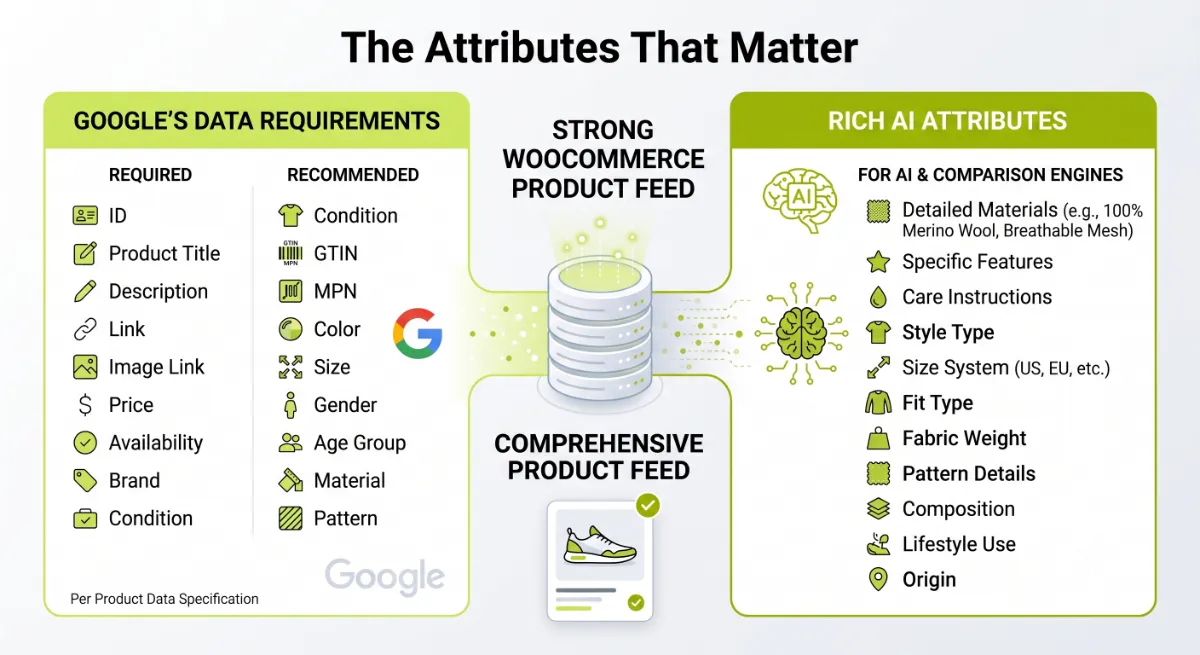
A strong WooCommerce product feed includes both the attributes Google requires and the richer ones that AI engines lean on to compare products. Per Google’s product data specification, some are mandatory, some are recommended, and some are required only for certain product types like apparel.
| Attribute group | Fields |
|---|---|
| Required | id, title, description, link, image_link, price, availability |
| Strongly recommended | brand, gtin or mpn, condition, google_product_category, product_type |
| Required for apparel | color, size, gender, age_group, material |
| AI-critical, often missed | product_review_count, average_rating, return_policy, shipping details |
WooCommerce does not provide all of these by default. The fields stores most often lack are google_product_category, because WooCommerce categories do not map to Google’s taxonomy, a real gtin, and the apparel fields like gender and age_group. Your product titles are another gap: store titles are written for your site, not for how shoppers search, so feed-optimized titles usually perform better.
Pro tip: The AI-critical fields, ratings, review counts, return policy, and shipping, are exactly the ones most feeds skip because Google does not strictly require them. Those are precisely the attributes an AI agent uses to answer a shopper’s real question, so completing them is where you pull ahead.
With the attributes clear, here is how to actually generate the feed.
How to Set Up the Feed
You set up a WooCommerce product feed with a dedicated feed plugin, because building and maintaining a compliant feed by hand is impractical. The plugin maps your WooCommerce product feed data to Google’s attributes, formats the file correctly, and keeps it synced as your catalog changes.
The practical steps:
- Fill in your product data first. Add SKUs, brands, real GTINs, and map color, size, and material as proper WooCommerce attributes. No plugin can output data you never entered.
- Install a feed plugin. The official Google for WooCommerce plugin handles the direct Merchant Center integration, and dedicated feed plugins offer deeper attribute mapping and optimization.
- Map WooCommerce fields to Google attributes. Connect your category to
google_product_category, your attributes to color and size, and set defaults where a value is missing. - Optimize your titles. Front-load the important terms, brand, product type, and key attributes, rather than using your on-site product names as-is.
- Submit and schedule a fetch. Connect the feed to Merchant Center and set a daily scheduled fetch so pricing and stock stay current.
Once the feed is live and compliant, you optimize it for the AI layer.
Making the Feed AI-Ready
Making a WooCommerce product feed AI-ready means completing the richer WooCommerce product feed attributes that AI engines reason over, beyond the minimum Google needs to approve it. A feed built only to pass compliance checks was never designed to be the context an AI agent compares against competitors, and that gap is your opportunity.
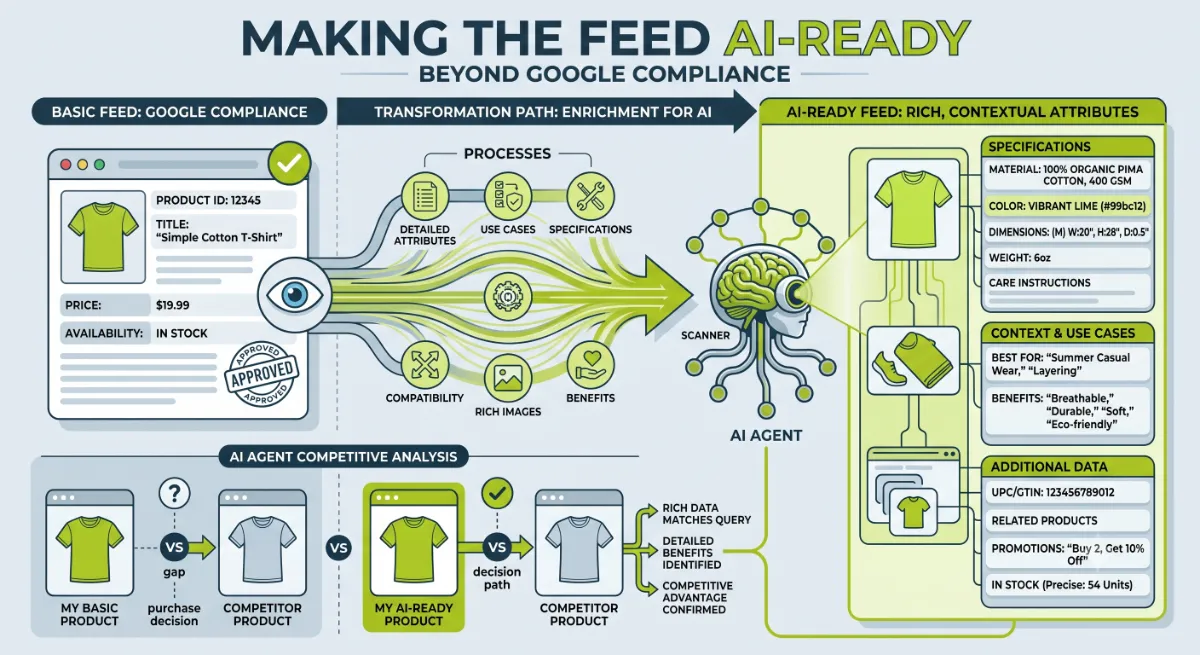
What separates an AI-ready feed:
- Complete the trust fields. Populate review counts, average ratings, return policy, and shipping details. These answer the constraints shoppers actually voice to an assistant.
- Write descriptions for questions, not keywords. AI matches products to natural-language queries, so describe use cases, materials, and specifics a shopper would ask about.
- Keep the data fresh. Feeds can refresh frequently, and stale pricing or stock gets your products dropped. Frequent syncing keeps you eligible.
- Aim for high attribute completion. Get your top products as close to fully complete as you can, since completeness is what lets an agent confidently recommend you.
Do this and the same WooCommerce product feed that runs your Google Shopping also makes you recommendable in AI search. Which is exactly where most stores go wrong.
Want a product feed built to win on Google and in AI search?
I build and optimize WooCommerce product feeds for Merchant Center and AI shopping, complete, compliant, and AI-ready. See my WordPress development service.
What Most People Get Wrong
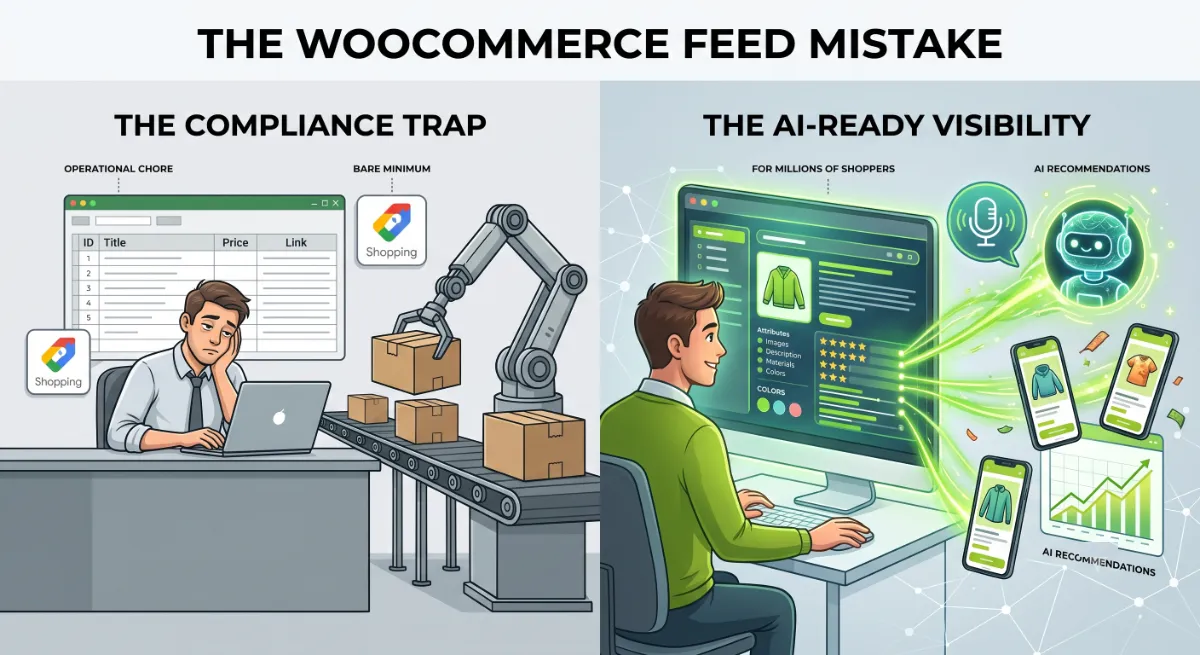
The biggest mistake with a WooCommerce product feed is treating your WooCommerce product feed as an operational chore that exists only to pass Google’s checks. That mindset was fine when a feed just ran Shopping ads. Now the same file decides whether AI assistants recommend you to millions of shoppers, so a feed built for bare compliance leaves your best visibility on the table.
Here is the observation from client work. The stores winning in AI search are not the ones with the cleverest marketing, they are the ones whose WooCommerce product feed is the most complete. I have seen a store do nothing but add GTINs, fix its Google Product Category, and complete review and return fields, and start surfacing in comparisons where it had been invisible. The feed changed. Nothing else did.
The second trap is a mismatch between your feed, your schema, and your live page. If your feed says one price and your product page says another, Google can disapprove the product, and AI engines, which cross-check these sources, quietly stop trusting you. Consistency across all three, feed, product schema, and page, is not a nice-to-have, it is the foundation of being recommended at all.
When your catalog is large, or the feed keeps getting disapprovals, or you want it genuinely AI-ready, that is where getting it built right the first time saves months of lost visibility.
Feed getting disapprovals, or invisible in AI results?
I audit and rebuild WooCommerce product feeds so they pass Google and get recommended by AI. See my WordPress development service or book a free call.
Frequently Asked Questions
What is a WooCommerce product feed?
It is a structured file, usually XML, CSV, or JSON, that lists your products with standardized attributes like title, price, availability, image, and identifiers. Shopping platforms and AI engines read this file to match your products to shopper searches. You submit it to Google Merchant Center to appear across Google Shopping and other surfaces.
Does one feed work for both Google and AI shopping?
Yes, and that is the key point. Your Google Merchant Center feed now powers AI shopping too, since ChatGPT pulls largely from Google Shopping’s index, and Google AI Mode, AI Overviews, and Perplexity draw on Merchant Center data. One well-built feed serves them all, so optimizing it is high-leverage work.
How do I create a product feed in WooCommerce?
Fill in your product data first, then use a feed plugin to generate and format the file. The official Google for WooCommerce plugin handles direct Merchant Center integration, while dedicated feed plugins offer deeper attribute mapping. Map your fields to Google’s attributes, optimize titles, then submit and schedule a daily fetch.
What attributes does a WooCommerce product feed need?
Required fields include id, title, description, link, image_link, price, and availability. Strongly add brand, GTIN or MPN, condition, and google_product_category. Apparel also needs color, size, gender, and age_group. For AI, complete ratings, review counts, return policy, and shipping, which are the fields agents use to compare and recommend.
Why does WooCommerce miss Google feed attributes?
Because WooCommerce is built for your storefront, not Google’s specification. Its categories do not map to Google Product Category, it has no default GTIN or gender and age_group fields, and product titles are written for your site. A feed plugin bridges these gaps by mapping and supplementing the data Google expects.
How do I make my product feed AI-ready?
Go beyond Google’s minimum. Complete review counts, average ratings, return policy, and shipping details, write descriptions for natural-language questions rather than keywords, keep data fresh with frequent syncing, and push top products toward full attribute completion. These richer fields are what AI agents reason over when recommending products.
Why does feed data need to match my product page?
Because Google compares them, and a price or availability mismatch causes disapproval and limited visibility. AI engines also cross-check your feed against your schema and page, and inconsistency erodes the trust that gets you recommended. Keep feed, schema, and product page in agreement, and sync frequently to stay accurate.
Should I hire someone to build my product feed?
Consider it when your catalog is large, the feed keeps getting disapprovals, or you want it genuinely AI-ready rather than just compliant. Mapping attributes, fixing GTINs and categories, and completing AI-critical fields at scale is technical work. My WordPress development service covers full feed setup and optimization.
Conclusion
A WooCommerce product feed is no longer just the file that runs your Google Shopping ads. It is the single source of product truth that Google and every major AI assistant now read to decide whether to recommend you. Build one WooCommerce product feed to a high standard: fill in your product data, use a feed plugin to map the attributes Google requires, optimize your titles, and then complete the richer fields, ratings, reviews, returns, and shipping, that make it AI-ready. Keep it in perfect agreement with your schema and product pages, and sync it often. Do that, and the same file wins you visibility on Google Shopping and in AI search at the same time. Start by checking your top products for real GTINs and a mapped Google Product Category.
Want to be the store Google and AI both recommend?
I build complete, AI-ready WooCommerce product feeds that pass Merchant Center and get cited in AI search. Book a free call or browse my recent project portfolio.
This article was last reviewed and updated in June 2026 to reflect current Google Merchant Center and AI shopping feed behavior.