- A WooCommerce block checkout migration moves your store from the classic shortcode checkout to the faster block-based Cart and Checkout.
- It is a project, not a one-click toggle, because gateways, custom fields, and plugins must be verified first.
- Incompatible payment gateways silently vanish, and custom fields added through classic hooks stop appearing.
- The block checkout cannot live inside an Elementor or Divi template, which catches many page-builder stores.
- Classic checkout still gets security patches, but all new WooCommerce checkout features are now block-only.
A WooCommerce block checkout migration means switching your store from the classic shortcode checkout to the newer block-based Cart and Checkout, which is faster and where all new WooCommerce features now live. Done well, it is a project, not a one-click toggle, because payment gateways, custom fields, and plugins need verifying first. This guide walks the safe way through it.
After migrating and rescuing WooCommerce checkouts for clients in 15+ countries, here is the honest headline. The new checkout is genuinely better, faster, and the future of WooCommerce. But the switch quietly breaks things that cost you sales if you rush it: a payment method disappears, a custom field stops saving, a page builder refuses to load it. So this guide is not a “click transform and you are done” post. It is what actually breaks, and the safe order to do it in.
What Is the WooCommerce Block Checkout?
The WooCommerce block checkout is a rebuilt Cart and Checkout experience made from Gutenberg blocks and powered by the Store API, replacing the old checkout that was built from a single shortcode. Introduced in WooCommerce 8.3, it has been the default for new stores since late 2023, while older stores still run the classic shortcode version.
The difference is architectural, not cosmetic. The classic checkout is one monolithic form that loads all its fields, scripts, and styles at once. The block checkout loads only what it needs, validates fields in real time as the customer types, updates shipping and tax without a page reload, and surfaces wallets like Apple Pay and Google Pay automatically. That is why it tends to convert better.
Pro tip: The reason migration matters is direction, not just speed. WooCommerce has confirmed the classic checkout stays in the codebase with security patches, but new features, from payment integrations to express wallets, are now built for the block checkout only. Staying classic means slowly falling behind.
So the real question is not whether it is better. It is whether your store is ready to move.
Should You Migrate Yet?
You should migrate if your store is fairly standard, or if you want the speed, inline validation, and wallet support it brings, but you may want to wait if you depend on customizations that are not block-ready. This is a genuine judgment call, not a foregone conclusion.
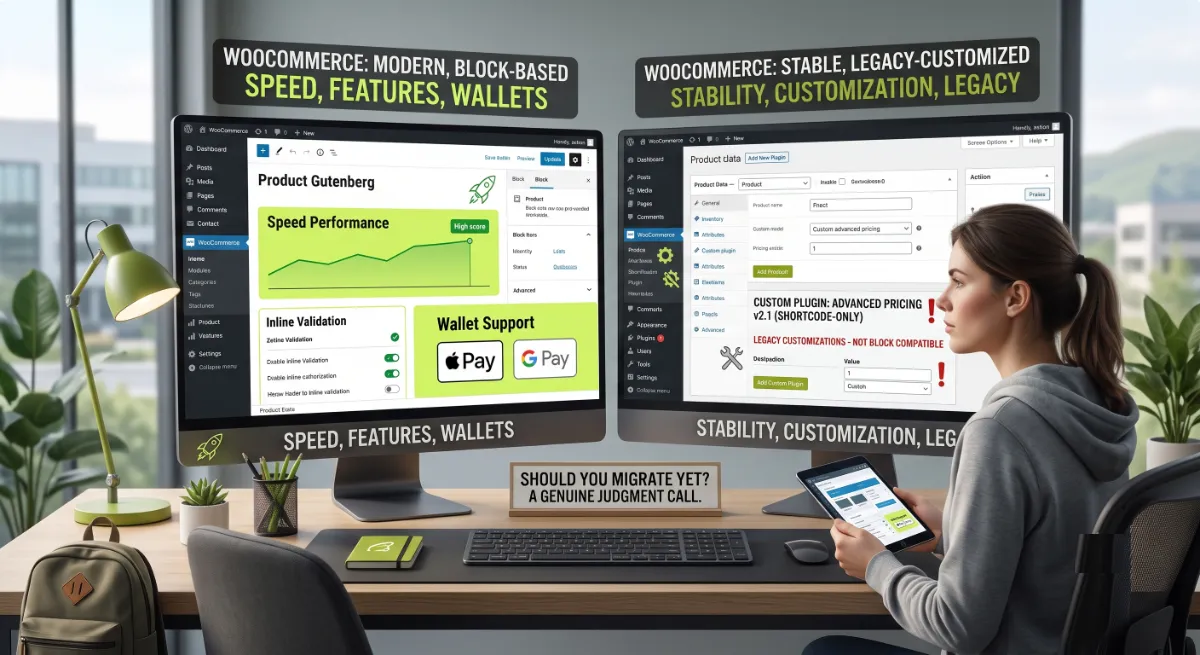
Here is the honest context most guides skip: the majority of live WooCommerce stores are still on the classic checkout. A large independent scan in early 2026 found roughly 87 percent of stores on classic layouts and only about 13 percent on blocks. So if you are still on classic, you are not behind the curve, you are with the crowd. That said, the direction is set, and the gap widens over time.
- Migrate now if: your checkout is close to standard, your gateways are mainstream, and you want faster checkout and wallets.
- Plan carefully if: you have custom fields, upsells, or unusual shipping rules that are business-critical.
- Wait or stay if: a critical extension has openly declared it is not block-compatible, and reverting is the lower-risk option for now.
Whichever bucket you are in, the deciding factor is what breaks. So let us look at exactly that.
What Breaks in a Migration
The things that break in this migration are predictable, and knowing them upfront is most of the battle. The classic checkout has been extended for years with plugins, snippets, and theme overrides, and the block checkout uses a different technical model, so those extensions need verifying rather than assuming.
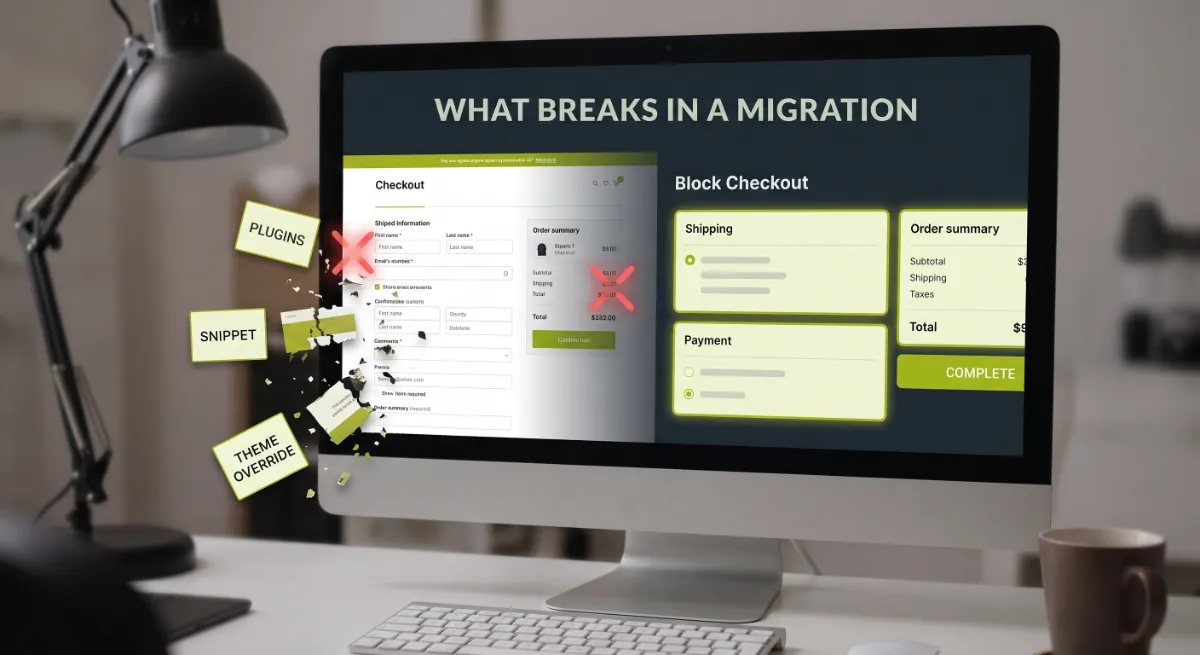
The five things to check, in order of how often they cause trouble:
| What to check | The risk |
|---|---|
| Payment gateways | An incompatible gateway silently disappears from checkout. Confirmed block-ready: WooPayments, Stripe, PayPal, Square, Klarna. Older or regional gateways are the highest risk. |
| Custom checkout fields | Fields added through classic hooks do not render in the block checkout. They need rebuilding with the Additional Checkout Fields API. |
| Upsells and add-ons | Plugins that inject content, cross-sells, tips, or gift options at checkout are the most commonly broken category. |
| Shipping and pickup | Local pickup, delivery windows, and freight-surcharge rules may not expose correctly, showing wrong costs. |
| Express wallets | Some gateways support cards in blocks but not their Apple Pay or Google Pay setup yet. Test wallets separately. |
The custom-fields issue is the sneakiest, because a field can simply vanish with no error. A “delivery instructions” or “gift message” field added through a classic hook just will not appear, and you may only notice when the data goes missing from your orders. That is why the process below leads with an audit.
The Safe Switch: 5 Steps
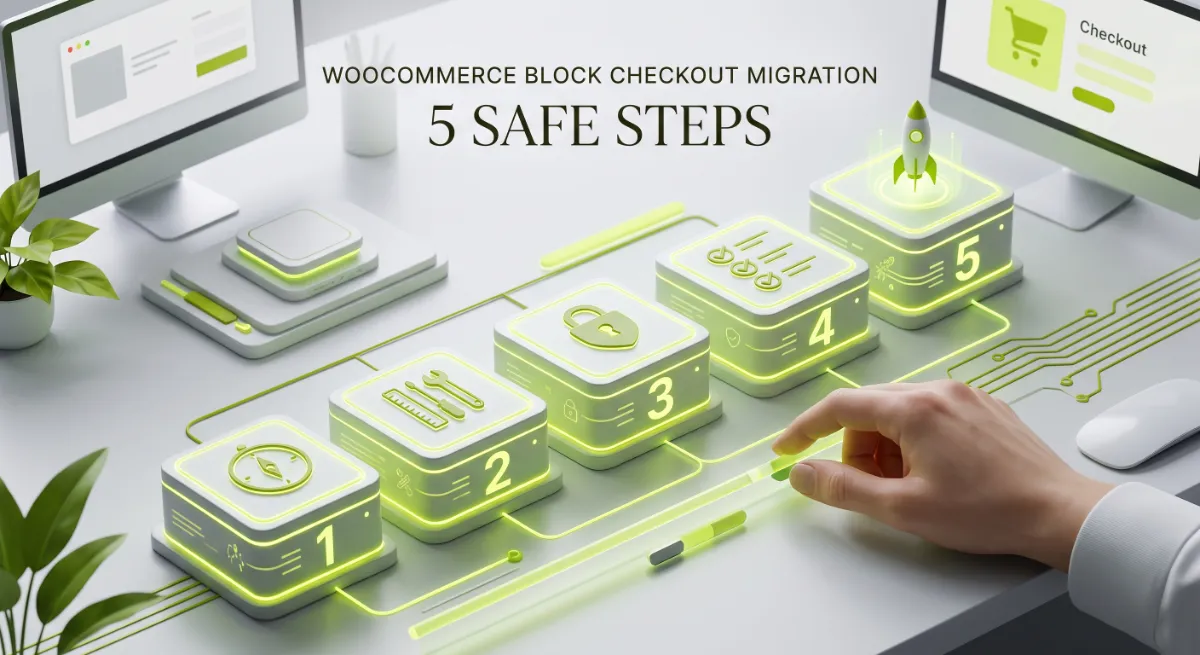
The safe way to run this migration follows five steps I call the Safe Switch: Audit, Verify, Rebuild, Test, and Cut Over. Doing them in order is what protects your revenue, because each step surfaces the problems the next one would otherwise hide.
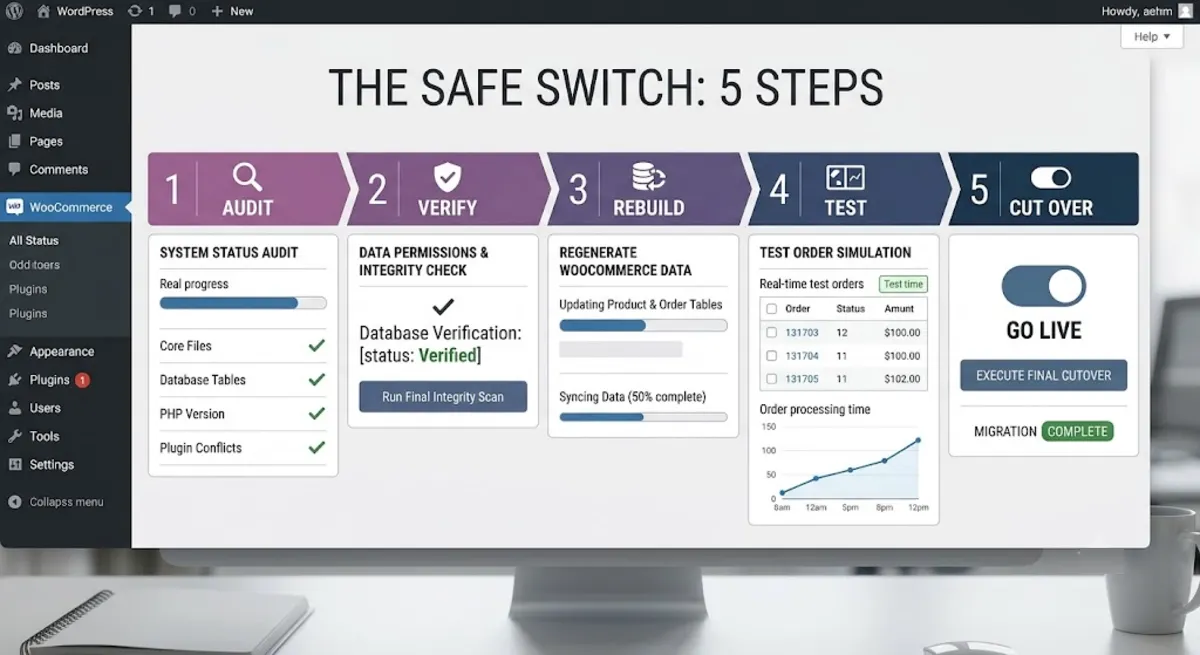
The five steps:
- Audit. On a staging copy, inventory everything your checkout touches: every payment gateway and wallet, shipping and pickup rules, tax logic, custom fields, upsells, coupons, and analytics or pixel tracking.
- Verify. Confirm each item is block-compatible by testing it on staging, not by trusting a plugin’s description. Compatibility declared on a product page is a starting point, not proof.
- Rebuild. Recreate anything incompatible using the supported route. Custom fields move to the Additional Checkout Fields API, and cart-affecting logic uses the Store API, so your work survives future updates.
- Test. Run real test transactions through every gateway and wallet, apply coupons, and confirm every custom field saves to the order, shows in the admin, and appears in order emails. Test on real mobile devices.
- Cut over. Switch in a low-traffic window with a rollback ready. The block editor can revert both Cart and Checkout to the classic shortcode in one click if something goes wrong.
Pro tip: Never migrate straight on production, and never right before a sale or product drop. Do the whole thing on staging, then cut over during your quietest hours with the one-click revert on standby.
Follow that order and the migration is calm and reversible. Skip it, and you meet the mistakes that cost stores money.
Want your checkout migrated without losing a payment method or a field?
I audit, rebuild, and safely migrate WooCommerce checkouts to blocks, gateways and custom fields intact. See my WordPress development service.
What Most People Get Wrong
The biggest mistake is treating the migration as a one-click job because the editor has a Transform button. That button swaps the layout, but it does nothing to verify that your gateways, fields, and plugins survive the change. For an established store, migration is a project that touches payments, shipping, tax, and custom data, and the toggle is the very last step, not the whole job.

Here is the observation from client work: the two things that break most are hook-based custom fields, which silently vanish, and older or regional payment gateways, which silently disappear from the payment options. Both fail quietly. Nothing errors, so people trust the editor preview and ship, then discover the problem when an order arrives missing data or a customer emails that they could not pay. Testing real purchase paths on staging is the only thing that catches these before customers do.
The second misconception is that you must migrate immediately or fall behind. You do not. Classic checkout still receives security patches, and staying on it is a legitimate choice while a critical extension catches up. The honest rule is simple: migrate when your dependencies are ready and tested, not because a button exists.
When your checkout drives real revenue, or the customizations are complex, that is where getting the migration right the first time protects the sales that a broken checkout would quietly lose.
Worried a migration will break your checkout?
I move WooCommerce stores to the block checkout safely, testing every gateway, field, and flow on staging first. See my WordPress development service or book a free call.
Frequently Asked Questions
How do I migrate WooCommerce to the block checkout?
On a staging site, audit every checkout dependency, verify each is block-compatible by testing it, rebuild anything incompatible with supported APIs, test real transactions, then cut over in a low-traffic window. In the editor you replace the classic checkout shortcode with the Checkout block, but that swap is the last step, not the whole process.
Will migrating to the block checkout break my payment gateways?
It can. If a gateway has not registered with the block checkout, it silently disappears from the payment options. Mainstream gateways like WooPayments, Stripe, PayPal, Square, and Klarna support blocks. Older or regional gateways are the highest risk, so test each one with a real transaction on staging first.
Why did my custom checkout fields disappear after migrating?
Because fields added through the classic checkout hooks do not render in the new block-based checkout, which uses a different system. To restore them, rebuild the fields with the Additional Checkout Fields API, the supported method that saves data to the order and survives WooCommerce updates.
Can I use the block checkout with Elementor or Divi?
Not inside a page-builder template. The block checkout must sit on a standard WordPress page. If your checkout is built in Elementor or Divi, either create a standard page with the block checkout and redirect to it, or keep the classic shortcode on your builder-built checkout page.
Is the classic WooCommerce checkout being removed?
Not for now. WooCommerce has said the classic checkout stays in the codebase for the foreseeable future and continues to receive security patches. However, new features such as express wallets and payment integrations are being built for the block checkout only, so classic will gradually fall behind.
Can I revert if the block checkout causes problems?
Yes. The block editor can transform both the Cart and Checkout back to the classic shortcode version in one click. Because the two work together, revert both if you roll back. Keeping this rollback ready is exactly why you cut over during a low-traffic window.
Is the block checkout better for conversions?
Usually, yes. It loads less code, validates fields in real time, updates shipping and tax without a page reload, and surfaces wallets like Apple Pay automatically. Those reduce friction and abandonment. The gain only holds, though, if your gateways and fields are fully working after migration.
Should I hire someone to migrate my checkout?
Consider it if your checkout has custom fields, upsells, unusual shipping, or a page-builder page, or if it drives significant revenue. Auditing dependencies, rebuilding customizations with the right APIs, and testing every path is technical, revenue-sensitive work. My WordPress development service covers the full migration.
Conclusion
A WooCommerce block checkout migration is worth doing, because the new checkout is faster, converts better, and is where every new feature now lands. Just treat it as the project it is. Audit what your checkout depends on, verify each piece on staging rather than trusting descriptions, rebuild custom fields with the Additional Checkout Fields API, test real transactions through every gateway and wallet, then cut over in a quiet window with a one-click rollback ready. And remember two truths: staying on classic a little longer is a valid choice, and the things that break, gateways and custom fields, fail silently, so testing is everything. Start with an audit on staging this week.
Ready for a faster checkout without the migration risk?
I handle WooCommerce block checkout migrations end to end, audit to cut over, with nothing broken. Book a free call or browse my recent project portfolio.
The exact audit, verify, rebuild, test, and cut-over checklist I use to migrate WooCommerce checkouts to blocks without breakage.
Get it free →This article was last reviewed and updated in June 2026 to reflect current WooCommerce Cart and Checkout block behaviour and extensibility.