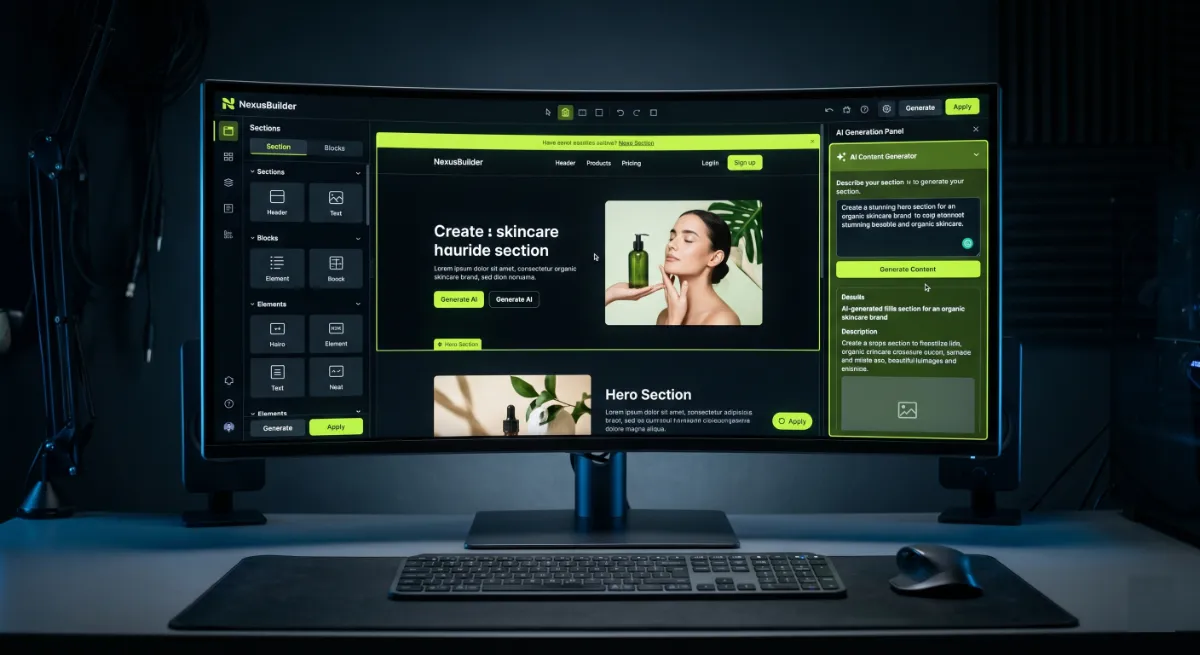
- Elementor AI is a set of generative tools inside the editor that write copy, make images, produce code, and build layouts.
- It is a separate, credit-based subscription. Having Elementor Pro does not include it.
- It is genuinely useful for drafts, speed, and beginners, but the output usually needs editing.
- Credits go fast for image generation, so heavy users should watch the cost.
- Worth it as a time-saving assistant, not as a replacement for real design and development skill.
Is Elementor AI worth it? For quick drafts, first-pass copy, and fast images inside the editor, yes. For polished, production-ready design and code, not on its own. Elementor AI is a useful assistant, not a replacement for skill. Here is the honest breakdown, including pricing, limits, and exactly who should use it.
Across 250+ WordPress projects, I get asked this constantly: should I pay for Elementor AI, or is it hype? I have used it on real client builds, so this is a hands-on take, not a feature-list summary. The short answer is that it depends entirely on what you expect from it. Let me walk through what it actually does, what it costs, and where it helps versus where it gets in the way.
What is Elementor AI?
Elementor AI is a collection of generative features built directly into the Elementor page builder. You do not install a separate plugin, it lives inside the editor, the WordPress admin, and the media library. As of 2026 it covers roughly six capabilities: writing and editing copy, generating and editing images, producing code such as custom CSS, building container layouts, and a newer flow that helps plan an entire website. There is also Angie, an AI copilot that can generate editable widgets, CSS, and even full landing pages from a prompt or a screenshot.
For context, Elementor itself is the most popular WordPress page builder, powering millions of sites, and you can see the core plugin on the WordPress plugin directory. The AI features are a newer layer bolted across that editor rather than a single button.
The important thing to understand is how it is metered. Almost every generative action consumes credits at different rates, rather than being part of your flat editor license. That credit model shapes the whole “is it worth it” question, so let us look at pricing next. For current feature and credit details, Elementor’s own pricing page is the source of truth, and this detailed feature breakdown maps each tool and its credit cost.
How much does Elementor AI cost?
Elementor AI uses a credit-based model, and here is the part that surprises people: it is a separate subscription from Elementor Pro. Having Pro does not give you AI access, and you do not need Pro to use Elementor AI. Every new account gets a small free trial allowance, and once those credits run out, you need a paid plan.
At the time of writing in 2026, the main AI-focused plan is Elementor One, which bundles the Pro plugin with around 25,000 monthly credits per site, and runs roughly $168 to $228 per year depending on the discount. Those credits sound like a lot until you see the rates: that allowance covers about 25,000 text prompts, but only around 757 image generations or 625 layout generations per month, because images and layouts cost far more credits than text. Standalone AI access starts lower, around $99 per year in some plans. Prices and credit rates change, so always confirm current numbers on Elementor’s site before buying.

The credit meter is the whole story. Text is cheap, but images and layouts burn through your allowance fast, which is where a casual “is it worth it” turns into a real budgeting question.
What Elementor AI does well
Used for the right things, Elementor AI earns its place. Its real strengths are speed and convenience.
- It is right there in the editor. No switching tabs or pasting between tools. You generate copy, an image, or a CSS snippet without leaving your design.
- It beats the blank page. For headlines, placeholder copy, and first drafts, it gets you moving fast when you are stuck.
- It helps non-coders. Generating custom CSS or a quick layout from a description is genuinely useful if you do not write code.
- It is good for beginners. Solo site owners and non-designers get a real lift in speed and confidence.
- Angie is surprisingly capable. For quick widgets, CSS, or a rough landing page from a screenshot, the copilot is a handy starting point.

There is also a learning benefit that gets overlooked. For someone new to web design, seeing the tool produce a layout or a block of CSS from a plain description is a fast way to understand what is possible, even if you rewrite it later. As a teaching aid and a momentum builder, it genuinely lowers the barrier to getting started.
The pattern is clear: the tool shines as a fast first-draft helper for people who would otherwise be stuck or slow. That is real value, just not unlimited value.
Where Elementor AI falls short
Now the honest other side. There are real limits, and pretending otherwise would not help you.
- The output is generic. AI copy and images tend to look and read like AI. For anything client-facing, you will edit heavily or redo it.
- Credits run out. Heavy image or layout use drains your allowance quickly, and topping up adds cost on top of an already separate subscription.
- It is another subscription. Paying for Pro and then again for AI frustrates people who assumed it was included.
- It is not a designer or developer. It produces drafts, not polished, conversion-focused, performance-optimized work. The quality ceiling is real.
- You still reach for proper tools. For serious copy, images, or code, dedicated tools often do better, which undercuts the “all in one place” appeal.
There is also a subtler cost. Leaning on generated copy and layouts tends to produce sites that look and read like everyone else using the same tool, which works against you in a market where being distinctive and being citable both matter. Sameness is cheap to produce and expensive to stand out from.
None of this makes the tool bad. It makes it a draft tool with a price tag, which is fine as long as you expect exactly that.
Is Elementor AI worth it?
Here is the honest verdict, split by who you are, because the answer genuinely differs.
| If you are… | Is Elementor AI worth it? |
|---|---|
| A beginner or solo site owner | Yes. The speed and convenience are a real win. |
| A marketer needing fast drafts | Often. Great for first drafts you will refine. |
| A heavy image generator | Be careful. Credits drain fast, budget for it. |
| A designer or developer | Usually not. Your own tools produce better work faster. |
| Already paying for Pro only | Only if you will actually use the AI enough to justify the extra cost. |
So is Elementor AI worth it? If you value speed and starting points over polish, and you use it within its credit budget, yes. If you expect finished, professional output or you already produce that faster yourself, no. Match the tool to your expectations and you will not be disappointed.
Is Elementor AI worth it for you?
Answer three quick questions for a straight recommendation. Nothing stored.
1. Which best describes you?
2. What do you need from it?
3. How heavily will you use AI image generation?
Elementor AI alternatives
If you are not sure Elementor AI fits, you have options, and many people combine them.
- General AI tools for copy. ChatGPT or Claude often write better, more steerable copy than in-editor generation, and you paste the result in.
- Dedicated image tools. Purpose-built image generators usually produce stronger visuals than a metered in-editor feature.
- AI website builders. Tools like 10Web lean harder into full AI site generation if that is your main goal.
- A developer. For client or revenue-critical sites, a skilled build beats any generator on quality, performance, and conversions.
A common, sensible setup: draft copy in ChatGPT or Claude, create visuals in a dedicated image tool, and assemble everything in Elementor by hand. You get stronger output than in-editor generation, often for similar or lower cost, at the price of switching between tools. Whether that trade is worth it depends on how much you value staying in one place.
The honest framing: the tool’s edge is convenience, not best-in-class output. If output quality matters most, a focused tool or a professional will usually win.
My take as a developer
I treat Elementor AI as a drafting accelerator, never a finisher. On real projects I might use it to rough out a section, generate placeholder copy, or get a quick CSS starting point, then I rewrite and refine by hand, because clients are paying for polish, performance, and conversions that generic AI output does not deliver.
That is the mindset that makes it worth it: a tool that saves you time on the boring 60 percent, not one that does the skilled 40 percent that actually matters. The danger I see is owners who ship the raw output as final, then wonder why the site does not convert or rank. The generation was never the hard part, the judgment about what to keep, cut, and refine is.
If you need that skilled part done right, on an Elementor build or any WordPress site, that is what I do. You can see my recent work or explore my WordPress and Elementor development services.
Frequently asked questions
Is Elementor AI worth it?
For beginners, fast drafts, and in-editor convenience, yes. For polished, production-ready design and code, not on its own. It is a useful assistant that saves time, but it does not replace real design and development skill.
Is Elementor AI included with Elementor Pro?
No. Elementor AI is a separate, credit-based subscription. Having Elementor Pro does not give you AI access, and you do not need Pro to use Elementor AI.
How much does Elementor AI cost?
It is credit-based. In 2026 the main plan, Elementor One, bundles Pro with around 25,000 monthly credits and runs roughly $168 to $228 per year, while standalone AI access starts lower. Always check Elementor’s site for current prices.
How many images can I generate with Elementor AI?
Around 757 per month on the 25,000-credit plan, because images cost far more credits than text. Heavy image use drains your allowance quickly, so budget accordingly or use a dedicated image tool.
Is Elementor AI good for beginners?
Yes, this is where it shines. Non-designers and solo site owners get a real boost in speed and confidence from generating copy, images, and layouts without leaving the editor.
Does Elementor AI replace a web designer or developer?
No. It produces drafts, not polished, conversion-focused, performance-optimized work. Use it to speed up the early stages, then refine by hand or hire a professional for client and revenue-critical sites.
What are the best Elementor AI alternatives?
General tools like ChatGPT or Claude for copy, dedicated image generators for visuals, AI site builders like 10Web for full generation, or a developer when output quality really matters.
Should I pay for Elementor AI or use ChatGPT?
If you value generating inside the editor without switching tools, Elementor AI is convenient. If you want better, more steerable copy and do not mind pasting it in, a general AI tool often produces stronger results for less.
Conclusion
So, is Elementor AI worth it? As a convenient, in-editor drafting tool, yes, especially for beginners and anyone who values speed over polish. As a replacement for skilled design and development, no, and the credit meter means heavy users should do the math first. Treat it as an assistant that handles the routine starting points while you or a professional handle the parts that actually win clients and conversions. Set your expectations there, and it is a fair tool at a fair price.
Elementor AI gets you a starting point. I turn that into a fast, polished, conversion-focused site. See my WordPress and Elementor development services, or book a free call.
This review was last updated in June 2026. Elementor AI features and pricing change often, so confirm current details on Elementor’s official site.